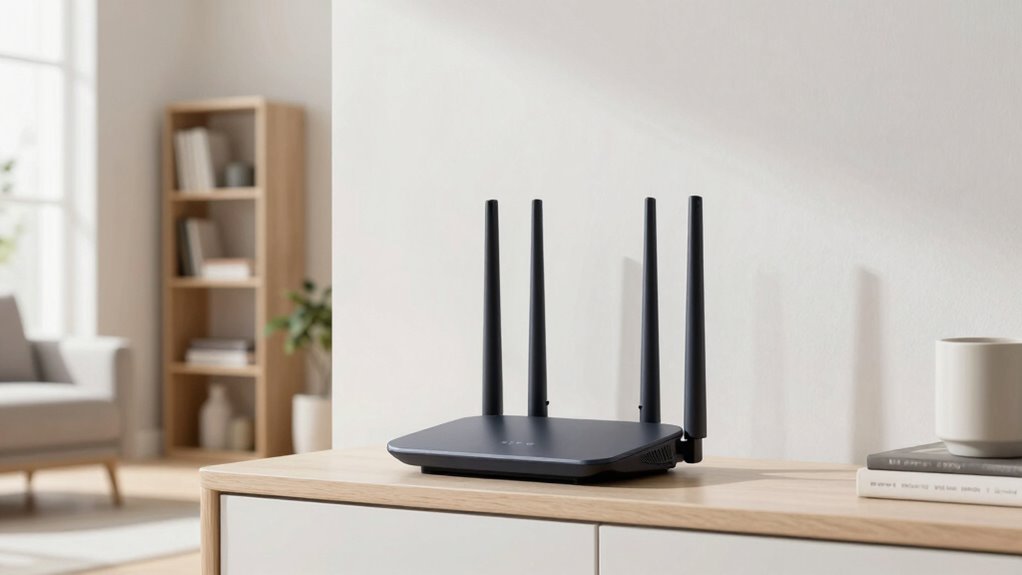
To improve your router coverage, place it in a central, elevated location away from interference sources like cordless phones and microwaves. Keep it out of cabinets and off the floor, and aim for a spot with minimal obstacles. Experiment with antenna angles, switching between 2.4 GHz and 5 GHz bands for better performance. Maintaining a clear environment helps signals reach every corner. If you want to access more tips, there’s much more to explore.

Get furniture and decor delivered free — and shop member deals
- Fast, free delivery on millions of items
- Access to Prime Big Deal Days deals on October 6–7
- Prime Video, Amazon Music and more included
Key Takeaways
- Place the router in a central, elevated location away from interference sources and obstacles.
- Use external antennas and adjust their orientation for optimal signal distribution.
- Switch between 2.4 GHz and 5 GHz bands to reduce congestion and improve coverage.
- Keep the router away from electronic devices and thick walls that block signals.
- Regularly test and fine-tune antenna angles and router position for coverage gaps.

Ever wondered how to get the most out of your Wi-Fi? The key often lies in where and how you position your router. Proper placement can dramatically improve your signal strength and coverage, but it requires understanding a few essential factors. One of the biggest obstacles to a reliable Wi-Fi connection is wireless interference. Devices like cordless phones, microwaves, Bluetooth gadgets, and even neighboring Wi-Fi networks can all disrupt your signal, creating dead zones or slow speeds. To minimize this, place your router away from these potential sources of interference. Keep it in the center of your home, elevated on a shelf or high furniture, rather than tucked into a cabinet or on the floor. This helps guarantee that the signal radiates evenly in all directions, reaching more areas without obstruction.
Another vital aspect is ideal antenna positioning. Most routers come with external antennas, and how you position them can make a notable difference. Instead of leaving antennas pointing straight up, try angling them slightly or positioning one vertically and another horizontally. This setup can help broadcast the signal more effectively across different floors and rooms. If your router has adjustable antennas, experiment with their orientation until you find the best coverage. Keep in mind that antennas act as the broadcast source; their placement influences how far and how well your Wi-Fi reaches. Proper antenna positioning helps avoid weak spots and dead zones, especially in larger or multi-story homes. Additionally, understanding frequency bands your router operates on can also help optimize coverage, as dual-band routers can switch between 2.4 GHz and 5 GHz to improve signal quality. Recognizing the antenna placement and signal propagation principles can also help you fine-tune your setup for optimal coverage throughout your home. Furthermore, considering the router’s environment by removing obstacles and sources of electromagnetic interference can significantly enhance your Wi-Fi experience.
As an affiliate, we earn on qualifying purchases.
Frequently Asked Questions
Can Router Placement Affect Internet Speed?
Yes, router placement can affect your internet speed. When your router is near interference sources like microwaves or cordless phones, it can cause signal disruption. Also, poor placement leads to signal attenuation, weakening the Wi-Fi signal as it travels through walls or furniture. By positioning your router in a central, open spot, away from interference sources, you can improve your connection speed and overall Wi-Fi performance.
How Often Should I Reposition My Router?
You should reposition your router whenever you notice a drop in signal quality or experience slow internet speeds. Regular adjustments help combat signal interference and maintain ideal positioning. Typically, reassess every few months or if you move furniture, add new devices, or experience connectivity issues. By staying proactive, you guarantee your router stays in the best spot, reducing interference and improving coverage for a faster, more reliable internet connection.
Does Router Placement Impact Device Battery Life?
Yes, your router placement can impact your device’s battery life. Imagine your device constantly fighting signal interference, working harder to maintain a stable connection. Poor placement causes weaker signals, leading to increased battery drain as your device boosts power to stay connected. Conversely, a well-placed router minimizes interference, allowing your device to conserve energy. So, strategic placement doesn’t just improve coverage—it helps your device last longer on each charge.
Are There Tools to Measure Wi-Fi Signal Strength?
Yes, there are tools to measure Wi-Fi signal strength. Signal analyzers are handy devices or apps that help you assess your network’s performance, showing signal quality and interference. Coverage maps, often created with specialized software, visualize your Wi-Fi reach throughout your space. Using these tools, you can identify weak spots and optimize your router placement for better coverage, ensuring stronger, more consistent connections across your entire area.
Can Multiple Routers Improve Coverage?
Absolutely, adding multiple routers can brighten your Wi-Fi world. Using mesh networks, you create a seamless web of coverage, reducing dead zones and frustration. Signal boosters work hand-in-hand by amplifying your existing network, ensuring every corner of your space gets a reliable connection. Together, these solutions transform your home into a connected haven, making browsing, streaming, and working from home smoother and more enjoyable.
Conclusion
To get the best coverage, think of your router as the heart of your home’s Wi-Fi. Just like a lighthouse guides ships safely to shore, a well-placed router shines its signal across your space. Keep it open, central, and away from obstructions. With a little attention, you’ll see your Wi-Fi strength grow stronger, spreading like sunlight across a room. So, move that router around and watch your connection light up like a beacon on a dark night.
Fall Picks
fall essentials
As an affiliate, we earn on qualifying purchases.