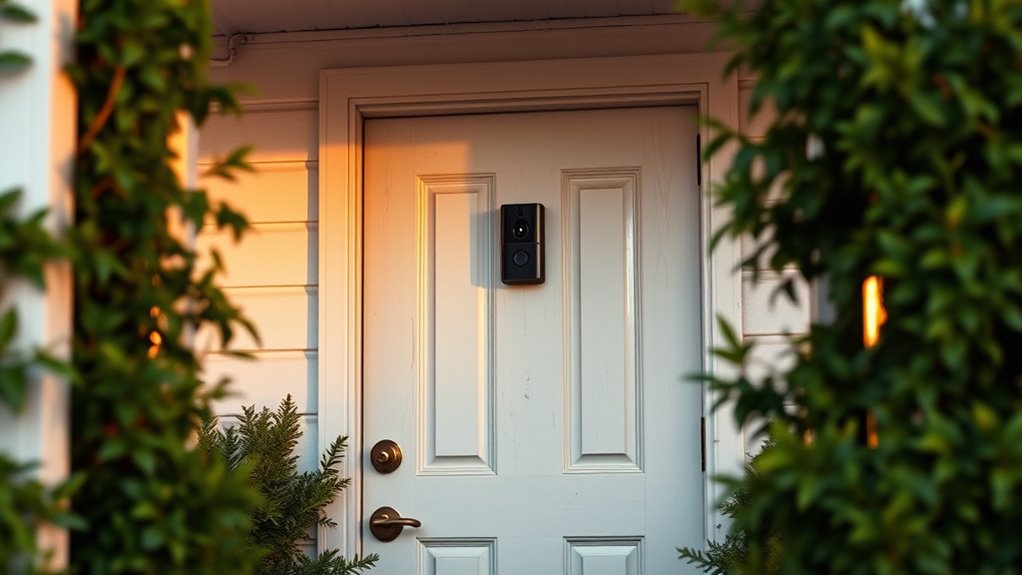

When installing your doorbell camera, position it at chest height and angle it toward your front door to get a clear view while avoiding pointing directly into neighbors’ yards or windows. Be mindful of privacy and community guidelines, ensuring it mainly captures your property. Use adjustable mounts for proper aiming and test the angle beforehand. To maintain good relations, respect boundaries and consider neighbor input—if you want to know more about proper placement and etiquette, keep exploring.

Get furniture and decor delivered free with Prime
- Fast, free delivery on millions of items
- Prime Video, Amazon Music and more included
- Member-only deals all year
Key Takeaways
- Mount the doorbell camera 4 to 6 feet high for optimal coverage of your doorstep and entryway.
- Angle the camera downward to focus on visitors while avoiding capturing neighbors’ private areas.
- Ensure the camera faces your property and does not intrude into neighboring yards or windows.
- Check local regulations and HOA guidelines to comply with surveillance placement rules.
- Respect neighbors’ privacy by avoiding direct views into private spaces and consulting them if unsure.

Installing a doorbell camera can improve your home security, but proper placement and etiquette are essential to respect neighbors’ privacy and guarantee effective use. You want the camera to monitor your property effectively without infringing on others’ privacy, which is a common concern when installing surveillance devices. To address privacy concerns, it’s vital to consider the camera’s angle, height, and field of view. Position the camera so it captures your front door and immediate surroundings without peering into neighbors’ windows or private spaces. This shows respect for their privacy while still providing security coverage for your property. When planning your installation, keep in mind that the camera should be mounted at a height that prevents tampering but still offers a clear view of visitors. Typically, around 4 to 6 feet above ground works well, as it balances visibility and deterrence without invading privacy.
Using proper installation tips can also help you avoid common pitfalls. For example, avoid pointing the camera directly into neighboring yards or windows. Use adjustable mounts or angled brackets to fine-tune the camera’s direction, ensuring it captures only your property. Test the camera’s view before securing it permanently, and check with your neighbors if you’re unsure whether the angle encroaches on their privacy. Many communities have guidelines or homeowners’ association rules about surveillance camera placement, so reviewing those can help you stay within acceptable boundaries. Additionally, understanding camera field of view can help you better position your device for optimal coverage without overreaching privacy boundaries.
Respecting neighbors’ privacy isn’t just about where you install the camera; it’s also about how you use the footage. Avoid sharing or broadcasting video feeds that could reveal private moments or sensitive details about neighbors’ homes. If your camera records or streams footage, make sure to secure it with strong passwords and limit access to trusted household members. Keeping the camera’s view focused on your property reduces the risk of accidental privacy violations and helps maintain good neighborly relations.
adjustable doorbell camera mount
As an affiliate, we earn on qualifying purchases.
As an affiliate, we earn on qualifying purchases.
Frequently Asked Questions
Can Doorbell Cameras Record When No One Is Home?
Yes, your doorbell camera can record even when no one is home, as most operate on motion detection or scheduled recordings. However, you should be aware of privacy concerns, especially if your camera covers neighboring property or public areas. Make sure your camera coverage respects others’ privacy, and always follow local laws and regulations. Proper placement and clear signage can help balance security with respect for privacy.
How Do I Prevent My Camera From Being Hacked?
To prevent your camera from being hacked, follow cybersecurity tips like using strong, unique passwords and enabling two-factor authentication. Make sure your camera uses encryption to protect video footage from unauthorized access. Regularly update your camera’s firmware and your Wi-Fi router’s security settings. Avoid default passwords, and consider a separate network for your smart devices, minimizing potential vulnerabilities and keeping your camera secure from hackers.
Are There Legal Restrictions on Recording Neighbors?
You should be aware that recording neighbors may violate neighborhood privacy and recording laws. Laws vary by location, but generally, you can’t record private areas like your neighbor’s yard or windows without consent. To stay compliant, focus your doorbell camera on your property and avoid capturing areas where neighbors expect privacy. Always check local regulations to ensure you’re respecting privacy rights and avoiding legal trouble.
How Often Should I Adjust My Doorbell Camera?
Think of your doorbell camera as a vigilant eye that needs occasional tuning. You should adjust the camera angle and motion sensitivity whenever you notice missed activity or false alerts, which might be weekly or monthly. Regular tweaks keep your footage clear and relevant. Don’t wait until issues arise—proactively check and fine-tune your camera to make sure it’s capturing what matters most, like a watchful guardian always prepared.
What Are the Privacy Considerations for Visitors?
You should prioritize visitor privacy by ensuring your camera doesn’t capture more than necessary, respecting their boundaries. Always seek camera consent if visitors express concerns, and avoid focusing the lens on private areas like neighbors’ yards or windows. Clearly communicate that your doorbell camera is in use, and consider disabling or adjusting it if someone requests privacy. Respecting visitor privacy fosters trust and maintains a positive neighborhood environment.
Conclusion
By choosing the right spot, respecting privacy, and maintaining clear communication, you enhance your home’s security and your community’s trust. Proper placement prevents misunderstandings, thoughtful etiquette fosters good relationships, and consistent behavior builds confidence. When you prioritize these principles, you create a welcoming, safe environment for everyone. Remember, good placement and etiquette aren’t just about security—they’re about showing respect, building trust, and making your home a better place for all.
Halloween Picks
halloween
As an affiliate, we earn on qualifying purchases.