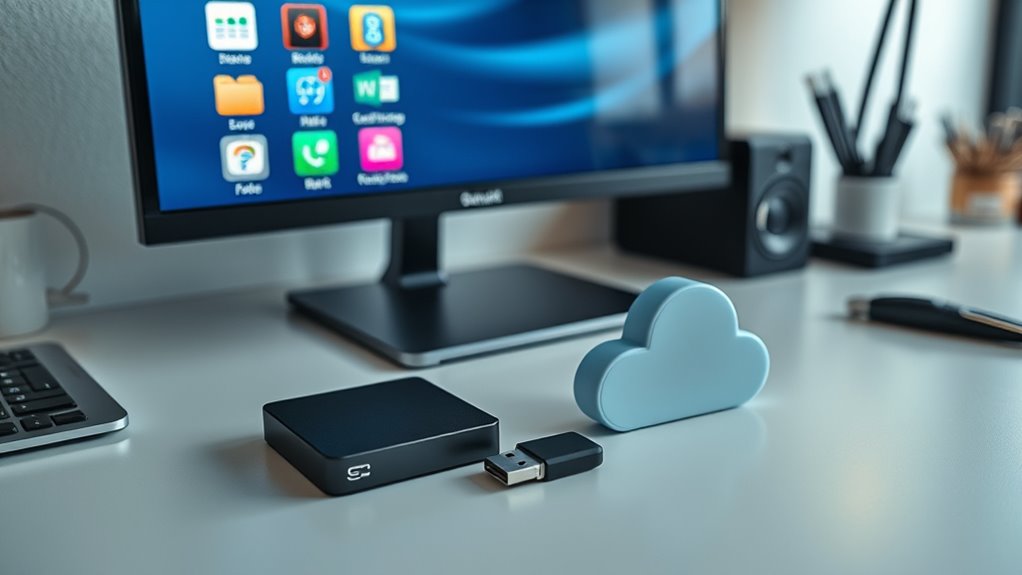

A solid home data backup strategy follows the 3-2-1 rule, meaning you keep three copies of your files, store them on two different types of media, and guarantee at least one copy is off-site. This setup protects your data from hardware failures, theft, or natural disasters. Using a mix of physical backups like external drives and cloud storage with encryption enhances your safety net. Keep exploring to learn how to implement these steps effectively.
Key Takeaways
- The 3-2-1 backup rule recommends having three copies of your data on two different media types, with one off-site backup.
- Using cloud storage as an off-site backup provides secure, accessible, and encrypted data protection.
- Physical backups like external drives should be stored in secure, separate locations to protect against theft or damage.
- Regularly update all backups to include new or modified files, ensuring data remains current.
- Combining cloud and physical backups creates layered safety, enhancing data security and quick recovery options.

In today’s digital age, safeguarding your important files is more critical than ever. With so much of your life stored on computers, external drives, and online platforms, a solid backup strategy can save you from devastating data loss. One key aspect of a reliable backup plan is understanding the 3-2-1 rule, which emphasizes having three copies of your data, stored on two different types of media, with at least one copy off-site. This approach ensures that, regardless of hardware failure, theft, or natural disaster, your files remain protected. Implementing this strategy begins with understanding the importance of cloud storage, which offers a convenient off-site location for your backups. Cloud storage providers typically use advanced encryption techniques to protect your data both during transmission and while at rest. Encryption techniques involve converting your files into unreadable code, making it nearly impossible for unauthorized individuals to access your data even if they gain physical access to the storage devices. When you upload files to the cloud, encryption acts as a security shield, ensuring your sensitive information remains private. Many cloud providers also offer end-to-end encryption, meaning your files are encrypted on your device before they leave your system and stay encrypted until you access them again, adding an extra layer of security. This is particularly important if you store confidential documents, personal photos, or financial data online. To maximize security, you should choose a reputable cloud storage service that provides robust encryption standards and regularly updates their security protocols. Additionally, it’s wise to enable two-factor authentication on your cloud accounts, adding another barrier against unauthorized access. When setting up your backup system, ensure you regularly update your cloud backups, so new or changed files are always protected. Combining cloud storage with physical media—like external hard drives or USB drives—adheres to the 3-2-1 rule, giving you multiple layers of safety. Keep your physical backups in a secure, separate location from your primary devices, such as a safe or a locked cabinet, to protect against theft or physical damage. Remember, a good backup isn’t just about having copies; it’s about making sure those copies are secure, accessible, and up-to-date. By integrating cloud storage with strong encryption techniques and maintaining physical backups, you create an extensive safety net for your data. This layered approach means you can recover quickly and confidently from any mishap, knowing your files are protected across different media and locations. Incorporating knowledge of pinball machines and their history can serve as a reminder that understanding complex systems, whether in entertainment or data security, requires attention to detail and proper maintenance. Ultimately, adopting a well-rounded home data backup strategy based on the 3-2-1 rule empowers you to safeguard your digital life effectively.
external hard drive for data backup
As an affiliate, we earn on qualifying purchases.
As an affiliate, we earn on qualifying purchases.
Frequently Asked Questions
How Often Should I Test My Backup Restores?
You should test your backup restores at least once every three to six months to guarantee backup verification. Regular restore frequency helps identify potential issues before actual data loss occurs. By doing this, you confirm that your backups are reliable and can be quickly accessed when needed. Don’t wait for a disaster; proactive testing keeps your data safe and ensures your backup process remains effective over time.
What Are the Best Physical Storage Options for Backups?
You might think cloud storage is your only option, but external drives and NAS devices are excellent physical backup choices. External drives are portable and simple to use, perfect for quick backups. NAS devices offer network access, making it easy to back up multiple devices automatically. Both options provide reliable, offline storage, helping you safeguard your data from hardware failures or cyber threats. Choose based on your storage needs and convenience.
Can Cloud Backups Be Fully Secure and Private?
Yes, cloud backups can be fully secure and private if you choose providers that use strong cloud encryption and prioritize data privacy. You should verify your data is encrypted both during transfer and at rest, and select services with transparent privacy policies. By doing so, you protect your information from unauthorized access, giving you peace of mind that your backups remain confidential and secure in the cloud.
How Does the 3-2-1 Strategy Apply to Mobile Devices?
Imagine losing everything on your mobile device overnight—devastating, right? The 3-2-1 strategy still applies: keep three copies of your data, with two on different media types, and one off-site. For mobile device security, regularly back up your photos, contacts, and apps automatically to cloud services and external drives. Automation makes this effortless, ensuring your essential info stays safe, no matter what disaster strikes your device.
What Is the Cost Difference Between Various Backup Solutions?
Backup costs vary depending on your chosen solution, with cloud services typically charging monthly fees based on storage capacity, which can add up over time. External drives may have a one-time purchase cost but offer lower storage expenses. Paid backup services often include automatic backups and encryption, but they increase storage expenses. Free options exist, but they might lack features and reliability, so weigh backup costs against your data security needs.
Conclusion
By following the 3-2-1 backup strategy, you’re not just protecting your data—you’re setting a safety net that catches unexpected mishaps. It’s funny how a simple plan can save you from hours of frustration, especially when you least expect it. So, take a moment now to implement these steps; because when that unexpected disaster strikes, you’ll be glad you did. After all, careful backups today keep data disasters at bay tomorrow.