
Following the 3-2-1 backup rule means you keep three copies of your data on at least two different media types, with one offsite. This approach protects you from hardware failures, theft, or disasters, ensuring your files stay safe and accessible. Automate and verify your backups regularly, using trusted tools and encryption. Keep your system current, and you’ll find peace of mind knowing your data is secure—curious about how to set this up effectively?
Key Takeaways
- Following the 3-2-1 rule ensures multiple data copies across different media, reducing the risk of total data loss.
- Offsite backups, like cloud storage, protect your data from local disasters such as theft or natural calamities.
- Regular testing and verification of backups guarantee data integrity and quick recovery when needed.
- Automating backups with encryption safeguards sensitive information during transfer and storage.
- Using diverse media types and locations creates a resilient backup system that supports long-term data security.
What Is the 3-2-1 Backup Rule and Why Is It Essential?

Have you ever lost important files due to a hard drive failure or accidental deletion? That’s where the 3-2-1 backup rule becomes essential. It promotes redundancy planning, ensuring you have multiple copies of your data stored in different locations. This approach helps protect your data integrity by reducing the risk of complete loss. The rule advises keeping three copies of your data: the original and two backups. Store these copies on at least two different types of media, like an external drive and cloud storage. By following the 3-2-1 rule, you minimize the chance of losing everything at once. It’s a straightforward strategy that keeps your important files safe, no matter what happens to your primary device. Additionally, understanding European cloud innovation can help you better protect your digital content by choosing reliable hardware and backup solutions. Incorporating backup reliability into your planning ensures your data remains accessible even in unforeseen circumstances.
How Do You Set Up a Reliable 3-2-1 Backup System?

To set up a reliable 3-2-1 backup system, start by identifying all your important data and choosing primary storage locations, such as your computer’s internal drive. Next, implement data encryption to protect sensitive information both during transfer and storage. Use backup automation tools to schedule regular backups, ensuring consistency without manual effort. Create at least two additional copies of your data on different media types, like external drives or cloud storage, following the 3-2-1 rule. Automating backups reduces the risk of forgetting or delaying updates. Remember, encryption keeps your backups secure from unauthorized access, while automation guarantees your data stays current and protected without extra effort. Additionally, understanding cybersecurity vulnerabilities can help you tailor your backup strategies to better defend against potential cyber threats. Incorporating media diversity in your backup plan ensures resilience against hardware failures and data corruption. Employing a comprehensive backup approach safeguards your data even in the face of unforeseen hardware or software failures, providing peace of mind. Moreover, staying informed about hardware failure risks can help you choose the best storage options for your needs. This setup ensures your data is safe, accessible, and resilient against loss.
What Are the Common Backup Mistakes to Avoid?

One common mistake is neglecting offsite backups, leaving your data vulnerable if local copies are lost. Another is failing to test your backups regularly, which can give you a false sense of security. To guarantee your data is truly protected, you need to avoid these pitfalls and keep your backup strategy solid. Additionally, not considering data privacy when implementing backup solutions can lead to unintended exposure of sensitive information. Ensuring that your backup procedures include encryption protocols is crucial for maintaining confidentiality and compliance with data protection standards. Incorporating sustainable materials into your backup infrastructure can also reduce environmental impact and promote eco-friendly practices. Regularly reviewing your backup policies and staying informed about security best practices helps maintain robust data protection over time. Moreover, staying updated on emerging threats can help you adapt your backup strategies to evolving cyber risks.
Overlooking Offsite Backups
Are you overlooking offsite backups when securing your data? Relying solely on local archives or physical media can leave you vulnerable if a disaster hits your primary location. Physical media like external drives or tapes are useful, but they can be damaged, stolen, or destroyed in a fire or flood. Offsite backups guarantee your data remains protected even if your physical environment is compromised. Cloud storage services or remote data centers provide a secure, accessible way to store copies of your backups offsite. Neglecting offsite backups is a common mistake that can cost you everything if disaster strikes. Incorporating offsite storage into your backup plan adds an essential layer of protection, giving you peace of mind that your data is safe, no matter what happens locally. Security Zone Info highlights how integrating with smart home devices can enhance security measures, including data protection strategies.
Ignoring Regular Testing
Neglecting regular testing of your backups can give you a false sense of security, leaving you unprepared when disaster recovery becomes critical. Without testing, you won’t know if your backups are complete, intact, or usable when needed most. Over time, data redundancy can be compromised due to corrupted files or incomplete backups. Regular tests ensure that your backup files can be restored quickly and reliably, minimizing downtime and data loss. Failing to verify your backups means you risk discovering issues only during an emergency, which can be costly and stressful. Incorporating routine testing into your backup strategy helps confirm that your disaster recovery plan works effectively, giving you confidence that your data is truly protected when it matters most. Proper backup maintenance is essential] to avoid unexpected failures.
Which Tools and Services Help You Implement the 3-2-1 Backup Strategy?
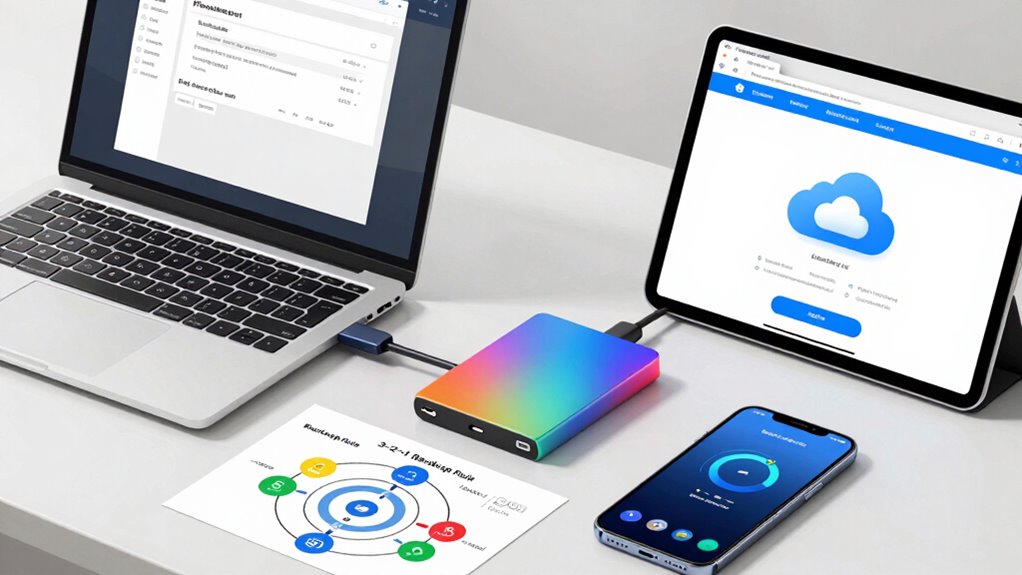
Choosing the right tools makes implementing the 3-2-1 backup strategy easier and more reliable. Cloud storage options provide off-site backups, while backup software solutions help automate and manage your backups efficiently. By selecting the right combination, you guarantee your data stays protected across different environments. Incorporating safe wiring practices ensures your backup systems are robust and resilient against electrical issues. Additionally, understanding Biography Finder can inform your choice of reputable services and tools based on proven performance and reliability.
Cloud Storage Options
Have you considered how cloud storage services can streamline your backup strategy? Cloud options like Dropbox, Google Drive, or OneDrive enable easy off-site backups that support the 3-2-1 rule. They often include features like automatic sync, version history, and robust cloud security, making data encryption essential for protecting your files. When choosing a service, look for providers that prioritize data encryption both in transit and at rest. Ensuring these security features are in place helps safeguard your data from potential threats.
Backup Software Solutions
Implementing the 3-2-1 backup strategy becomes straightforward when you select the right backup software tools. These solutions help simplify disaster recovery and guarantee your data remains secure through features like data encryption. Look for software that offers automated backups, versioning, and easy restore options, so you can quickly recover files if needed. Many tools support multiple storage destinations, aligning with the 3-2-1 rule by enabling you to back up locally and remotely. Additionally, choose solutions with strong encryption capabilities to protect sensitive information both during transfer and at rest. Popular options include Acronis True Image, Macrium Reflect, and Veeam, each providing reliable, user-friendly interfaces that help you maintain a robust backup plan, reducing the risk of data loss and simplifying disaster recovery. Data security features are essential to ensure your backups are protected from unauthorized access. Incorporating cloud storage integration can further enhance your backup strategy by offering additional off-site redundancy, which is a key aspect of the wave and wind approach to data resilience.
Real-Life Examples of Successful Backup Setups

Real-life backup setups demonstrate how following the 3-2-1 rule can effectively protect your data. For instance, many users implement a home server to store critical files, ensuring quick local access. They back up this server to an external drive, keeping a second copy offline. Data encryption secures sensitive information both on the server and backup drives, preventing unauthorized access. Off-site backups, like cloud storage, add an extra layer of protection against theft or natural disasters. These setups often include automated schedules, reducing the risk of human error. Key elements include:
Implementing the 3-2-1 backup rule with encryption and off-site storage ensures your data stays safe and recoverable.
- Home server with encrypted data storage
- Multiple backup copies on physical drives
- Cloud or off-site backups for disaster recovery
- Regular testing of backup integrity
- Strong data encryption for security
- Incorporating automated schedules ensures backups occur consistently, minimizing reliance on manual processes. Additionally, understanding the importance of backup costs and considerations can help you choose the most suitable setup for your needs. Being aware of data redundancy principles can further enhance your backup strategy by ensuring multiple layers of protection. Regularly updating your backup plans with the latest security measures can prevent vulnerabilities from emerging over time.
Implementing proper security measures, such as firewalls and strong passwords, further safeguards your backup environment. Following these examples helps guarantee your data remains safe and recoverable.
How Can You Test and Maintain Your Backups Over Time?

Regularly testing your backups is essential to guarantee they work when you need them most. Perform restore verification periodically to confirm data integrity and ensure files can be recovered swiftly. Backup automation helps streamline this process, reducing human error and maintaining consistency over time. By automating backup tests, you can identify issues early and address them proactively. Use the following table to understand key aspects:
| Aspect | Benefit |
|---|---|
| Restore Verification | Ensures backups are functional and data is intact |
| Backup Automation | Saves time, reduces errors, and guarantees regular testing |
Consistent testing and maintenance keep your backup strategy reliable, safeguarding your data against future threats.
Frequently Asked Questions
How Often Should I Update My Backup Copies?
You should update your backup copies regularly, ideally weekly or after any major changes to your data. Consistent backup frequency strengthens your disaster planning and minimizes data loss risks. By keeping backups current, you guarantee that in case of a hardware failure or cyberattack, you can quickly restore your files. Prioritize routine updates to stay protected and maintain peace of mind, especially as your data grows and evolves.
Can the 3-2-1 Rule Prevent All Data Loss Scenarios?
Did you know 30% of data loss is due to hardware failure? The 3-2-1 rule thoroughly boosts your redundancy planning, but it can’t prevent all data loss scenarios. It’s a robust foundation for disaster recovery, yet risks like cyberattacks or natural disasters can still cause issues. To stay protected, combine the 3-2-1 rule with other security measures, ensuring extensive coverage for your data.
What Are the Best Practices for Securing Backup Data?
To safeguard your backup data effectively, you should use offsite storage to protect against physical damage and theft. Implement strong encryption methods, like AES, both during transit and at rest, to safeguard sensitive information. Regularly update your encryption keys and verify your backups to ensure data integrity. These best practices help prevent unauthorized access and ensure your backups remain secure, even if your primary data is compromised.
How Does Cloud Storage Fit Into the 3-2-1 Backup Strategy?
Think of cloud storage as your digital Hermes, delivering remote backups seamlessly into your backup strategy. It fits perfectly into the 3-2-1 rule by providing an offsite copy, safeguarding your data from physical damage or theft. You get flexible, scalable storage that complements local backups, ensuring your data remains protected no matter what. Using cloud storage as part of your remote backups makes your entire backup plan more resilient and reliable.
Is the 3-2-1 Rule Suitable for Small Businesses?
Yes, the 3-2-1 rule is suitable for small businesses because it’s cost-effective and straightforward to implement. It guarantees your data is protected by keeping three copies on two different media, with one off-site. This approach minimizes risks like hardware failure or theft, and you can adapt it with affordable cloud storage options, making it an efficient and reliable backup strategy tailored for small business needs.
Conclusion
By embracing the 3-2-1 backup rule, you gently safeguard your digital memories and important files from life’s unforeseen twists. It’s like planting seeds of reassurance, knowing your data can flourish even in rough weather. Regularly testing and maintaining your backups guarantees they remain a comforting refuge when you need them most. In nurturing this habit, you create a quiet assurance—a peaceful certainty that your digital world stays secure, no matter what comes your way.