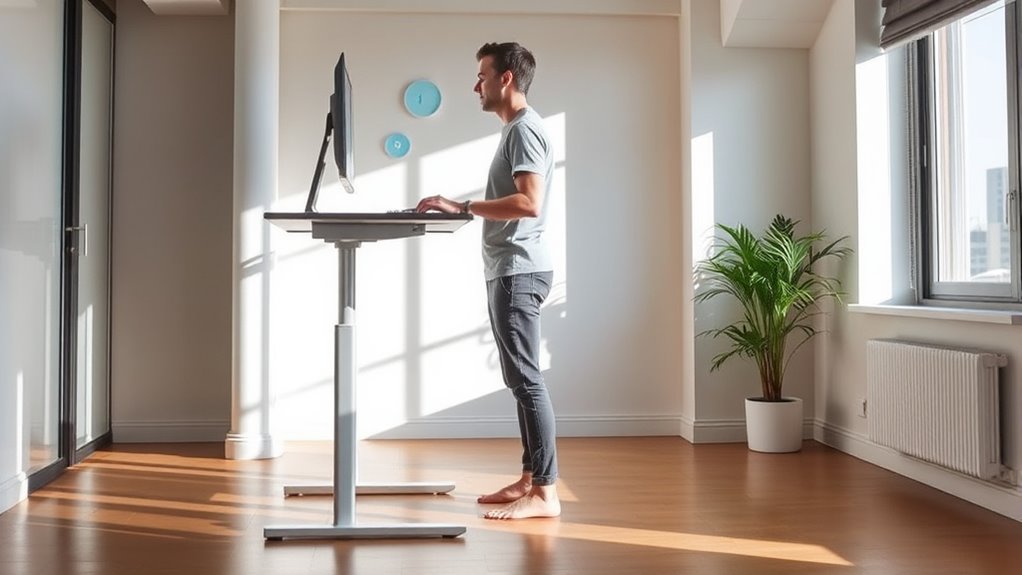

To use a standing desk effectively, focus on maintaining good posture by keeping your shoulders relaxed, chest open, and core engaged. Adjust your desk to guarantee your monitor is at eye level and your elbows form a 90-degree angle. Shift your weight occasionally, take short breaks every 30 minutes, and add movement like stretching or walking. Small adjustments can make a big difference—keep exploring for more tips to stay comfortable and supported throughout your workday.
Key Takeaways
- Maintain an ergonomic setup with monitor at eye level and elbows at 90 degrees to reduce strain.
- Use anti-fatigue mats and footrests to support comfort during prolonged standing.
- Keep shoulders relaxed, chest open, and core engaged to promote good posture.
- Shift weight and take short breaks every 30 minutes to prevent stiffness and fatigue.
- Incorporate movement and stretching to enhance circulation and reduce musculoskeletal discomfort.
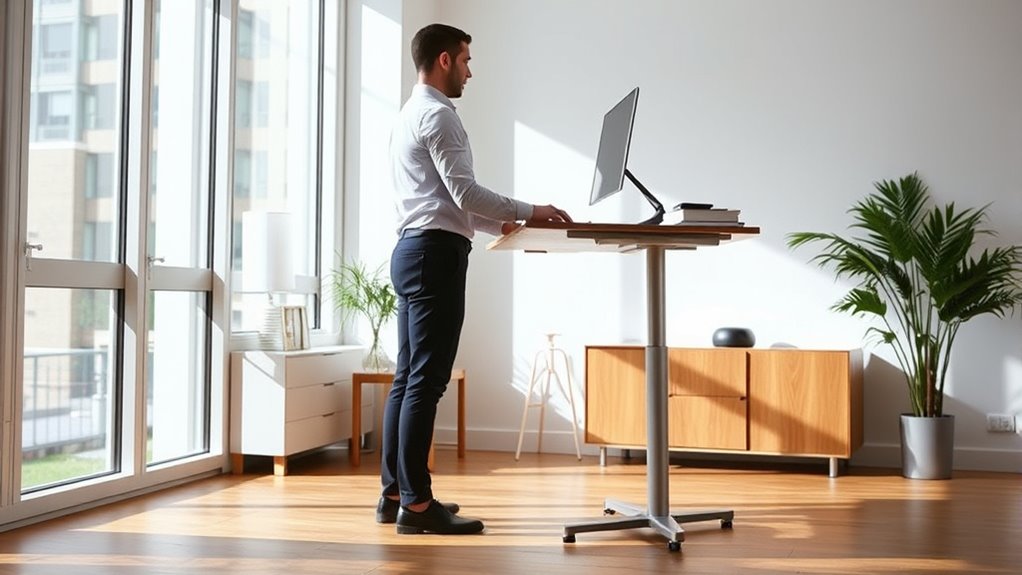
Standing desks have become a popular solution for reducing the health risks associated with prolonged sitting. When you switch to a standing desk, you need to pay close attention to your posture and movement to maximize its benefits. Proper ergonomic accessories, like anti-fatigue mats, monitor arms, and footrests, can help you create a workspace that supports your body and minimizes strain. These accessories guarantee your setup promotes good posture, reduces pressure points, and keeps your muscles engaged.
Proper ergonomic accessories support good posture, reduce strain, and keep muscles engaged at standing desks.
One of the most important factors is the adjustable desk height. An adjustable desk allows you to customize the height to match your body’s needs, ensuring your elbows are at a 90-degree angle and your monitor is at eye level. When your desk is set correctly, you avoid hunching forward or slumping, which can lead to neck and back pain over time. You should position your keyboard and mouse so that your wrists stay straight and relaxed, preventing repetitive strain injuries. A good rule of thumb is to keep your forearms parallel to the floor when typing.
Standing with proper posture involves more than just adjusting the desk height. Keep your shoulders relaxed and your chest open, avoiding rounded shoulders or leaning forward. Engage your core muscles to support your spine and maintain a neutral neck position. Your feet should be flat on the floor or on a footrest if needed, helping to distribute your weight evenly. Remember to shift your weight occasionally from one foot to the other or take brief breaks to sit down and stretch. Movement is critical, so incorporate short walks or stretches every 30 minutes to keep blood flowing and prevent stiffness. Incorporating proper ergonomic setup can further enhance comfort and reduce strain during prolonged standing.
Using ergonomic accessories can make a significant difference in maintaining good posture throughout the day. For instance, a monitor arm can help you position your screen at eye level, reducing neck strain. An anti-fatigue mat adds comfort if you stand for long periods, helping prevent fatigue and discomfort in your legs and feet. Footrests can also help if your feet don’t comfortably reach the ground, supporting your lower body and encouraging better alignment.
Ultimately, the key to effective standing desk use is active engagement. Adjust your workspace to fit your body, incorporate ergonomic accessories, and move regularly. By doing so, you’ll reduce fatigue, improve posture, and enjoy the health benefits of a more dynamic work routine. Staying mindful of your body’s signals and making small adjustments throughout the day can make a big difference in your comfort and well-being.
Frequently Asked Questions
How Do I Adjust My Standing Desk for Optimal Comfort?
To adjust your standing desk for comfort, start by setting the keyboard at elbow height, ensuring ergonomic keyboard placement. Adjust the desk height so your monitor is eye level to avoid neck strain. Use footrest options if your feet don’t comfortably reach the floor, reducing pressure on your legs. Keep your wrists straight and shift positions regularly to prevent fatigue and promote good posture throughout the day.
What Are the Best Shoes to Wear When Standing All Day?
Wearing the right shoes is like giving your feet a gentle hug all day. Opt for ergonomic footwear with cushioned soles to keep you comfortable and supported. Look for shoes with good arch support, a stable heel, and breathable materials to prevent fatigue. Avoid high heels or unsupportive flats, as they can cause discomfort and strain. Choosing the right shoes helps you stay energized and focused while standing.
How Often Should I Change Positions While Using a Standing Desk?
You should change positions every 30 to 60 minutes when using a standing desk. Incorporate ergonomic accessories like a supportive mat and adjust your desk height for ideal comfort. Moving regularly helps prevent fatigue and strain, so shift between standing, sitting, and stretching. Keep an eye on your posture, and make desk height adjustments as needed to maintain proper alignment. This routine keeps you comfortable and boosts productivity throughout the day.
Can Standing Desks Help Reduce Back Pain?
Standing desks can be a game-changer for back pain, acting like a supportive backbone that aligns your posture. They offer ergonomic benefits by encouraging better posture correction and reducing strain. When used correctly, they help distribute weight evenly and alleviate pressure points, which can markedly decrease discomfort. Remember, combining a standing desk with movement and proper ergonomics maximizes these benefits and keeps your back healthy over time.
What Accessories Can Improve My Standing Desk Experience?
To improve your standing desk experience, you should add ergonomic accessories like a cushioned mat to ease foot fatigue and a monitor arm for proper screen height. Desk organizers help keep your workspace tidy, reducing clutter that can cause stress. These accessories promote better posture and movement, making your standing desk more comfortable and efficient. Incorporating ergonomic tools and organization tips guarantees you stay productive and comfortable throughout your workday.
Conclusion
So, now that you’re armed with the secrets of standing desks, go ahead—stand tall and pretend you’re a productivity wizard. Just remember, no matter how good your posture, you’re still just a human trying not to look like a flamingo on stilts. Mix in movement, stay mindful, and avoid turning your workspace into a statue exhibit. Because in the end, a little movement beats a stiff neck—and maybe even impresses your coworkers.