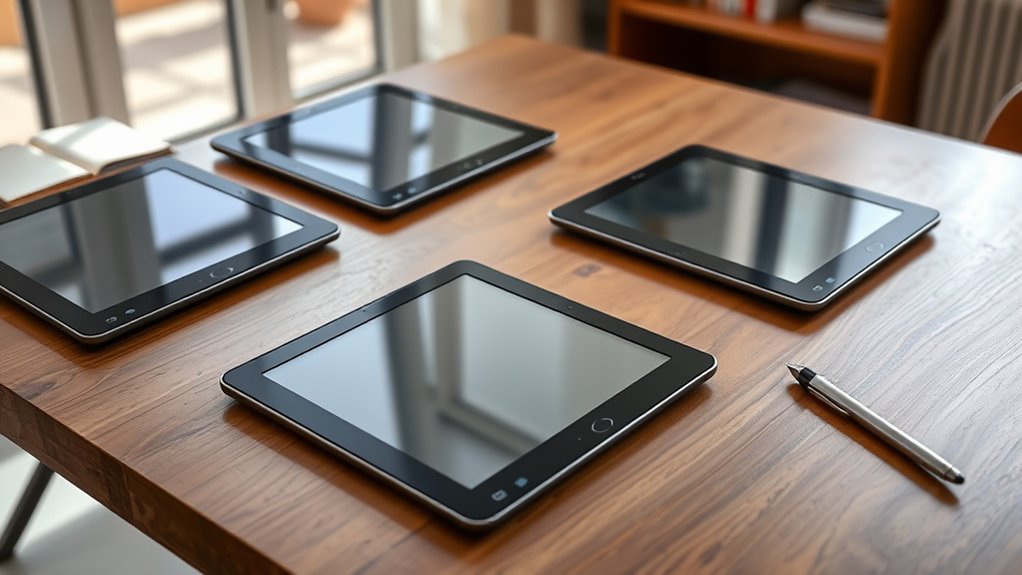

For those seeking a high-end E Ink tablet dedicated to note taking, choosing the right device can be challenging. The best options blend impressive display quality, smooth writing experiences, and versatile features, but often involve tradeoffs in price, size, or functionality. The BOOX Note Air 5 stands out for its large, colorful display and Android flexibility, making it ideal for creative professionals. Meanwhile, the reMarkable Paper Pro offers a paper-like writing experience suited for serious note takers. Keep reading to see how these and other premium options compare, and find the right fit for your needs.
Open a free Amazon Business account
Business pricing, bulk buying and tax-exempt orders.
Create a free accountAs an affiliate, we earn on qualifying purchases.
Complete the kit


Key Takeaways
- Color displays like the BOOX Note Air 5 open up creative possibilities but tend to come with higher prices and shorter battery life.
- Devices with larger screens, such as the reMarkable Paper Pro, provide more space for detailed notes but may sacrifice portability.
- Android-based tablets like the BOOX Note Air 5 offer app versatility, while dedicated e-note devices focus on simplicity and writing quality.
- High storage capacity (64GB or more) is common among premium models, supporting extensive note libraries and multimedia.
- Price differences often reflect build quality, screen size, and extra features—investing more generally yields better durability and usability.
| BOOX Note Air 5 10.3″ E Ink Color Tablet with Android 15, 6GB RAM, 64GB Storage |  | Best Overall for Versatile Color Note Taking | Display: 10.3-inch Kaleido 3 color E Ink, 2480 x 1860 B/W, 1240 x 930 color | Processor: Octa-core | RAM: 6GB | VIEW ON AMAZON | See Our Full Breakdown |
| XPPen 3-in-1 Color Digital Notebook 10.95” with 16384 Pressure Levels and Magnetic Folio |  | Best for Precision and Versatile Remote Use | Display Size: 10.95 inches | Display Technology: AG nano-etched LCD with TCL NXTpaper 3.0 | Color Modes: Monochrome, Light Color, Nature Color | VIEW ON AMAZON | See Our Full Breakdown |
| reMarkable Paper Pro with Marker Plus and Black Leather Book Folio |  | Best for Traditional Notetakers and Sketchers | Display: 11.8-inch color e-ink | Included Accessories: Marker Plus, 6 tips, leather folio | Features: Color display, adjustable reading light, handwriting conversion | VIEW ON AMAZON | See Our Full Breakdown |
| Penstar eNote2 Paper Tablet – 10.3” E-Ink Digital Notebook with 128GB Storage and Pen Bundle |  | Best for High-Precision Handwriting and AI Features | Display Size: 10.3 inches | Pressure Levels: 8192 | Storage: 128GB | VIEW ON AMAZON | See Our Full Breakdown |
| iFlytek AINOTE 2 10.65″ E-Ink Tablet for Note Taking and Meetings |  | Best for On-the-Go Professionals and Multilingual Users | Display: 10.65-inch E-Ink | Thickness: 4.2 mm | Battery Life: Up to 14 days | VIEW ON AMAZON | See Our Full Breakdown |
| reMarkable Paper Pro with Marker Plus and Basalt Book Folio 11.8” Color E Ink Digital Notebook |  | Best for Color Note Taking and Creative Work | Display Size: 11.8 inches | Display Type: Color E Ink | Included Accessories: Marker Plus, 6 spare tips, Book Folio, USB-C cable | VIEW ON AMAZON | See Our Full Breakdown |
| premium eink tablets for note taking | Display | Storage | Connectivity | Display Size |
|---|---|---|---|---|
| BOOX Note Air 5 10.3" E Ink Co | 10.3-inch Kaleido 3 color E Ink, 2480 x 1860 B/W, 1240 x 930 color | 64GB | Wi-Fi, Bluetooth 5.1 | — |
| XPPen 3-in-1 Color Digital Not | — | — | — | 10.95 inches |
| reMarkable Paper Pro with Mark | 11.8-inch color e-ink | — | — | — |
| Penstar eNote2 Paper Tablet | — | 128GB | — | 10.3 inches |
| iFlytek AINOTE 2 10.65" E-Ink | 10.65-inch E-Ink | — | Wi-Fi | — |
| reMarkable Paper Pro with Mark | — | No built-in storage, relies on external files | USB-C, optional Wi-Fi for file transfer | 11.8 inches |
More Details on Our Top Picks
BOOX Note Air 5 10.3″ E Ink Color Tablet with Android 15, 6GB RAM, 64GB Storage
The BOOX Note Air 5 stands out for combining a high-resolution color E Ink display with the flexibility of Android 15, making it ideal for users who want both note-taking and multimedia capabilities. Compared to the reMarkable Paper Pro, which offers a more traditional e-ink experience, the Note Air 5’s color screen and Android ecosystem enable a broader range of applications and formats. However, its color E Ink technology results in darker, grayer visuals and slower refresh rates, which hinder animation or dynamic content. Nonetheless, for those who prioritize a portable device with extensive app support and color visuals, this model offers a compelling balance, though it sacrifices some display vibrancy and speed. It’s best suited for professionals who need a multi-functional device for reading, annotating, and light media consumption without switching devices.
Pros:- High-resolution color E Ink display enhances visual clarity for notes and images
- Runs on Android 15 with 6GB RAM and 64GB storage, offering broad app compatibility
- Supports a wide range of document and image formats, including PDFs and Office files
Cons:- Color E Ink screens tend to appear darker and less vibrant than LCDs
- Slower refresh rates limit use for animation or fast interactions
Best for: Professionals and students needing a color-capable, Android-powered note-taking tablet with multimedia support
Not ideal for: Users seeking the brightest, most vibrant display for multimedia consumption or fast-paced, animation-heavy content
- Display:10.3-inch Kaleido 3 color E Ink, 2480 x 1860 B/W, 1240 x 930 color
- Processor:Octa-core
- RAM:6GB
- Storage:64GB
- Connectivity:Wi-Fi, Bluetooth 5.1
- Battery:3,700mAh
Our verdict“This tablet makes the most sense for users who need a versatile, color-capable device that balances note-taking with multimedia functions, accepting some display limitations.”
XPPen 3-in-1 Color Digital Notebook 10.95” with 16384 Pressure Levels and Magnetic Folio
The XPPen 3-in-1 Digital Notebook is designed for users who need high sensitivity and a natural writing experience, thanks to its 16,384 pressure levels and a 10.95-inch AG nano-etched LCD. It surpasses the reMarkable Paper Pro in stylus responsiveness, making detailed note-taking and drawing more intuitive. Its versatile Android 14 environment, with 128GB storage, supports multiple apps, but the narrow viewing angle can limit visibility from certain positions, unlike the more flexible viewing angles of the BOOX Note Air 5. While its eye-friendly display reduces glare and blue light, performance may lag when multitasking heavily. This device is well-suited for artists, designers, or remote workers who value precision and portability but are willing to accept some system limitations and eye-angle constraints.
Pros:- High sensitivity stylus with 16,384 pressure levels for accurate control
- Paper-like display reduces glare and eye strain, certified by TÜV SÜD
- Large storage capacity of 128GB supports extensive files and apps
Cons:- Limited viewing angles could impact usability from certain positions
- Performance may decline with heavy multitasking or multiple apps
Best for: Creative professionals and remote workers requiring precise stylus control and portability
Not ideal for: Users who need a wide viewing angle or plan to run multiple demanding apps simultaneously
- Display Size:10.95 inches
- Display Technology:AG nano-etched LCD with TCL NXTpaper 3.0
- Color Modes:Monochrome, Light Color, Nature Color
- Pressure Levels:16384
- Battery:8000mAh
Our verdict“This device is best for users prioritizing stylus accuracy and portability over wide viewing angles and multitasking performance.”
reMarkable Paper Pro with Marker Plus and Black Leather Book Folio
The reMarkable Paper Pro offers a large 11.8-inch color e-ink display aimed at users who want a paper-like experience for writing, reading, and sketching. Its extensive accessories, including a stylus with eraser and a premium leather folio, enhance the feeling of real paper, especially for those who value organized note-taking. While it excels in creating a natural writing experience, it falls short for multimedia or fast-paced visual content, as its color display is limited and not suited for videos or animations. Its higher price tag reflects its premium design and features, making it a solid choice for writers, students, or artists who prefer a large, organized digital paper notebook over multimedia versatility.
Pros:- Large 11.8-inch color e-ink display for versatile note-taking and sketching
- Stylus with eraser and multiple tips for natural handwriting and drawing
- Adjustable reading light enhances usability in various lighting conditions
Cons:- Limited to e-ink display, not suitable for multimedia or video content
- Premium price may be a barrier for some budget-conscious users
Best for: Writers, students, and artists seeking a large, natural-feeling digital paper notebook
Not ideal for: Users wanting a device for multimedia consumption or fast-action content
- Display:11.8-inch color e-ink
- Included Accessories:Marker Plus, 6 tips, leather folio
- Features:Color display, adjustable reading light, handwriting conversion
- Price Level:Premium
Our verdict“This tablet suits those who prioritize a natural, paper-like experience for writing and sketching over multimedia and fast refresh needs.”
Penstar eNote2 Paper Tablet – 10.3” E-Ink Digital Notebook with 128GB Storage and Pen Bundle
The Penstar eNote2 is tailored for users who want a paper-like writing experience with high precision, thanks to its 8,192 pressure levels and a compact 10.3-inch display. Its AI-powered note management and voice-to-text features offer advanced organization options, making it suitable for busy professionals or students. Compared to the XPPen, which emphasizes stylus sensitivity, the Penstar’s AI tools add an extra layer of productivity. Nevertheless, its monochrome display limits visual versatility, and some users may find the device’s familiarity requires a learning curve. For those who value detailed handwriting and AI assistance, this model provides a balanced, portable solution with a focus on note organization.
Pros:- High-precision stylus with 8192 pressure levels for detailed notes
- AI features for voice-to-text and efficient note organization
- Lightweight design with a long-lasting battery and ample storage
Cons:- Limited to monochrome display, restricting visual variety
- Requires familiarity with digital note apps and AI features
Best for: Students and professionals seeking high-precision handwriting with AI-powered note management
Not ideal for: Users who need color displays or multimedia capabilities in their note device
- Display Size:10.3 inches
- Pressure Levels:8192
- Storage:128GB
- Battery Capacity:6500mAh
- Weight:409 grams
Our verdict“This device is suited for meticulous note-takers who want AI-enhanced organization in a lightweight, high-precision package.”
iFlytek AINOTE 2 10.65″ E-Ink Tablet for Note Taking and Meetings
The iFlytek AINOTE 2 emphasizes portability and AI-assisted features, with a super-slim 4.2mm profile and a 10.65-inch E-Ink display designed for note-taking and meetings. It excels in multi-language transcription, supporting 18 languages, making it ideal for international professionals or students. Its long battery life of up to 14 days and seamless schedule integration with Google Calendar add to its appeal. Compared with the Penstar eNote2, which emphasizes handwriting accuracy, the AINOTE 2 prioritizes AI and schedule management. However, its reliance on Wi-Fi for AI features and limited performance in dark environments could be drawbacks. This model fits those needing a lightweight device with AI transcription and multi-language support for busy, multilingual settings.
Pros:- Supports 18 languages for transcription and note-taking
- Ultra-thin and lightweight with excellent battery life
- AI-assisted features streamline meeting notes and schedule management
Cons:- Requires Wi-Fi for AI features and transcription
- Not suitable for low-light environments without external lighting
- Limited to low-light writing conditions
Best for: International professionals and students needing AI transcription and schedule management on a portable device
Not ideal for: Users who require offline use or need a bright, colorful display for multimedia
- Display:10.65-inch E-Ink
- Thickness:4.2 mm
- Battery Life:Up to 14 days
- Languages Supported:18
- Connectivity:Wi-Fi
Our verdict“This tablet is ideal for multilingual, on-the-go users who prioritize AI transcription and schedule integration over multimedia or offline use.”
reMarkable Paper Pro with Marker Plus and Basalt Book Folio 11.8” Color E Ink Digital Notebook
The reMarkable Paper Pro stands out for its vibrant 11.8-inch color E Ink display, offering a significant upgrade over the monochrome options like the BOOX Note Air 5 when it comes to color sketching, highlighting, and note differentiation. Its paper-like responsiveness provides a natural writing feel that many digital notebooks struggle to match, making it ideal for artists and note-takers who want color without sacrificing the tactile experience. While the device’s color capabilities enhance visual organization, it does come with some tradeoffs; the slower refresh rate typical of E Ink screens can hinder rapid note-taking or sketching, and the premium price reflects its specialized features. Compared with the BOOX Note Air 5, it excels in color but falls short in refresh speed and multitasking performance, which can matter for intensive workflows.
Pros:- Vibrant color display for detailed sketches and color-coded notes
- Natural, paper-like writing responsiveness enhances note accuracy
- Portable and lightweight, easy to carry anywhere
- Adjustable reading light for comfortable use in various lighting conditions
Cons:- Color E Ink technology has slower refresh rates, limiting real-time editing
- Higher price point compared to monochrome E Ink tablets with similar features
- Requires compatible digital files for full functionality, which may involve additional software
Best for: Creative professionals and students who need a portable, color-capable digital notebook for sketching, highlighting, and detailed note organization.
Not ideal for: Users seeking fast, smooth screen refreshes or multitasking in a larger, more versatile device—these features are limited here, and the device’s price can be prohibitive for casual users.
- Display Size:11.8 inches
- Display Type:Color E Ink
- Included Accessories:Marker Plus, 6 spare tips, Book Folio, USB-C cable
- Features:Adjustable reading light, low-glare display, handwriting recognition
- Battery Life:Up to 2 weeks
- Weight:Approximately 350 grams
- Storage:No built-in storage, relies on external files
- Connectivity:USB-C, optional Wi-Fi for file transfer
Our verdict“This device is best suited for users who prioritize color capabilities and a natural writing feel over speed and multitasking, making it ideal for creative and detailed note-taking in a portable format.”

How We Picked
To evaluate these premium eink tablets, I focused on performance, display quality, writing experience, build durability, and feature set. Devices needed to excel in note-taking clarity and responsiveness, with additional considerations for versatility such as app support or color capability. Each product was ranked based on how well it balanced these factors against its price point, considering user interface quality and long-term value. The goal was to identify options that truly elevate the note-taking experience while offering a range of features for different user needs.| premium eink tablets for note taking | Connectivity |
|---|---|
| BOOX Note Air 5 10.3" E Ink Co | Wi-Fi, Bluetooth 5.1 |
| XPPen 3-in-1 Color Digital Not | — |
| reMarkable Paper Pro with Mark | — |
| Penstar eNote2 Paper Tablet | — |
| iFlytek AINOTE 2 10.65" E-Ink | Wi-Fi |
| reMarkable Paper Pro with Mark | USB-C, optional Wi-Fi for file transfer |
Factors to Consider When Choosing Premium Eink Tablets For Note Taking
Choosing the right premium eink tablet for note taking involves weighing several key factors. While screen quality and writing feel are obvious priorities, other elements like device size, software support, and storage capacity significantly impact daily usability. Understanding these factors helps prevent common mistakes, such as overpaying for features you don’t need or selecting a device incompatible with your workflow. The following sections highlight the main considerations to keep in mind before making a purchase.Display Quality and Size
The clarity and responsiveness of the display directly influence your note-taking experience. Larger screens provide more space for detailed sketches or extensive notes, but they can reduce portability. Color displays add creative flexibility but often increase cost and reduce battery life. Evaluate whether you prioritize visual clarity for reading or drawing, or if portability is more important for your daily routine.
Writing Experience and Pen Support
The smoothness of writing, pressure sensitivity, and the availability of a high-quality stylus are crucial. Premium devices often include or support styluses that mimic paper’s feel, which minimizes fatigue and enhances accuracy. Consider whether the device offers tilt support or customizable shortcuts, as these features can streamline your workflow and improve comfort over long sessions.
Software Ecosystem and Compatibility
Some tablets run on Android or other open systems, offering access to a broader range of apps, while others focus solely on note-taking with proprietary software. The choice impacts how well the device integrates into your existing digital environment. Be cautious about compatibility with your preferred note apps, cloud services, or creative tools, as this can be a limiting factor in your overall experience.
Build Quality and Battery Life
Durability matters for daily use. Premium materials and sturdy construction justify higher prices and enhance longevity. Battery life varies widely; devices with larger or color screens tend to consume more power. Confirm that the device can comfortably last through a full day of intensive note taking or drawing without frequent recharging, especially if portability is a priority.
Price and Future-Proofing
While premium models command higher prices, they often include features that extend their usability over time, such as expandable storage, software updates, or more powerful processors. Consider your budget and whether investing in a more capable device now could save money and frustration later. Sometimes, spending a little more upfront results in a significantly better long-term experience.
Frequently Asked Questions
Can I use a color E Ink tablet for professional note taking?
Yes, color E Ink tablets like the BOOX Note Air 5 are suitable for professional note-taking, especially if your work involves annotations, diagrams, or creative sketches. They provide the benefit of combining color visuals with the low power consumption and paper-like feel of E Ink. However, they may have limitations in handling complex graphics or extensive app ecosystems compared to tablets with LCD screens.
Is it worth paying extra for a larger screen on an E Ink note tablet?
Paying more for a larger screen generally enhances your note-taking capacity, offering more space for detailed writing or drawing. It can also reduce the need to scroll or zoom frequently. However, larger devices tend to be heavier and less portable, so consider whether your typical use case justifies the extra size and cost.
Do I need a stylus included with my premium E Ink tablet?
Many premium E Ink tablets support high-quality styluses, but not all include one in the box. Investing in a good stylus can dramatically improve your writing and drawing experience, providing better pressure sensitivity and accuracy. If you already own a compatible stylus, check whether it’s compatible with your chosen device before purchasing separately.
How important is software support for long-term use?
Software support is vital for ensuring your device remains functional and secure over time. Devices with open ecosystems like Android tend to receive more frequent updates and app support. Proprietary systems might be more streamlined but could limit compatibility with future updates or third-party apps. Consider the developer’s track record and available updates when making your choice.
Can I use these tablets for reading eBooks and PDFs as well?
Absolutely, premium E Ink tablets excel at reading eBooks and PDFs thanks to their glare-free screens and high contrast. Many models include features like adjustable front lighting and annotation options, making them versatile for both reading and note-taking. This dual functionality often justifies their higher price and makes them a valuable investment for students and professionals alike.
Conclusion
The best overall pick for most users remains the BOOX Note Air 5 due to its versatile color display, Android support, and solid performance. If you prioritize the most natural writing experience and simplicity, the reMarkable Paper Pro is the ideal choice. For those on a budget or seeking a straightforward digital notebook, models like the Penstar eNote2 offer excellent value. Beginners should look for devices with intuitive interfaces, while professionals or creative users may benefit from larger, color-capable options. Assess your specific needs and budget to find the perfect fit among these premium options.
As an affiliate, we earn on qualifying purchases.Flea & tick season Picks
flea and tick prevention