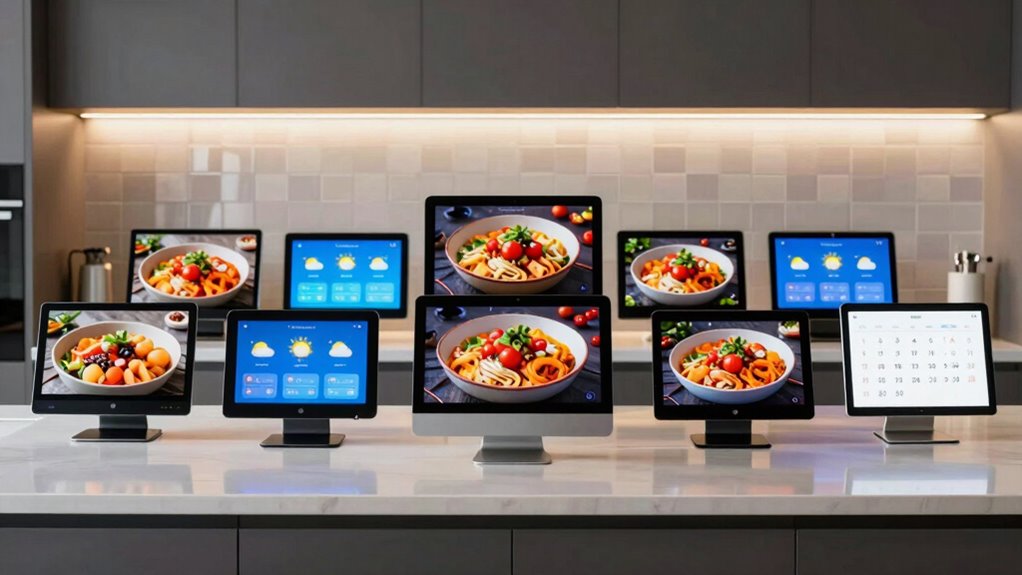

Searching for a large smart display for your kitchen counter? The ideal model combines a sizable, easy-to-see screen with smart features that enhance daily routines. The Amazon Echo Show 15 stands out as the best overall choice thanks to its expansive 15.6-inch display and integrated Fire TV, perfect for multitasking. The Amazon Echo Show 11 (2025) offers a more compact 11-inch screen with vibrant visuals and excellent sound, suited for smaller counters. Many options in this category face tradeoffs between size, usability, and price—bigger screens can be overwhelming or take up too much space, while smaller displays may lack visibility or functionality. Continue reading for a detailed breakdown of each product and what makes them unique.

Get furniture and decor delivered free with Prime
- Fast, free delivery on millions of items
- Prime Video, Amazon Music and more included
- Member-only deals all year
Complete the kit


Key Takeaways
- The size of the display significantly impacts usability; larger screens improve readability but may dominate small counters.
- Built-in smart features like Fire TV or integrated calendars add substantial value but come with increased complexity and cost.
- Design and mounting options matter; wall-mountable models save counter space but may be harder to install.
- Price varies widely; the most feature-rich displays tend to be more expensive, requiring a balance between budget and needs.
- User interface and ease of use differ; models with touchscreens and simple setups tend to be more accessible for all users.


More Details on Our Top Picks
Amazon Echo Show 11 (2025 Model), Vibrant Full-HD 11″ Display with Spatial Audio and Alexa+
This model stands out for offering a large, vibrant 11-inch Full-HD touchscreen that provides a more immersive viewing experience compared to smaller options like the Digital Calendar 10.1″. Its powerful AZ3 Pro chip and Omnisense technology enable personalized routines and smooth performance, making it ideal for multitasking while cooking or managing smart devices. Compared to the Echo Show 15, the Show 11 is more compact and easier to fit on counter spaces, but it does come at a higher price and is more limited to the Alexa ecosystem. The spatial audio ensures room-filling sound, perfect for streaming music or video calls. However, it requires compatible smart home devices for full utility, and privacy controls are essential given its always-listening nature.
Pros:- Large, vibrant 11-inch Full-HD display with crisp visuals
- High-quality spatial audio with enhanced bass for immersive sound
- Advanced privacy controls and customizable routines
Cons:- Higher price point compared to smaller displays
- Limited to Alexa ecosystem, reducing flexibility for smart home integration
Best for: Homeowners who want a large, versatile smart display for entertainment, smart home control, and video calls in the kitchen
Not ideal for: Budget-conscious buyers or those seeking a neutral device not tied to a specific ecosystem, as it’s relatively expensive and Alexa-dependent
- Display:11-inch Full-HD touchscreen
- Viewing Area:60% more than Echo Show 8
- Processor:AZ3 Pro chip
- Audio:Spatial audio with up to 2x bass
- Camera:Centered, auto-framing, 3.3x zoom
- Technology:Omnisense for personalized routines
Our verdict“This pick is perfect for those who want a sizable, feature-rich smart display with robust entertainment and smart home capabilities, despite its higher cost.”
Amazon Echo Show 15 (Newest Model) – 15.6″ Full HD Smart Display with Fire TV and Alexa
The Echo Show 15 excels with its expansive 15.6-inch Full HD display that’s ideal for multitasking, streaming, and family organization. Its built-in Fire TV transforms it into a media hub comparable to a small smart TV, surpassing the smaller Echo Show 11’s entertainment focus. Its smart home dashboard simplifies device management, and privacy features like the camera shutter and mic/camera off button provide peace of mind. Compared to the Digital Calendar options, the Show 15 offers a more integrated experience with streaming and voice control, but its large size can be a drawback in smaller kitchens, and some features require a subscription. It’s best suited for busy households that want a central hub for entertainment and smart home control.
Pros:- Enormous 15.6-inch Full HD display perfect for multitasking
- Built-in Fire TV for streaming from major entertainment apps
- Smart home control dashboard combined with privacy protections
Cons:- Large footprint may not suit all kitchens or counters
- Requires subscription for some streaming services and features
Best for: Families seeking an all-in-one entertainment and organization device with a large screen in the kitchen or common areas
Not ideal for: Limited spaces or users who prefer smaller, less obtrusive displays, due to its substantial size and potential privacy concerns
- Display:15.6-inch Full HD
- Camera:Centered, auto-framing, wide field of view
- Connectivity:Wi-Fi, Bluetooth
- Built-in:Fire TV, smart home dashboard
- Privacy features:Mic/camera-off button, built-in shutter
Our verdict“This device fits households that want a sizable, versatile screen for streaming, control, and family coordination, accepting its larger size and potential privacy considerations.”
Digital Calendar 10.1″ Smart Calendar with Touchscreen, WiFi, 32GB Memory, and Digital Photo Frame
This 10.1-inch digital calendar combines scheduling, chore management, and a photo display in a compact form that’s perfect for family organization. Its seamless syncing with popular calendar apps makes it easy to keep everyone on the same page, and the vibrant HD touchscreen ensures clarity. Unlike the larger digital calendars, it prioritizes a straightforward interface and family management features, making it suitable for busy households. However, it requires system updates for optimal performance and may be complex for less tech-savvy users. Its smaller size and focus on scheduling and photo display make it less suited for streaming or media-heavy tasks, but it excels as a dedicated family hub.
Pros:- Seamless synchronization with multiple calendar apps
- Combines scheduling, chore management, and photo display
- Vibrant HD touchscreen with clear visuals
Cons:- Requires system updates for full functionality
- Limited to WiFi connectivity, no offline mode
Best for: Families seeking a dedicated, easy-to-use digital organizer and photo display for their kitchen or home office
Not ideal for: Those needing a device primarily for streaming, media, or extensive smart home control, as its features are more focused on scheduling and family management
Our verdict“This device is best for families wanting a dedicated, easy-to-manage digital calendar and photo frame in their kitchen, with some setup complexity.”
10.1″ Digital Calendar, Full HD Smart Display for Family Organizer, Touchscreen Chore Chart, Wall/Desk Mount, Meal & To-Do Lists, Photo Frame, Gift for Mom & Women
This 10.1-inch smart display offers a versatile approach to home management, functioning as a family organizer, chore chart, meal planner, and digital photo frame. Its ability to switch between wall or desk placement adds flexibility, and syncing with Apple and Google calendars streamlines scheduling. Compared to the Digital Calendar 10.1″ with its more straightforward interface, this model’s broader feature set caters to those who want a multi-functional device. However, mounting requires a separate bracket, and the device’s internal storage is limited for media. The interface can be complex initially, making it better suited for tech-savvy households seeking an all-in-one home management hub.
Pros:- Versatile functionality as a chore chart, meal planner, and photo display
- Flexible mounting options for wall or desk use
- Syncs with major calendar services
Cons:- Mounting requires a separate bracket
- Setup and interface may be complex for some users
Best for: Homeowners looking for a flexible, multi-use digital display that combines scheduling, chores, and visual display in a single device
Not ideal for: Users seeking a simple, plug-and-play device or those with limited space for mounting accessories, due to mounting requirements
Our verdict“Ideal for families wanting a customizable, multi-purpose home management device with flexible placement options, despite some setup effort.”
10.1-inch Smart Digital Calendar with Photo & Video Display, Family Organizer, Touch Screen
This 10.1-inch device functions as a family planner, photo frame, and art display, supporting multiple calendar services and media imports. Its simple setup and customizable profiles make it approachable for busy families who want a central hub for scheduling and media. Unlike the other digital calendars, this model emphasizes media support, including micro SD and USB options, making it ideal for showcasing family moments or children’s artwork. Its parental controls and rewards features add a layer of family management. On the downside, wall mounting requires a separate bracket, and internal storage is limited, which could restrict media collections. Firmware updates are necessary for best performance, but overall, it provides a friendly, family-focused experience.
Pros:- Easy setup with no tools required
- Supports multiple calendar services and media imports
- Family-friendly features like parental controls and rewards
Cons:- Requires a separate bracket for wall mounting
- Limited internal storage for media files
Best for: Families who want a straightforward, media-rich family organizer with easy setup and multimedia display options
Not ideal for: Those seeking a robust, dedicated smart home control or streaming device, as its media capabilities are more limited
Our verdict“Perfect for families wanting a simple, media-friendly calendar and art display in a single device, with some mounting considerations.”
BIGASUO 10.1″ Digital Calendar, Smart Touchscreen Interactive Display, Electronic Organizer for Family Scheduling, Meal Planning, Chore Chart, and Photo Frame
The BIGASUO 10.1″ digital calendar stands out for its versatility in combining family scheduling, meal planning, chore management, and photo display within a single device. Compared with the Digital Calendar 10.1″ Smart Calendar, it offers a more seamless WiFi setup and better support for multiple calendar services like Google Calendar and Outlook, making it ideal for busy households that want an all-in-one family hub. However, unlike larger wall-mounted options such as the Amazon Echo Show 15, this device isn’t designed for wall mounting, which could limit placement flexibility in bigger kitchens. Its compact size makes it perfect for countertop use but may be restrictive for those wanting a central hub visible from multiple angles. The device excels at transforming family management into an interactive experience but requires initial setup and is limited to indoor use, which might be a drawback for some.
Pros:- Easy setup with auto-sync and WiFi connectivity
- Combines scheduling, meal planning, chores, and photo display in one device
- Supports multiple calendar services for seamless integration
- Transforms into a digital photo frame for family memories
Cons:- Not designed for wall mounting, limiting placement options
- Requires an initial software update and proper setup
- Limited to indoor use, reducing flexibility in some kitchens
Best for: Families who want a compact, easy-to-use digital organizer that combines scheduling, photos, and chores on their kitchen counter.
Not ideal for: Homeowners with large, wall-mounted kitchen displays or those seeking a device for outdoor or multi-room use, as it isn’t designed for wall mounting or rugged environments.
- Screen Size:10.1 inches
- Connectivity:WiFi
- Compatibility:Google Calendar, iCloud, Outlook, Cozi, Yahoo Calendar
- Features:Calendar, Chore Chart, Meal Planner, Photo Frame, Live Screensaver
- Software Version:R-1.5.0
- Display Type:Touchscreen
Our verdict“This pick makes the most sense for families seeking a compact, all-in-one digital organizer for their kitchen counter that prioritizes ease of use and multimedia display over wall-mount flexibility.”

How We Picked
These products were evaluated based on display size, visual quality, sound quality, smart features, build quality, and overall usability. We prioritized models that offer a large, clear screen suitable for kitchen environments, along with intuitive interfaces. Value was also a key factor, so features like integrated streaming, voice assistant capabilities, and mounting options were considered. Products that balanced performance with price and offered practical design choices ranked higher. Our goal was to identify options that cater to different needs—whether for entertainment, organization, or smart home integration—while maintaining ease of use and durability.Factors to Consider When Choosing Large Smart Display For Kitchen Counter
Choosing the right large smart display for your kitchen counter involves considering multiple aspects beyond just screen size. Think about how much space you have, what features will genuinely add value, and how user-friendly the device is for everyone in your household. Understanding these factors helps prevent overspending on unnecessary features or ending up with a device that doesn’t fit your routine.Size and Display Quality
The size of the display influences both usability and space requirements. Larger screens, like 15.6 inches, are excellent for viewing recipes or watching videos at a distance, but they can be cumbersome on smaller counters. Conversely, 10-11 inch models save space and are more manageable but may sacrifice readability or functionality. Consider where you’ll place the display and how often you’ll need to see details clearly from a distance.
Smart Features and Ecosystem Compatibility
Look for devices that integrate well with your existing smart home setup. Features like built-in Alexa, Google Assistant, or Fire TV capabilities can enhance entertainment and automation. Some models offer additional functions like digital calendars, photo frames, or video calls, which can boost daily productivity. Evaluate whether these extras align with your priorities or if they add unnecessary complexity and cost.
Design and Mounting Options
Consider whether you prefer a freestanding model or one that mounts on the wall. Wall-mountable displays free up counter space and keep the device out of the way, but installation may require extra effort. Freestanding units are easier to set up but take up more surface area. Think about your kitchen layout and how flexible the placement needs to be.
Price and Value
Prices for large smart displays can range from budget-friendly to premium. Cheaper models often have fewer features or lower build quality, while higher-end options provide richer multimedia experiences and more robust smart integrations. Determine what features are essential for you and whether the added cost justifies the benefits. Remember, investing in a quality device can lead to longer-lasting performance and better user experience.
Ease of Use and Setup
Devices with intuitive interfaces, simple setup procedures, and user-friendly controls make a significant difference, especially in busy kitchens. Touchscreens should be responsive, and voice controls should work reliably. Features like pre-configured templates or guided setup can save time and frustration. Avoid overly complex devices if you prefer straightforward functionality that everyone in your household can operate comfortably.
Frequently Asked Questions
Will a larger display be harder to install and maintain?
Not necessarily. While larger displays can be more conspicuous and require more space, many models are designed with easy mounting options or compact footprints. Wall-mountable units simplify installation, but they might need additional tools. Maintenance is generally straightforward, involving regular cleaning and software updates. Choosing a well-designed, user-friendly model minimizes the hassle regardless of size.
Are more expensive models worth the extra cost?
Higher-priced displays often offer better build quality, brighter screens, and more advanced features like integrated streaming or smart home hubs. If you rely heavily on multimedia, voice control, or automation, investing in a premium model can improve your experience and longevity. However, if your needs are simple—like displaying calendars or recipes—a mid-range or budget option may suffice without overspending.
Can I use these displays without a strong Wi-Fi connection?
Most smart displays depend on Wi-Fi for streaming content, updates, and cloud-based features. A weak or unstable connection can impair functionality, causing lag or interruptions. For continuous, reliable use, ensure your Wi-Fi signal is strong in the kitchen area. Some models have offline capabilities like local photo storage, but core smart features generally require good connectivity.
Should I prioritize smart features or display size?
This depends on your primary use. If you want to watch videos, follow recipes, or see details clearly from a distance, prioritize a larger display. If your main goal is quick access to alerts, timers, or calendars, a smaller, more integrated device might suffice. Often, a balance of both—moderate size with smart capabilities—delivers the best overall experience for most kitchens.
Are wall-mountable models more durable than freestanding ones?
Wall-mountable displays can be more protected from accidental knocks or spills, but their durability depends on build quality and installation. Proper mounting ensures stability, while an improper setup could lead to damage. Freestanding models are generally easier to replace or reposition but may be more vulnerable to bumps. Choose a sturdy, well-designed mount if going the wall route to maximize longevity.
Conclusion
For those seeking an all-around versatile option, the Amazon Echo Show 15 offers a large, feature-rich display with excellent smart home integration—ideal for busy families and entertainment. If budget is a concern, the Digital Calendar 10.1″ Smart Calendar provides essential functions at a lower price point, perfect for straightforward organization. For users prioritizing ease of use and quick setup, models like the BIGASUO 10.1″ Digital Calendar deliver simple yet effective features. Meanwhile, tech enthusiasts who want the best picture quality and multimedia capabilities should consider premium options with larger screens and more advanced features. Your choice depends on your space, budget, and what functions will genuinely enhance your kitchen experience.Halloween Picks

JOYIN 5-Foot Halloween Animatronic Drinking Skeleton

Panefright Halloween Window Projector – Scary Projector for Spooky Decor

27FT Giant Inflatable Pumpkin Lighted Outdoor Halloween Decor
As an affiliate, we earn on qualifying purchases.