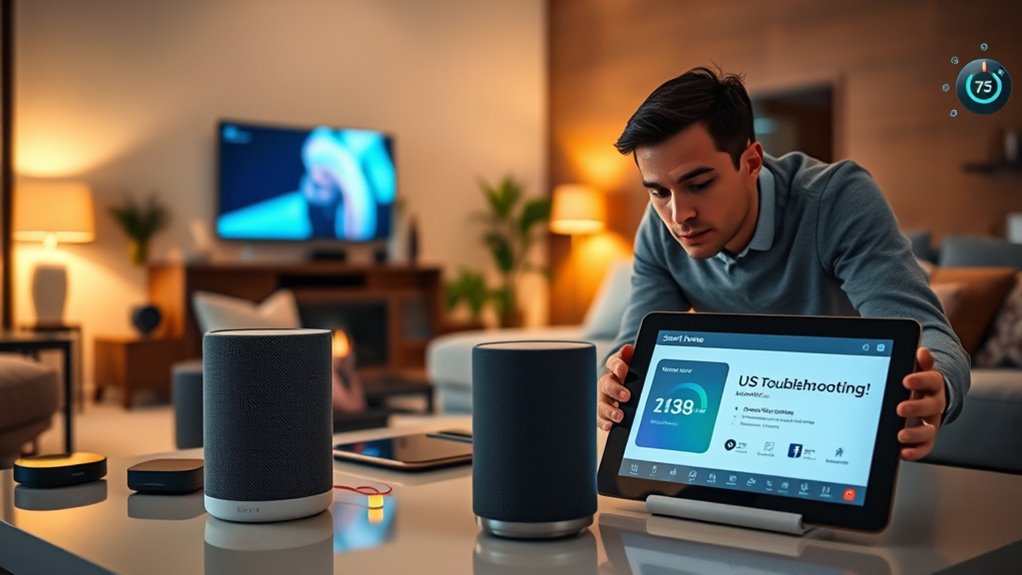

To troubleshoot failing smart home routines, first check that your devices are online and have a good network connection. Make certain your routines don’t conflict or overlap, and verify trigger conditions are set correctly. Clear voice commands, reduce background noise, and speak clearly for voice recognition. Update firmware and software regularly to improve performance. If routines still fail, reassess device settings or recreate routines. For more tips, you’ll discover effective strategies to keep everything running smoothly.
Key Takeaways
- Verify routines’ trigger conditions, device statuses, and ensure devices are online and responsive.
- Check for conflicting routines or overlapping triggers that may cancel or interfere with each other.
- Ensure voice commands are clear, unobstructed, and free from background noise for accurate recognition.
- Keep firmware and software updated on all devices and automation platforms for optimal performance.
- Recreate or reconfigure routines if they repeatedly fail to activate as scheduled or triggered.

Smart home routines can make your daily life more convenient, but when they stop working as expected, it can be frustrating. One common problem you might face is voice command issues. Maybe your voice assistant isn’t responding to your commands, or it misinterprets what you’re asking for. This can happen for several reasons. Sometimes, it’s just a matter of the microphone not catching your voice clearly, especially if there’s background noise or if you’re too far from the device. Other times, the voice recognition software might struggle with accents or specific phrases. To troubleshoot, start by making sure your device’s microphone is unobstructed and clean. Try speaking more clearly or rephrasing your command. If the problem persists, check your device’s language settings or update its firmware, as software updates often improve voice recognition accuracy.
Another frequent cause of routine failures is routine scheduling conflicts. If your smart home routine isn’t activating as planned, it could be due to overlapping schedules or conflicting commands. For example, if you have two routines set to trigger at the same time—say, one turning on the lights and another adjusting the thermostat—you might find one routine cancels out or interferes with the other. To fix this, review your routines and their schedules carefully. Make sure they don’t overlap unnecessarily. It’s also helpful to check the order of execution—some platforms allow you to set priorities so that more important routines run first. If you notice a routine isn’t activating, verify that the trigger conditions are correctly set and that no other routines are unintentionally disabling it. Sometimes, routines depend on specific device states or network conditions, so ensure your devices are online and responsive. Additionally, understanding how home automation technology functions can help you optimize your routines for better reliability.
Furthermore, routine scheduling conflicts can occur if your device’s clock isn’t synchronized correctly or if there’s a timezone mismatch. Double-check the time settings on your hub or hub-connected devices. Also, consider whether recent changes to your Wi-Fi network or device updates could have disrupted routine execution. If routines still fail, try recreating them from scratch, paying close attention to trigger conditions, actions, and timing. Sometimes, a simple reset or reconfiguration can resolve underlying issues. Ultimately, maintaining clear, conflict-free schedules and ensuring voice command clarity will greatly improve the reliability of your smart home routines, making your smart home experience smooth and hassle-free.
Frequently Asked Questions
Can I Troubleshoot Routines Without Internet Access?
Yes, you can perform offline troubleshooting on smart home routines. Start by checking if your devices are connected locally and perform a routine reset if needed. Without internet, you won’t be able to access cloud features, but many issues stem from device connections or settings. By resetting the routine and testing devices individually, you can identify and fix problems without needing an internet connection.
Do Smart Home Routines Work With All Device Brands?
Smart home routines are like a puzzle—only some pieces fit together. Not all device brands support the same routines, so compatibility varies. You’ll find that device compatibility and brand integration are key; some brands work seamlessly, while others may require additional hubs or apps. To guarantee your routines run smoothly, check each device’s compatibility and stick with brands known for better integration.
How Do I Update Firmware to Fix Routine Issues?
You should check your device’s app or website for firmware updates, as these updates often include routine fixes. To update firmware, follow the instructions provided, usually involving downloading the latest version and installing it through the app or device interface. Keeping your firmware current guarantees your smart home routines run smoothly, fixing bugs and improving compatibility. Regular updates help prevent routine issues and enhance overall device performance.
Are There Security Risks When Troubleshooting Routines?
Yes, troubleshooting routines can pose security risks. You might face privacy concerns if sensitive data is exposed during the process. Additionally, there’s a chance of unauthorized access if you don’t follow proper security measures, such as updating passwords or using secure networks. Always guarantee you’re working within a secure environment, keep firmware updated, and avoid sharing sensitive information to minimize these risks.
Can I Create Custom Routines for Specific Times?
Yes, you can create custom routines for specific times, like setting a tailored alarm clock that wakes you up exactly when you want. Just be mindful of scheduling conflicts, which can disrupt your plans, and guarantee device compatibility so everything works smoothly. By carefully selecting the right devices and timing, you can build routines that fit your schedule perfectly, making your smart home truly adapt to your lifestyle.
Conclusion
Troubleshooting your smart home routines can feel frustrating, but remember, nearly 40% of users experience issues at least once a month. By staying patient and methodically checking each component, you’ll likely find the fix quickly. Keep your routines simple, update your devices regularly, and don’t hesitate to consult support if needed. With a little persistence, you’ll enjoy seamless automation and a smarter, more efficient home that works exactly when you need it.