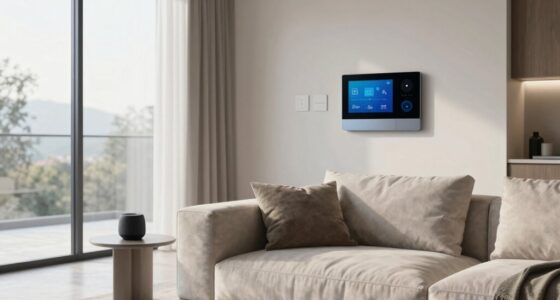
To set up home audio for different rooms, position your speakers at ear level and avoid walls or corners to reduce echoes. Use wireless streaming to connect multiple devices easily and keep clutter away. Adjust speaker placement based on room size and shape for balanced sound, and add subwoofers or rear speakers where needed. Ideal placement and wireless tech make a big difference—discover more tips to create the perfect audio environment.

Get furniture and decor delivered free with Prime
- Fast, free delivery on millions of items
- Prime Video, Amazon Music and more included
- Member-only deals all year
Key Takeaways
- Assess room size and shape to determine optimal speaker placement and acoustic treatment needs.
- Position speakers at ear level and avoid placing them near walls or corners to reduce reflections.
- Use wireless streaming technology for flexible, clutter-free connections across rooms.
- Balance speaker placement to create an even sound field, forming semi-circles around seating areas.
- Incorporate subwoofers or additional speakers in large or open spaces for fuller sound coverage.

Have you ever wondered how to create the perfect home audio setup that delivers clear, immersive sound? It all begins with understanding how to enhance your space for audio performance. Whether you’re setting up in a living room, bedroom, or dedicated media room, the key lies in effective speaker placement and leveraging wireless streaming technology. Wireless streaming makes it easy to connect multiple devices without cluttering your space with wires, giving you flexibility in positioning your speakers for ideal sound. This setup also allows you to enjoy audio equipment that can adapt to different room sizes and layouts, ensuring optimal sound quality. You want your speakers to be positioned where they can distribute sound evenly, so avoid placing them too close to walls or corners, which can cause unwanted echoes or bass booms. Instead, aim for a balanced setup, keeping speakers roughly at ear level when seated, and considering the room’s shape and furniture layout to minimize sound reflections.
Create an immersive sound experience with balanced speaker placement and wireless streaming for a clutter-free setup.
In living rooms, you typically have more space to work with, so take advantage of that. Place your main speakers at ear level, spaced evenly around your seating area, forming a semi-circle for a more immersive experience. Use wireless streaming to connect your sound system effortlessly, whether it’s a smart speaker or a multi-room audio setup. This setup allows you to control everything from your phone or tablet, so you can easily adjust volume, change tracks, or switch sources without disrupting the room’s aesthetic. For rooms with high ceilings or open layouts, consider adding a subwoofer or rear speakers to fill the space with rich, full sound. Position these speakers strategically to prevent sound from bouncing off surfaces or creating dead zones. Additionally, understanding room acoustics can greatly improve your speaker placement and overall sound quality. Proper acoustics can help reduce echoes and improve clarity, making your listening experience even better. Being aware of sound absorption strategies can further optimize your environment for listening.
In bedrooms, space is often more limited, so prioritize compact speakers that can be placed on shelves or mounted on walls. Wireless streaming is especially handy here, letting you play music from your device without the need for multiple wires cluttering your nightstand or dresser. Keep your speakers away from the bed and windows, which may cause sound reflections or external noise interference. For ideal sound, position speakers on either side of the bed at ear level, ensuring they are angled toward your listening position. Additionally, using wireless streaming technology can streamline your setup and reduce clutter, making it easier to enjoy your favorite music without hassle. Being mindful of speaker placement can also help optimize sound quality in small spaces.
wireless multi-room speaker system
As an affiliate, we earn on qualifying purchases.
As an affiliate, we earn on qualifying purchases.
Frequently Asked Questions
How Do I Prevent Audio Leakage Between Rooms?
To prevent audio leakage between rooms, you should focus on soundproofing techniques like adding mass to walls with dense materials and sealing gaps around doors and windows. Incorporate acoustic treatments such as foam panels, bass traps, and door seals to absorb and block sound. These steps considerably reduce sound transmission, ensuring each room maintains its audio privacy and clarity without disturbing other areas in your home.
What Is the Best Speaker Placement for Small Spaces?
A place for everything, and everything in its place—especially in small spaces. Position your speakers at ear level, ensuring they’re not too close to walls, to avoid audio reflections. Use acoustic treatment like rugs or curtains to absorb excess sound. Keep speakers at an ideal height, angled slightly towards you, for clear, balanced sound. This setup maximizes space and sound quality, creating an immersive experience without clutter.
How Can I Integrate Smart Home Systems With Audio?
You can easily integrate smart home systems with audio by connecting your speakers to voice control devices like Alexa or Google Assistant, enabling hands-free commands. Use app integration to control and customize your audio settings across multiple rooms through a centralized app. This setup allows you to adjust volume, change playlists, or turn zones on and off effortlessly, creating a seamless, interconnected home audio experience tailored to your preferences.
What Are the Budget Options for Multi-Room Audio?
While high-end systems offer premium sound, budget options like wireless speakers and affordable amplifiers prove you don’t need to spend a fortune. You can create a multi-room setup with budget-friendly devices that deliver decent sound and easy connectivity. These options let you enjoy music throughout your home without breaking the bank, proving that great audio isn’t just for luxury setups—smart choices make it accessible for everyone.
How Do I Manage Different Audio Sources in Each Room?
You manage different audio sources in each room by connecting your devices via wireless connectivity, like Wi-Fi or Bluetooth, guaranteeing seamless control. Use a central app or smart home system to assign specific sources to each speaker or zone. Regularly calibrate your speakers using built-in speaker calibration tools, which optimize sound quality and confirm each room’s audio matches your preferences. This setup gives you flexibility and control over your home’s audio experience.
Conclusion
Setting up home audio across different rooms seamlessly blends technology with daily life, turning your space into a personalized sanctuary. As you enjoy your favorite tunes or podcasts, it’s almost ironic how the right setup can make every corner feel connected, yet distinct. When your audio system finally aligns perfectly, it’s like the universe conspired to elevate your home’s ambiance—reminding you that sometimes, the smallest details create the most unexpected harmony.
Fall Picks
fall essentials
As an affiliate, we earn on qualifying purchases.