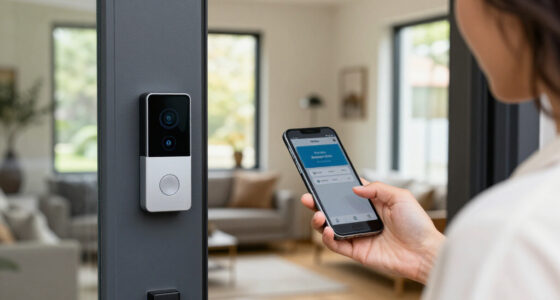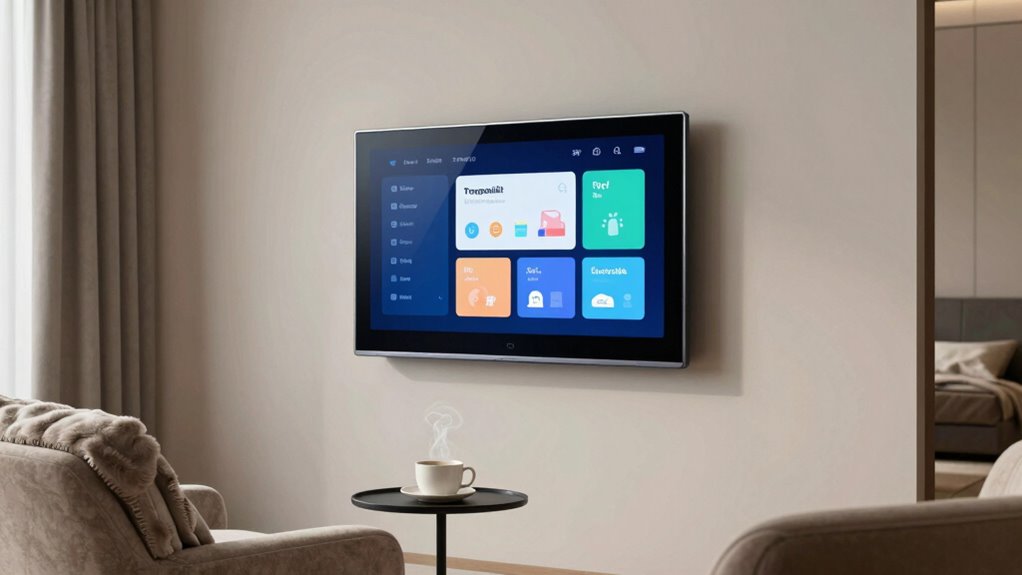

To cut down on smart home notification overload, start by streamlining device integration so alerts are fewer and more relevant. Customize notifications based on your routines, setting rules for urgent versus minor alerts, and choose preferred delivery methods. Organize alerts into groups or priorities, emphasizing critical alerts while muting less important ones. Regularly review and adjust your settings to make sure they stay aligned with your evolving needs. For more tips on creating a smarter, calmer environment, keep exploring these strategies.

Get furniture and decor delivered free with Prime
- Fast, free delivery on millions of items
- Prime Video, Amazon Music and more included
- Member-only deals all year
Key Takeaways
- Customize notification settings to prioritize critical alerts and disable minor updates.
- Use device integration to consolidate alerts and reduce redundant notifications.
- Set priority levels and create smart groups to manage notification flow effectively.
- Regularly review and adjust notification preferences to match evolving needs.
- Focus on creating a balanced environment by minimizing distractions and unnecessary alerts.

In today’s connected world, smart home notifications can quickly become overwhelming, distracting you from what matters most. Every device—whether it’s your thermostat, security camera, or smart light—pushes alerts that can clutter your phone or smart hub, making it hard to focus or relax. To regain control, you need to understand how to manage these notifications effectively, starting with device integration. When your smart devices are properly integrated, they can communicate seamlessly, reducing unnecessary alerts and streamlining your system. For example, linking your security system with your lighting and door locks allows alerts to be consolidated or triggered only when specific events occur, minimizing false alarms and redundant notifications. Proper device integration helps your smart home work more efficiently and reduces notification overload.
Once your devices are integrated, the next step is notification customization. Rather than accepting all alerts as they come, you should tailor notifications to suit your daily routines and priorities. Many smart home apps allow you to set rules or preferences for each device, so you’re only notified about critical events. For instance, you can disable routine updates for temperature changes or mood lighting, but keep alerts active for security breaches or smoke detection. Customization also involves adjusting the frequency and delivery methods—perhaps opting for silent push notifications during work hours and audible alerts when you’re at home. This way, you’re not bombarded with minor updates that don’t require immediate attention. Regularly reviewing your notification settings ensures that your system remains aligned with your evolving needs, creating a more efficient home environment. Additionally, exploring smart notification management options can further optimize how alerts are delivered, helping you stay focused on what truly matters.
You should also take advantage of priority settings and smart grouping features. Many platforms let you assign priority levels to certain alerts, ensuring that the most important ones stand out while less urgent notifications are muted or grouped together. For example, you might want to be notified immediately if a door is left unlocked or if a security camera detects movement, but you don’t need constant updates on your garden’s moisture levels. Grouping notifications from multiple devices into a single summary can also reduce interruptions—receiving one concise update instead of several individual alerts. Incorporating notification management strategies can help you better control your alerts and maintain focus throughout the day. Regular review of your notification preferences ensures your system adapts to changing needs and avoids unnecessary clutter, making your smart home more manageable.
Finally, don’t forget to review and adjust your notification settings regularly. As your smart home evolves, so should your alert preferences. Periodically audit which notifications are necessary and which can be turned off or consolidated. By fine-tuning device integration and notification customization, you’re not only reducing overload but also creating a smarter, more serene environment that genuinely serves your needs. With intentional management, your smart home can work for you, not against you.
smart home notification management device
As an affiliate, we earn on qualifying purchases.
As an affiliate, we earn on qualifying purchases.
Frequently Asked Questions
Can I Customize Notifications for Individual Smart Devices?
Yes, you can customize notifications for individual smart devices. You simply use device silencing features or notification filtering options available in your smart home app. These tools let you turn off alerts for specific devices or set preferences, so you’re not overwhelmed. This way, you only receive important updates, making your smart home experience more manageable and less cluttered with unnecessary notifications.
How Do I Prioritize Important Alerts Over Less Urgent Ones?
Did you know that 70% of users find notification overload overwhelming? To prioritize important alerts, you should use notification filtering and alert customization features. Set your smart home app to flag or sound only critical alerts—like security breaches—while filtering out less urgent updates, such as routine device status. Adjust these settings regularly to make sure you’re alerted only to what truly matters, reducing distractions and keeping your focus where it counts.
Are There Third-Party Apps to Manage Smart Home Notifications?
Yes, third-party apps can help you manage smart home notifications effectively. They offer notification filtering features that prioritize alerts and reduce clutter, making it easier for you to focus on what matters. Many apps also provide seamless app integrations, allowing you to customize how and when you receive notifications across different smart home devices. This way, you can stay informed without feeling overwhelmed by constant alerts.
How Can I Reduce Notifications Without Missing Critical Alerts?
Did you know over 60% of smart home users feel overwhelmed by notifications? To avoid missing critical alerts, focus on notification filtering and alert customization. Turn off non-essential alerts and set specific parameters for important events. Use your app’s settings to prioritize notifications, ensuring crucial alerts are always visible. Customizing alerts helps you stay informed without constant interruptions, giving you peace of mind while maintaining essential awareness of your smart home.
Is There a Way to Schedule Notifications During Specific Times?
Yes, you can schedule notifications during specific times using alert scheduling features in your smart home app. This involves setting notification timing preferences, so alerts only appear when you’re available or during designated hours. Most systems allow you to customize notification timing by creating schedules or enabling do-not-disturb modes. By implementing alert scheduling, you reduce unnecessary notifications while ensuring critical alerts still come through when needed.
Conclusion
By fine-tuning your notifications, you’re like a skilled conductor guiding a symphony, ensuring each alert plays its part without overwhelming the melody. When you silence the unnecessary chatter, your smart home becomes a harmonious haven rather than a noisy chaos. Embrace the balance, and your notifications will serve as helpful whispers rather than deafening shouts. With a little effort, you’ll lead your smart home to perform seamlessly, turning chaos into calm and noise into a gentle lullaby.
Halloween Picks
halloween
As an affiliate, we earn on qualifying purchases.