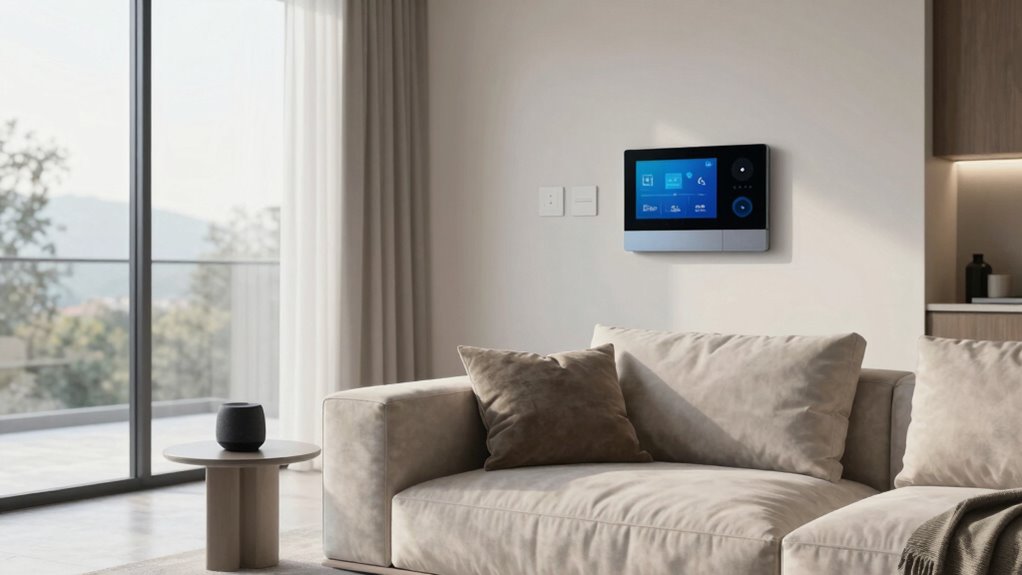

To add smart comfort features without losing simplicity, start with easy-to-integrate devices like voice-controlled thermostats, lighting, and locks that work well with your existing setup. Focus on energy monitoring tools that operate in the background, providing useful insights without complication. Use systems designed for seamless compatibility to avoid frustration and enable gradual expansion. Keeping interfaces intuitive and automation simple ensures you enjoy advanced comfort without adding clutter or confusion—exploring these strategies further helps you create a smarter, more connected home.

Get furniture and decor delivered free with Prime
- Fast, free delivery on millions of items
- Prime Video, Amazon Music and more included
- Member-only deals all year
Key Takeaways
- Start with basic smart devices like voice-controlled thermostats and lighting for easy integration and minimal complexity.
- Use compatible, user-friendly systems that seamlessly connect with existing home setups to avoid overhauls.
- Implement automation gradually, adding features step-by-step to maintain simplicity and control.
- Incorporate energy monitoring tools for insights without complicating daily routines.
- Prioritize intuitive interfaces and remote alerts to manage smart features effortlessly and securely.

In today’s fast-paced world, adding smart comfort features to your home shouldn’t mean sacrificing simplicity. The goal is to make your life easier without turning your space into a complicated tech maze. One of the best ways to do this is by integrating voice control systems. With voice commands, you can adjust your thermostat, turn on lights, or even lock doors without fumbling for switches or remotes. Imagine waking up and saying, “Good morning,” to turn on the lights, start the coffee maker, and set the temperature to a comfortable level—all with minimal effort. Voice control simplifies daily routines and keeps your home feeling intuitive and responsive. It also reduces the clutter of multiple remote controls or app interfaces, letting you manage your environment effortlessly. Incorporating energy monitoring technology helps you keep track of your home’s energy consumption in real-time, giving you clear insights into how different devices and systems use power. By understanding where energy is going, you can make smarter choices to save money and reduce your carbon footprint. For example, you might notice that your heating system is consuming more energy than necessary during certain times, prompting you to adjust the schedule or upgrade to a more efficient model. energy monitoring tools often come with user-friendly dashboards or apps, making it easy to see your energy habits at a glance. The best part is that these features often work seamlessly in the background, providing valuable data without complicating your daily routine. Additionally, choosing systems with seamless integration ensures that new features will work smoothly with your existing setup, avoiding potential frustrations. Integrating automation options can further enhance your home’s responsiveness, making it feel even more natural and effortless to control. Implementing user-friendly interfaces can further enhance your experience by making it easier to control and understand your smart home systems. Embracing smart home technology can also promote peace of mind, as many systems offer remote monitoring and alerts for security or system malfunctions.
When you combine voice control with energy monitoring, you create a smart home experience that’s both simple and efficient. You can, for instance, ask your system to lower the thermostat and simultaneously receive feedback on how much energy you’re saving. This integration not only enhances convenience but also promotes smarter, more sustainable living. The key is to choose systems that are user-friendly and compatible with your existing devices, so adding new features doesn’t mean overhauling your entire setup. Start small—perhaps with a smart speaker and a few connected devices—and gradually expand as you become more comfortable. Remember, the goal isn’t to turn your home into a high-tech fortress but to enhance comfort and efficiency without complicating your everyday life.
Products Worth Considering

Philips Hue Festavia 130-Foot Indoor/Outdoor Smart String Lights, 500 LEDs

Philips Hue Bridge Pro Smart Lighting Hub, 1-Pack

Ring Battery Doorbell Plus – Home or Business Security with Head‑to‑Toe HD+ Video, Motion Detection & Alerts, Two‑Way Talk
As an affiliate, we earn on qualifying purchases.
Frequently Asked Questions
How Do I Prioritize Which Smart Features to Add?
You should prioritize smart features based on user preferences and device compatibility. Start by identifying which features your users will find most valuable and easy to use, avoiding overly complex options. Check if your current devices support these features seamlessly. Focus on those that improve comfort without adding unnecessary complexity, ensuring a smooth experience. This way, you enhance comfort while maintaining simplicity and compatibility.
Will Smart Features Increase My Home’s Energy Consumption?
Smart features can increase your home’s energy consumption if they’re not designed for energy efficiency. However, choosing devices with energy-saving modes and ensuring compatibility with your existing systems helps keep consumption in check. By focusing on energy-efficient smart devices and maintaining proper device compatibility, you can enjoy smart comfort features without considerably raising your energy bills. This way, you enhance convenience while still prioritizing your home’s overall energy efficiency.
How Secure Are Smart Comfort Devices From Hacking?
Smart comfort devices are incredibly secure—if you take the right precautions. While security vulnerabilities and data privacy concerns exist, strong encryption, regular updates, and secure passwords make hacking nearly impossible. Think of your devices like high-tech fortresses, guarding your data fiercely. By staying vigilant and choosing reputable brands, you’ll keep your smart home safe from cyber threats, ensuring your comfort doesn’t come at the cost of security.
Can I Control Smart Comfort Features Remotely?
Yes, you can control smart comfort features remotely. With smart device integration, you can manage your system from anywhere using your smartphone or tablet. Many devices also offer voice command compatibility, allowing you to adjust settings hands-free. This convenience guarantees you stay comfortable whether you’re at home or away. Just make certain your devices are connected to a reliable Wi-Fi network and set up correctly for seamless remote control.
What Is the Cost Difference Between Basic and Advanced Smart Features?
Adding advanced smart features is like upgrading from a bicycle to a sports car—you’ll pay more upfront. Typically, the cost difference between basic and advanced smart features ranges from $100 to $500, depending on smart device compatibility and installation considerations. Advanced systems often require more sophisticated hardware and professional setup, which can boost expenses. Be prepared for higher costs but enjoy greater customization and seamless integration with your existing smart home ecosystem.
Conclusion
By thoughtfully integrating smart comfort features, you can enhance your space without sacrificing simplicity. Remember, studies show that homes with intuitive smart systems see a 15% increase in occupant satisfaction. Keep the user experience straightforward, prioritize essential features, and use seamless interfaces. This balance allows you to enjoy modern convenience while maintaining the clean, uncomplicated aesthetic you value. Ultimately, smart comfort should serve your lifestyle, not complicate it—so design wisely and keep it simple.