
To create a better charging station at home, designate a specific area with organized storage like shelves or trays, and include wireless charging pads for convenience. Use cable clips or velcro straps to keep cords tidy and label them for easy identification. Incorporate eco-friendly and energy-efficient devices, and position power sources thoughtfully. Regularly clean and inspect your setup to keep it safe and functional. Keep exploring to discover more tips on organizing your tech space effectively.

Get furniture and decor delivered free — and shop member deals
- Fast, free delivery on millions of items
- Access to Prime Big Deal Days deals on October 6–7
- Prime Video, Amazon Music and more included
Key Takeaways
- Designate a specific, organized area with easy access for all charging devices.
- Use cable management tools like clips and labels to keep cords tidy and identifiable.
- Incorporate eco-friendly, energy-efficient chargers and monitor power usage regularly.
- Choose functional furniture with built-in wireless charging options for convenience.
- Perform routine cleaning and reassessment to maintain safety and adapt to changing needs.
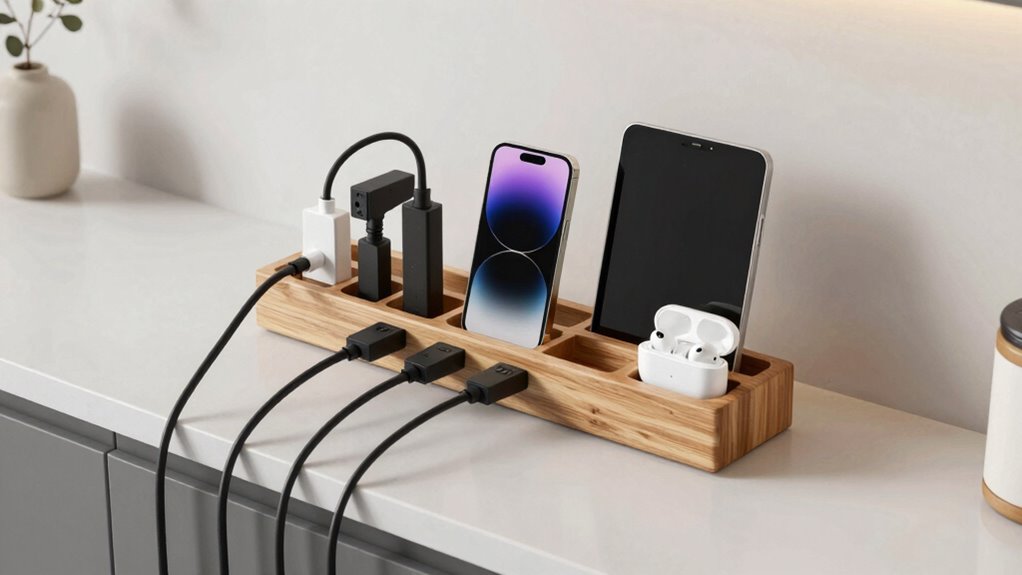
Creating a well-organized charging station at home can make your daily routine smoother and reduce clutter. When you set up a dedicated space for charging your devices, you eliminate the frustration of tangled cords and forgotten chargers. To make this space effective, consider incorporating wireless options wherever possible. Wireless charging pads or docks allow you to power up your smartphones, earbuds, or smartwatches without fumbling with cables. This not only simplifies your setup but also keeps your space looking clean and modern. Keep in mind, though, that not all devices are compatible with wireless charging, so having a few traditional chargers as backup is practical.
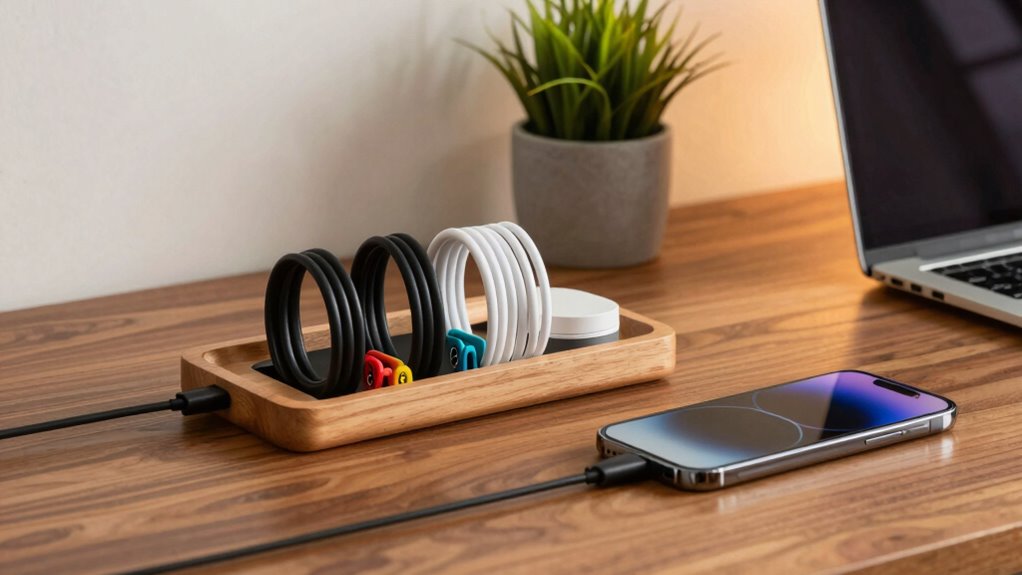
Cable management plays a vital role in maintaining an organized charging station. Loose cables can quickly turn your neat setup into a tangled mess, making it difficult to find the right charger when you need it. Use cable clips, sleeves, or velcro straps to bundle and secure cords. Labeling cables with tags or color-coded wraps helps you identify the right charger at a glance, saving you time and frustration. Position your power strip or surge protector strategically, ideally at the back of your station, to keep cords from sprawling across your desk or countertop. If space allows, invest in a charging station with built-in cable management features—these often come with compartments or channels designed to hide and organize wires neatly. Additionally, choosing eco-friendly materials for your setup can promote sustainable living practices and reduce environmental impact. Incorporating energy-efficient devices can further enhance the sustainability of your charging station. Regularly inspecting your cables for wear and tear helps prevent potential safety hazards and prolongs their lifespan. Using smart technology to monitor power consumption can also help optimize energy use. Integrating recyclable materials in your setup can contribute positively to environmental conservation.
Organize cords with clips, labels, and strategic placement for a tidy, efficient charging station.
Choosing the right furniture also makes a difference. A small shelf or tray dedicated to your devices keeps everything in one place and reduces clutter on your main workspace. Incorporate wireless options into this furniture setup so that you can easily place devices on charging pads without needing to connect cables directly. When setting up, think about accessibility—place your chargers within easy reach but out of the way of daily traffic. You want your station to be functional without becoming a constant obstacle. Proper placement of power sources can greatly enhance the overall efficiency of your setup, making daily charging more seamless.
Finally, maintain your charging station regularly. Check cables for wear, clean dust from charging pads, and reassess your setup as your device collection grows or changes. A well-maintained station not only looks better but also ensures your devices charge efficiently and safely. By combining wireless options with thoughtful cable management, you create a streamlined, clutter-free space tailored to your daily needs. This setup makes charging effortless, keeps your devices organized, and helps you start each day with a tidy, functional environment.
As an affiliate, we earn on qualifying purchases.
Frequently Asked Questions
What Is the Ideal Height for a Charging Station?
The ideal height for your charging station is around waist level, promoting ergonomic placement and easy access. You want it high enough to prevent clutter but low enough to reach cords comfortably. Consider aesthetic considerations too, ensuring it blends seamlessly with your space. By positioning it at this height, you reduce strain and make charging devices effortless, while maintaining a tidy, visually appealing area.
How Many Devices Can a Single Outlet Support?
A single outlet can typically support up to 8-10 devices, depending on their power requirements. To maximize device organization and cable management, use power strips with surge protection and enough outlets for your needs. Keep cables tidy with clips or sleeves, and group similar devices together. This approach prevents overloads, reduces clutter, and makes your charging station safer and more efficient. Always check the power ratings to avoid overloading.
Are Wireless Chargers More Efficient Than Wired Ones?
Wireless chargers are generally less power-efficient than wired ones because they lose some energy during the wireless transmission process. While wireless charging offers convenience and reduces cable clutter, it often takes longer and consumes more power. If you prioritize speed and efficiency, wired chargers are better. However, for daily convenience and a clutter-free space, wireless charging is a good option, even if it’s slightly less power-efficient.
What Safety Precautions Should I Consider?
You should prioritize safety by ensuring proper cable management, avoiding tangled or frayed wires, and keeping chargers away from water. Use surge protection to guard your devices against power spikes, and place chargers on stable, heat-resistant surfaces. Regularly inspect cords for damage, unplug chargers when not in use, and keep cords organized. These precautions help prevent accidents, protect your devices, and maintain an efficient, safe charging station at home.
Can I Incorporate Solar Power Into My Station?
Yes, you can incorporate solar power into your charging station. Install solar panels to harness sunlight and generate clean energy. Pair them with an energy storage system, like batteries, to store excess power for cloudy days or nighttime use. This setup not only makes your station more eco-friendly but also reduces electricity costs. Make certain proper wiring and safety measures, and consider consulting a professional to optimize your solar integration.
Conclusion
Creating a better charging station at home isn’t just about convenience — it’s a step toward smarter living. Think of it as a modern myth: the idea that technology always simplifies life. In reality, it’s your thoughtful setup that makes all the difference. When you design with intention, you prove that innovation isn’t just a myth but a truth. Embrace this mindset, and your home becomes a sanctuary of efficiency and ease.
Fall Picks
fall essentials
As an affiliate, we earn on qualifying purchases.