

TL;DR
This article explains how you can create an entire publishing kit from just one video file—covering titles, descriptions, clips, and social posts—without relying on cloud services. It’s faster, more private, and keeps your media on your machine.
Imagine finishing a video, then instantly getting a complete set of ready-to-publish assets—titles, thumbnails, social snippets, blog drafts—without ever uploading to the cloud. That’s the promise of a local-first workflow that turns one video into a full publishing kit. No waiting, no dependency on external servers, just your machine doing the heavy lifting.
Why does this matter? Because in an era where creators juggle dozens of platforms and formats, speed and control become game-changers. This approach slashes hours of repackaging, keeps your work private, and gives you direct oversight at every step. In this article, I’ll show you how a system like ChannelHelm makes this possible, and what tradeoffs it asks of you.
What does ‘One Video In, a Whole Publishing Kit Out’ actually mean?
It’s a simple idea with a complex execution. You feed a single video into a local system, and it spits out everything needed for publication—titles, descriptions, thumbnails, clips, social posts, and more. No cloud upload required. Instead, everything happens on your own hardware, keeping your media private and under your control. Learn more about home maintenance tools that also prioritize privacy and local processing.
For example, upload your 10-minute explainer video into ChannelHelm, and it generates five YouTube titles, a blog draft, vertical clips for TikTok, and social posts for Twitter and LinkedIn. All derived from one source, ready to publish within minutes.
This isn’t just automation; it’s a form of intelligent contextual understanding. The system recognizes key moments, on-screen text, and relevant topics, so the assets aren’t just generic outputs—they’re tailored for engagement and relevance. This level of understanding reduces the need for manual editing, speeds up your workflow, and ensures consistency across your content channels. By automating the creation of contextually appropriate assets, creators can focus more on content quality and less on repetitive tasks, making their publishing process more efficient and less error-prone.

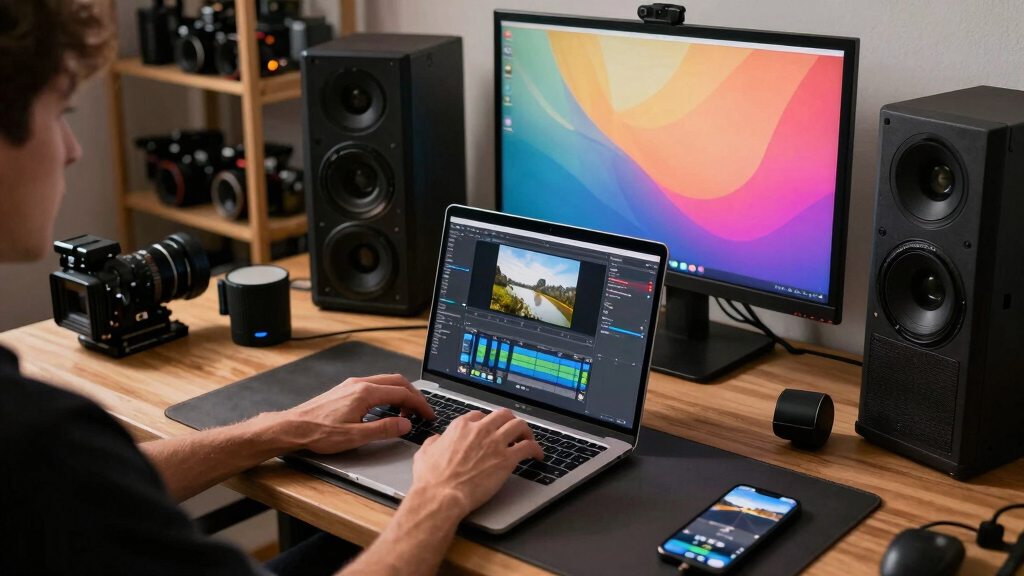
video editing software with local workflow
As an affiliate, we earn on qualifying purchases.
As an affiliate, we earn on qualifying purchases.
Why this approach is a game-changer in 2024
Current industry trends push toward faster, more autonomous workflows. Cloud-based tools dominate, but they come with costs—privacy concerns, dependency on internet, and slow turnaround times. A local workflow sidesteps these issues by keeping all processing on your hardware, which means you retain full control over your data and workflow speed. For tips on home energy efficiency, see this guide.
For instance, a small educational creator can process videos offline, ensuring content stays private and is ready for immediate distribution. No cloud API limits or latency delays slow down their process. Recent surveys show that 68% of creators cite data privacy and control as top reasons to avoid cloud dependency [2]. This indicates a growing importance of local workflows in safeguarding intellectual property and sensitive information.
Moreover, local workflows are inherently more resilient in environments with unreliable internet—no need to wait for uploads or depend on cloud servers that might be down. This independence allows creators to operate on their own schedule, making content creation and publishing more predictable and less stressful. The tradeoff is that local workflows require more initial setup and hardware investment but offer unmatched control and speed once established. This shift is especially impactful for creators in remote areas or those handling sensitive material, where privacy and speed are paramount.

How a local-first system turns one video into many assets in four steps
- Ingest: Drop your video or paste a link. The system detects your channel for proper tagging. Easy and quick.
- Understand: Background workers transcribe, analyze visuals, and fuse data into a structured scene log. It’s like giving your video a second brain, enabling the system to recognize key moments, on-screen text, and relevant topics more accurately. This understanding allows for the generation of assets that are contextually appropriate, reducing manual editing and increasing relevance.
- Review in the Studio: Assets are drafted and waiting. You can edit titles, select clips, tweak descriptions, or regenerate parts—without waiting for cloud syncing. This step ensures you maintain oversight, catch errors early, and adapt assets to your style or needs, all while enjoying the speed of local processing.
- Approve & Dispatch: Once satisfied, you push all assets to your platforms. The system tracks each step, giving you full control and a clear record of your publishing process.
For example, a creator can upload a webinar, and within 15 minutes, have a set of social clips, a blog draft, and a playlist ready—no external servers involved. This rapid turnaround is possible because all processing occurs locally, avoiding delays caused by cloud dependencies and enabling immediate iteration based on your feedback. If you’re interested in home improvement tips, check out Prime Profit Media.
The power of a single package: everything for every platform
The core idea is a ‘Publishing Package’: one source video becomes multiple tailored outputs. This includes titles, descriptions, clips, thumbnails, and social posts—all in one bundle. It’s like a media kit that fits in your pocket but is powerful enough to serve multiple platforms and formats.
Imagine a YouTuber working on a product review. From one upload, they get:
- Five optimized titles with scores and character counts
- A full description with chapters and hashtags
- Vertical clips for TikTok and Reels, each with auto-generated captions
- Social posts crafted for Twitter, Instagram, and Facebook
This approach significantly reduces manual reformatting, speeds up publication, and helps maintain consistent branding across all channels. By automating the generation of platform-specific assets from a single source, creators can ensure their messaging remains cohesive while saving time and avoiding common errors associated with manual adjustments. For more on home decor ideas, visit Perfect Fit Living.

Reviewing assets: your control center for perfect publishing
The review interface is designed to prioritize your control. It offers three views: Console, Editor, and Atlas. Each serves a purpose—from quick approvals to deep dives into asset provenance. Discover more about home automation and review tools at Tweedot.
For example, you can see in the Console which titles, clips, and descriptions are ready, then switch to Editor to fine-tune a thumbnail or check the source of a caption. Provenance details show exactly which prompts or models created each asset, adding transparency. This layered review process enables you to catch errors early, ensure consistency, and maintain a high standard for your content. It also allows you to understand how each asset was generated, which is crucial for quality control and trust in automation.
This transparency and control help you avoid publishing mistakes, adapt assets quickly, and understand the strengths and limitations of your automated tools. Over time, this process becomes a reliable way to produce high-quality, consistent content with minimal manual effort.

Benefits of working offline and locally — why it matters
Working without the cloud isn’t just a tech trend—it’s a strategic choice. Local workflows mean your media stays on your machine, protected from breaches or outages, and you avoid the risks of data leaks or hacking associated with cloud storage. This is especially important for sensitive content, such as investigative journalism, corporate material, or personal stories.
For example, a journalist covering sensitive topics can process and publish videos without risking leaks, maintaining control over who accesses the raw and processed media. Similarly, remote teams in areas with limited or unstable internet can operate seamlessly, ensuring their workflow isn’t disrupted by connectivity issues.
Additionally, local processing can be faster because it’s not bottlenecked by internet speed or cloud server load. You get instant feedback, rapid iteration, and the ability to work in environments where internet access is limited or unreliable, such as in fieldwork or remote locations. This operational independence means you can work on your schedule, not on the cloud’s constraints, leading to more consistent and secure content production.

Tradeoffs: what you give up, and what you gain
Local workflows shine in control and privacy, but they aren’t perfect for every situation. They may lack the scalability and collaboration ease of cloud systems, especially for large teams needing real-time sharing and updates. Manual file transfers, local storage management, and hardware dependencies can introduce friction, especially as project complexity grows. For instance, a large media agency might find cloud platforms more suitable for distributing assets across multiple locations and teams because they support seamless collaboration and version control at scale.
On the other hand, a solo creator or small team gains significant advantages in speed, security, and customization. They avoid ongoing subscription costs, reduce dependency on internet reliability, and retain full ownership of their assets. The tradeoff involves initial setup, hardware requirements, and occasional manual management, but for those prioritizing privacy and control, this is often a worthwhile exchange. Recognizing these tradeoffs helps creators choose the right balance based on their specific needs, project scope, and comfort with technical setups.

Who should care about this approach?
If you’re a creator or small publisher tired of cloud subscription costs, slow turnaround times, or privacy worries, this workflow is for you. It’s also ideal for educators, journalists, or remote teams needing offline control. For example, a nonprofit with limited internet access can process campaign videos on-site, then publish across multiple platforms instantly without relying on cloud services. This independence empowers organizations to maintain confidentiality, respond quickly to events, and operate securely in sensitive environments.
While larger teams may prefer cloud solutions for collaboration and scalability, the local-first approach offers a compelling alternative for those prioritizing autonomy, privacy, and speed. It’s especially appealing to solo entrepreneurs, small studios, or anyone who wants to keep their media under their own roof without sacrificing efficiency.

Key takeaways from this local publishing revolution
- One source, many assets: a single video can generate titles, descriptions, clips, and social posts automatically, streamlining your entire publishing process.
- Full control, full privacy: all processing happens on your machine, reducing dependency on cloud services and safeguarding sensitive content.
- Speed and efficiency: assets are drafted, reviewed, and dispatched faster because you eliminate upload delays and API bottlenecks, enabling rapid content iteration.
- Transparency: provenance details and version control keep you fully aware of how assets are generated, building trust and enabling precise edits.
- Flexible workflow: partial asset creation allows you to review and modify components at your own pace, even before the entire pipeline is complete, offering maximum adaptability to your schedule and needs.
Frequently Asked Questions
What exactly does ‘one video in, a whole publishing kit out’ mean?
It means you upload a single video file, and the system automatically generates all the assets needed for publication—titles, descriptions, social clips, blog drafts—on your local machine. No cloud upload needed.
How does this differ from regular cloud-based publishing workflows?
Traditional workflows rely on cloud servers for processing, storage, and distribution. A local workflow keeps everything on your hardware, giving you faster control, better privacy, and independence from internet issues.
What parts are automated, and what do I still need to do manually?
The system can automatically generate titles, descriptions, clips, and social posts. However, you review, edit, and approve these assets manually before publishing, ensuring quality and relevance.
Is this only for individual creators, or can teams use it too?
While ideal for solo creators and small teams seeking control and privacy, larger teams can also benefit by integrating local workflows into their hybrid publishing strategies. It depends on your needs for collaboration versus control.
What are the main tradeoffs of avoiding the cloud?
Local workflows offer privacy and speed but might lack the scalability and seamless collaboration cloud systems provide. Manual file transfers and local storage can become cumbersome at scale, requiring more management and technical setup.
Conclusion
Imagine a world where you press ‘upload’ on your video, and within minutes, every platform, social network, and blog post is ready—without ever leaving your workstation. That’s the promise of a local-first publishing workflow: more control, faster turnaround, and total privacy.
It’s not just about saving time; it’s about reclaiming your media’s destiny from the cloud. Are you ready to take that step?