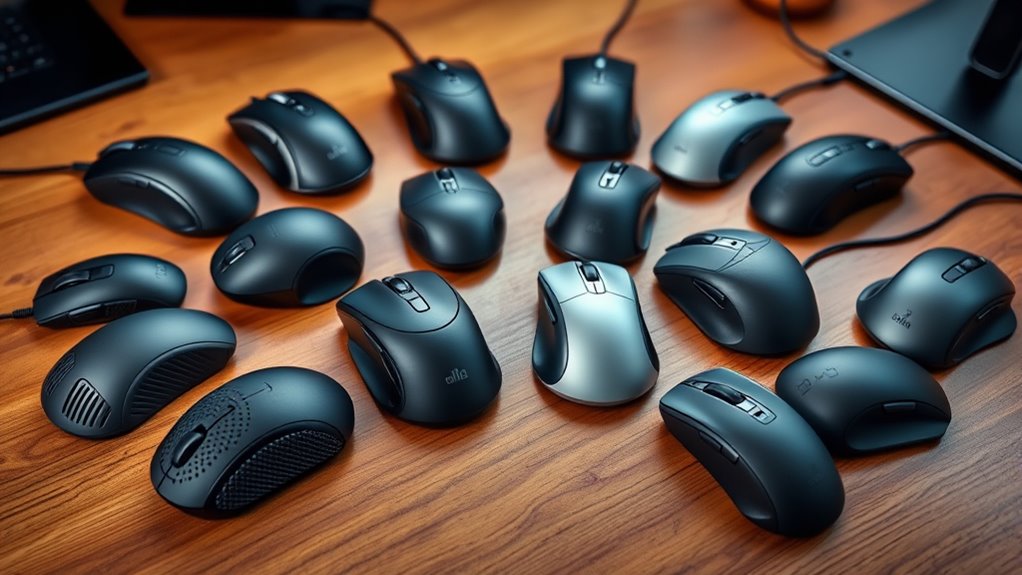

For those seeking the ultimate in comfort and accuracy, premium ergonomic mice designed for precision work offer a compelling balance of advanced features and refined design. The Microsoft Sculpt Wireless Ergonomic Mouse stands out as the best overall thanks to its comfortable shape and reliable performance. Meanwhile, the Logitech MX Master 4 and MX Vertical excel with innovative features like haptic feedback and vertical design, respectively. These options often require tradeoffs between complexity, price, and specialization. Continue reading for a detailed breakdown of each model’s strengths and weaknesses, helping you find the perfect fit for your workflow.
Complete the kit


Key Takeaways
- The top picks balance ergonomic comfort with high-precision features like high DPI and customizable buttons.
- Vertical and trackball designs tend to favor long-term comfort but may compromise on portability or learning curve.
- Wireless connectivity and multi-device pairing are common among the best models, adding flexibility for professional workflows.
- Premium mice often come with advanced features like haptic feedback or ultra-fast scrolling, which can improve workflow efficiency.
- Tradeoffs include higher prices, increased complexity, and sometimes steeper learning curves for advanced features.
| Microsoft Sculpt Wireless Ergonomic Mouse |  | Best Overall for Reliable Comfort | Connectivity: USB | Power Source: AA battery | Design: Ergonomic | VIEW ON AMAZON | See Our Full Breakdown |
| Logitech MX Master 4 Ergonomic Wireless Mouse with Haptics – Graphite |  | Best for Advanced Productivity and Customization | Haptic Feedback: Customizable | Scroll Speed: 1,000 lines per second | Connectivity: USB-C and Bluetooth | VIEW ON AMAZON | See Our Full Breakdown |
| Logitech Lift Vertical Ergonomic Wireless Mouse – Graphite |  | Best for Natural Posture in Small to Medium Hands | Connectivity: Bluetooth, Logi Bolt USB-A | Compatibility: Windows, macOS, iPadOS, Chrome OS, Linux | Battery Life: Up to 2 years | VIEW ON AMAZON | See Our Full Breakdown |
| Logitech MX Ergo S Advanced Wireless Trackball Mouse – Graphite |  | Best for Reducing Muscle Strain with Trackball Precision | Connectivity: Bluetooth and Logi Bolt USB | Buttons: 6 programmable | Tilt angle: 20 degrees | VIEW ON AMAZON | See Our Full Breakdown |
| Logitech MX Master 3S Bluetooth Wireless Mouse – Graphite, No Receiver |  | Best for Surface Precision and Multi-Device Use | Weight: 4.97 oz (141 g) | Dimensions: 2 x 3.3 x 4.9 in | DPI: 8000 | VIEW ON AMAZON | See Our Full Breakdown |
| Logitech MX Master 3S Wireless Performance Mouse with Ultra-Fast Scrolling, 8K DPI, Quiet Clicks, Bluetooth & USB-C, Ergonomic Design |  | Best Overall | DPI: 8000 | Surface Compatibility: Any surface, including glass | Connectivity: Bluetooth, USB-C, Logi Bolt USB receiver | VIEW ON AMAZON | See Our Full Breakdown |
| Logitech Lift Vertical Ergonomic Wireless Mouse – Off White |  | Best for Natural Posture | Connectivity: Bluetooth Low Energy, Logi Bolt USB-A | Compatibility: Windows, macOS, iPadOS, Chrome OS, Linux | Buttons: 4 of 6 customizable | VIEW ON AMAZON | See Our Full Breakdown |
| Logitech MX Master 3S Wireless Mouse Standard Edition Graphite |  | Best for Multi-Device Flexibility | Weight: 4.97 oz (141 g) | Dimensions: 2 x 3.3 x 4.9 in | DPI: 8,000 | VIEW ON AMAZON | See Our Full Breakdown |
| Logitech M720 Triathlon Full Size Multi-Device Wireless Mouse – Black |  | Best for Multi-Device Productivity | Battery Life: 24 months | Connectivity: Bluetooth, USB-A receiver | Device Compatibility: Windows, macOS, Chrome OS, Linux, iPadOS | VIEW ON AMAZON | See Our Full Breakdown |
| Logitech MX Vertical Wireless Mouse Ergonomic Design – Graphite |  | Best for Reducing Strain | Color: Graphite | Connectivity: Wireless | DPI: 4000 | VIEW ON AMAZON | See Our Full Breakdown |
| Logitech MX Master 3S Wireless Mouse |  | Best Overall for Precision and Comfort | DPI: 8000 | Surface Compatibility: Any surface including glass (4 mm minimum glass thickness) | Connectivity: Bluetooth, Logitech Bolt USB receiver (not included) | VIEW ON AMAZON | See Our Full Breakdown |
| premium ergonomic mice for precision work | Connectivity |
|---|---|
| Microsoft Sculpt Wireless Ergo | USB |
| Logitech MX Master 4 Ergonomic | USB-C and Bluetooth |
| Logitech Lift Vertical Ergonom | Bluetooth, Logi Bolt USB-A |
| Logitech MX Ergo S Advanced Wi | Bluetooth and Logi Bolt USB |
| Logitech MX Master 3S Bluetoot | — |
| Logitech MX Master 3S Wireless | Bluetooth, USB-C, Logi Bolt USB receiver |
| Logitech Lift Vertical Ergonom | Bluetooth Low Energy, Logi Bolt USB-A |
| Logitech MX Master 3S Wireless | Bluetooth, Logi Bolt USB receiver (not included) |
| Logitech M720 Triathlon Full S | Bluetooth, USB-A receiver |
| Logitech MX Vertical Wireless | Wireless |
| Logitech MX Master 3S Wireless | Bluetooth, Logitech Bolt USB receiver (not included) |
More Details on Our Top Picks
Microsoft Sculpt Wireless Ergonomic Mouse
The Microsoft Sculpt Wireless Ergonomic Mouse stands out for its straightforward ergonomic design that effectively reduces wrist strain during long work sessions. Compared to more feature-rich options like the Logitech MX Master 4, it offers a simpler, more familiar form factor, which may appeal to users seeking comfort without complex customization. Its reliance on AA batteries and USB-only connectivity can be seen as tradeoffs, especially since the battery needs replacing and wireless options are limited. This mouse is best suited for users prioritizing basic ergonomic support and reliable, no-frills performance. However, those needing advanced features like haptic feedback or multi-device switching might find it lacking. Pros: Ergonomic design reduces wrist strain; Wireless freedom offers movement; Reliable USB performance; Simple setup. Cons: Requires AA battery replacements; Limited connectivity options; Lacks advanced features.
Verdict: This model makes the most sense for users seeking a dependable, ergonomic mouse for everyday precision work without bells and whistles.- Connectivity:USB
- Power Source:AA battery
- Design:Ergonomic
Logitech MX Master 4 Ergonomic Wireless Mouse with Haptics – Graphite
The Logitech MX Master 4 excels in blending ergonomic comfort with advanced features such as customizable haptic feedback and ultra-fast scrolling, making it ideal for power users who value precision and versatility. Compared to the Logitech Lift Vertical, it offers a more traditional mouse shape and a broader feature set, though at a higher premium price point. Its complex features, including adjustable haptic responses and multiple connectivity options (USB-C and Bluetooth), come with a learning curve and may be overwhelming for casual users. Battery details are less transparent, which could be a concern for those needing predictable longevity. This pick is best for professionals who want a highly customizable, high-performance mouse for prolonged, detail-oriented work. Less suited for budget-conscious buyers or those preferring minimal technical complexity. Pros: Customizable haptic feedback; Ultra-fast, precise MagSpeed scrolling; Ergonomic design reduces stress; Quiet clicks enhance focus. Cons: Premium price can be prohibitive; Features may require time to master; Battery life info is limited.
Verdict: Perfect for users seeking a feature-rich, highly adaptable mouse that boosts productivity at a premium cost.Pros:- Customizable haptic feedback enhances interaction
- Ultra-fast, precise MagSpeed wheel
- Ergonomic shape reduces hand fatigue
- Quiet clicks support focused work
Cons:- Premium price may be high for some users
- Complex features might require a learning curve
Best for: Power users and professionals needing extensive customization and precise control
Not ideal for: Casual users or those on a tight budget who prefer straightforward functionality
- Haptic Feedback:Customizable
- Scroll Speed:1,000 lines per second
- Connectivity:USB-C and Bluetooth
- Battery:Recycled cobalt
Our verdict“This mouse is best for professionals who want a highly customizable, high-precision device for extended use.”
Logitech Lift Vertical Ergonomic Wireless Mouse – Graphite
The Logitech Lift Vertical offers a natural, vertical posture that promotes wrist and forearm health, making it ideal for users with small to medium right hands. It contrasts with the MX Master 4 by focusing on ergonomic form over advanced features, providing a comfortable grip with quiet, customizable buttons for enhanced productivity. Its vertical design encourages a more natural arm position, but this shape may not suit larger hands or users who prefer traditional mice. Connectivity options are limited to Bluetooth and Logi Bolt, which may restrict flexibility for some. Its price can also be a barrier for budget-sensitive buyers. This mouse is best for users seeking ergonomic relief and a natural posture over bells and whistles. It’s less suitable if you need extensive customization or larger hand compatibility. Pros: Promotes natural wrist and forearm posture; Quiet, customizable buttons; Long battery life of up to 2 years; Seamless Bluetooth and Logi Bolt connectivity. Cons: Designed mainly for small to medium hands; Limited connection options; Slightly higher cost than basic mice.
Verdict: Ideal for users prioritizing ergonomic health and comfort over feature complexity and size.Pros:- Ergonomic vertical shape promotes natural posture
- Quiet, customizable buttons
- Battery lasts up to 2 years
- Seamless Bluetooth and Logi Bolt connection
Cons:- Limited to smaller hand sizes
- Connection options are fewer than other models
Best for: Small to medium right-handed users focused on ergonomic health and natural positioning
Not ideal for: Larger-handed users or those seeking extensive customization options
- Connectivity:Bluetooth, Logi Bolt USB-A
- Compatibility:Windows, macOS, iPadOS, Chrome OS, Linux
- Battery Life:Up to 2 years
- Design:Vertical ergonomic shape
Our verdict“This mouse is perfect for users who want to improve wrist health with a natural, vertical design for daily ergonomic comfort.”
Logitech MX Ergo S Advanced Wireless Trackball Mouse – Graphite
The Logitech MX Ergo S introduces a trackball design with a 20-degree tilt, offering a radically different approach to ergonomic comfort. This model significantly reduces muscle movement by allowing the user to control the cursor with minimal wrist or arm motion, compared to traditional mice like the Lift. Its dual wireless connectivity and 120-day battery life make it a flexible choice for prolonged use. However, the larger size and trackball mechanism may not be suitable for smaller hands or users unfamiliar with trackball mice. The need for a USB-C cable for charging, not included, is another minor inconvenience. This pick is ideal for those seeking to minimize muscle activity and enhance posture through a trackball interface. It’s less ideal if you prefer a conventional mouse shape or have small hands. Pros: Reduces muscle strain with trackball control; Long battery life with quick charge; Customizable buttons; Quiet clicks support concentration. Cons: Larger size may not suit small hands; USB-C charging cable not included; Learning curve for new users.
Pros:- Ergonomic tilt reduces muscle strain
- Long battery life and quick charging
- Multiple programmable buttons
- Quiet clicks for quieter workspaces
Cons:- Size may be large for some users
- Requires adaptation to trackball control
- Charging cable not included
Best for: Users wanting to reduce muscle fatigue and improve posture using a trackball mouse
Not ideal for: Small-handed users or those preferring a traditional mouse shape
- Connectivity:Bluetooth and Logi Bolt USB
- Buttons:6 programmable
- Tilt angle:20 degrees
- Battery life:Up to 120 days
- Charging time:1 minute for 24 hours
- Material:20% recycled plastic
Our verdict“This device suits those looking to minimize muscle movement and boost ergonomics with a trackball approach.”
Logitech MX Master 3S Bluetooth Wireless Mouse – Graphite, No Receiver
The Logitech MX Master 3S provides exceptional tracking accuracy with an 8K DPI sensor, capable of precise cursor control on nearly any surface, including glass. Its quiet clicks and MagSpeed scrolling make it ideal for quiet environments and rapid navigation. Unlike the MX Master 4, it lacks a dedicated haptic feature but maintains a highly ergonomic shape designed for comfort during extended work. Its Bluetooth-only connection means less flexibility compared to models with dual options like the MX Ergo S. Without a USB receiver included, setup requires Bluetooth pairing, which could be a hurdle for some. This mouse excels in multi-OS compatibility and seamless device switching, making it perfect for multi-taskers. This is best for users who need pinpoint accuracy and multi-device flexibility without extra hardware. It may not be ideal for those who prefer dedicated receivers or advanced haptic feedback. Pros: 8K DPI sensor for precise tracking; Quiet clicks reduce noise; Ergonomic, comfortable design; Multi-device switching. Cons: No included USB receiver; Bluetooth connection may be less reliable in certain setups; Some features require Logi Options+ software.
Pros:- High-precision 8K DPI sensor
- Quiet, noise-reducing clicks
- Ergonomic for extended use
- Supports multiple devices and OS
Cons:- No included USB receiver
- Requires Bluetooth setup
- Some features need software
Best for: Professionals needing precise tracking and seamless multi-device switching
Not ideal for: Casual users or those who prefer wired or receiver-based connections
- Weight:4.97 oz (141 g)
- Dimensions:2 x 3.3 x 4.9 in
- DPI:8000
- Surface Compatibility:Any, including glass
- Buttons:7
- Wireless Range:33 ft
- Battery:Rechargeable Li-Po
Our verdict“Ideal for users demanding high accuracy and multi-device flexibility in a sleek, ergonomic package.”
Logitech MX Master 3S Wireless Performance Mouse with Ultra-Fast Scrolling, 8K DPI, Quiet Clicks, Bluetooth & USB-C, Ergonomic Design
The Logitech MX Master 3S stands out for its exceptional precision and surface versatility, thanks to its 8K DPI sensor that works flawlessly on glass. Its MagSpeed scrolling offers a smooth, high-speed navigation experience that surpasses the M720 Triathlon’s simpler wheel, making it ideal for detailed work. While the premium price might be a hurdle for budget-conscious users, the mouse’s ergonomic design and quiet, satisfying clicks justify the investment for long-term comfort. Full customization requires Logi Options+ software, which could be a minor inconvenience. Compared to the Lift Vertical, it offers a more traditional mouse shape, but lacks the vertical posture benefits for users seeking a more natural hand position.
Pros:- Exceptional surface versatility including glass surfaces
- Quiet, tactile clicks for noise-sensitive environments
- High-speed MagSpeed scrolling for productivity
- Customizable buttons via software
Cons:- High price point may deter casual users
- Requires software for full feature access
- Limited connection options (Bluetooth and USB-C only)
Best for: Designers and professionals requiring pinpoint precision on any surface, including glass, with extensive customization options.
Not ideal for: Budget-conscious users or those preferring a vertical, more natural wrist position for daily tasks.
- DPI:8000
- Surface Compatibility:Any surface, including glass
- Connectivity:Bluetooth, USB-C, Logi Bolt USB receiver
- Battery Life:Up to 70 days, 3 hours from 1-minute charge
- Color:Black
- Material:Certified post-consumer recycled plastic
Our verdict“This mouse is ideal for professionals who prioritize surface flexibility and precision, willing to invest in comfort and customization.”
Logitech Lift Vertical Ergonomic Wireless Mouse – Off White
The Logitech Lift offers a vertical design that promotes a natural wrist and forearm posture, making it a strong choice over the MX Master 3S for users with wrist discomfort or repetitive strain. Its quiet clicks and customizable buttons improve usability without sacrificing comfort. However, it’s limited to small and medium right-handed hands, unlike the MX Master 3S, which accommodates a wider range of hand sizes and surfaces. Its connection options are standard Bluetooth or Logi Bolt USB-A, which might be less flexible than the MX Master 3S’s multi-surface sensor. The Lift excels for users seeking a natural ergonomic approach but isn’t suited for those needing extensive customization or larger hands.
Pros:- Vertical ergonomic design reduces wrist strain
- Quiet clicks and customizable buttons enhance comfort
- Long battery life up to 2 years
Cons:- Limited to small/medium right-handed users
- Requires Bluetooth or USB receiver for connection
- Not suitable for users with large hands
Best for: Writers or programmers suffering from wrist strain who prefer a vertical, ergonomic grip and long battery life.
Not ideal for: Users with larger hands or those who need a more traditional mouse shape for extended productivity.
- Connectivity:Bluetooth Low Energy, Logi Bolt USB-A
- Compatibility:Windows, macOS, iPadOS, Chrome OS, Linux
- Buttons:4 of 6 customizable
- Battery Life:Up to 2 years
- Design:Vertical ergonomic shape, textured grip, thumb rest
- Material:Certified post-consumer recycled plastic
Our verdict“This pick makes the most sense for users prioritizing natural wrist posture over traditional mouse shapes, especially with wrist issues.”
Logitech MX Master 3S Wireless Mouse Standard Edition Graphite
Compared with the Lift Vertical, the MX Master 3S Standard Edition is designed for users who need seamless multi-device switching with high precision. Its 8K DPI sensor and MagSpeed scrolling make it an excellent choice for detailed, multi-tasking environments. While it offers fewer ergonomic posture benefits than the vertical Lift, it’s better suited for users who work across multiple screens and operating systems. The mouse’s relatively high weight and the fact that the Logi Bolt receiver isn’t included can be drawbacks for portability and plug-and-play setup. It strikes a balance between advanced tracking and multi-device flexibility, but may fall short for those exclusively seeking a more natural wrist posture.
Pros:- High-precision 8K DPI sensor
- Quiet clicks for noise-sensitive environments
- Supports multi-device and multi-OS connectivity
- Reliable MagSpeed scrolling
Cons:- Logi Bolt receiver not included
- Relatively heavy for portable use
- Premium price may be prohibitive
Best for: Power users who juggle multiple devices and need high-precision tracking on various surfaces.
Not ideal for: Users seeking a vertical, wrist-friendly design or those on a tight budget due to its premium features.
- Weight:4.97 oz (141 g)
- Dimensions:2 x 3.3 x 4.9 in
- DPI:8,000
- Battery:Rechargeable Li-Po (500 mAh)
- Connectivity:Bluetooth, Logi Bolt USB receiver (not included)
- Wireless Range:33 ft (10 m)
Our verdict“This mouse is geared toward multi-taskers who need reliable, precise control across multiple devices, at the expense of ergonomic posture benefits.”
Logitech M720 Triathlon Full Size Multi-Device Wireless Mouse – Black
The M720 Triathlon offers a practical, multi-device solution with a simple, comfortable full-sized design. Its ability to switch seamlessly among up to three devices makes it a strong choice for busy professionals who prefer a traditional mouse shape over more specialized ergonomic designs. While it lacks the surface versatility or high DPI of the MX Master 3S, its long-lasting 24-month battery life and customizable buttons support sustained productivity. It’s less suited for users with wrist issues or those seeking a mouse with advanced ergonomic features, but excels in multi-computer workflows. Its lack of rechargeable battery is a minor inconvenience for some.
Pros:- Supports multi-device switching up to 3
- Long battery life of 24 months
- Customizable buttons for productivity
- Ergonomic full-size shape
Cons:- Requires software for button customization
- No rechargeable battery
- Limited ergonomic features
Best for: Office workers managing multiple devices who value reliability and long battery life over advanced ergonomic features.
Not ideal for: Users with wrist pain or those desiring a vertical or more ergonomic form factor for long hours.
- Battery Life:24 months
- Connectivity:Bluetooth, USB-A receiver
- Device Compatibility:Windows, macOS, Chrome OS, Linux, iPadOS
- Number of Devices:Up to 3
- Number of Buttons:6
- Color:Black
Our verdict“This mouse makes sense for professionals needing multi-device support and durability, but not for those prioritizing ergonomic posture.”
Logitech MX Vertical Wireless Mouse Ergonomic Design – Graphite
Compared with the MX Master 3S, the MX Vertical is designed specifically to minimize muscle strain through its 57° vertical angle and ergonomic shape, making it an ideal choice for users with wrist or forearm discomfort. Its advanced optical tracking with adjustable DPI offers precise control, similar to the MX Master, but with a focus on natural hand posture. While it’s more expensive than standard mice, the vertical design offers a clear advantage for prolonged use. The need for a USB receiver and slightly higher price may be downsides for those seeking a straightforward wireless mouse. It’s best suited for users who prioritize ergonomics over multi-surface capabilities or high DPI features.
Pros:- Reduces muscle strain and wrist pressure
- Ergonomist-approved design
- Adjustable DPI for precise control
- Rechargeable battery for convenience
Cons:- Higher price point than basic mice
- Requires USB receiver for wireless connection
- Limited to right-handed users
Best for: Professionals with wrist or forearm discomfort seeking a natural, ergonomic grip for extended work sessions.
Not ideal for: Users who need a mouse with high surface versatility or extensive customization features.
- Color:Graphite
- Connectivity:Wireless
- DPI:4000
- Angle:57°
- Battery:Rechargeable
- Material:Textured rubber surface
Our verdict“This mouse is perfect for users seeking an ergonomic solution that reduces strain during long hours but isn’t focused on surface versatility.”
Logitech MX Master 3S Wireless Mouse
The Logitech MX Master 3S stands out for its combination of high-precision tracking and ergonomic design, making it a top choice for those who need reliable accuracy over long periods. Its 8K DPI sensor ensures precise movement on virtually any surface, including glass, which surpasses many competitors like the Logitech MX Master 4 that offers advanced haptics but slightly less surface versatility. The MagSpeed scrolling feature allows for rapid navigation, ideal for professionals handling large datasets or detailed design work. Quiet clicks provide a more subdued workspace, though the reliance on software for customization and the absence of the Logitech Bolt USB receiver might be drawbacks for some users who prefer plug-and-play solutions. Additionally, the high price could be a barrier for budget-conscious buyers, but the build quality and feature set justify it for most demanding users.
Pros:- High-precision 8K DPI sensor for accurate tracking on any surface
- Quiet clicks significantly reduce workspace noise
- MagSpeed scrolling for fast, precise navigation
- Ergonomic shape designed for extended use
Cons:- Logi Bolt USB receiver not included, requiring an extra purchase
- Requires software installation for full customization options
- Higher price point may be prohibitive for some users
Best for: Designers, data analysts, and professionals who prioritize accuracy and long-term comfort in their workflow
Not ideal for: Users seeking a budget-friendly mouse or those who prefer a wired connection for zero latency
- DPI:8000
- Surface Compatibility:Any surface including glass (4 mm minimum glass thickness)
- Connectivity:Bluetooth, Logitech Bolt USB receiver (not included)
- Multi-device:Up to 3 devices
- Compatibility:Windows, macOS, Chrome OS, Linux
- Material:Includes recycled plastic
Our verdict“This mouse is best suited for professionals who need precise, comfortable, and versatile control for extended work sessions.”
How We Picked
I evaluated these mice based on performance, ergonomic design, build quality, feature set, and value. Each model was assessed for its ability to support sustained, precise work without causing fatigue or discomfort. We prioritized mice with customizable buttons, high DPI for accuracy, and durable construction. The ranking also considers user versatility—whether the device suits a range of tasks or specific workflows—and how well each model balances premium features against price. This approach ensures that the selected mice serve different ergonomic needs and work styles while maintaining high standards of quality and usability.Factors to Consider When Choosing Premium Ergonomic Mice For Precision Work
Choosing the right premium ergonomic mouse for precision work involves several considerations beyond basic comfort. It’s important to evaluate how the device integrates with your workflow, its customization options, and whether it suits your hand size and grip style. Understanding these factors can help you avoid common pitfalls like sacrificing accuracy for comfort or overspending on features you won’t use. Here are key aspects to consider to make an informed purchase:Ergonomic Design and Comfort
Look for a mouse that matches your hand size and grip style, whether palm, claw, or fingertip. Vertical and trackball designs often provide better long-term comfort but may require adjustment periods. The shape and materials should reduce strain during extended use, especially if you work long hours. Avoid models that feel awkward or cause discomfort after brief testing, as poor ergonomic fit can negate the benefits of premium features.
Precision and DPI Range
High DPI settings, often above 8000, enable precise control necessary for detailed work like graphic design or CAD. However, more DPI isn’t always better if it’s not adjustable or if the sensor isn’t accurate at lower sensitivities. Look for models with adjustable DPI and reliable tracking across different surfaces, which can significantly enhance your workflow accuracy.
Connectivity and Compatibility
Wireless connectivity options, such as Bluetooth or proprietary receivers, influence convenience and latency. Multi-device pairing is a major advantage if you switch between computers or operating systems frequently. Confirm compatibility with your OS and ensure the connection is stable to prevent interruptions during critical tasks.
Customization and Software
Premium mice often include programmable buttons, adjustable scroll wheels, and software customization. These features can streamline complex workflows, but they also add complexity. Prioritize models with intuitive software and consider whether you need extensive customization or a more straightforward setup.
Price and Value
Premium ergonomic mice vary widely in price, often reflecting their feature set and build quality. While investing in a high-quality device can improve comfort and precision, ensure that the added features align with your actual needs. Sometimes, spending more on a well-built, feature-rich mouse yields better long-term value than opting for cheaper alternatives with limited durability or performance.
Frequently Asked Questions
How do I know if a vertical mouse is right for me?
Vertical mice are designed to promote a natural hand position, reducing wrist strain during extended use. They often feel awkward initially, requiring a short adaptation period, but can significantly improve comfort for users experiencing wrist discomfort or repetitive strain injuries. If you spend hours at the computer and want a device that minimizes wrist twisting, a vertical mouse is worth trying. However, some users may prefer traditional shapes for finer control, so personal comfort and workflow needs should guide your choice.
Are high DPI settings necessary for precise work?
High DPI settings allow for finer control and greater accuracy, especially in detailed tasks like graphic design, CAD, or photo editing. However, DPI alone doesn’t determine precision; sensor quality, tracking accuracy, and software calibration matter just as much. Many premium mice feature adjustable DPI, enabling you to tailor sensitivity to your specific work style. For most precise work, a DPI range that can be customized and easily adjusted is the best setup.
Is wireless connectivity reliable enough for professional use?
Modern wireless mice, especially those with dedicated receivers or Bluetooth 5.0, offer very stable connections with minimal latency. For precision work, reliable connectivity is critical to avoid interruptions. Look for mice with low-latency modes and good battery life to maintain consistency during long sessions. Testing the connection in your environment before purchasing can help ensure the device meets your expectations for stability and responsiveness.
Should I prioritize additional features or simplicity?
While extra features like programmable buttons, haptic feedback, or ultra-fast scrolling can boost productivity, they also add complexity and cost. If you prefer straightforward operation, opt for a model with just the essential ergonomic and precision features. Conversely, if your workflow benefits from customization and advanced controls, investing in a feature-rich device makes sense, provided you’re comfortable with the learning curve.
How important is build quality and durability in a premium mouse?
Build quality directly impacts the longevity and consistent performance of a premium ergonomic mouse. High-quality materials, solid construction, and reliable switches ensure the device withstands daily use and maintains accuracy over years. While a more durable mouse may come at a higher initial cost, it often provides better value by avoiding frequent replacements. Carefully reviewing user feedback on durability can help identify models that truly stand the test of time.