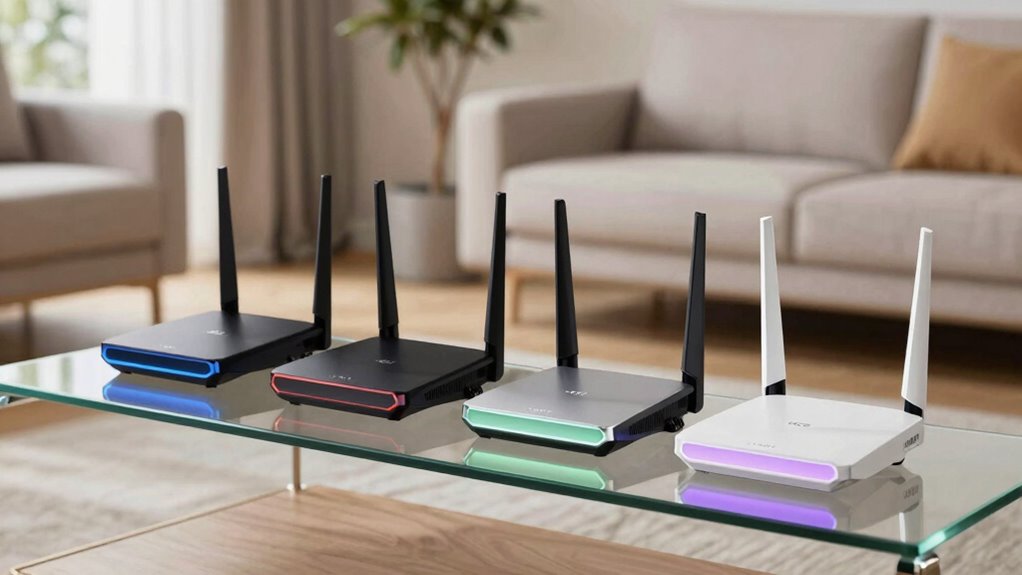

Choosing a WiFi 6E router for fast home internet means balancing speed, coverage, and ease of use. For broad coverage, the TP-Link Deco X55 AX3000 Mesh System offers seamless whole-home Wi-Fi, ideal for large households. If you need ultra-fast speeds and support for many devices, the TP-Link Deco XE70 Pro AXE4900 shines with its tri-band setup and high throughput. For gamers and streamers who want top-tier performance, the TP-Link Archer AXE75 provides high speeds and advanced features, though setup can be complex. Each option has tradeoffs—coverage vs. speed, simplicity vs. features—so understanding your specific needs guides the best choice.

Get furniture and decor delivered free — and shop member deals
- Fast, free delivery on millions of items
- Access to Prime Big Deal Days deals on October 6–7
- Prime Video, Amazon Music and more included
Complete the kit


Key Takeaways
- The Deco X55 excels at covering large homes with easy setup, suitable for families needing stable whole-home Wi-Fi.
- The Deco XE70 Pro offers the fastest speeds and highest device capacity, best for demanding users and smart homes.
- The Archer AXE75 combines high speed with advanced security and mesh support, ideal for tech-savvy gamers and streamers.
- All options require a modem, and setup complexity varies, so novice users might prefer simpler models.
- Price varies significantly, with premium models offering top speeds but at higher costs, requiring evaluation of actual needs.
| TP-Link Deco X55 AX3000 WiFi 6 Mesh System (3-Pack) |  | Best for Whole-Home Coverage | Wi-Fi Standard: Wi-Fi 6 (AX3000) | Coverage: 6500 sq ft | Number of Units: 3 | VIEW ON AMAZON | See Our Full Breakdown |
| TP-Link Deco XE70 Pro AXE4900 Tri-Band WiFi 6E Mesh WiFi Router – 1 Pack |  | Best for Speed and Device Capacity | Wi-Fi Standard: Wi-Fi 6E | Bands: Tri-band | Max Wi-Fi Speed: 4.9 Gbps | VIEW ON AMAZON | See Our Full Breakdown |
| TP-Link AXE5400 Tri-Band WiFi 6E Router (Archer AXE75) |  | Best for Gaming and Advanced Users | WiFi Speed: up to 5400 Mbps | Bands: Tri-Band (6, 5, 2.4 GHz) | Max 6 GHz Speed: 2402 Mbps | VIEW ON AMAZON | See Our Full Breakdown |
| TP-Link AX5400 WiFi 6 Router (Archer AX73) |  | Best for Long Range and Streaming | Maximum Speed: 5400 Mbps | Bands: Dual Band | Antennas: 6 | VIEW ON AMAZON | See Our Full Breakdown |
| TP-Link Deco XE75 AXE5400 Tri-Band WiFi 6E Mesh System | 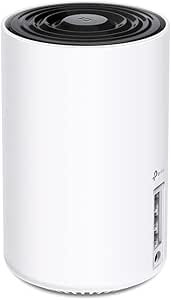 | Best for Seamless Mesh Coverage | Coverage Area: 2900 sq ft | Bands: Tri-Band (2.4, 5, 6 GHz) | Maximum Speed: 5,400 Mbps | VIEW ON AMAZON | See Our Full Breakdown |
| wifi 6e router for fast home internet | Bands | Number of Units | Security |
|---|---|---|---|
| TP-Link Deco X55 AX3000 WiFi 6 | — | 3 | TP-Link HomeShield |
| TP-Link Deco XE70 Pro AXE4900 | Tri-band | 1 | — |
| TP-Link AXE5400 Tri-Band WiFi | Tri-Band (6, 5, 2.4 GHz) | — | WPA3, TP-Link HomeShield |
| TP-Link AX5400 WiFi 6 Router | Dual Band | — | — |
| TP-Link Deco XE75 AXE5400 Tri- | Tri-Band (2.4, 5, 6 GHz) | 1 | TP-Link HomeShield |
More Details on Our Top Picks
TP-Link Deco X55 AX3000 WiFi 6 Mesh System (3-Pack)
The Deco X55 stands out for its expansive coverage of up to 6,500 sq ft, making it ideal for large homes. Its mesh setup supports up to 150 devices, ensuring reliable connections even with many gadgets. While setup is straightforward via the Deco app, some users face initial configuration hurdles, and it requires a modem for most ISPs. Compared with other options, this mesh system emphasizes coverage over raw speed, making it perfect for households prioritizing consistent internet throughout a large residence.
Pros:- Excellent whole-home coverage up to 6500 sq ft
- Supports up to 150 devices reliably
- Easy setup via Deco app
- Advanced security with HomeShield
Cons:- Requires a modem for most internet providers
- Some users report initial setup complexity
Best for: Large households needing extensive coverage
Not ideal for: Users seeking ultra-high speeds or minimal device capacity
- Wi-Fi Standard:Wi-Fi 6 (AX3000)
- Coverage:6500 sq ft
- Number of Units:3
- Gigabit Ports per Unit:3
- Supported Devices:up to 150
- Backhaul Support:Ethernet
- Security:TP-Link HomeShield
Our verdict“Ideal for large homes requiring broad, stable Wi-Fi coverage with easy management.”
TP-Link Deco XE70 Pro AXE4900 Tri-Band WiFi 6E Mesh WiFi Router – 1 Pack
The Deco XE70 Pro is a tri-band Wi-Fi 6E mesh system that offers speeds up to 4.9 Gbps and supports over 200 devices, making it well-suited for large homes and busy networks. Its 2.5 Gbps wired port caters to high-performance setups, such as gaming or 4K streaming. However, its premium price and setup complexity mean it’s best for users who need top-tier performance and are comfortable with technical configurations. Compared to dual-band models, this offers less congestion and faster speeds, but at a higher cost.
Pros:- Supports Wi-Fi 6E for faster, less congested connections
- Handles over 200 devices simultaneously
- Includes 2.5 Gbps wired port
- Wide coverage for large homes
Cons:- High price point
- Setup can be complex for non-technical users
Best for: Tech enthusiasts and large households demanding high speed
Not ideal for: Budget-conscious users or those with simple internet needs
- Wi-Fi Standard:Wi-Fi 6E
- Bands:Tri-band
- Max Wi-Fi Speed:4.9 Gbps
- Coverage:2,900 sq ft
- Number of Devices Supported:Up to 200
- WAN Port:1 x 2.5 Gbps
- LAN Ports:2 x 1 Gbps
- Number of Units:1
Our verdict“Best for users prioritizing speed, capacity, and future-proofing in large or device-heavy homes.”
TP-Link AXE5400 Tri-Band WiFi 6E Router (Archer AXE75)
The Archer AXE75 delivers up to 5400 Mbps combined speeds across its tri-band setup, including a dedicated 6 GHz band. Its dual-core CPU and 512 MB high-speed memory support smooth gaming, streaming, and multi-device connections. Features like OneMesh enable seamless coverage, while security options like WPA3 and VPN support add layers of protection. This model is ideal for users who want high performance and advanced features but can handle a more complex setup, which might be daunting for beginners.
Pros:- High-speed tri-band WiFi 6E with 5400 Mbps total
- Supports OneMesh for seamless coverage
- Advanced security with WPA3 and VPN
- Dedicated 6 GHz band reduces interference
Cons:- Complex setup process
- Requires a modem for most ISPs
Best for: Gamers, streamers, and tech-savvy users
Not ideal for: Users seeking plug-and-play simplicity or budget options
- WiFi Speed:up to 5400 Mbps
- Bands:Tri-Band (6, 5, 2.4 GHz)
- Max 6 GHz Speed:2402 Mbps
- Max 5 GHz Speed:2402 Mbps
- Max 2.4 GHz Speed:574 Mbps
- Processor:Dual-Core 1.0 GHz
- Memory:512 MB
- Security:WPA3, TP-Link HomeShield
Our verdict“Ideal for demanding users who want cutting-edge performance and are comfortable with technical setup.”
TP-Link AX5400 WiFi 6 Router (Archer AX73)
The AX5400 Archer AX73 offers high speeds up to 5400 Mbps on dual bands, supported by six antennas and beamforming technology. Its extensive coverage and MU-MIMO support make it suitable for large or multi-room setups. While it provides excellent performance for streaming and gaming, it lacks the tri-band flexibility of WiFi 6E systems. It’s a solid choice for users who need reliable, long-range Wi-Fi without the premium price of WiFi 6E, but it doesn’t fully leverage the new 6 GHz band.
Pros:- Supports speeds up to 5400 Mbps
- Six antennas for long-range coverage
- Beamforming technology improves signal focus
- Supports MU-MIMO and OFDMA
Cons:- Limited to dual-band Wi-Fi 6
- Requires a modem for most ISPs
- Advanced features may be complex for beginners
Best for: Users prioritizing range and stable dual-band Wi-Fi
Not ideal for: Those wanting WiFi 6E speeds or extensive device support
- Maximum Speed:5400 Mbps
- Bands:Dual Band
- Antennas:6
- Ports:1× USB 3.0
- Operating Temperature:0℃ to 40℃
Our verdict“Best for users needing broad coverage and stable dual-band performance, without the expense of WiFi 6E.”
TP-Link Deco XE75 AXE5400 Tri-Band WiFi 6E Mesh System
The Deco XE75 offers up to 2900 sq ft coverage with a tri-band setup featuring a dedicated 6 GHz band for less interference. Its AI-driven mesh technology provides seamless coverage, ideal for larger or multi-story homes. Setup is straightforward with the Deco app, and its compatibility with major ISPs makes it a flexible choice. However, since it’s a single unit, expanding coverage requires additional nodes, and the price might be a concern for budget-conscious buyers.
Pros:- Fast tri-band WiFi with minimal interference
- AI-driven mesh for seamless coverage
- Easy setup with Deco app
- Supports voice control
Cons:- Limited to 2900 sq ft per unit
- May require multiple units for larger homes
- Price may be high for some users
Best for: Homeowners wanting seamless mesh coverage with WiFi 6E
Not ideal for: People needing extensive coverage without adding multiple nodes
- Coverage Area:2900 sq ft
- Bands:Tri-Band (2.4, 5, 6 GHz)
- Maximum Speed:5,400 Mbps
- Number of Units:1
- Compatibility:All major ISPs
- Security:TP-Link HomeShield
Our verdict“Great for those seeking easy, reliable WiFi 6E mesh coverage in medium-sized homes.”

How We Picked
Our selection process focused on models that support WiFi 6E, prioritizing speed, coverage, ease of setup, and device capacity. We evaluated user reviews, technical specs, and the unique features that make each router stand out. We aimed to include options suitable for different home sizes and user needs, balancing performance with ease of use. Price was also a consideration, ensuring that each pick offers good value within its category. Our goal was to highlight routers that truly leverage WiFi 6E’s potential for fast, reliable internet in 2026.
| wifi 6e router for fast home internet | Security | Bands |
|---|---|---|
| TP-Link Deco X55 AX3000 WiFi 6 | TP-Link HomeShield | — |
| TP-Link Deco XE70 Pro AXE4900 | — | Tri-band |
| TP-Link AXE5400 Tri-Band WiFi | WPA3, TP-Link HomeShield | Tri-Band (6, 5, 2.4 GHz) |
| TP-Link AX5400 WiFi 6 Router | — | Dual Band |
| TP-Link Deco XE75 AXE5400 Tri- | TP-Link HomeShield | Tri-Band (2.4, 5, 6 GHz) |
Factors to Consider When Choosing Wifi 6e Router For Fast Home Internet
Selecting the right WiFi 6E router for fast home internet involves understanding your home size, device count, and usage habits. High-speed models are essential for gaming and streaming, but coverage and ease of setup matter if you have a large or multi-story home. Budget constraints also influence your choice, whether opting for a simple dual-band router or a tri-band mesh system that offers seamless coverage and future-proofing.
Coverage Needs
Assess the size of your home and the number of devices. Larger homes or those with many smart devices benefit from mesh systems like the Deco X55 or Deco XE75 for extensive, stable coverage. Smaller homes or apartments may do well with a single high-speed router like the AXE75, which offers excellent performance without the need for multiple units.
Speed and Device Support
If your primary need is ultra-fast speeds for gaming or 4K streaming, models like the Deco XE70 Pro or AXE75 are better suited. For households with many devices, prioritize models supporting WiFi 6E, which handles congestion more effectively, ensuring smoother connectivity across the board.
Ease of Setup and Features
Mesh systems generally offer simpler setup and management through dedicated apps, making them ideal for less tech-savvy users. Advanced features like VPN support, security options, and mesh technology are more common in premium models, but they come with increased complexity.
Price and Future-Proofing
Premium WiFi 6E routers cost more but provide faster speeds, greater capacity, and longer relevance as more devices support WiFi 6E. Budget options may suffice for basic browsing but could struggle with high-demand applications or future device upgrades.
Frequently Asked Questions
What is WiFi 6E, and why is it better for home internet?
WiFi 6E is the latest WiFi standard that operates on the 6 GHz band, providing faster speeds, lower latency, and less congestion compared to previous WiFi versions. It allows more devices to connect simultaneously without slowdowns, making it ideal for homes with many smart devices, high-bandwidth activities, or gaming.
Do I need a special modem for WiFi 6E routers?
Yes, most WiFi 6E routers require a compatible modem that supports high-speed internet connections. If you already have a modem, check whether it supports the bandwidth your new router needs. Otherwise, upgrading your modem ensures you get the full benefits of WiFi 6E performance.
Is WiFi 6E worth the extra cost over WiFi 6?
For most users, WiFi 6E offers noticeable improvements in speed and device capacity, especially in busy households. However, if your devices are older or your internet plan doesn’t support extremely high speeds, the extra investment may not deliver immediate benefits. Consider your current and future device needs before choosing.
Can I use WiFi 6E routers with my existing devices?
WiFi 6E routers are backward compatible with older WiFi standards, so your existing devices will still connect. However, to experience the full benefits of WiFi 6E, your devices need to support the 6 GHz band, which is still being adopted over time. Many newer smartphones, laptops, and smart home devices are starting to support WiFi 6E.
How do mesh WiFi systems compare to traditional routers?
Mesh systems like the Deco XE75 offer seamless coverage across large or multi-story homes by using multiple units to create a unified network. Traditional routers may require extenders or additional access points to cover the same space, which can create complexity and potential performance issues. Mesh systems generally provide easier setup and management but at a higher price.
Conclusion
For users with large homes or many devices, a mesh system like the Deco X55 or Deco XE75 offers broad, stable coverage with easy management. Tech enthusiasts and heavy streamers will benefit from the speed and features of the Deco XE70 Pro or AXE75, though they come with more complex setups. Budget-conscious buyers or those with smaller spaces might opt for dual-band models like the Archer AX73, providing good performance at a lower cost. Ultimately, your choice depends on your home size, device needs, and comfort with setup complexity.
Fall Picks
fall essentials
As an affiliate, we earn on qualifying purchases.