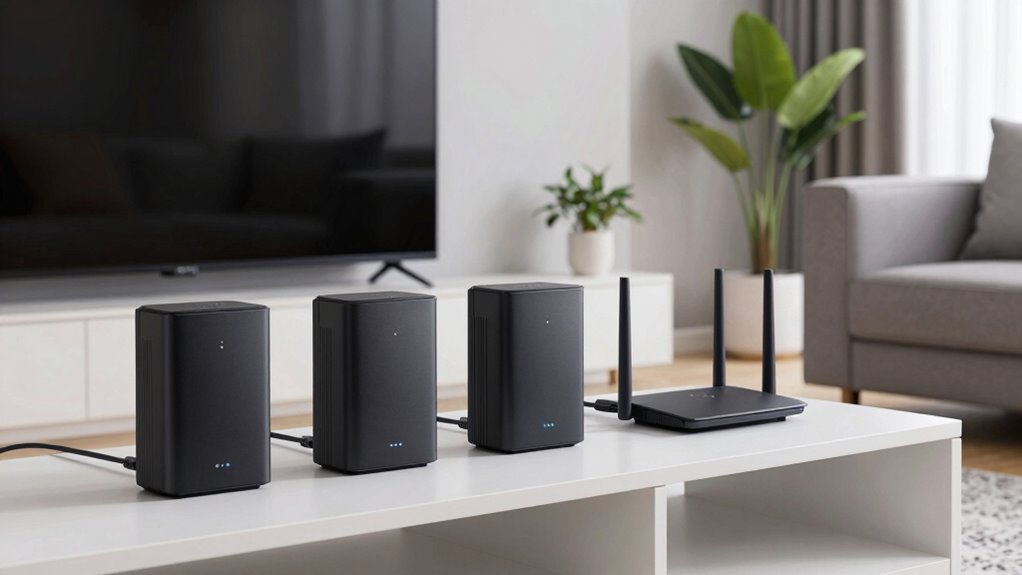
For those seeking a stable, high-performance WiFi network across an entire home, a whole home WiFi extender system with wired backhaul can make a significant difference. The best options combine robust coverage with wired connections that reduce interference and boost speed. The WAVLINK AX3000 WiFi 6 Mesh System stands out as a versatile overall choice, offering WiFi 6 and reliable wired backhaul. The TP-Link Deco X55 AX3000 provides excellent value with easy setup and solid performance, while the TP-Link Deco 7 Pro is a premium pick for larger homes needing top-tier speed. Buyers face tradeoffs between cost, ease of use, and maximum coverage—continue reading for a detailed breakdown of these options.

Get furniture and decor delivered free — and shop member deals
- Fast, free delivery on millions of items
- Access to Prime Big Deal Days deals on October 6–7
- Prime Video, Amazon Music and more included
Complete the kit


Key Takeaways
- Wired backhaul significantly improves network stability and speeds, especially in larger homes or dense environments.
- WiFi 6 systems generally outperform WiFi 5 in speed, capacity, and future-proofing, making them a better long-term investment.
- Number of units and coverage area vary widely; larger homes benefit from 3-pack systems with extensive coverage.
- Gigabit Ethernet ports on units allow flexible wired backhaul setup, but not all models include multiple ports per unit.
- Ease of setup and compatibility with existing routers can influence overall user experience and should be prioritized.
| WAVLINK AX3000 WiFi 6 Mesh System 2 Pack |  | Best Overall for High-Speed Large Home Coverage | WiFi Standard: WiFi 6 (802.11ax) | Speed: Up to 3.0 Gbps | Coverage: 5,000 sq. ft. | VIEW ON AMAZON | See Our Full Breakdown |
| TP-Link Deco X55 AX3000 WiFi 6 Mesh System – Covers up to 2500 Sq.Ft., Replaces Wireless Router and Extender, 3 Gigabit Ports, Supports Ethernet Backhaul, 1-Pack | 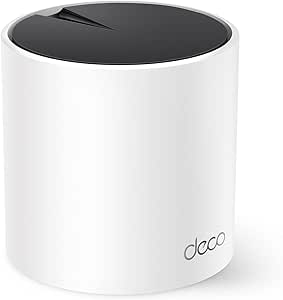 | Best Value for Reliable Whole-Home WiFi with Ethernet Backhaul | WiFi Standard: WiFi 6 (AX3000) | Coverage Area: 2500 sq ft | Number of Ports: 3 Gigabit Ethernet ports | VIEW ON AMAZON | See Our Full Breakdown |
| TP-Link Deco M5 Mesh WiFi System – 3-Pack, Whole Home Coverage up to 5,500 sq. ft., Compatible with Alexa |  | Best for Easy Whole-Home Coverage and Security | Coverage: up to 5,500 sq. ft. | Number of Units: 3 | Ethernet Ports per Unit: 2 | VIEW ON AMAZON | See Our Full Breakdown |
| TP-Link Deco 7 Pro BE63 Tri-Band WiFi 7 Mesh System (3-Pack) |  | Best for Future-Proof High-Speed, Large-Scale Networks | Coverage: 7,600 sq.ft. | WiFi Bands: Tri-band WiFi 7 | Maximum Speed: up to 5,188 Mbps (6 GHz) | VIEW ON AMAZON | See Our Full Breakdown |
| TP-Link Deco S4 Mesh WiFi System (3-Pack) |  | Best Budget Option with Solid Coverage and Wired Backhaul | Coverage: up to 5,500 sq.ft. | Speed: AC1900 | Number of Units: 3 | VIEW ON AMAZON | See Our Full Breakdown |
| TP-Link Deco WiFi 6 Mesh System (Deco X20) – 3-Pack, Covers up to 5800 Sq.Ft, Supports Wired Backhaul, Dual-Band WiFi |  | Best Overall for Large Homes with High Device Counts | Coverage Area: up to 5800 sq ft | Number of Units: 3 | Ethernet Ports per Unit: 2 | VIEW ON AMAZON | See Our Full Breakdown |
| TP-Link Deco X55 AX3000 WiFi 6 Mesh System (3-Pack) |  | Best for Wide Coverage and High Device Support | Wi-Fi Standard: Wi-Fi 6 (AX3000) | Coverage: up to 6500 sq ft | Number of Units: 3 | VIEW ON AMAZON | See Our Full Breakdown |
| TP-Link Deco X55 AX3000 WiFi 6 Mesh System – 2-Pack, Covers up to 4500 Sq.Ft, 3 Gigabit Ports per Unit, Supports Ethernet Backhaul |  | Best Compact System for Medium Homes with Wired Backhaul | Wi-Fi Standard: Wi-Fi 6 (AX3000) | Coverage Area: 4500 sq ft | Number of Units: 2 | VIEW ON AMAZON | See Our Full Breakdown |
| whole home wifi extender system wired backhaul | Number of Units | Coverage | Ethernet Ports per Unit |
|---|---|---|---|
| WAVLINK AX3000 WiFi 6 Mesh Sys | — | 5,000 sq. ft. | — |
| TP-Link Deco X55 AX3000 WiFi 6 | 1 | — | — |
| TP-Link Deco M5 Mesh WiFi Syst | 3 | up to 5,500 sq. ft. | 2 |
| TP-Link Deco 7 Pro BE63 Tri-Ba | 3 | 7,600 sq.ft. | — |
| TP-Link Deco S4 Mesh WiFi Syst | 3 | up to 5,500 sq.ft. | 2 |
| TP-Link Deco WiFi 6 Mesh Syste | 3 | — | 2 |
| TP-Link Deco X55 AX3000 WiFi 6 | 3 | up to 6500 sq ft | 3 |
| TP-Link Deco X55 AX3000 WiFi 6 | 2 | — | — |
More Details on Our Top Picks
WAVLINK AX3000 WiFi 6 Mesh System 2 Pack
This system stands out for delivering robust WiFi 6 speeds up to 3.0 Gbps and extensive coverage of 5,000 sq. ft., making it ideal for large homes or small offices. Compared to the TP-Link Deco X55 AX3000, it supports more devices simultaneously — over 256 — and offers flexible backhaul options, including both wireless and Ethernet, for maximum performance. However, its advanced features and setup may be overwhelming for non-technical users, and full WiFi 6 speed benefits require compatible devices. This pick is best for users needing high bandwidth and large coverage with flexible backhaul options.
Pros:- Fast WiFi 6 speeds up to 3.0 Gbps support high-bandwidth activities
- Large coverage area with 5 high-gain antennas
- Supports over 256 devices simultaneously
- Flexible backhaul with both wireless and Ethernet options
Cons:- Requires compatible WiFi 6 devices to leverage full speed
- Advanced features may be complex for less tech-savvy users
Best for: Large households or small offices seeking high-speed WiFi with extensive coverage and flexible backhaul
Not ideal for: Casual users or small apartments, as the system’s complexity and coverage may be overkill
- WiFi Standard:WiFi 6 (802.11ax)
- Speed:Up to 3.0 Gbps
- Coverage:5,000 sq. ft.
- Bands:Dual-band (2.4GHz at 573Mbps, 5GHz at 2402Mbps)
- Antennas:5 high-gain antennas
- Device Capacity:256+ devices
- Encryption:WPA3
- Setup:App/Web
- Backhaul:Wireless and Ethernet options
Our verdict“This system suits tech-savvy users with large homes who demand high speeds and flexible backhaul options.”
TP-Link Deco X55 AX3000 WiFi 6 Mesh System – Covers up to 2500 Sq.Ft., Replaces Wireless Router and Extender, 3 Gigabit Ports, Supports Ethernet Backhaul, 1-Pack
The TP-Link Deco X55 offers dependable WiFi 6 speeds up to AX3000 and covers up to 2,500 sq. ft., making it a solid option for mid-sized homes. While it doesn’t match the 5,000 sq. ft. coverage of the WAVLINK AX3000, its simple setup and security features make it appealing for users who want a straightforward upgrade. Its support for Ethernet backhaul improves stability compared to wireless-only systems like the Deco M5, but it’s limited to a single unit in this pack, which might mean additional purchases for larger spaces. This system is ideal for budget-conscious users who want reliable, wired backhaul for medium-sized homes.
Pros:- Provides reliable WiFi 6 speeds up to AX3000
- Supports Ethernet backhaul for improved stability
- Easy setup via Deco app and advanced security features
Cons:- Limited to a single unit in this pack, requiring additional units for larger spaces
- Requires a modem for most ISP connections
Best for: Mid-sized homes looking for a cost-effective WiFi 6 mesh with wired backhaul support
Not ideal for: Very large homes or users needing extensive coverage beyond 2,500 sq. ft., as one unit may not suffice
- WiFi Standard:WiFi 6 (AX3000)
- Coverage Area:2500 sq ft
- Number of Ports:3 Gigabit Ethernet ports
- Supports Ethernet Backhaul:Yes
- Number of Units:1
- Security:TP-Link HomeShield
Our verdict“This pick offers a balanced blend of speed, stability, and affordability for medium homes with wired backhaul needs.”
TP-Link Deco M5 Mesh WiFi System – 3-Pack, Whole Home Coverage up to 5,500 sq. ft., Compatible with Alexa
The Deco M5 provides seamless WiFi coverage up to 5,500 sq. ft., making it a popular choice for large homes. Its setup is straightforward with the Deco app, and it includes built-in security features such as antivirus and parental controls. Unlike the WAVLINK AX3000, it offers slightly less raw speed but compensates with ease of use and extensive coverage. Wired backhaul support requires additional setup but can significantly enhance network stability, especially in large or multi-story homes. This system is well-suited for families wanting simple, secure WiFi coverage without complex configuration.
Pros:- Extensive coverage up to 5,500 sq. ft.
- Supports wired backhaul for stability
- Includes security features like antivirus and parental controls
- Easy setup with the Deco app
Cons:- Performance varies based on home layout and device placement
- Requires a modem for most ISP connections
- Speed may be lower than WiFi 6 systems like WAVLINK AX3000
Best for: Large households needing reliable WiFi with integrated security and easy setup
Not ideal for: Tech enthusiasts seeking the highest speeds or advanced customization, as it prioritizes ease of use
- Coverage:up to 5,500 sq. ft.
- Number of Units:3
- Ethernet Ports per Unit:2
- Wired Backhaul Support:Yes
- Compatibility:Alexa
Our verdict“Ideal for large homes where ease of setup and security are priorities over maximum speeds.”
TP-Link Deco 7 Pro BE63 Tri-Band WiFi 7 Mesh System (3-Pack)
The Deco 7 Pro BE63 pushes the boundaries with WiFi 7, supporting speeds up to 5,188 Mbps on the 6 GHz band, and covers up to 7,600 sq. ft., making it suitable for demanding, tech-forward households. It supports over 200 devices, with four 2.5G WAN/LAN ports and advanced AI-driven roaming. Compared with WiFi 6 systems like the Deco X55, it offers significantly faster speeds and better future-proofing, but at a premium price and with a more complex setup process that could challenge less experienced users. Its wired backhaul support adds stability for large, dense networks. This system is best for those who want cutting-edge WiFi technology and high capacity for many devices.
Pros:- Exceptional coverage up to 7,600 sq. ft.
- High-speed WiFi 7 with multi-gigabit support
- Supports over 200 devices simultaneously
- Multiple 2.5G ports and wired backhaul support for maximum stability
Cons:- Requires a separate modem for internet access
- Setup complexity may be difficult for non-technical users
- Premium price point may be prohibitive for some
Best for: Large, tech-savvy households or small businesses seeking the latest WiFi 7 performance and extensive coverage
Not ideal for: Casual users or smaller homes, as the complexity and cost may outweigh benefits
- Coverage:7,600 sq.ft.
- WiFi Bands:Tri-band WiFi 7
- Maximum Speed:up to 5,188 Mbps (6 GHz)
- Number of Units:3
- Ports:Four 2.5G WAN/LAN
- Device Support:Over 200 devices
- Security Features:HomeShield, VPN, parental controls
Our verdict“Best suited for users wanting the latest WiFi 7 tech with extensive coverage and high device capacity, willing to invest in future-proofing.”
TP-Link Deco S4 Mesh WiFi System (3-Pack)
The Deco S4 offers reliable WiFi coverage up to 5,500 sq. ft. for a competitive price, supporting up to 100 devices. It provides seamless roaming similar to higher-end models like the Deco M5 but with slightly lower overall speeds. Its support for wired backhaul helps improve network stability, especially in larger homes, and setup remains straightforward via the Deco app. While it doesn’t match the speed of WiFi 6 or WiFi 7 systems, it strikes a balance between affordability and performance for budget-conscious households. This system is well-suited for users wanting dependable whole-home WiFi without breaking the bank.
Pros:- Provides coverage up to 5,500 sq. ft.
- Supports wired backhaul for stability
- Easy to set up with the Deco app
- Works with Alexa for voice commands
Cons:- Limited to 100 device connections
- Speeds are lower than WiFi 6 or WiFi 7 systems
- Requires a modem for most ISPs
Best for: Budget-conscious families needing reliable WiFi coverage and wired backhaul support
Not ideal for: High-demand users or those with very large homes exceeding 5,500 sq. ft., as coverage might fall short
- Coverage:up to 5,500 sq.ft.
- Speed:AC1900
- Number of Units:3
- Ethernet Ports per Unit:2
- Supports Wired Ethernet Backhaul:Yes
- Works with Alexa:Yes
Our verdict“Ideal for budget-minded households seeking reliable coverage and wired backhaul at an affordable price.”
TP-Link Deco WiFi 6 Mesh System (Deco X20) – 3-Pack, Covers up to 5800 Sq.Ft, Supports Wired Backhaul, Dual-Band WiFi
The TP-Link Deco X20 stands out for its impressive coverage of up to 5800 square feet, making it ideal for larger homes that need seamless Wi-Fi across multiple floors. Its support for Wi-Fi 6 and up to 150 devices ensures reliable connectivity even in busy households. Compared with the Deco X55, it offers slightly less advanced security features, but its extensive Ethernet ports and support for wired backhaul provide a tangible speed boost and stability, especially for streaming or gaming. Setup remains straightforward through the Deco app, but it does require a separate modem for most ISPs, which could add complexity. The higher price for the 3-pack reflects its comprehensive coverage and device capacity, making it a solid choice for those prioritizing performance and coverage over initial cost.
Pros:- Excellent coverage up to 5800 sq ft with seamless mesh networking
- Supports up to 150 devices reliably with Wi-Fi 6
- Multiple Ethernet ports per unit facilitate wired backhaul
Cons:- Requires a modem for most internet providers, adding setup steps
- Some advanced security features may require subscription to TP-Link HomeShield
Best for: Large households or multi-story homes needing extensive coverage and high device capacity
Not ideal for: Small apartments or users on tight budgets who don’t require such broad coverage
- Coverage Area:up to 5800 sq ft
- Number of Units:3
- Ethernet Ports per Unit:2
- Total Ethernet Ports:6
- Supports Wired Backhaul:Yes
- Wi-Fi Standard:Wi-Fi 6 (AX1800)
- Device Capacity:up to 150 devices
Our verdict“This system suits large homes with many devices and a need for wired backhaul to maximize speed and stability.”
TP-Link Deco X55 AX3000 WiFi 6 Mesh System (3-Pack)
The TP-Link Deco X55 AX3000 offers a compelling balance of coverage and speed, supporting up to 6500 square feet and 150 devices, making it well-suited for large homes or properties with extensive Wi-Fi needs. Its support for wired backhaul ensures consistent performance across multiple nodes, comparable to the Deco X20 but with faster Wi-Fi 6 speeds. Unlike the 2-pack version, the 3-pack provides more Ethernet ports and better scalability for expanding homes. Setup remains user-friendly via the Deco app, but the higher price may not justify smaller spaces or less demanding users. Its blend of broad coverage and security features makes it a versatile choice for those who prioritize high throughput and future-proofing.
Pros:- Extensive coverage up to 6500 sq ft with reliable mesh performance
- Supports up to 150 devices simultaneously
- Includes 3 Gigabit Ethernet ports per unit for wired backhaul
Cons:- Requires a modem for most internet providers, adding complexity
- Higher price point for a 3-pack may be prohibitive for budget-conscious users
Best for: Homeowners needing extensive coverage with multiple wired backhaul options and high device support
Not ideal for: Apartment dwellers or users with modest Wi-Fi needs who prefer simpler setups at lower costs
- Wi-Fi Standard:Wi-Fi 6 (AX3000)
- Coverage:up to 6500 sq ft
- Number of Units:3
- Ethernet Ports per Unit:3
- Total Ethernet Ports:9
- Supports Ethernet Backhaul:Yes
- Maximum Devices:150
Our verdict“This system is best suited for large homes that demand strong coverage and wired stability across multiple nodes.”
TP-Link Deco X55 AX3000 WiFi 6 Mesh System – 2-Pack, Covers up to 4500 Sq.Ft, 3 Gigabit Ports per Unit, Supports Ethernet Backhaul
The TP-Link Deco X55 2-pack strikes a balance between coverage and size, providing reliable Wi-Fi 6 coverage up to 4500 square feet. Its support for wired backhaul and three Gigabit Ethernet ports per unit makes it an attractive choice for users who want wired stability without the bulk of a larger system. Compared to the 3-pack, it offers less total coverage, but for medium-sized homes, it reduces cost and complexity. Setup via the Deco app remains straightforward, though some users report occasional setup hiccups. Its compact design makes it ideal for homes with limited space or those who prefer a less obtrusive appearance, though it’s less suitable for very large or multi-story homes where maximum coverage is needed.
Pros:- Reliable Wi-Fi 6 coverage up to 4500 sq ft
- Supports multiple devices with stable performance
- Compact design perfect for limited space environments
Cons:- Less coverage than larger systems like the Deco X55 3-pack
- Some setup issues reported, especially with complex networks
Best for: Medium-sized homes or apartments seeking reliable wired backhaul in a smaller form factor
Not ideal for: Very large homes or households with extensive device counts needing maximum coverage
- Wi-Fi Standard:Wi-Fi 6 (AX3000)
- Coverage Area:4500 sq ft
- Number of Units:2
- Gigabit Ethernet Ports per Unit:3
- Total Ethernet Ports:6
- Supports Ethernet Backhaul:Yes
- Maximum Devices Supported:150
Our verdict“This pick is best for medium homes that need wired backhaul without the bulk of a larger system.”
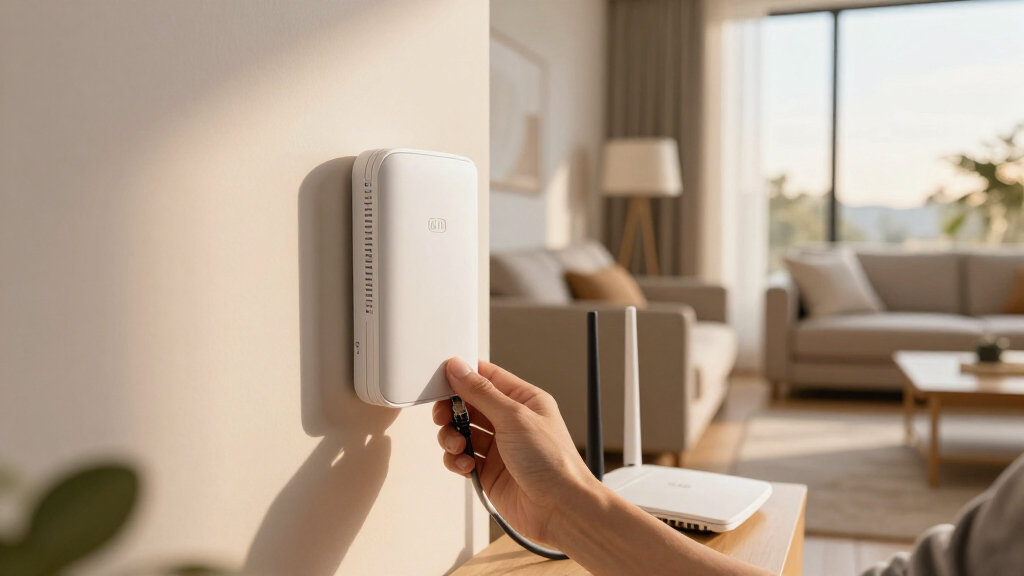
How We Picked
The products in this roundup were selected based on their support for wired backhaul, overall coverage area, WiFi standard (WiFi 6 or WiFi 7), and build quality. Performance data was evaluated from manufacturer specs and user feedback, focusing on stability, throughput, and ease of installation. Price and value were also considered, ensuring options suit different budgets without sacrificing core features. The ranking reflects a balance of advanced technology, coverage potential, and practical usability for typical home setups.Factors to Consider When Choosing Whole Home Wifi Extender System Wired Backhaul
Choosing the right whole home WiFi extender system with wired backhaul involves several key considerations. It’s important to evaluate how much coverage you need, the type of wired connection supported, and future-proofing features like WiFi 6 or WiFi 7. Compatibility with your existing router and the ease of setup can also influence overall satisfaction. Additionally, consider the number of units included and whether they support multiple Ethernet ports for flexible backhaul options. Understanding these factors helps avoid costly mistakes and ensures your network performs reliably across your entire home.Coverage Area and System Size
Assess your home’s size and layout to determine how many units you’ll need. Larger homes with multiple floors often require 3-pack systems with coverage over 5,000 square feet, while smaller apartments may be fine with a single or 2-pack setup. Keep in mind that coverage estimates are often idealized; actual performance depends on building materials and interference. Choosing a system designed specifically for wired backhaul ensures your wired connections support this coverage smoothly, avoiding bottlenecks common in wireless-only setups.
Ethernet Ports and Wired Backhaul Support
Look for units that include multiple Gigabit Ethernet ports—these allow for flexible wired backhaul configurations and reduce wireless congestion. Not all mesh units support wired backhaul, or they support only a single Ethernet port per device, limiting options. Systems supporting wired backhaul typically deliver faster, more reliable connections, especially in high-demand environments like gaming or streaming. Consider your home’s wiring and whether you plan to run Ethernet cables to optimize performance, as this can influence long-term satisfaction.
WiFi Standard and Speed
Prioritize WiFi 6 or WiFi 7 systems for future-proofing, higher speeds, and increased capacity. These standards handle multiple devices more efficiently than WiFi 5, reducing lag and improving overall reliability. However, ensure your devices are compatible with these standards to fully benefit from their capabilities. Also, check the maximum throughput supported by the system—higher speeds are beneficial if you have gigabit internet or multiple data-heavy devices in your home.
Ease of Setup and Management
Ease of installation can make or break your experience. Systems with user-friendly apps and straightforward setup procedures save time and reduce frustration. Compatibility with your existing router and the ability to manage settings remotely are additional advantages. Avoid overly complex systems if you prefer a quick setup, but also consider models that offer advanced management features if you want more control over your network.
Price and Long-term Value
While budget options are tempting, investing in a system with wired backhaul, WiFi 6 or 7, and multiple units often provides better long-term value. Cheaper systems may lack sufficient coverage or wired support, leading to additional expenses later. Conversely, premium systems tend to offer more features and better performance but at a higher initial cost. Balance your budget with your coverage needs and future-proofing goals to select the best fit.
Frequently Asked Questions
Can I mix wired and wireless backhaul in the same system?
Yes, many mesh systems support a hybrid setup where some units connect via Ethernet for wired backhaul, while others rely on wireless connections. This flexibility allows you to optimize placement and performance based on your home’s wiring and layout. Wired backhaul provides a more stable and faster connection, especially in high-demand scenarios, but even systems with mixed backhaul can improve overall network stability compared to wireless-only configurations.
Is WiFi 6 necessary if I only have a few devices?
While WiFi 6 is most beneficial in environments with many connected devices, it also future-proofs your network for upcoming devices and offers improved performance for current ones. If your current setup is simple and your internet speed is modest, WiFi 5 might suffice. However, investing in WiFi 6 ensures better capacity, lower latency, and compatibility with newer gadgets, making it a smart choice for most households.
Do I need a mesh system with wired backhaul if my home is small?
For small homes, a wireless mesh system might be adequate without wired backhaul, especially if your home’s construction doesn’t obstruct signals. However, if you want maximum stability and speed, or if you have a lot of high-bandwidth devices, a wired backhaul system can still provide noticeable benefits. It also offers better reliability and less interference, which can be valuable even in smaller spaces.
How many Ethernet ports should I look for per unit?
For most home setups, two Ethernet ports per unit are ideal, allowing you to connect multiple wired devices or establish a wired backhaul link between units. Some systems support only a single port, which can limit flexibility and require additional switches if you need more wired connections. Consider your current and future wired device needs when evaluating port availability to ensure your network remains scalable.
Is a higher-priced system worth it for wired backhaul?
Generally, higher-priced systems include more advanced features, better coverage, and more reliable wired backhaul support, making them a worthwhile investment for larger or demanding homes. Cheaper models may lack multiple Ethernet ports, WiFi 6 support, or sufficient coverage, leading to potential upgrades sooner than expected. If your home’s network demands are high, spending more on a premium system can save you time and money in the long run by providing a more stable, high-performing setup.
Conclusion
For most homeowners, the WAVLINK AX3000 WiFi 6 Mesh System offers a compelling balance of performance, coverage, and wired backhaul support, making it the best overall choice. Those seeking the best value without sacrificing quality should consider the TP-Link Deco X55 AX3000, especially for medium to large homes. If budget is less of a concern and you want top-tier speed and extensive coverage, the TP-Link Deco 7 Pro is an excellent premium option. Beginners will appreciate systems with simple setup and management, while larger households or tech enthusiasts with demanding needs should look toward models with multiple Ethernet ports and WiFi 6 or 7 support for future-proofing.Fall Picks
fall essentials
As an affiliate, we earn on qualifying purchases.