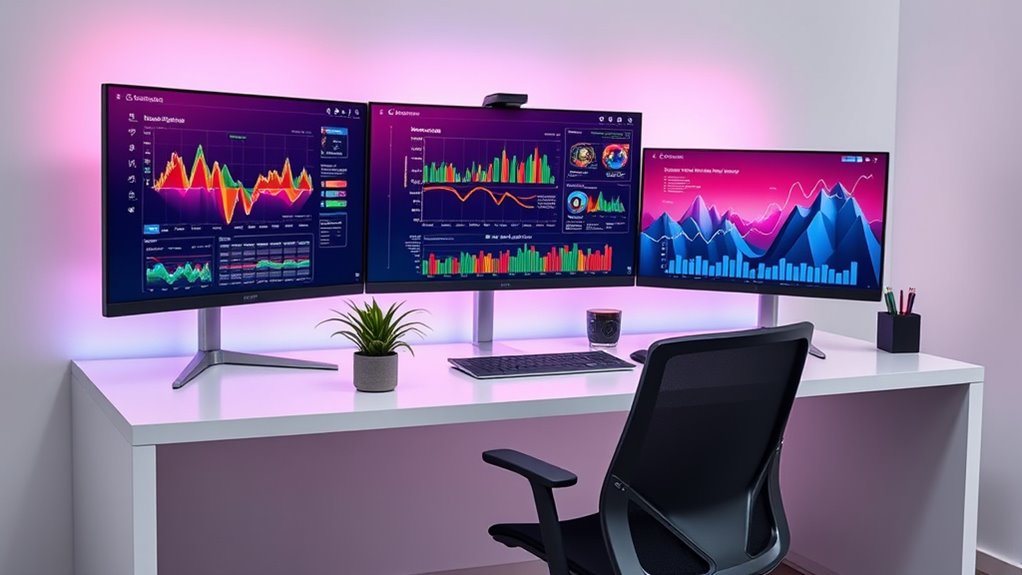

If you’re looking to boost productivity in 2025, I recommend exploring ultrawide monitors like the Samsung Odyssey G5, Sceptre’s 34-inch curved model, and LG’s ultra-wide QHD options. These screens offer expansive real estate, sharp resolutions, and smooth performance, perfect for multitasking and creative work. Some even feature curved designs and versatile connectivity to enhance comfort. Keep exploring, and you’ll discover which models fit your needs perfectly.
Key Takeaways
- Ultrawide monitors with large screens (29-49 inches) and high resolutions (3440×1440, 5120×1440) maximize workspace and multitasking.
- Curved displays (1000R to 1500R) enhance immersion and reduce eye strain during extended productivity sessions.
- Multiple connectivity options like USB-C, HDMI, and DisplayPort support seamless device integration and charging.
- High refresh rates (up to 180Hz) and adaptive sync technologies ensure smooth visuals for fast-paced tasks.
- Adjustable ergonomics and features like PBP, PIP, and eye care technology boost comfort and usability.
Samsung 34 Odyssey G5 Ultra-Wide Gaming Monitor


If you’re looking to elevate your gaming and multitasking experience, the Samsung 34 Odyssey G5 Ultra-Wide Gaming Monitor is an excellent choice. Its 34-inch curved display with 3440×1440 resolution delivers a seamless dual-monitor feel, filling your peripheral vision with vibrant, HDR10-supported colors. The 1000R curvature matches your natural field of view, immersing you fully in gameplay. With a 165Hz refresh rate and 1ms response time, motion is smooth and responsive. Multiple connectivity options make setup easy, while user-friendly calibration enhances color accuracy. Although some quirks exist, this monitor balances immersive visuals and performance, making it ideal for both gaming and multitasking.
Best For: gamers and multitaskers seeking an immersive, high-performance ultra-wide monitor with vibrant visuals and smooth gameplay.
Pros:
- Ultra-wide 34-inch curved display with 3440×1440 resolution for a seamless dual-monitor experience.
- 165Hz refresh rate and 1ms response time eliminate motion blur, ensuring smooth visuals during fast-paced gaming.
- HDR10 support and vibrant color calibration options enhance visual quality and immersion.
Cons:
- Occasional flickering and power-related issues reported by some users over extended use.
- Control knob placement may be inconvenient for frequent adjustments or repositioning.
- Support and warranty services have received mixed reviews, with some users experiencing delays and difficulties.
Sceptre 34-Inch Curved Ultrawide WQHD Monitor (C345B-QUT168)

For those seeking a powerful blend of immersive visuals and smooth performance, the Sceptre 34-Inch Curved Ultrawide WQHD Monitor (C345B-QUT168) stands out as an excellent choice. Its 34-inch curved display with 3440 x 1440 resolution offers about 30% more screen space than standard monitors, boosting productivity and immersion. With a 1ms MPRT and up to 180Hz refresh rate, it handles fast scenes seamlessly, making it great for gaming and detailed work. The 99% sRGB color accuracy guarantees vibrant, true-to-life visuals. Plus, its sleek design, LED backlights, and dual DisplayPort inputs add both style and versatility.
Best For: gamers, creative professionals, and multitaskers seeking an immersive and high-performance ultrawide monitor.
Pros:
- Ultra-wide 34-inch curved display with high resolution enhances productivity and immersion
- Fast response time (1ms MPRT) and high refresh rate (up to 180Hz) ensure smooth visuals during gaming and fast-paced tasks
- 99% sRGB color coverage delivers vibrant, accurate colors for detailed work and multimedia
Cons:
- May require a powerful graphics card to fully utilize the high refresh rate and resolution
- Ultrawide aspect ratio might not be compatible with all software or workflows
- Built-in LED backlights and modern design could increase cost compared to standard monitors
SAMSUNG ViewFinity S50GC Series Ultra-WQHD Monitor

The SAMSUNG ViewFinity S50GC Series Ultra-WQHD Monitor stands out as an ideal choice for professionals and content creators who need a seamless, immersive workspace. Its 34-inch Ultra-WQHD display with a 21:9 aspect ratio offers stunning clarity with HDR10 support, over a billion colors, and a static contrast ratio of 3000:1. The 100Hz refresh rate and AMD FreeSync ensure smooth visuals during gaming and editing. Features like an ambient light sensor, Eye Saver Mode, and Flicker-Free technology prioritize eye comfort during long hours. With versatile connectivity options, including PBP and PIP modes, it’s perfect for multitasking and creating an efficient, distraction-free environment.
Best For: professionals, content creators, and gamers seeking a high-quality, immersive ultra-wide monitor for multitasking, content editing, and gaming.
Pros:
- Stunning 34-inch Ultra-WQHD display with HDR10 and over a billion colors for vibrant visuals
- Smooth performance with 100Hz refresh rate and AMD FreeSync technology for gaming and editing
- Eye-friendly features like ambient light sensor, Eye Saver Mode, and Flicker-Free technology enhance comfort during extended use
Cons:
- Limited to two HDMI inputs, which may restrict connection options for some users
- No built-in speakers, requiring external audio solutions for sound
- Larger physical size may require more desk space and setup considerations
Sceptre 30-inch Curved Gaming Monitor (C305B-200UN1)

With its expansive 30-inch curved display and a 2560×1080 resolution, the Sceptre C305B-200UN1 is ideal for gamers and multitaskers who need immersive visuals and ample screen real estate. Its 21:9 aspect ratio and 170° viewing angles make it perfect for multitasking and immersive gaming. The monitor supports high refresh rates up to 200Hz via DisplayPort and 120Hz via HDMI, with AMD FreeSync for smooth gameplay. Its sturdy metal stand offers stability and cable management, while VESA support allows wall mounting. Overall, it delivers vibrant colors, fast response times, and excellent value, making it a versatile choice in its price range.
Best For: gamers and multitaskers seeking an immersive ultrawide display with high refresh rates and vibrant visuals at an affordable price.
Pros:
- Large 30-inch curved display enhances immersion and multitasking.
- High refresh rate up to 200Hz via DisplayPort provides smooth gameplay.
- Supports AMD FreeSync for tear-free gaming experiences.
Cons:
- Native resolution of 2560×1080 may not be as sharp as higher resolutions.
- Built-in speakers are basic and not ideal for high-quality audio.
- Slight curvature may be minimal but noticeable for some users.
Dell 34 Plus USB-C Curved Monitor (S3425DW)

If you’re looking to enhance your productivity with a versatile and immersive display, the Dell 34 Plus USB-C Curved Monitor (S3425DW) stands out as an excellent choice. Its 34-inch curved VA panel offers a sharp 3440×1440 resolution, with vibrant colors covering 99% sRGB and 95% DCI-P3, plus HDR readiness. The 120Hz refresh rate ensures smooth visuals, ideal for multitasking, gaming, or multimedia. USB-C connectivity simplifies setup, delivering display, data, and up to 65W power through a single cable. Adjustable ergonomics, built-in speakers, and eye comfort features make this monitor a well-rounded, high-value option for boosting productivity.
Best For: anyone seeking an immersive, high-resolution, versatile monitor for productivity, multimedia, and casual gaming with excellent color accuracy and ergonomic features.
Pros:
- Vibrant 3440×1440 resolution with wide color coverage (99% sRGB, 95% DCI-P3) for accurate and immersive visuals
- Single USB-C cable provides display, data, and up to 65W power delivery, reducing desk clutter
- Adjustable ergonomics and VESA compatibility for comfortable and flexible setup
Cons:
- Stand may have limited stability and height adjustment options for some users
- Slight pixel burn possible with extended high-brightness use over time
- Minor vignetting and grain in dark scenes due to matte coating in low-light environments
LG 34WR55QK-B 34-inch UltraWide Curved Monitor

For professionals who need to multitask efficiently, the LG 34WR55QK-B offers an impressive 34-inch curved display with a 21:9 aspect ratio and 3440 x 1440 resolution, creating an immersive workspace. Its curved design enhances viewing comfort, while the 100Hz refresh rate and 5ms response time guarantee smooth performance for fast-paced tasks and gaming. With HDR10 and 99% sRGB coverage, visuals are vibrant and sharp. The monitor’s Virtual Borderless design minimizes distractions, and adjustable tilt and height improve ergonomics. Connectivity is versatile, featuring a USB-C port with 65W power delivery, multiple HDMI, DisplayPort, USB ports, and a headphone jack, supporting seamless multitasking.
Best For: professionals and multitaskers seeking a spacious, high-quality ultrawide monitor for productivity, gaming, and creative work.
Pros:
- Immersive 34-inch curved display with high resolution for enhanced viewing comfort and clarity
- Versatile connectivity options including USB-C with 65W power delivery, multiple HDMI, DisplayPort, and USB ports
- Supports HDR10 and 99% sRGB for vibrant, accurate visuals, ideal for multimedia and professional tasks
Cons:
- Brightness may be insufficient in very bright environments, affecting visibility
- U-shaped stand can occupy significant desk space and may impact placement flexibility
- Some users may find the monitor’s size and curvature less suitable for certain traditional desk setups
INNOCN 29 Ultrawide Monitor (HDMI, USB Type C, Adjustable, Wall Mountable)
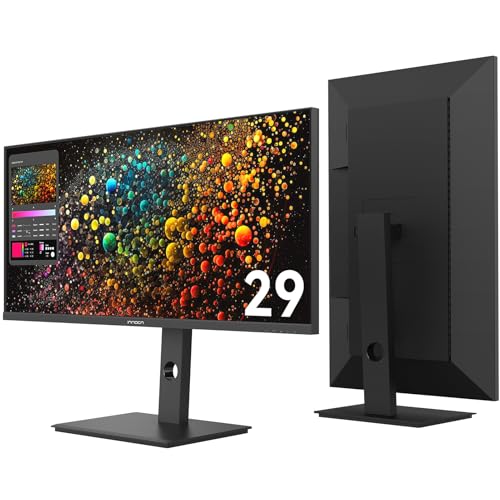
The INNOCN 29 Ultrawide Monitor stands out as an ideal choice for professionals and creative users seeking a versatile, space-saving display. Its 29-inch 21:9 IPS WFHD screen with 2560×1080 resolution offers vibrant, accurate colors and cinematic clarity, perfect for multitasking, gaming, and creative work. The 100Hz refresh rate ensures smooth visuals, while the USB-C port with 65W Power Delivery simplifies connectivity and charging. Fully adjustable, it supports tilt, swivel, height, and 90° rotation, enhancing ergonomics. Wall-mountable and compact, it easily integrates into various setups, making it a practical, high-performance upgrade for productivity and entertainment.
Best For: professionals, creators, and multitaskers seeking a versatile, space-saving ultrawide monitor for work, gaming, and entertainment.
Pros:
- Vibrant 2560×1080 IPS display with 99% sRGB coverage for accurate, colorful visuals
- Fully adjustable stand with tilt, swivel, height, and 90° rotation for ergonomic comfort
- USB-C port with 65W Power Delivery simplifies connectivity and device charging
Cons:
- Limited ultra-wide support on consoles like Xbox Series X, which do not natively support ultrawide aspect ratios
- Occasional reports of blackouts or technical issues, possibly due to compatibility or hardware faults
- Slightly larger footprint may require dedicated space in compact setups
MSI Optix MAG342CQR Curved Gaming Monitor

The MSI Optix MAG342CQR stands out as an excellent choice for gamers and productivity enthusiasts who want immersive visuals combined with smooth performance. This 34-inch curved ultrawide monitor features a 1500R curvature, UWQHD resolution (3440×1440), and a VA LED panel that delivers vibrant colors and strong contrast. With a 144Hz refresh rate, 1ms response time, and FreeSync Premium, it ensures tear-free, responsive gameplay. Its adjustable stand allows precise positioning, and the wide 21:9 aspect ratio boosts multitasking and workspace. While some users note plastic feels flimsy, the overall build quality is solid, making it a versatile choice for gaming and productivity alike.
Best For: gamers seeking immersive, smooth gameplay and professionals who need a spacious ultrawide monitor for multitasking and content creation.
Pros:
- Vibrant colors with accurate factory calibration and strong contrast
- Smooth performance with 144Hz refresh rate, 1ms response time, and FreeSync Premium support
- Adjustable stand with tilt, swivel, height, and pivot functions for ergonomic comfort
Cons:
- Some users report plastic feels flimsy and build quality could be more premium
- Limited USB ports and basic built-in speakers may require additional accessories
- Occasional reports of manufacturing defects such as flickering or image distortion
Samsung 49” Curved Ultrawide Business Monitor (LS49C954UANXZA)

If you’re looking for a monitor that can handle demanding multitasking and professional workloads, the Samsung 49” Curved Ultrawide Business Monitor (LS49C954UANXZA) stands out with its expansive 5120×1440 resolution and 32:9 aspect ratio. Its 1000R curved screen offers an immersive view, ideal for productivity. The ergonomic stand is height-adjustable, and VESA DisplayHDR 400 support enhances color accuracy for creative tasks. It functions as a docking station, with multiple ports including USB-C and a KVM switch for controlling two sources. While some users find the KVM controls tricky, the monitor’s large workspace and sleek design make it a versatile hub for work and entertainment.
Best For: professionals and gamers seeking a large, immersive ultrawide display with versatile connectivity and high dynamic range for multitasking, creative work, and gaming.
Pros:
- Expansive 49-inch curved dual QHD display with panoramic workspace
- Multiple ports including USB-C, HDMI, DisplayPort, and a KVM switch for easy device management
- VESA DisplayHDR 400 support enhances color accuracy and contrast for multimedia and creative tasks
Cons:
- KVM switch controls are difficult to operate due to poor documentation and placement
- Screen brightness does not automatically adjust beyond 200 lux ambient lighting, which may cause eye strain
- Some users report issues with contrast, color saturation, and eye discomfort after extended use
Alienware 34 Curved Gaming Monitor (AW3425DWM)

For gamers and creative professionals who crave immersive visuals, the Alienware 34 Curved Gaming Monitor (AW3425DWM) stands out with its expansive 34-inch ultrawide WQHD curved panel. The 1500R curvature enhances immersion, while VESA DisplayHDR 400 certification delivers vibrant, high-contrast images. With 95% DCI-P3 coverage, colors are rich and accurate. The 180Hz refresh rate and 1ms response time ensure smooth, responsive gameplay, complemented by AMD FreeSync Premium and VESA AdaptiveSync. Designed for extended use, it features a curved panel for better viewing comfort and a dedicated console mode to optimize performance across devices.
Best For: gamers and creative professionals seeking an immersive, high-performance ultrawide curved monitor with vibrant visuals and smooth gameplay.
Pros:
- Expansive 34-inch ultrawide WQHD curved panel enhances immersion and viewing comfort
- High 180Hz refresh rate and 1ms response time deliver ultra-smooth, responsive gameplay
- VESA DisplayHDR 400 certification and 95% DCI-P3 coverage ensure vibrant, high-contrast visuals
Cons:
- Larger size may require more desk space and proper ergonomics setup
- Premium features could come at a higher price point compared to standard monitors
- Curved design might not suit all workspaces or user preferences
SAMSUNG Viewfinity S65UA Ultrawide Curved Monitor

Designed for those who need seamless multitasking and immersive visuals, the Samsung Viewfinity S65UA Ultrawide Curved Monitor stands out with its expansive 34-inch curved display. Its Ultra WQHD resolution delivers sharp, detailed images, while 1 billion colors with HDR10 bring vibrant, lifelike hues. The 100Hz refresh rate ensures smooth visuals, perfect for fast-paced scenes and multitasking. With TUV-certified eye care features like blue light reduction and flicker-free technology, my eyes stay protected during long hours. The USB Type-C port simplifies connections and charging, and the minimalist design minimizes distractions. Overall, this monitor balances stunning visuals with comfort and productivity, making it an excellent choice for demanding professionals.
Best For: professionals and gamers who need an expansive, immersive display for multitasking, gaming, and multimedia with eye comfort features.
Pros:
- Ultra WQHD resolution and 1 billion colors with HDR10 deliver vibrant, sharp images.
- 100Hz refresh rate and AMD FreeSync provide smooth, tear-free visuals during fast-paced scenes.
- TUV-certified eye care features including blue light reduction and flicker-free technology protect eyes during extended use.
Cons:
- The curved design may not suit all workspace setups or personal preferences.
- Limited connectivity options beyond USB Type-C might require additional adapters.
- The large size and adjustable stand may require a dedicated space and setup time.
LG 34WQ650-W 34 Inch UltraWide IPS Monitor
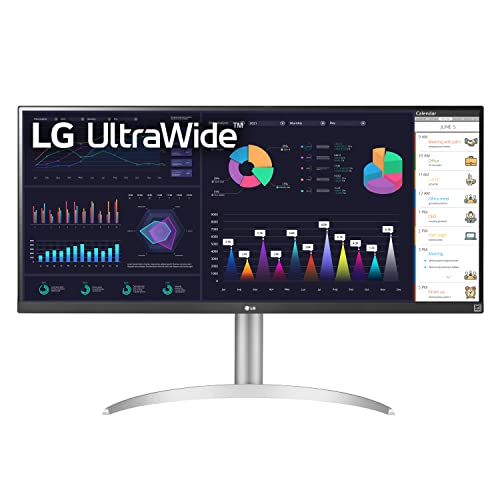
The LG 34WQ650-W stands out as an excellent choice for professionals seeking a wide, immersive workspace. Its 34-inch UltraWide screen with a 21:9 aspect ratio offers ample room for multitasking and seamless window management. The IPS panel provides vibrant colors and wide viewing angles, supported by 8-bit/10-bit color depth and 99% sRGB coverage, ensuring accurate visuals. With a 100Hz refresh rate and 1ms Motion Blur Reduction, visuals stay smooth during fast-paced tasks. Connectivity is versatile thanks to a USB Type-C port, and ergonomic adjustments include tilt and height adjustments for comfort. Plus, its VESA compatibility makes it easy to mount.
Best For: professionals and multitaskers seeking an expansive, high-quality ultra-wide monitor for productivity and immersive visual experience.
Pros:
- Large 34-inch UltraWide screen with 21:9 aspect ratio enhances multitasking and workspace efficiency
- Vibrant IPS panel with 99% sRGB coverage delivers accurate and wide viewing angles
- Adjustable stand with tilt and height options improves ergonomic comfort during long use
Cons:
- Resolution of 2560 x 1080 may be less sharp compared to higher-resolution monitors of similar size
- Limited to Full HD (not 4K), which might not satisfy users requiring ultra-high-definition visuals
- Absence of built-in USB hubs or additional connectivity options beyond USB Type-C
LG UltraWide QHD 34-Inch Curved Computer Monitor (34WQ73A-B)

If you’re seeking a spacious, high-quality monitor that enhances multitasking and visual clarity, the LG UltraWide QHD 34-Inch Curved Computer Monitor (34WQ73A-B) is an excellent choice. It features a 34-inch IPS panel with 3440×1440 resolution and a 21:9 aspect ratio, offering sharp images and wide viewing angles. The monitor supports HDR 10 and covers 99% of sRGB, ensuring vibrant, accurate colors. Its curved design enhances immersion, while features like Reader Mode and Flicker Safe reduce eye fatigue. With USB-C, multiple USB ports, and built-in KVM, it streamlines connectivity and multitasking, making it ideal for work and entertainment.
Best For: professionals and multimedia enthusiasts seeking a large, high-quality ultrawide monitor for multitasking, creative work, and media consumption.
Pros:
- Wide 34-inch curved IPS panel with high-resolution 3440×1440 for sharp, immersive visuals
- Supports HDR 10 and covers 99% of sRGB for vibrant, accurate colors ideal for creative tasks
- Multiple connectivity options including USB-C with 90W power delivery, USB ports, and built-in KVM for seamless multitasking
Cons:
- Limited USB-C ports restrict simultaneous high-resolution connections from multiple devices
- HDMI ports may not support the highest resolutions for some devices, requiring adapters or external switches
- 60Hz refresh rate, which is less optimal for gaming but sufficient for productivity and media use
SAMSUNG 34 ViewFinity S50GC Ultrawide QHD Monitor

For professionals who need ample screen space and crisp visuals, the Samsung 34 ViewFinity S50GC ultrawide QHD monitor is an excellent choice. Its 34-inch IPS display offers a 3440×1440 Ultra-WQHD resolution, delivering sharp, detailed images with over a billion colors and HDR10 support. The wide 21:9 aspect ratio maximizes workspace, ideal for multitasking, content creation, and media. Features like a 100Hz refresh rate, AMD FreeSync, and PBP/PIP modes boost productivity and smooth visuals. Though it lacks height adjustment and built-in speakers, its VESA compatibility and excellent color quality make it a versatile, high-performance monitor for professional use.
Best For: professionals and content creators seeking a spacious, high-resolution ultrawide monitor for multitasking, detailed visuals, and media consumption.
Pros:
- Ultra-WQHD 3440×1440 resolution provides crisp, detailed images and vibrant colors.
- Wide 21:9 aspect ratio enhances multitasking and immersive viewing experiences.
- Features like PBP, PIP modes, and VESA compatibility increase versatility and convenience.
Cons:
- Lack of height adjustment and limited tilt options may affect ergonomic comfort.
- No built-in speakers, requiring external audio solutions.
- Reflection issues and potential stand stability concerns for prolonged use.
MSI MPG 34-inch Curved OLED Gaming Monitor

Designed for serious gamers and creative professionals alike, the MSI MPG 34-inch Curved OLED Gaming Monitor delivers exceptional visual quality and ultra-fast performance. Its QD-OLED technology combines Quantum Dot and OLED panels, producing vibrant colors, deep blacks, and high contrast with a resolution of 3440 x 1440. The 240Hz refresh rate and 0.03 ms response time ensure smooth, responsive gameplay and seamless multitasking. Features like OLED Care 2.0 prolong the screen’s lifespan, while flexible connectivity options and adjustable ergonomics simplify setup. Plus, the Gaming Intelligence app allows easy customization to optimize your experience, making this monitor a versatile choice for productivity and gaming.
Best For: serious gamers and creative professionals seeking vibrant visuals, ultra-fast response times, and versatile connectivity in a high-performance curved OLED monitor.
Pros:
- Exceptional picture quality with vibrant colors, deep blacks, and high contrast due to QD-OLED technology
- Ultra-fast 0.03 ms response time and 240Hz refresh rate for smooth, responsive gameplay
- Advanced OLED Care 2.0 technology extends monitor lifespan and reduces screen aging risks
Cons:
- Higher price point compared to traditional LCD monitors
- Potential for OLED burn-in if not used with care over time
- Limited screen size options, focusing primarily on 34-inch curved display
Factors to Consider When Choosing Ultrawide Monitors for Productivity
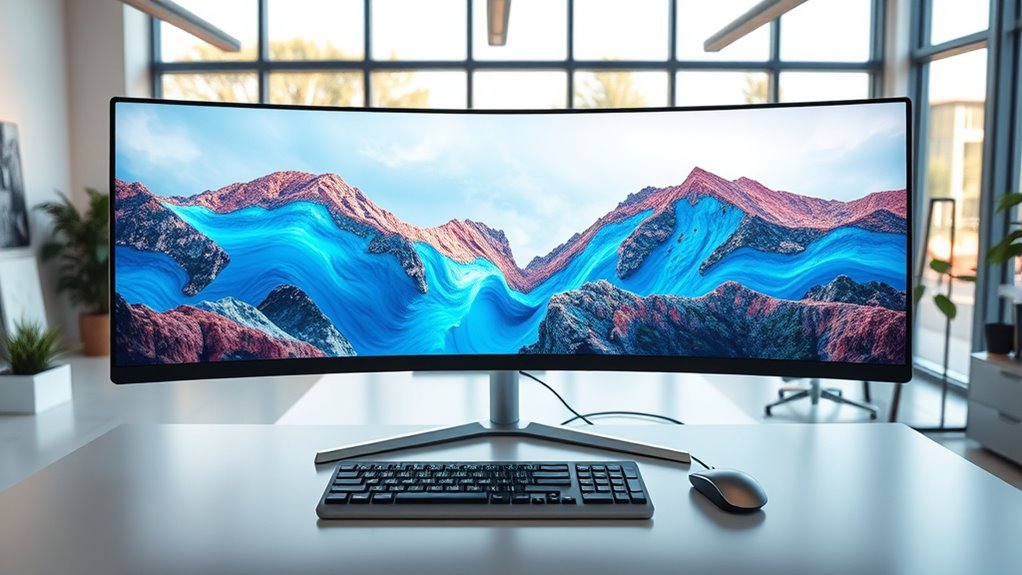
When selecting an ultrawide monitor for productivity, I consider factors like screen size and resolution to guarantee ample workspace, as well as refresh rates and response times for smooth performance. Connectivity options and ergonomic adjustments are also key to creating a comfortable and efficient setup, while color accuracy and HDR support enhance visual clarity. Paying attention to these points helps me choose a monitor that truly boosts my workflow.
Screen Size and Resolution
Choosing the right ultrawide monitor depends heavily on both its screen size and resolution. Larger screens, around 34 inches or more, offer expansive views that boost multitasking and minimize window switching. A resolution of at least 3440 x 1440 pixels (Ultra-WQHD) ensures sharp, detailed images, whether for work or entertainment. Ultra-wide aspect ratios like 21:9 or 32:9 maximize horizontal space, making complex workflows or immersive experiences more seamless. Higher resolutions on bigger screens increase pixel density, delivering crisper visuals and accurate colors. It’s essential to find a balance that suits your workspace and ergonomic needs—avoiding eye strain and excessive desk space use. Ultimately, matching size and resolution enhances productivity without compromising comfort or visual quality.
Refresh Rate and Response Time
A high refresh rate and quick response time are essential for maintaining smooth, responsive visuals on an ultrawide monitor, especially during fast-paced tasks or multitasking. A refresh rate of 75Hz or higher improves comfort and reduces eye strain during long work sessions, while rates of 100Hz or more provide even smoother motion. Response time, measured in milliseconds, indicates how fast pixels change color; lower response times, like 1ms or less, minimize motion blur and trailing effects, making fast movements clearer. For productivity, combining a high refresh rate with low response time ensures interactions feel immediate and natural. This combination enhances the overall responsiveness of your display, making switching between applications seamless and reducing lag during critical tasks.
Connectivity Options and Ports
To maximize productivity, it’s essential to select an ultrawide monitor with versatile connectivity options that support your entire workflow. Look for multiple input ports like HDMI, DisplayPort, and USB-C, so you can connect various devices seamlessly. USB-C ports with Power Delivery are especially valuable, as they allow you to charge your laptop while transferring data through a single cable. Make sure the monitor supports high resolutions and refresh rates—3440×1440 at 100Hz or higher—via dedicated HDMI or DisplayPort connections. Additional ports, such as USB hubs, audio jacks, or data ports, can further enhance your setup by reducing clutter and expanding connectivity. Finally, verify that the port configuration matches your devices to ensure compatibility and maximum performance.
Ergonomic Adjustments and Comfort
Since prolonged use can lead to discomfort or strain, prioritizing ergonomic adjustments on your ultrawide monitor is essential for maintaining productivity. Look for monitors with height, tilt, swivel, and pivot features, allowing you to customize the position for maximum comfort. An adjustable stand helps keep the screen at eye level, reducing neck and shoulder fatigue during long work sessions. Curved ultrawide monitors with ergonomic options can lessen eye movement and minimize distortion, making extended viewing less tiring. VESA compatibility is also valuable, as it enables mounting on adjustable arms or wall mounts for tailored positioning. Additionally, features like anti-glare coatings and blue light reduction settings improve visual comfort, decreasing eye fatigue and ensuring you can work comfortably for hours without strain.
Color Accuracy and HDR Support
Focusing on ergonomic comfort helps reduce physical strain, but visual accuracy plays a key role in maintaining productivity, especially for creative or professional tasks. High color accuracy in ultrawide monitors is essential, often measured by how well they cover color spaces like sRGB, DCI-P3, or Adobe RGB. The higher the coverage, the more vibrant and true-to-life colors you see. HDR support, including standards like HDR10 or VESA DisplayHDR, enhances contrast and color depth, making visuals more realistic and dynamic. Monitors with 10-bit color depth can display over a billion colors, delivering smoother gradients and reducing banding. However, to fully benefit from HDR, both compatible hardware and content are necessary. Proper calibration ensures consistent, industry-standard color reproduction, indispensable for tasks like photo editing and design.
Price and Warranty Coverage
When choosing an ultrawide monitor for productivity, it’s crucial to take into account both the overall cost and the warranty coverage. I recommend calculating the total expense, including accessories or possible upgrades, to guarantee it fits your budget. Don’t forget to review the warranty details—look for coverage duration, what’s included, and how repairs or replacements are handled. Monitors with extensive warranties, like on-site support or quick repair turnarounds, offer peace of mind. Higher-priced models often include extended warranties or premium support, which can be a smart long-term investment. Be cautious with budget options that may offer limited warranty coverage; sometimes, spending a bit more upfront ensures better protection and reliability over time. Balancing cost and coverage is essential for a smart purchase.
Frequently Asked Questions
How Do Ultrawide Monitors Impact Multitasking Efficiency?
Ultrawide monitors markedly boost my multitasking efficiency by allowing me to see multiple applications side by side without constantly switching windows. I can keep my email, research, and project files open simultaneously, which saves time and reduces distractions. The expansive screen real estate helps me stay organized and focused, making complex tasks more manageable. Overall, I find ultrawide monitors make multitasking smoother and more productive for my daily work.
What Are the Best Ergonomic Features for Ultrawide Monitors?
Did you know that 85% of users report less neck strain with ergonomic monitor features? I prioritize adjustable height, tilt, and swivel options when choosing ultrawide monitors. These features help me maintain good posture and reduce fatigue during long work sessions. An ergonomic monitor adapts to my needs, making multitasking comfortable and efficient. If you want to boost productivity and comfort, look for these adjustable features in your ultrawide monitor.
How Do Ultrawide Monitors Compare in Color Accuracy?
Ultrawide monitors generally offer good color accuracy, especially models with IPS panels, which provide vibrant and consistent colors. I’ve found that high-end options often come calibrated or support wide color gamuts like sRGB or AdobeRGB, making them suitable for creative work. However, cheaper ultrawides might lack precise color reproduction. Overall, if color accuracy is vital, I recommend investing in a model with good calibration and high color coverage.
Are Ultrawide Monitors Suitable for Professional Graphic Design?
Absolutely, ultrawide monitors are great for professional graphic design. I find they give me more screen real estate, making multitasking and detailed editing easier. The wide view helps me see the entire project at once, reducing the need to scroll or switch between windows. Plus, many high-end models offer excellent color accuracy and resolution, which are essential for precise work. They’ve truly boosted my productivity and creativity.
What Connectivity Options Are Essential for Ultrawide Productivity Monitors?
Imagine a busy chef needing the right tools; I see my ultrawide monitor’s connectivity options the same way. Essential ports like HDMI, DisplayPort, and USB-C are crucial for seamless device connections. I once upgraded my monitor, and adding USB-C cut down cable clutter and made switching devices effortless. For boosting productivity, I recommend monitors with versatile, fast, and reliable ports to keep your workflow smooth and efficient.
Conclusion
Choosing the right ultrawide monitor is like finding the perfect canvas for your creativity—stretching wide to capture every detail and inspire productivity. Whether you prefer vibrant OLED hues or sleek curved designs, these screens are gateways to a more organized, immersive workspace. Think of them as your digital horizon, expanding endlessly to boost your focus and efficiency. Immerse yourself, find your ideal view, and watch your productivity flourish like a garden in full bloom.