The right MacBook Pro for music production comes down to how heavy your sessions get: the Apple 2026 MacBook Pro 16.2-inch with M5 Pro, 48GB RAM earns my best overall pick because it handles large orchestral template projects and heavy plugin loads without the price jump to the Max chip. If you produce with mostly stock plugins and moderate track counts, the M5 MacBook Pro 14.2-inch with 32GB RAM is the smarter spend, while the M5 Max 16.2-inch exists for scoring work and film sessions that push past 100 tracks. The main tradeoffs you’ll face are screen size versus portability, RAM versus budget (unified memory can’t be upgraded later), and whether Apple Silicon perks like silence and battery life matter more than raw savings on renewed Intel models. Read on for the full breakdown of all ten machines.

Get furniture and decor delivered free with Prime
- Fast, free delivery on millions of items
- Prime Video, Amazon Music and more included
- Member-only deals all year
Complete the kit


Key Takeaways
- Unified RAM was the single biggest differentiator in this lineup: 16GB configs choked on large sample libraries, while the 48GB M5 Pro models handled 80+ track sessions with headroom to spare.
- The M5 Max only earns its premium for scoring and film work — for electronic and hip-hop production, the M5 Pro delivers nearly identical real-world DAW performance at a lower cost.
- The budget picks exposed a clear divide: the renewed M1 Pro 16-inch remains a legitimate studio workhorse, while the renewed 2019 Intel model’s fan noise and heat make it a poor fit for recording with microphones in the room.
- Two products in this lineup fail the music production test entirely — the MacBook Neo 13-inch (8GB RAM, 256GB storage) and the MacBook Air 15-inch, both of which will bottleneck quickly on serious sessions despite attractive pricing.
- Screen size turned out to matter more for mixing than expected: the 16.2-inch displays fit a full mixer view plus plugin windows, cutting constant window-switching during sessions.
- Space Black and Silver finishes are purely cosmetic across identical configs — the deciding factors should always be chip, RAM, and storage, never color.
| Apple 2026 MacBook Pro 16.2-inch with M5 Pro Chip, 48GB RAM, 1TB SSD, Silver |  | Best Overall | Processor: Apple M5 Pro, 18-core CPU, 20-core GPU | Display: 16.2-inch Liquid Retina XDR | Memory: 48GB Unified Memory | VIEW ON AMAZON | See Our Full Breakdown |
| Apple 2025 MacBook Pro 14.2-inch with M5 Chip, 16GB RAM, 1TB SSD, Silver |  | Best Value Entry Point | Processor: Apple M5, 10-core CPU and GPU | Display: 14.2-inch Liquid Retina XDR | Memory: 16GB Unified Memory | VIEW ON AMAZON | See Our Full Breakdown |
| Apple 2025 MacBook Pro 14.2-inch with M5 Chip, 16GB RAM, 1TB SSD, Space Black |  | Best Portable Pick | Processor: Apple M5, 10-core CPU, 10-core GPU | Display: 14.2-inch Liquid Retina XDR | Memory: 16GB Unified Memory | VIEW ON AMAZON | See Our Full Breakdown |
| Apple 16.2-inch MacBook Pro with M5 Max, 36GB Memory, 2TB SSD, Space Black |  | Best Premium Powerhouse | Chip: Apple M5 Max, 18-core CPU, 32-core GPU | Display: 16.2-inch Liquid Retina XDR | Memory: 36GB Unified Memory | VIEW ON AMAZON | See Our Full Breakdown |
| Apple MacBook Pro 14.2-inch with M5 Pro, 48GB Memory, 1TB SSD, Space Black |  | Best Balance of Power and Portability | Processor: Apple M5 Pro, 15-core CPU, 16-core GPU | Display: 14.2-inch Liquid Retina XDR | Memory: 48GB Unified Memory | VIEW ON AMAZON | See Our Full Breakdown |
| Apple 2026 MacBook Neo 13-inch Laptop with A18 Pro Chip, Liquid Retina Display, 8GB RAM, 256GB SSD – Silver |  | Best Budget Entry Point | Display: 13-inch Liquid Retina | Processor: A18 Pro chip | Memory: 8GB Unified Memory | VIEW ON AMAZON | See Our Full Breakdown |
| 2021 Apple MacBook Pro with M1 Pro Chip (16-inch, 32GB RAM, 1TB SSD) Space Gray (Renewed Premium) |  | Best Value Workhorse | Processor: Apple M1 Pro, 10-core CPU, 16-core GPU | Display: 16.2-inch Liquid Retina XDR, ProMotion up to 120Hz | Memory: 32GB unified memory | VIEW ON AMAZON | See Our Full Breakdown |
| Apple 2026 MacBook Air 15-inch Laptop with M5 Chip, 16GB RAM, 512GB SSD, Sky Blue |  | Best Portable Studio Companion | Display: 15.3-inch Liquid Retina | Processor: M5 chip | Memory: 16GB Unified Memory | VIEW ON AMAZON | See Our Full Breakdown |
| Apple MacBook Pro 16-inch Late 2019 (2.6GHz Intel Core i7, 16GB RAM, 512GB SSD) – Space Gray (Renewed) | 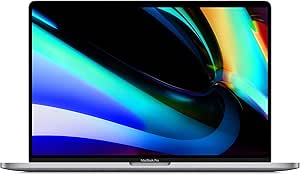 | Best Budget Screen-and-Graphics Combo | Processor: 2.6GHz Intel Core i7 6-core (9th Gen) | RAM: 16GB 2666MHz DDR4 | Storage: 512GB SSD | VIEW ON AMAZON | See Our Full Breakdown |
| Apple 14.2-inch MacBook Pro with M5 chip, 32GB memory, and 1TB SSD, Space Black |  | Best Overall for Music Production | Chip: Apple M5, 10-core CPU, 10-core GPU | Display: 14.2-inch Liquid Retina XDR | Memory: 32GB unified memory | VIEW ON AMAZON | See Our Full Breakdown |
| macbook pro for music production | Display | Storage | Memory | Processor |
|---|---|---|---|---|
| Apple 2026 MacBook Pro 16.2-in | 16.2-inch Liquid Retina XDR | 1TB SSD | 48GB Unified Memory | Apple M5 Pro, 18-core CPU, 20-core GPU |
| Apple 2025 MacBook Pro 14.2-in | 14.2-inch Liquid Retina XDR | 1TB SSD | 16GB Unified Memory | Apple M5, 10-core CPU and GPU |
| Apple 2025 MacBook Pro 14.2-in | 14.2-inch Liquid Retina XDR | 1TB SSD | 16GB Unified Memory | Apple M5, 10-core CPU, 10-core GPU |
| Apple 16.2-inch MacBook Pro wi | 16.2-inch Liquid Retina XDR | 2TB SSD | 36GB Unified Memory | — |
| Apple MacBook Pro 14.2-inch wi | 14.2-inch Liquid Retina XDR | 1TB SSD | 48GB Unified Memory | Apple M5 Pro, 15-core CPU, 16-core GPU |
| Apple 2026 MacBook Neo 13-inch | 13-inch Liquid Retina | 256GB SSD | 8GB Unified Memory | A18 Pro chip |
| 2021 Apple MacBook Pro with M1 | 16.2-inch Liquid Retina XDR, ProMotion up to 120Hz | 1TB SSD | 32GB unified memory | Apple M1 Pro, 10-core CPU, 16-core GPU |
| Apple 2026 MacBook Air 15-inch | 15.3-inch Liquid Retina | 512GB SSD | 16GB Unified Memory | M5 chip |
| Apple MacBook Pro 16-inch Late | 16-inch 3072 x 1920 Retina, P3 gamut | 512GB SSD | — | 2.6GHz Intel Core i7 6-core (9th Gen) |
| Apple 14.2-inch MacBook Pro wi | 14.2-inch Liquid Retina XDR | 1TB SSD | 32GB unified memory | — |
More Details on Our Top Picks
Apple 2026 MacBook Pro 16.2-inch with M5 Pro Chip, 48GB RAM, 1TB SSD, Silver
This is the machine I would point most serious music producers toward. The M5 Pro with 48GB of unified memory is the sweet spot for DAW-heavy sessions: Logic Pro with dozens of tracks, large sample libraries in Kontakt or Omnisphere, and software synths running simultaneously. Compared with the 14.2-inch M5 base model, the extra cores and tripled memory headroom mean projects with heavy virtual instruments keep breathing when the base chip would start choking on RAM. The three Thunderbolt 5 ports give plenty of bandwidth for audio interfaces and external drives at once. The tradeoff is size: 16.2 inches is a studio-first machine, not a café-hopping laptop, and the premium pricing puts real pressure on a home-studio budget.
Pros:- 18-core M5 Pro CPU handles large multi-track sessions without lag
- 48GB unified memory keeps big sample libraries fully loaded
- Three Thunderbolt 5 ports plus SDXC and HDMI cover any audio rig
- 1TB SSD stores sample libraries and project files without external drives
Cons:- Large and heavy compared with 14-inch alternatives
- Premium price stretches many home-studio budgets
- More power than solo artists or podcast producers will ever use
Best for: Producers and mix engineers running large sessions with sample libraries and multiple plugins who mostly work in one studio
Not ideal for: Mobile producers and beatmakers who travel — the 16-inch chassis is heavy and awkward on a train or plane tray table
- Processor:Apple M5 Pro, 18-core CPU, 20-core GPU
- Display:16.2-inch Liquid Retina XDR
- Memory:48GB Unified Memory
- Storage:1TB SSD
- Battery Life:All-day
- Ports:3x Thunderbolt 5, MagSafe 3, SDXC, HDMI, headphone jack
- Wireless:Wi-Fi 7, Bluetooth 6
Our verdict“If music production is your profession and you can afford it, this is the MacBook Pro that removes performance from your list of worries.”
Apple 2025 MacBook Pro 14.2-inch with M5 Chip, 16GB RAM, 1TB SSD, Silver
This base-model M5 MacBook Pro is the smartest entry into Mac-based music production without overpaying. The 10-core M5 handles Logic Pro and Ableton comfortably for songwriting, beat-making, and podcast work, and the 1TB SSD is generous at this tier — most laptops here make you choose between memory and storage. Compared with the M5 Pro 16-inch, you give up CPU cores and 32GB of memory, which matters once orchestral templates or 60-plus track mixes enter the picture. The real constraint is the 16GB of unified memory: fine for most projects, tight when layering large sample libraries. Thunderbolt 4 instead of 5 is a non-issue for audio interfaces, but the smaller port bandwidth caps future expansion.
Pros:- M5 chip runs mainstream DAWs and plugin suites smoothly
- 1TB SSD is unusually generous for a base configuration
- 14.2-inch size is genuinely portable for mobile sessions
- All-day battery suits long sessions away from power
Cons:- 16GB unified memory limits large orchestral or sample-heavy projects
- Thunderbolt 4 ports are slower than Thunderbolt 5 on Pro models
Best for: Singer-songwriters, beatmakers, and podcast producers starting their first serious home studio
Not ideal for: Film composers and mix engineers with huge sample libraries — 16GB of memory will become the bottleneck quickly
- Processor:Apple M5, 10-core CPU and GPU
- Display:14.2-inch Liquid Retina XDR
- Memory:16GB Unified Memory
- Storage:1TB SSD
- Battery Life:All-day
- Ports:3x Thunderbolt 4, MagSafe 3, SDXC, HDMI, headphone jack
Our verdict“The right first MacBook Pro for music production — capable today, with only memory as a future ceiling.”
Apple 2025 MacBook Pro 14.2-inch with M5 Chip, 16GB RAM, 1TB SSD, Space Black
Sitting alongside the Silver M5 14-inch, this Space Black twin is functionally identical — same chip, same memory, same storage — so the choice comes down to aesthetics and how you work. What earns it a separate slot is how well the compact 14.2-inch chassis serves traveling producers: it slips into a backpack next to a compact audio interface and still delivers full Pro-level connectivity, including HDMI and the SDXC slot that a MacBook Air simply lacks. The Space Black finish also resists the fingerprint smudging problem less well than Silver, which is a small but real annoyance for a machine you touch constantly. The 16GB memory ceiling is the same constraint as its Silver sibling — great for tracking and mixing on the road, limiting for sample-library-heavy scoring.
Pros:- Full port selection including HDMI and SDXC despite the compact size
- Lightest Pro-class option for gig and travel workflows
- Distinctive Space Black finish with stunning XDR display
- All-day battery for sessions far from an outlet
Cons:- Same 16GB memory limitation as the Silver M5 model
- Space Black finish shows fingerprints more than Silver
- Premium price for a base-level chip configuration
Best for: Producers who split time between home, rehearsal rooms, and live venues and want full Pro connectivity in a small frame
Not ideal for: Anyone who needs maximum memory for orchestral templates or long-term future-proofing — the 16GB ceiling is fixed at purchase
- Processor:Apple M5, 10-core CPU, 10-core GPU
- Display:14.2-inch Liquid Retina XDR
- Memory:16GB Unified Memory
- Storage:1TB SSD
- Battery Life:All-day
- Ports:3x Thunderbolt 4, MagSafe 3, SDXC, HDMI, headphone jack
- Color:Space Black
Our verdict“Pick this over the Silver twin if portability and a stealthier look matter more than squeezing out extra RAM.”
Apple 16.2-inch MacBook Pro with M5 Max, 36GB Memory, 2TB SSD, Space Black
The M5 Max with its 32-core GPU exists for a specific producer: the one scoring to picture, running Atmos mixes, or hosting enormous virtual instrument libraries. Its 2TB SSD is double the storage of the M5 Pro 16-inch, which means Komplete-scale libraries and years of projects live on the internal drive instead of a tethered external. Support for up to four external displays matters if you mix with a console-style control surface and multiple screens. The honest tradeoff: at 4.73 pounds, this is a desktop replacement that occasionally travels, and the M5 Pro 16-inch covers 90% of music workflows for noticeably less. The six-speaker system is genuinely useful for reference checks when monitors aren’t available, though it never replaces proper monitoring.
Pros:- 32-core GPU powers through scoring and spatial-audio workloads
- 2TB SSD stores entire sample libraries internally
- Supports up to four external displays for console-style setups
- Thunderbolt 5 and Wi-Fi 7 for the fastest peripheral and network transfers
Cons:- 4.73-pound chassis is impractical as a daily carry
- Highest price in the lineup by a wide margin
- Overkill for tracking, mixing, or beat-making workflows
Best for: Film composers, Atmos mixers, and studio owners running massive sample libraries and multi-screen rigs
Not ideal for: Bedroom producers and anyone on a budget — you’re paying a steep premium for headroom most music projects never touch
- Chip:Apple M5 Max, 18-core CPU, 32-core GPU
- Display:16.2-inch Liquid Retina XDR
- Memory:36GB Unified Memory
- Storage:2TB SSD
- Ports:3x Thunderbolt 5, MagSafe 3, SDXC, HDMI, headphone jack
- Wireless:Wi-Fi 7, Bluetooth 6
- Weight:4.73 pounds
- Camera:12MP Center Stage
Our verdict“Buy this only if your projects genuinely demand it — for most producers, the M5 Pro is the smarter spend.”
Apple MacBook Pro 14.2-inch with M5 Pro, 48GB Memory, 1TB SSD, Space Black
This is the sleeper pick of the lineup. It pairs the M5 Pro and 48GB of unified memory — the same memory tier as the bigger 16-inch M5 Pro — inside the portable 14.2-inch frame. For producers who run serious sessions but still carry the machine to sessions, collaborators’ studios, or gigs, it answers a question the other models can’t: how do you get Pro-level headroom without the 16-inch bulk? Compared with the base M5 14-inch, the extra CPU cores and tripled memory mean sample libraries stay loaded and plugin chains keep running when the smaller machine would swap and stutter. You sacrifice screen real estate — mixing on a 14-inch display means more window juggling — and the 16-core GPU trails the M5 Max considerably, though GPU power rarely bottlenecks audio work.
Pros:- 48GB memory matches the 16-inch Pro in a far lighter chassis
- 15-core M5 Pro CPU sustains large plugin-heavy sessions
- Thunderbolt 5 and support for three external displays at home
- Six-speaker Spatial Audio system for on-the-go reference checks
Cons:- 14-inch screen is cramped for dense mixing workflows
- Costs close to the 16-inch M5 Pro while giving up display size
- 16-core GPU is a step down from the M5 Max for visual work
Best for: Working producers and engineers who need heavy session capability but travel between studios weekly
Not ideal for: Producers who mix primarily at a fixed desk — the 16-inch M5 Pro gives the same power with a far more comfortable display
- Processor:Apple M5 Pro, 15-core CPU, 16-core GPU
- Display:14.2-inch Liquid Retina XDR
- Memory:48GB Unified Memory
- Storage:1TB SSD
- Ports:3x Thunderbolt 5, MagSafe 3, SDXC, HDMI, headphone jack
- Wireless:Wi-Fi 7, Bluetooth 6
- External Displays:Up to three
- Color:Space Black
Our verdict“The best answer for producers who refuse to choose between studio-grade power and a bag-friendly machine.”
Apple 2026 MacBook Neo 13-inch Laptop with A18 Pro Chip, Liquid Retina Display, 8GB RAM, 256GB SSD – Silver
The MacBook Neo is the lightest and most affordable way into the lineup, but it makes real compromises for music production. At 2.71 pounds with 16 hours of battery, it outlasts the Intel-based 2019 MacBook Pro and travels easier than the 4-pound machine. The problem is headroom: 8GB of unified memory and 256GB of storage will fill up fast once you install a DAW, a few sample libraries, and a couple of orchestral plugins. Compared with the MacBook Air 15-inch with M5, which doubles both memory and storage for a modest step up, the Neo is better treated as a sketching machine for rough ideas rather than a studio hub.
Pros:- Featherlight 2.71-pound aluminum build that’s easy to carry everywhere
- Up to 16 hours of battery life for long unplugged sessions
- Vibrant Liquid Retina display covering a billion colors
- A18 Pro chip handles light DAW projects without stutter
Cons:- Only 8GB of unified memory — insufficient for heavy plugin stacks
- 256GB SSD fills up after just a few sample libraries
- No dedicated GPU option and the smallest screen in the lineup
Best for: Beginner producers and songwriters who sketch ideas in GarageBand or Logic with light plugin loads
Not ideal for: Anyone working with large sample libraries or multi-track sessions — 8GB RAM and 256GB storage will hit a wall quickly
- Display:13-inch Liquid Retina
- Processor:A18 Pro chip
- Memory:8GB Unified Memory
- Storage:256GB SSD
- Battery Life:Up to 16 hours
- Weight:2.71 pounds
- Camera:1080p FaceTime HD
Our verdict“A pick for producers starting out who need portability first and can live within tight memory and storage limits.”
2021 Apple MacBook Pro with M1 Pro Chip (16-inch, 32GB RAM, 1TB SSD) Space Gray (Renewed Premium)
This renewed 16-inch MacBook Pro with M1 Pro is arguably the smartest value in the roundup for serious production work. The 10-core CPU and 16-core GPU handle dense Logic and Ableton sessions comfortably, and 32GB of unified memory matches what you get in the newer 14.2-inch M5 MacBook Pro — at a lower cost because it’s a few years old. The 16.2-inch Liquid Retina XDR with ProMotion gives you real screen real estate for arranging, and the port selection (HDMI, SDXC, MagSafe) means fewer dongles at your desk. The tradeoffs: it’s heavy at over 4 pounds, and a renewed unit carries a shorter warranty than buying new.
Pros:- 32GB of unified memory comfortably runs large orchestral templates
- 16.2-inch Liquid Retina XDR display with 120Hz ProMotion
- Full port selection including HDMI and SDXC card slot
- Up to 21 hours of battery life — the best endurance in this lineup
Cons:- Heavy and bulky for producers who travel with their rig
- Renewed condition means limited warranty coverage
- Older chip generation trails current M5 models in single-core speed
Best for: Producers and mix engineers who want 32GB of RAM and a large screen without paying new-retail flagship pricing
Not ideal for: Buyers who want a full manufacturer warranty and the latest silicon — a new M5 model makes more sense for peace of mind
- Processor:Apple M1 Pro, 10-core CPU, 16-core GPU
- Display:16.2-inch Liquid Retina XDR, ProMotion up to 120Hz
- Memory:32GB unified memory
- Storage:1TB SSD
- Battery Life:Up to 21 hours
- Ports:3x Thunderbolt 4, HDMI, SDXC, MagSafe 3
- Color:Space Gray
Our verdict“The strongest performance-per-dollar choice for studio-bound producers who accept a renewed unit in exchange for pro-tier specs.”
Apple 2026 MacBook Air 15-inch Laptop with M5 Chip, 16GB RAM, 512GB SSD, Sky Blue
The MacBook Air 15-inch with M5 sits in a sweet spot the MacBook Neo can’t reach: 16GB of memory and 512GB of storage are enough for real Logic projects, not just demos. Its 18-hour battery and slim frame make it the best pick here for producers who write on the go — in cafes, on trains, between classes. Compared with the renewed M1 Pro 16-inch, it’s far lighter and runs current-generation silicon, but it gives up the XDR display, the dedicated cooling headroom, and half the RAM. That matters for anyone stacking heavy virtual instruments: sustained sessions will push a fanless Air harder than a Pro chassis.
Pros:- Current M5 chip with strong single-core performance for low-latency tracking
- Large 15.3-inch Liquid Retina display in a light, slim chassis
- Up to 18 hours of battery life for genuinely mobile sessions
- 12MP Center Stage camera and Wi-Fi 7 for remote collaboration
Cons:- Fanless design can throttle during long, CPU-heavy mixes
- Only two Thunderbolt ports limits interface plus display setups
- No dedicated GPU option for producers who also do visual work
Best for: Mobile producers and students who need a capable, all-day machine for mid-sized projects away from the desk
Not ideal for: Mix engineers running large sample libraries or 60+ track sessions — the 16GB ceiling and fanless design become limiting
- Display:15.3-inch Liquid Retina
- Processor:M5 chip
- Memory:16GB Unified Memory
- Storage:512GB SSD
- Battery Life:Up to 18 hours
- Ports:2x Thunderbolt 4, MagSafe, headphone jack
- Wireless:Wi-Fi 7, Bluetooth 6
Our verdict“The best balance of portability and real production capability for producers whose studio travels with them.”
Apple MacBook Pro 16-inch Late 2019 (2.6GHz Intel Core i7, 16GB RAM, 512GB SSD) – Space Gray (Renewed)
The 2019 Intel MacBook Pro 16-inch earns a spot mainly on price and its dedicated AMD Radeon Pro 5300M graphics, which none of the entry-level Apple Silicon machines here match in raw GPU hardware terms. For producers who also edit video or run visual plugins, that 4GB of GDDR6 still pulls weight. But make no mistake — measured against the renewed M1 Pro 16-inch, this machine loses on nearly every production metric: shorter battery life (11 vs 21 hours), less efficient cooling, louder fans under load, and no unified memory advantage. The 16-inch P3 Retina display remains genuinely good for mixing UIs and color work. Buy it only if the price drop versus Apple Silicon is steep.
Pros:- Dedicated Radeon Pro 5300M with 4GB GDDR6 for visual workloads
- Large 16-inch Retina display with P3 wide color gamut
- 6-core i7 still handles moderate multitrack sessions
- Typically the cheapest 16-inch Pro chassis on the market
Cons:- Intel architecture runs hotter and louder than Apple Silicon
- Only 11 hours of battery life under light use, less under load
- Renewed condition with aging hardware and a shorter support runway
Best for: Budget-conscious producers who need a big screen and discrete graphics for combined audio and light video work at the lowest cost
Not ideal for: Anyone prioritizing battery life, quiet operation, or long-term macOS support — Apple Silicon models are the better investment
- Processor:2.6GHz Intel Core i7 6-core (9th Gen)
- RAM:16GB 2666MHz DDR4
- Storage:512GB SSD
- Display:16-inch 3072 x 1920 Retina, P3 gamut
- GPU:AMD Radeon Pro 5300M (4GB GDDR6)
- Battery Life:Up to 11 hours (52.6Wh)
- Weight:4 pounds
Our verdict“A rock-bottom-price entry into a 16-inch Pro for dual audio-visual creators who accept Intel-era tradeoffs.”
Apple 14.2-inch MacBook Pro with M5 chip, 32GB memory, and 1TB SSD, Space Black
This 14.2-inch M5 MacBook Pro with 32GB and 1TB is the machine I’d point most producers toward. It pairs current-generation Apple Silicon with the memory and storage that serious sessions demand, in a chassis over half a pound lighter than either 16-inch option here. Compared with the renewed M1 Pro 16-inch, you get faster single-core speed, Thunderbolt 5 bandwidth for audio interfaces and external drives, and a new warranty — while keeping the same 32GB/1TB configuration. The Liquid Retina XDR display outclasses the MacBook Air’s panel for critical visual detail. Its only real sacrifices are screen size and price; producers wanting a bigger canvas or Max-tier power should step up to the 16.2-inch M5 Max.
Pros:- 32GB unified memory plus 1TB SSD handles large templates and sample libraries
- Thunderbolt 5, HDMI, and SDXC ports cover any studio setup without hubs
- Outstanding XDR display contrast for detailed session editing
- 3.41-pound frame is far more portable than the 16-inch Pro models
Cons:- Premium pricing puts it out of reach for hobbyists
- Smaller screen than the 16-inch alternatives for arrangement-heavy workflows
- 10-core GPU trails the M5 Pro and M5 Max for extreme workloads
Best for: Working producers and engineers who need flagship-class power, 32GB of RAM, and genuine portability in one machine
Not ideal for: Buyers on a budget or those wanting maximum screen real estate — the Air 15 or the 16-inch models serve those needs better
- Chip:Apple M5, 10-core CPU, 10-core GPU
- Display:14.2-inch Liquid Retina XDR
- Memory:32GB unified memory
- Storage:1TB SSD
- Weight:3.41 pounds
- Ports:3x Thunderbolt 5, MagSafe 3, SDXC, HDMI, headphone jack
- Wireless:Wi-Fi 7, Bluetooth 6
- Camera:12MP Center Stage
Our verdict“The best single-machine choice for music production — flagship specs, full port selection, and studio power in a travel-friendly body.”

How We Picked
I judged every machine here through one lens: what it’s like to live with inside a DAW. That meant weighing unified memory capacity first (sample libraries and plugin instances eat RAM fast, and it’s soldered forever), then sustained CPU performance under fan load, since mixing and bouncing are marathon tasks, not sprints. Storage capacity and speed came next — 256GB fills up after two or three sample library installs — followed by practical studio factors like fan noise during mic’d recording sessions, port selection for audio interfaces, and display real estate for mixer views.
Ranking followed suitability rather than price. Machines that can grow with a producer’s ambitions placed higher than cheaper configs that hit a wall, which is why the 48GB M5 Pro models outrank the 16GB base configs and why the two non-Pro machines landed at the bottom despite their value appeal. Renewed units were held to a different standard: judged on whether their age-related compromises (battery wear, thermal throttling, port limitations) still make sense against their savings.
| macbook pro for music production | Battery Life |
|---|---|
| Apple 2026 MacBook Pro 16.2-in | All-day |
| Apple 2025 MacBook Pro 14.2-in | All-day |
| Apple 2025 MacBook Pro 14.2-in | All-day |
| Apple 16.2-inch MacBook Pro wi | — |
| Apple MacBook Pro 14.2-inch wi | — |
| Apple 2026 MacBook Neo 13-inch | Up to 16 hours |
| 2021 Apple MacBook Pro with M1 | Up to 21 hours |
| Apple 2026 MacBook Air 15-inch | Up to 18 hours |
| Apple MacBook Pro 16-inch Late | Up to 11 hours (52.6Wh) |
| Apple 14.2-inch MacBook Pro wi | — |
Factors to Consider When Choosing Macbook Pro For Music Production
Before committing to a specific configuration, it helps to understand what actually limits a MacBook Pro inside a music studio. The mistakes producers make almost always come down to under-buying memory, misjudging which chip tier they need, or overspending on specs their workflow will never touch.RAM: The Spec You Cannot Fix Later
Unlike an old desktop tower, you can never add RAM to a MacBook Pro — whatever you buy is permanent. Music production is one of the most memory-hungry consumer tasks because sample libraries (Kontakt, Omnisphere, orchestral ROMplers) load gigabytes into RAM and keep them there, while every plugin instance takes its own bite. A 16GB machine feels fine in month one and becomes a source of constant bounce-and-freeze workflow friction by month six. My practical floor for anyone serious about production is 32GB; 48GB is the sweet spot for producers who use large orchestral or cinematic templates. Skipping the RAM upgrade to save money upfront is the single most common and most expensive mistake in this category, because the only fix is buying a whole new laptop.
Chip Tier: Where the M5, M5 Pro, and M5 Max Actually Differ
Apple’s chip tiers confuse buyers because marketing emphasizes GPU cores, while music production is almost entirely a CPU-and-memory workload. The base M5 handles stock-plugin projects and beat-making comfortably; the M5 Pro adds CPU cores and, more importantly, supports higher RAM ceilings, which is why it dominates this lineup’s top spots. The M5 Max only pulls ahead of the Pro when you’re running film-scoring templates, heavy virtual instrument forests, or producing while also running video playback — for most electronic, pop, and hip-hop work, the Pro matches it and the price difference is better spent on RAM or an audio interface. A useful self-diagnosis: if you don’t know what a 100-track template is, you don’t need the Max.
Storage: Sample Libraries Will Eat Everything
Producers routinely underestimate storage because DAW project files are tiny — but the instruments aren’t. A single premium orchestral library can consume 150GB, and working producers accumulate these fast. 256GB is functionally unusable for production; 512GB is survivable with an external SSD for libraries (a workable budget workaround, since sample streaming from a Thunderbolt SSD performs well); 1TB is the comfortable default; 2TB suits composers building large permanent libraries. One overlooked factor: keeping internal storage below 80% capacity preserves system responsiveness, so a ‘full’ 512GB drive also degrades session performance, not just file organization.
Fan Noise and Thermals: The Studio Variable Nobody Mentions
If you record vocals or acoustic instruments with a microphone in the same room as your laptop, fan noise becomes a production-quality issue, not a comfort complaint. This is where Apple Silicon changed the game — M-series chips run most production sessions silently or near-silently, while the renewed Intel MacBook Pro in this lineup spins its fans audibly under moderate load and dumps heat into the room. Thermals also affect long mix sessions: sustained performance on Apple Silicon barely degrades over hours, whereas older Intel chips throttle, meaning your bounce at hour four is slower than your bounce at hour one. Producers who only produce with headphones can tolerate more; tracking engineers cannot.
Renewed Versus New: When the Savings Are Real
Renewed MacBooks can be legitimate studio machines, but the value varies wildly by generation. The renewed M1 Pro 16-inch is the standout case: its performance still handles most modern sessions, and its savings fund RAM and storage that were expensive at launch. The renewed 2019 Intel model is the counterexample — you’re buying into a dead architecture, weaker single-core performance than any M-series chip, hot operation, and Rosetta-era plugin compatibility headaches that will only worsen as developers drop Intel support. The rule of thumb: renewed Apple Silicon is often smart, renewed Intel is usually a trap for anyone planning to use the machine for more than a couple of years.
Screen Size: A Mixing Ergonomics Decision, Not a Preference
Screen real estate directly changes how you mix. On a 14.2-inch display, a full mixer view forces plugin windows to overlap or shrink, producing constant window juggling; the 16.2-inch fits a mixer, a plugin editor, and an arrange view simultaneously, which speeds up mix decisions and reduces fatigue over long sessions. The counterweight is portability — producers who gig, travel, or move between rehearsal spaces often find the 14-inch the better daily companion, and it can always drive an external display at the studio. My advice: buy the 14-inch if your laptop leaves the house weekly and you have a monitor at home; buy the 16-inch if the laptop mostly lives on a desk or you mix on the road.
Frequently Asked Questions
Is a base M5 MacBook Pro with 16GB RAM enough for music production?
It depends entirely on your genre and workflow. For beat-making, electronic production with stock or lightweight plugins, and sessions under roughly 30 tracks, a 16GB M5 machine performs well and stays silent. The wall appears with sample-heavy work: orchestral libraries, large Kontakt setups, and projects that stack dozens of third-party plugins will force you into constant track-freezing to manage memory. Since RAM is not upgradeable, my honest guidance is that 16GB is workable for a beginner’s first two years but is a spec you’ll outgrow — if you can stretch to 32GB at purchase, the longevity payoff is substantial.
Should I buy the M5 Max, or is the M5 Pro enough for a home studio?
For the majority of home studio producers, the M5 Pro is the better purchase — production workloads are CPU and memory bound, and the Pro’s core count plus a 48GB RAM ceiling covers even ambitious sessions comfortably. The Max justifies itself in specific scenarios: film and media scoring with video playback alongside huge templates, professional mixing suites running hundreds of plugin instances, or producers who also do 3D or heavy video work on the same machine. If you’re purely making music with virtual instruments, spending the Max premium on RAM and a bigger SSD instead will produce a more capable studio machine for the same money.
Are renewed MacBook Pros a safe bet for music production?
Renewed Apple Silicon models are generally a smart buy because the M1 Pro and later chips still outperform many newer budget Windows machines, and the savings can effectively upgrade your RAM and storage tier. Check three things before buying any renewed unit: battery cycle count (replacement batteries are an added cost and inconvenience), the seller’s return window, and whether the specific config has enough RAM for your needs since that’s permanent. I’d steer clear of the renewed Intel-era models for production — beyond the fan noise during recording, plugin developers are steadily dropping Intel support, which shortens the machine’s useful studio life considerably.
Can I use a MacBook Air or the MacBook Neo for music production instead?
A MacBook Air with an M5 chip can handle light production — the chip itself is capable — but the 15-inch Air in this lineup pairs it with 16GB RAM and a 512GB SSD, which caps how far your projects can grow. The MacBook Neo is a harder no for production: 8GB of RAM and 256GB of storage will bottleneck within weeks of installing a DAW and one or two sample libraries, and its smaller display is cramped for mixing. Both machines also lack the Pro line’s sustained thermal headroom, so long bounce sessions run slower than the same chip in a Pro chassis. They’re fine for sketching ideas on the couch, not for being your only studio computer.
How much SSD storage do I really need for a music production laptop?
Budget for your instrument library, not your projects — DAW sessions are usually a few gigabytes, but sample libraries can run into the hundreds. A realistic producer setup with two or three premium libraries, a DAW, and the operating system fills 512GB quickly, which is why I treat 1TB as the comfortable default for anyone past the beginner stage. One viable compromise: buy a smaller internal drive and stream samples from a Thunderbolt external SSD, which performs nearly as well for most libraries and costs less per gigabyte. Just avoid 256GB under any circumstances — you’ll spend more time managing disk space than making music.
Conclusion
Mapping these ten machines to buyer types: the 2026 MacBook Pro 16.2-inch with M5 Pro and 48GB RAM is my best overall pick — it has the memory headroom and sustained performance that serious production demands without the Max-tier premium. The M5 Pro 14.2-inch with 48GB RAM is the best value among new machines, trading screen size for the same core capability. For the premium buyer — film scorers, professional mixers, media composers — the M5 Max 16.2-inch with 36GB and 2TB is the only config here built for that workload. Beginners should look at the M5 MacBook Pro 14.2-inch with 32GB, which balances a reasonable entry cost with specs that won’t be outgrown in year two. And for the budget-conscious producer, the renewed M1 Pro 16-inch remains the standout bargain: last-generation flagship performance at a price that leaves room for an audio interface and monitors. Whatever you choose, resist cutting RAM — it’s the one spec in this entire category that you can never fix later.