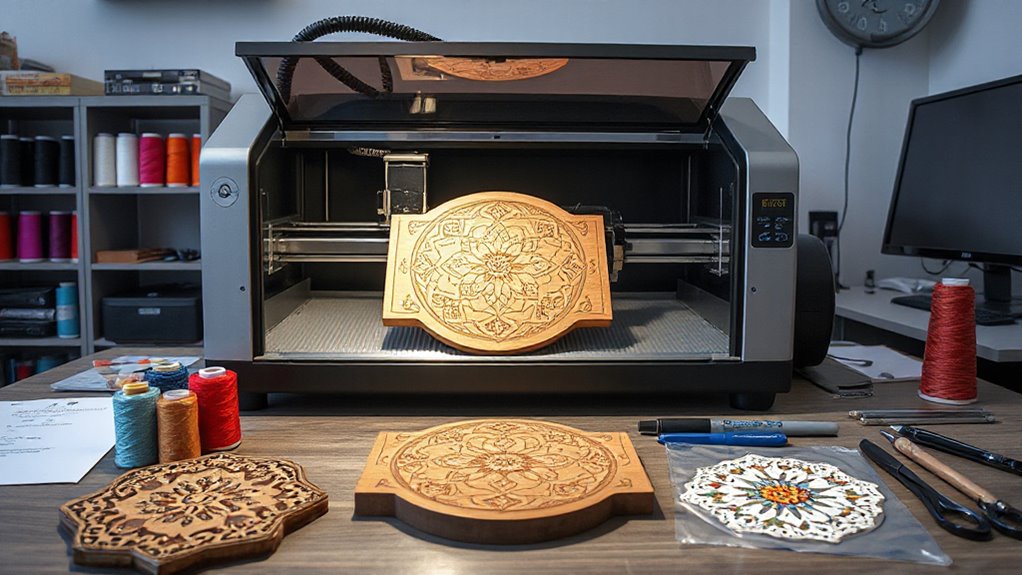

Finding the right laser engraver and cutter for crafts can be challenging with so many options available. The best models balance power, precision, ease of use, and price, but tradeoffs often exist—more powerful machines tend to be more expensive and complex, while budget options may sacrifice some detail or speed. The LaserPecker LP1 Plus stands out as a compact, beginner-friendly choice, while the xTool S1 40W offers a robust balance of power and features for versatile crafting. For those seeking high-quality color engraving, the xTool M2 10W CMYK is worth considering. Continue reading to explore these options and more, helping you find the best fit for your craft projects.
Complete the kit


Key Takeaways
- Power and precision vary significantly, with higher wattage machines enabling deeper and faster cuts but often at a higher cost.
- Enclosed designs tend to be safer and more suitable for home use, especially for beginners or small workshops.
- Color engraving capabilities, like CMYK, are limited to select models and add a layer of complexity and cost.
- Work area size is crucial—larger areas are better for bigger projects but usually come with increased price and setup complexity.
- Ease of use and software compatibility are key for beginners, while advanced users may prioritize customization and upgrade options.
| LaserPecker LP1 Plus Mini Laser Engraver for Beginners |  | Best for Portability and Simple On-the-Go Projects | Weight: 720g | Material Compatibility: wood, leather, acrylic, paper, fruit, felt, bamboo | Stand: Adjustable, magnetic base | VIEW ON AMAZON | See Our Full Breakdown |
| xTool S1 40W Laser Cutter and Engraver with Rotary Bundle |  | Best for Large-Scale Projects and Precision Cutting | Laser Power: 40W | Bed Size: 23.93″ x 15.16″ | Speed: 600mm/s | VIEW ON AMAZON | See Our Full Breakdown |
| xTool M2 10W Color Craft Laser Engraver with Full-Color CMYK Printer and Dual Cameras |  | Best for Multi-Function Creativity and Real-Time Monitoring | Power: 10W diode laser | Material Compatibility: Wood, leather, felt, fabric, paper, cardstock | Included Modules: CMYK printer, material kit | VIEW ON AMAZON | See Our Full Breakdown |
| ACMER S1 Laser Engraver, 2500mW, 130x130mm Working Area, High Precision Laser Cutter & Engraving Machine |  | Best for Precision and Small-Scale Detailed Work | Laser Power: 2500mW | Working Area: 130x130mm | Laser Wavelength: 455±5nm | VIEW ON AMAZON | See Our Full Breakdown |
| ACMER S1 6W Laser Engraver for Beginners |  | Best for Entry-Level Users and Small Crafts | Working Area: 130x130mm | Laser Power: 6W | Laser Wavelength: 455±5nm | VIEW ON AMAZON | See Our Full Breakdown |
| ACMER K1 12000mW Laser Engraver Machine, 150×150mm Desktop Laser Cutter |  | Best Compact and Precise for Hobbyists | Laser Power: 12W (available in 3.5W, 7W & 12W options) | Working Area: 150×150mm | Laser Spot: 0.08×0.08mm | VIEW ON AMAZON | See Our Full Breakdown |
| xTool M2 20W Color Craft Laser Engraver with Dual Cameras and CMYK Printing |  | Best for Color Printing and Versatile Creative Projects | Material Compatibility: 300+ materials including wood, leather, fabric, paper | Laser Power: 20W diode laser | Laser Output Power: 20000mW | VIEW ON AMAZON | See Our Full Breakdown |
| Twotrees TTS-55 Pro Laser Engraver 5500mW, 300x300mm Work Area |  | Best for Large-Scale Projects and Deep Engraving | Laser Power: 5500mW | Work Area: 300 x 300 mm | Laser Spot Size: 0.06*0.46mm | VIEW ON AMAZON | See Our Full Breakdown |
| xTool M2 10W Laser Engraver with Dual Cameras, Enclosed Safe Design for DIY Crafts |  | Best for Beginners and Home Use with Safety Focus | Laser Power: 10W | Safety Class: Class 1 | Built-in Cameras: Dual cameras | VIEW ON AMAZON | See Our Full Breakdown |
| BlazeX M3 10W Laser Engraver Machine, Ultra-Precision Desktop Laser Cutter & Engraver for Wood, Metal, Glass, Leather |  | Best for Ultra-Precision and Multi-Material Projects | Laser Power: 10W | Precision: 0.01mm | Materials Compatible: Wood, metal, glass, leather, coated materials | VIEW ON AMAZON | See Our Full Breakdown |
| ACMER S1 Laser Engraver Machine, 6000mW Laser Cutter for Wood and Acrylic, Compact Desktop Design | 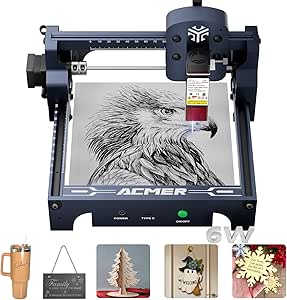 | Best for Beginners and Hobbyists | Laser Power: 6000mW | Working Area: 130 x 130mm | Laser Wavelength: 455±5nm | VIEW ON AMAZON | See Our Full Breakdown |
| ACMER Laser Engraver Machine S2 12000mW Laser Cutter, 300×300mm Engraving Area |  | Best for Larger Projects and Small Businesses | Laser Power: 12000mW | Engraving Area: 300×300 mm | Max Speed: 10,000 mm/min | VIEW ON AMAZON | See Our Full Breakdown |
| Longer Laser Engraver Ray5 10W/60W DIY Cutter and Engraving Machine with 3.5″ Touch Screen |  | Best for Versatile DIY and Large-Scale Projects | Laser Power: 10W/60W | Engraving Area: 400x400mm | Max Speed: 10,000mm/min | VIEW ON AMAZON | See Our Full Breakdown |
| laser engraver and cutter for craft | Laser Power | Material Compatibility |
|---|---|---|
| LaserPecker LP1 Plus Mini Lase | — | wood, leather, acrylic, paper, fruit, felt, bamboo |
| xTool S1 40W Laser Cutter and | 40W | Wood, Metal, Acrylic, Curved surfaces |
| xTool M2 10W Color Craft Laser | — | Wood, leather, felt, fabric, paper, cardstock |
| ACMER S1 Laser Engraver | 2500mW | — |
| ACMER S1 6W Laser Engraver for | 6W | — |
| ACMER K1 12000mW Laser Engrave | 12W (available in 3.5W, 7W & 12W options) | Wood, plywood, acrylic, leather, paper |
| xTool M2 20W Color Craft Laser | 20W diode laser | 300+ materials including wood, leather, fabric, paper |
| Twotrees TTS-55 Pro Laser Engr | 5500mW | — |
| xTool M2 10W Laser Engraver wi | 10W | Wood, leather, felt, fabric, paper |
| BlazeX M3 10W Laser Engraver M | 10W | — |
| ACMER S1 Laser Engraver Machin | 6000mW | Wood, acrylic, leather, plastic, PCB, ceramics, aluminum oxide |
| ACMER Laser Engraver Machine S | 12000mW | Wood, metal, acrylic, leather |
| Longer Laser Engraver Ray5 10W | 10W/60W | Wood, metal, acrylic, leather |
More Details on Our Top Picks
LaserPecker LP1 Plus Mini Laser Engraver for Beginners
The LaserPecker LP1 Plus stands out for its compact size and weight, making it the ideal choice for crafters who want to take their projects anywhere. Compared to larger models like the xTool S1, this engraver sacrifices power and a larger working area for portability and ease of use. It’s perfect for small, personalized projects on materials such as wood, leather, and paper, with quick setup and an intuitive app. However, its limited size and reliance on a smartphone or device mean it’s not suitable for larger or industrial-scale tasks, and the need to purchase a separate power bank adds an extra step. Best for hobbyists, DIYers, or crafters who prioritize mobility over scale. Tradeoffs include small project size and external power source requirement.
Pros:- Very portable and lightweight, ideal for on-the-go use
- Easy to set up with no calibration needed
- Compatible with multiple materials, offering versatility
Cons:- Power bank not included, requiring an additional purchase
- Limited to small-scale projects due to size
- Requires a smartphone or device for operation
Best for: Beginners and hobbyists who want a lightweight, portable engraver for small crafts and personalized items.
Not ideal for: Users who need to work on larger projects or require industrial-level power and precision, as this model’s small size limits its capacity and power.
- Weight:720g
- Material Compatibility:wood, leather, acrylic, paper, fruit, felt, bamboo
- Stand:Adjustable, magnetic base
- Connectivity:App-based with LaserPecker Design Space
- Power:Powered by a power bank (not included)
- Size:Compact, portable
Our verdict“This pick makes the most sense for beginners or hobbyists seeking a compact, portable engraver for small crafts and personalized projects.”
xTool S1 40W Laser Cutter and Engraver with Rotary Bundle
The xTool S1 40W model offers exceptional power and a large working area, making it well-suited for serious craft projects that require both cutting and engraving on thicker materials like 18mm wood. Compared to the more beginner-friendly ACMER S1, the S1’s powerful laser and larger bed size enable more ambitious projects, especially in a dedicated workspace. Its advanced safety features, including an enclosed design and flame detection, add peace of mind for frequent use. On the flip side, its weight of nearly 87 pounds and bulky dimensions mean it’s less portable and demands a dedicated, well-ventilated area. For users seeking professional-grade power and size, this model delivers, though it requires significant space and safety precautions. Best for experienced hobbyists or small businesses needing large-scale, detailed work. Tradeoffs involve size, weight, and cost, which make it less ideal for casual or space-constrained users.
Pros:- Powerful 40W laser capable of cutting thick materials
- Large bed size for big projects
- Advanced precision technology for detailed engravings
Cons:- Heavy and bulky, requiring dedicated space
- High initial cost and safety requirements
- Requires safety precautions due to laser operation
Best for: Users with dedicated workspace who need powerful cutting and engraving for large projects or thick materials.
Not ideal for: Casual crafters or those with limited space, as its weight and size demand a permanent setup and safety measures.
- Laser Power:40W
- Bed Size:23.93″ x 15.16″
- Speed:600mm/s
- Material Compatibility:Wood, Metal, Acrylic, Curved surfaces
- Safety Features:Enclosed design, flame sensors, emergency stop
- Weight:86.8 pounds
Our verdict“This model makes the most sense for experienced users or small businesses needing a powerful, large-area laser cutter and engraver.”
xTool M2 10W Color Craft Laser Engraver with Full-Color CMYK Printer and Dual Cameras
The xTool M2 blends CMYK printing and laser engraving into one versatile machine, allowing for full-color designs and detailed personalization across over 300 materials. Its dual cameras provide real-time workspace preview, helping users align projects precisely—an advantage over single-camera or no-camera models like the ACMER S1. While the 10W laser is sufficient for detailed engraving and light cutting, it falls short for heavy-duty tasks, especially when compared to the 40W xTool S1. The need to switch modules adds some complexity for beginners, but the onboard software with templates simplifies operation. This machine is ideal for creative crafters seeking both printing and engraving in a safe, enclosed environment. Best for creative professionals or serious hobbyists who want multi-layer, colorful projects. The tradeoff is limited laser power and module-switching complexity for multi-functionality and precision.
Pros:- Combines CMYK printing and laser engraving in one device
- Dual cameras for accurate, real-time workspace visualization
- User-friendly software with templates and AI image generation
Cons:- Requires module switching, which can be complex for beginners
- Limited laser power for heavy-duty cutting
- Additional modules like IR may need separate purchase
Best for: Creative users who want a multi-functional machine capable of full-color printing and detailed engraving.
Not ideal for: Heavy-duty industrial projects or large-scale cutting, due to its limited laser power and module switching.
- Power:10W diode laser
- Material Compatibility:Wood, leather, felt, fabric, paper, cardstock
- Included Modules:CMYK printer, material kit
- Safety:Class 1 enclosed design
- Camera:Dual cameras for workspace preview
- Software Features:Templates, AI image generator
Our verdict“This machine makes the most sense for creative professionals or hobbyists seeking colorful, multi-layer projects with integrated printing and engraving.”
ACMER S1 Laser Engraver, 2500mW, 130x130mm Working Area, High Precision Laser Cutter & Engraving Machine
The ACMER S1 with 2500mW laser offers high-precision engraving suitable for intricate designs on small items. Its compact size and preassembled setup make it accessible for hobbyists and professionals who need detailed results within a 130x130mm workspace. Compared to the ACMER S1 6W model, this one’s higher power allows for finer detail and slightly more versatility in materials. However, its limited working area restricts larger projects, and the laser’s certification demands careful handling and safety precautions, especially for those new to laser engraving. It excels when detailed work and precision matter most, but its small footprint and safety requirements mean it’s best for dedicated craft spaces. Best for hobbyists and professionals needing high-precision engraving on small objects. Tradeoffs include small working area and safety considerations for beginners.
Pros:- High-precision engraving with fine detail
- Easy to set up and operate, suited for beginners
- Compact and portable design for home use
Cons:- Limited working area restricts larger projects
- Laser safety requires careful handling and training
- Power may be insufficient for thicker or denser materials
Best for: Users focused on detailed, high-precision engraving on small items like jewelry, miniatures, or customized gifts.
Not ideal for: Those wanting to work on larger projects or with thick materials, as the limited size and power restrict scope.
- Laser Power:2500mW
- Working Area:130x130mm
- Laser Wavelength:455±5nm
- Focal Length:2mm
- Engraving Speed:10,000mm/min
- Repeatable Positioning:0.01mm
Our verdict“This model is best for hobbyists or professionals who need detailed, small-scale engravings with high precision and accuracy.”
ACMER S1 6W Laser Engraver for Beginners
The ACMER S1 6W laser engraver offers a user-friendly experience with a 6000mW diode laser, making it suitable for beginners and small projects. Its mostly preassembled design allows for quick setup, and the 130x130mm working area is adequate for small crafts. Compared to the high-precision ACMER S1 2500mW, this model balances power and simplicity, ideal for hobbyists who want to experiment without a steep learning curve. Yet, its limited power restricts cutting thicker materials or executing larger projects, and safety precautions are necessary given its Class 4 laser status. This machine makes a good entry point for DIYers but isn’t suited for demanding or large-scale work. Best for newcomers wanting straightforward engraving on small items. Tradeoffs involve limited workspace and laser power for ease of use and affordability.
Pros:- High precision for detailed engraving
- Preassembled for quick setup
- Supports multiple operating systems and file formats
Cons:- Limited to small working area (130x130mm)
- Requires careful handling due to Class 4 laser
- Laser power may be insufficient for thicker materials
Best for: Beginners and hobbyists new to laser engraving who want a simple, mostly preassembled machine for small crafts.
Not ideal for: Users planning larger projects or needing to cut thicker materials, as the laser’s power and size are limited.
- Working Area:130x130mm
- Laser Power:6W
- Laser Wavelength:455±5nm
- Focal Length:2mm
- Speed:up to 10,000mm/min
- Repeatability:0.01mm
Our verdict“This entry-level engraver makes the most sense for beginners or casual hobbyists focused on small, detailed projects.”
ACMER K1 12000mW Laser Engraver Machine, 150×150mm Desktop Laser Cutter
The ACMER K1 stands out for its portability and high precision, making it ideal for hobbyists or small-scale projects where space is limited. Compared with larger models like the Twotrees TTS-55 Pro, it offers a smaller work area but excels in fine detail work thanks to its 0.08mm laser spot and accurate repeat positioning. Its enclosure and built-in fan promote safe indoor use, yet the limited 150×150mm workspace can be restrictive for bigger projects, and upgrading power for thicker materials isn’t straightforward. This pick suits users who prioritize portability and precision over size and raw power. However, those needing to cut larger materials or handle thicker stock should consider more powerful options.Pros:- Compact and lightweight for easy portability
- High precision with a fine laser spot and accurate positioning
- Compatible with multiple operating systems and file formats
- Enclosed design with built-in fan for safe operation indoors
Cons:- Limited work area of 150×150mm restricts project size
- Requires some familiarity with laser software
- Power options may need upgrading for thicker materials
Best for: Hobbyists and small business owners working on detailed, small-scale projects in limited spaces.
Not ideal for: Small workshops or craft studios needing to process larger items or thicker materials regularly.
- Laser Power:12W (available in 3.5W, 7W & 12W options)
- Working Area:150×150mm
- Laser Spot:0.08×0.08mm
- Repeat Positioning Accuracy:0.01mm
- Max Motion Speed:10,000mm/min
- Weight:2.4kg
- Supported Formats:NC, DXF, BMP, JPG, PNG
- Material Compatibility:Wood, plywood, acrylic, leather, paper
Our verdict“This laser engraver is perfect for users needing detailed work on small items in tight spaces.”
xTool M2 20W Color Craft Laser Engraver with Dual Cameras and CMYK Printing
The xTool M2 combines color printing and laser cutting into a single, multifunctional machine, making it stand out for creative professionals seeking vibrant, personalized crafts. Its dual cameras allow for precise placement and real-time workspace previews, a step above the single camera systems like the xTool M2 10W. This model’s 20W diode laser provides ample power for detailed engraving and cutting on over 300 materials, including fabrics and leathers. However, the need for additional purchases for the IR module and its complex features can present a learning curve for beginners. It’s best suited for users who want to integrate printing with laser work and are comfortable with a more feature-rich device.Pros:- Combines color printing and laser engraving in one device
- Dual cameras for accurate placement and workspace preview
- Supports over 300 materials including fabric and leather
- Safe, enclosed design suitable for home environments
Cons:- Additional purchase needed for IR module
- Complex features may require a learning curve
- Price not specified, potentially high for hobbyists
Best for: Home crafters and small business owners who need color printing combined with laser engraving for customized gifts and decor.
Not ideal for: Beginners or those with limited budgets who might find the complexity and extra modules overwhelming.
- Material Compatibility:300+ materials including wood, leather, fabric, paper
- Laser Power:20W diode laser
- Laser Output Power:20000mW
- Camera:Dual cameras for real-time preview
- Safety:Class 1 enclosed design
- Power Options:Switchable between diode laser, inkjet module, IR (sold separately)
Our verdict“This machine is ideal for creative users wanting a versatile, color-capable laser with precise control.”
Twotrees TTS-55 Pro Laser Engraver 5500mW, 300x300mm Work Area
The Twotrees TTS-55 Pro offers significant power with 5500mW and a generous 300x300mm work area, making it suitable for larger or deeper engravings, especially on tougher materials like metal and acrylic. Its wireless control via Wi-Fi and support for popular software platforms like LightBurn and LaserGRBL set it apart from smaller, more basic models such as the ACMER K1. That said, the assembly process can be complex for newcomers, and safety considerations with such a powerful laser mean proper precautions are essential. This model is best for those who need a large workspace combined with high-power capability, but not for users seeking a compact or beginner-friendly machine.Pros:- High laser power for deep and precise cuts
- Large 300×300mm work area supports bigger projects
- Wireless control with support for multiple software platforms
- Suitable for engraving on metal and glass
Cons:- Assembly may be challenging for beginners
- Laser safety precautions are necessary due to power level
- Limited detailed safety features mentioned
Best for: Small businesses or hobbyists with larger projects requiring deep, powerful engraving on various materials.
Not ideal for: Beginners or users with limited space, since assembly can be complex and safety precautions are critical.
- Laser Power:5500mW
- Work Area:300 x 300 mm
- Laser Spot Size:0.06*0.46mm
- Focal Length:23mm
- Engraving Accuracy:up to 0.1mm
- Max Speed:30,000mm/min
- Compatibility:LaserGRBL, LightBurn, Windows, macOS, Linux
Our verdict“This engraver is well-suited for larger, more demanding projects requiring power and size, but requires careful setup and safety awareness.”
xTool M2 10W Laser Engraver with Dual Cameras, Enclosed Safe Design for DIY Crafts
The xTool M2 10W offers an approachable, enclosed design that emphasizes safety, making it a prime candidate for beginners or families interested in home craft projects. Its dual cameras enable precise material placement, rivaling the more complex M2 20W for ease of use, while maintaining a compact footprint. Though limited to 10W laser power, it covers a broad range of materials like wood, leather, and fabric, and supports optional modules for added functionality. The main tradeoff involves optional accessories, which can increase total cost, and its power ceiling might restrict some advanced or thicker material projects. It’s a great choice for those prioritizing safety and straightforward operation.Pros:- Built-in dual cameras for precise placement
- Safe, fully enclosed design suitable for home environments
- Supports a wide range of materials and templates
- User-friendly software with AI image generation
Cons:- Additional modules like CMYK Inkjet and IR laser sold separately
- Limited to 10W laser power without upgrades
- Some features require optional accessories
Best for: DIY enthusiasts and beginners focused on safe, small-scale craft projects at home.
Not ideal for: Users needing high-powered cutting or engraving on thick or industrial materials.
- Laser Power:10W
- Safety Class:Class 1
- Built-in Cameras:Dual cameras
- Material Compatibility:Wood, leather, felt, fabric, paper
- Power Options:Standard 10W diode, optional modules
- Enclosure:Fully enclosed, safe for home use
Our verdict“This laser engraver is an excellent choice for beginners seeking a safe, easy-to-use device for small crafts and home projects.”
BlazeX M3 10W Laser Engraver Machine, Ultra-Precision Desktop Laser Cutter & Engraver for Wood, Metal, Glass, Leather
The BlazeX M3 makes a compelling case for hobbyists and small-scale artisans needing ultra-fine detail, thanks to its 0.01mm precision. While it shares the 10W power level with the xTool M2 10W, the BlazeX M3’s emphasis on accuracy and its all-in-one kit with safety enclosures elevate its appeal for detailed work on a variety of materials, from wood to coated metals. Compared with the ACMER K1, the BlazeX offers a larger, more versatile toolkit and better safety features. However, it may require calibration and setup time for optimal results, and its small size limits batch production. This engraver suits those aiming for high precision on diverse surfaces in a compact form.Pros:- Exceptional 0.01mm engraving precision
- Versatile material compatibility including metal and glass
- Includes safety enclosures and a full starter kit
- User-friendly with compatibility across software platforms
Cons:- Requires calibration and setup for best results
- Limited to small batch or hobbyist projects
- Additional accessories may be needed for advanced features
Best for: Hobbyists and artisans seeking ultra-precise engraving on multiple materials, especially for detailed decorative work.
Not ideal for: Users expecting high-volume production or needing to cut thicker, industrial materials regularly.
- Laser Power:10W
- Precision:0.01mm
- Materials Compatible:Wood, metal, glass, leather, coated materials
- Safety Rating:Class 1
- Included Accessories:Protective enclosure, tool kit, honeycomb laser bed
Our verdict“Ideal for those prioritizing ultra-precision and multi-material versatility in a compact desktop package.”
ACMER S1 Laser Engraver Machine, 6000mW Laser Cutter for Wood and Acrylic, Compact Desktop Design
The ACMER S1 stands out for its user-friendly setup and compact size, making it ideal for newcomers to laser crafts who want high precision without the complexity of larger machines. Compared to the Longer Ray5 models, it offers a smaller footprint but sacrifices size for portability and ease of use. Its 6000mW laser provides fine detail with a 0.04mm spot, perfect for intricate designs on smaller projects. However, the limited 130x130mm working area restricts larger pieces, and some users report software or hardware hiccups, highlighting the importance of careful handling. This pick makes the most sense for craft enthusiasts starting out or working on small, detailed items where ease and precision matter most.
Pros:- High-precision laser with a 0.04mm spot for detailed engraving
- Compact, lightweight, and easy to set up
- Supports multiple software including LightBurn and LaserGRBL
Cons:- Limited to a 130x130mm working area, restricting larger projects
- Potential software or hardware stability issues
- Requires careful handling due to Class 4 laser safety
Best for: Beginners, hobbyists, and small-scale craft creators seeking high detail in a portable setup
Not ideal for: Users needing larger working spaces or industrial-level production, due to size and feature limitations
- Laser Power:6000mW
- Working Area:130 x 130mm
- Laser Wavelength:455±5nm
- Focal Length:2mm
- Speed:up to 10,000mm/min
- Material Compatibility:Wood, acrylic, leather, plastic, PCB, ceramics, aluminum oxide
Our verdict“Ideal for beginners and small projects where ease of use and high detail are priorities.”
ACMER Laser Engraver Machine S2 12000mW Laser Cutter, 300×300mm Engraving Area
The ACMER S2 offers a significant upgrade with a 12W laser that can cut thicker materials up to 15mm wood and 12mm acrylic while providing detailed engraving at 0.01mm precision. Its 300×300mm workspace surpasses the S1, making it better suited for larger projects or small batch production. The intuitive software and integrated safety features make it accessible for beginners, but assembly can be challenging for some users, and safety precautions are essential due to the powerful laser. Compared with the smaller ACMER S1, the S2’s larger area and higher power support more ambitious projects, though it demands more careful handling and setup. This model makes the most sense for small businesses or serious hobbyists who need more space and power without moving into industrial zones.
Pros:- Large 300×300mm working area for bigger projects
- Powerful 12W laser for cutting and engraving thick materials
- User-friendly software and safety shields for ease of operation
Cons:- Requires assembly, which may be complex for beginners
- Limited to small-scale production, not suited for industrial use
- Laser safety precautions are necessary during operation
Best for: Small business owners, advanced hobbyists, and creators working on larger, more detailed projects
Not ideal for: Casual crafters or those with limited space, since the assembly and safety requirements are more demanding
- Laser Power:12000mW
- Engraving Area:300×300 mm
- Max Speed:10,000 mm/min
- Material Compatibility:Wood, metal, acrylic, leather
- Precision:0.01 mm
- Laser Spot Size:0.08 × 0.08 mm
Our verdict“Best for those needing a larger workspace and more powerful laser for versatile small-scale productions.”
Longer Laser Engraver Ray5 10W/60W DIY Cutter and Engraving Machine with 3.5″ Touch Screen
The Longer Ray5 with its dual-beam 10W/60W laser offers impressive flexibility, especially with a 400x400mm working area that supports sizable crafts and DIY projects. Its 3.5-inch touchscreen simplifies operation, and multiple connectivity options, including WiFi and app control, make it suitable for tech-savvy users. The dual-beam setup allows for higher versatility, but setup complexity can challenge beginners, and safety precautions are essential due to the high laser power. Compared to the smaller ACMER S1 models, the Ray5’s larger workspace and multi-functionality make it a better choice for versatile, larger projects, but it demands more careful handling. This machine suits experienced hobbyists or small workshops that need both size and adaptability in their laser cutter.
Pros:- Large 400x400mm working area for bigger projects
- Dual-beam laser with adjustable power for versatile applications
- Touchscreen interface and multiple connectivity options including WiFi and app control
Cons:- Setup can be complex for newcomers
- High power requires strict safety measures
- Higher initial cost compared to simpler models
Best for: Experienced hobbyists, makers, and small workshops seeking large-format engraving and cutting with multiple connectivity options
Not ideal for: Total beginners who prefer plug-and-play simplicity or users with limited space due to its size and setup complexity
- Laser Power:10W/60W
- Engraving Area:400x400mm
- Max Speed:10,000mm/min
- Material Compatibility:Wood, metal, acrylic, leather
- Laser Spot Size:0.06mm
- Connectivity:USB, TF card, WiFi, App
Our verdict“Designed for experienced users needing a large, flexible laser cutter with advanced connectivity and dual-beam technology.”

How We Picked
Our evaluation focused on performance, usability, build quality, safety features, and value. We prioritized machines that deliver reliable engraving and cutting results suitable for a variety of craft materials like wood, leather, acrylic, and metal. Ease of setup and operation was a key factor, especially for beginners, along with software compatibility and safety features. To rank these options, we balanced cost against capabilities, considering how well each machine supports different skill levels and project types. The top picks offer a mix of affordability, power, and user-friendly features, ensuring they cater to a wide range of craft enthusiasts.
Factors to Consider When Choosing Laser Engraver And Cutter For Crafts
Choosing the right laser engraver and cutter for crafts involves considering several key factors. Beyond initial cost, it’s important to evaluate the machine’s power, work area, safety features, and compatibility with your materials. Understanding these aspects can help you avoid common pitfalls, such as overpaying for unnecessary features or selecting a machine too small or underpowered for your projects. Here are some critical considerations to keep in mind:Power and Wattage
The laser’s wattage directly impacts its cutting depth and speed. Higher wattage machines can handle tougher materials like thick wood or metal, but they tend to be more expensive and require more maintenance. For most crafts involving wood, leather, or acrylic, a machine with 5-10W is often sufficient, while 20W or more is ideal for heavier or more precise work. Balancing power with your budget and skill level is key to making a wise investment.
Work Area Size
The size of the engraving and cutting surface determines the maximum size of projects you can undertake. Larger work areas enable bigger designs but usually come with increased costs and setup complexity. Consider what projects you’ll most often create—if small jewelry or keychains, a compact model will suffice; for larger signage or furniture pieces, look for models with bigger dimensions. Always factor in some extra space to accommodate multiple smaller items or multi-part projects.
Ease of Use and Software Compatibility
User-friendliness can make or break your experience, especially if you’re new to laser engraving. Intuitive interfaces and straightforward software reduce setup time and improve results. Ensure the machine supports common formats like SVG or DXF, and check whether it comes with beginner-friendly apps or requires complex software. Compatibility with your existing computer or tablet is also essential to streamline your workflow.
Safety Features
Laser engraving involves risks, so safety features such as enclosure, emergency stops, and proper ventilation are vital. Enclosed designs help contain fumes and laser exposure, making them safer for home use. Look for machines with automatic shutoff, safety interlocks, and clear instructions. Investing in safety features can prevent accidents and extend the lifespan of your equipment.
Material Compatibility and Upgradeability
Different machines support various materials, from soft woods and acrylics to metals and glass. Confirm that your chosen model can handle the materials you plan to work with, especially if your projects involve multiple media. Additionally, consider whether the machine is upgradeable or compatible with accessories like rotary attachments, which expand functionality for complex or 3D projects. This flexibility can save money in the long run.
Frequently Asked Questions
Can I use a laser engraver for metal crafts?
Many laser engravers are capable of marking or engraving metal surfaces, but cutting through thicker metals often requires higher power and specialized setups. For crafts involving metal, look for models with at least 30W or more, and ensure they support metal engraving through appropriate settings or additional accessories. Keep in mind that some machines may need additional safety precautions or ventilation systems when working with metals to handle fumes and debris safely.
What safety precautions should I take with a laser engraver at home?
Safety is paramount when operating a laser engraver, especially at home. Always use machines with enclosures and safety interlocks to prevent accidental exposure. Operate in well-ventilated areas or with proper fume extraction systems to avoid inhaling fumes from burning or melting materials. Never leave the machine unattended while in use, and wear appropriate eye protection if your machine lacks an enclosure. Regular maintenance and adherence to manufacturer guidelines are also essential for safe operation.
Is a more powerful laser always better for crafts?
Not necessarily. Higher wattage lasers can cut and engrave thicker and tougher materials more quickly, but they also come with increased cost, size, and complexity. For most craft projects—like engraving wood, leather, or acrylic—a laser in the 5-10W range often suffices. Overly powerful machines may be more than what you need, especially if you focus on small or delicate projects. Choosing a machine that matches your typical project size and material will often be more cost-effective and easier to use.
How important is software compatibility for my laser engraver?
Software compatibility is critical because it determines how easily you can design and prepare your projects. Look for machines that support common file formats like SVG, BMP, or DXF, and ensure the accompanying software is user-friendly, especially if you’re new to laser engraving. Some machines come with proprietary software, which can limit flexibility, while others support third-party programs like LightBurn or LaserGRBL that offer advanced features. Compatibility impacts your workflow speed and overall experience, so it’s worth considering carefully.
Should I prioritize cost or features when choosing a laser engraver for crafts?
While budget is an important consideration, focusing solely on cost can lead to limitations in quality, safety, and usability. A more feature-rich machine often provides better precision, safety, and versatility, making it easier to achieve professional-looking results. On the other hand, if you’re just starting out or working on simple projects, a lower-cost model with essential features might be sufficient. Ultimately, balancing your budget with the features you need ensures a more satisfying and productive crafting experience.
Conclusion
If you’re new to laser crafts or working on small-scale projects, the LaserPecker LP1 Plus offers a compact, user-friendly experience at a reasonable price. For versatile, high-power cutting and engraving, especially on larger materials, the xTool S1 40W stands out as a strong all-rounder. Those seeking advanced features like color printing and high precision may find the xTool M2 10W CMYK or the Twotrees TTS-55 Pro better suited. Budget-conscious buyers should consider models like the ACMER S1 6W, while professionals or serious hobbyists aiming for premium quality might lean toward the BlazeX M3 or the larger, more powerful machines. Tailor your choice to your skill level, project scope, and budget for the best results.