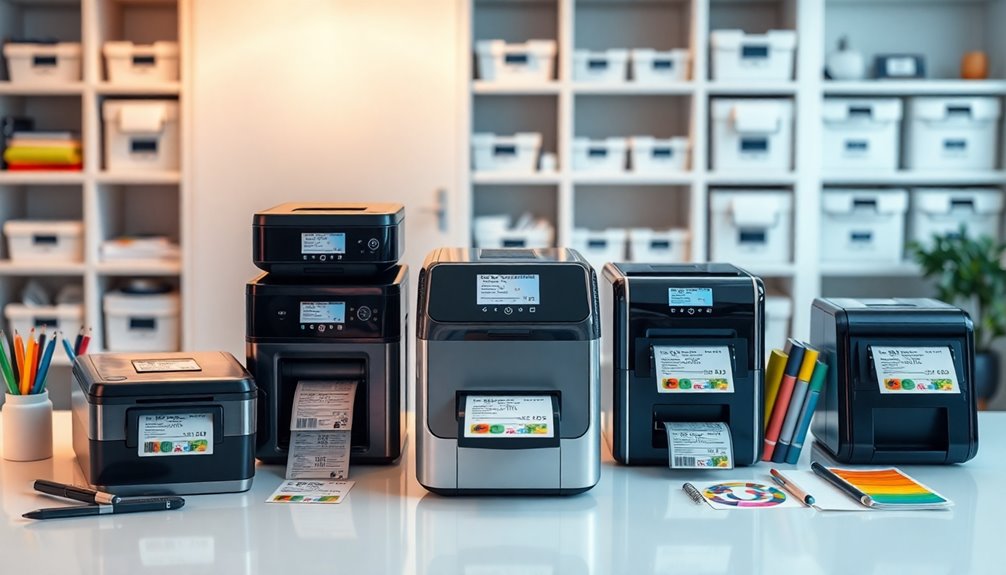

When selecting a label printer, the options range from compact handheld devices to high-speed commercial models. The Rollo USB Shipping Label Printer stands out as the best overall for its speed and compatibility, especially for small businesses. The Brother QL-800 offers premium dual-color printing for professional labels, while budget-friendly options like the Brother P-Touch PT-N10 cater to personal or low-volume needs. The main tradeoffs include balancing print speed, connectivity options, and ease of use—more advanced features often come with higher costs or complexity. Continue reading for a detailed comparison to find the perfect fit for your labeling needs.
Complete the kit


Key Takeaways
- Speed and connectivity options are the primary differentiators among professional label printers.
- Wireless and Bluetooth models offer greater flexibility but may come with higher price points or compatibility challenges.
- Increased automation and dual-color printing are features typically reserved for premium models.
- Portability is a key factor for small businesses or on-the-go labeling needs, often requiring compact, battery-powered printers.
- Price often correlates with features; high-volume commercial printers tend to be more expensive but offer faster speeds and durability.








| label printer | Connectivity | Print Speed |
|---|---|---|
| Rollo USB Shipping Label Print | USB | 150mm/s |
| MUNBYN Bluetooth Thermal Label | Bluetooth | 150 mm/s |
| Rongta Bluetooth Shipping Labe | Bluetooth | 150 mm/s |
| Thermal Shipping Label Printer | Bluetooth & USB | 150 mm/s |
| KNAON Bluetooth Thermal Shippi | Bluetooth & USB | 180 mm/s |
| Nelko Bluetooth Thermal Shippi | Bluetooth, USB | 150 mm/s (72 sheets/min) |
| Brother P-Touch PT-N10 Persona | — | — |
| Bluetooth Shipping Label Print | — | — |
| Brother QL-800 High-Speed Prof | USB | — |
| JADENS Bluetooth Thermal Shipp | Bluetooth, USB | — |
| Rongta Shipping Thermal Label | Bluetooth, USB | — |
| Phomemo Bluetooth Thermal Labe | Bluetooth, USB | 150 mm/s |
More Details on Our Top Picks
Rollo USB Shipping Label Printer – Commercial Grade 4×6 Thermal Printer | High Speed Label Maker for Small Businesses & Shipping Packages – Create Custom Stickers – Supports Windows & Mac
This Rollo model stands out for its reliable compatibility with both Windows and Mac systems, making it highly versatile for small business owners who handle a variety of shipping platforms. Its impressive print speed of 150mm/s surpasses many competitors like the B0F1FKH6LB, which prints at a similar rate but lacks the custom label flexibility. The high-resolution 203 DPI ensures clear, scannable labels, essential for accurate shipping and inventory management. Compared to less robust options, it supports a wide range of label widths from 1.57″ to 4.1″, enabling more creative labeling beyond shipping tags. However, the reliance on a USB connection means less flexibility than wireless models. Its high-speed thermal technology eliminates ink and toner costs, but the setup process can be more technical for non-technical users. This pick makes the most sense for small businesses seeking a dependable, high-volume shipping label solution without ongoing consumable costs.
Pros:- High compatibility with Windows and Mac systems
- Fast printing speed of 150mm/s
- Supports a variety of label widths for versatile use
- No ink or toner required, reducing ongoing costs
Cons:- Limited to wired USB connection, reducing portability
- Setup can be complex for those unfamiliar with drivers
Best for: Small business owners who need fast, reliable shipping labels across multiple platforms without ink costs.
Not ideal for: Home users or casual sellers who require portable or wireless solutions; they may find the USB-only connection limiting.
- Printer Type:Thermal
- Connectivity:USB
- Print Speed:150mm/s
- Maximum Media Size:4.1 inches
- Print Resolution:203 DPI
- Supported Labels:1.57 to 4.1 inches wide
Our verdict“This model is ideal for small businesses prioritizing high-volume shipping efficiency with minimal ongoing expenses.”
MUNBYN Bluetooth Thermal Label Printer, Wireless 4×6 Shipping Label Printer for Small Business
The MUNBYN Bluetooth Thermal Label Printer excels for its seamless Bluetooth connectivity, enabling quick setup without cables—a distinct advantage over the wired-only Rollo. Its durability, rated for up to 970,000 labels, makes it well-suited for high-volume shipping environments, although it doesn’t support color printing, which isn’t a concern for most shipping labels. The quiet operation at 60 dB makes it appropriate for shared workspaces, unlike louder models like the Rongta Bluetooth (B0FSKN56ZN). While the Bluetooth connection offers great flexibility, some users might experience stability issues in environments with interference. Limited to monochrome output, it lacks the ability to print colorful labels or graphics. Still, for users prioritizing easy, cordless setup and a long lifespan, this printer offers a solid balance of durability and convenience.
Pros:- Wireless Bluetooth connectivity for quick setup
- Long lifespan supporting up to 970,000 labels
- High-precision, clear thermal printing
- Quiet operation suitable for busy offices
Cons:- Requires Bluetooth connection, which can sometimes be unstable
- Limited to monochrome printing, no color support
Best for: Small business owners seeking a durable, wireless printer with minimal setup effort and high volume capacity.
Not ideal for: Users needing color labels or working in environments with high Bluetooth interference; they might prefer wired or Wi-Fi options.
- Connectivity:Bluetooth
- Print Width:1.57-4.25 inches
- Print Volume:Up to 970,000 labels
- Print Speed:150 mm/s
- Supported Platforms:Android, iPhone, Windows, Mac, Chromebook
- Noise Level:60 dB
Our verdict“Best suited for small businesses emphasizing durability and wireless flexibility over color options.”
Rongta Bluetooth Shipping Label Printer, Wireless 4×6 Thermal Label Printer for Shipping Packages, Support Phones, Compatible with Windows, macOS, Android, iOS for Small Business
The Rongta Bluetooth Shipping Label Printer shines by supporting a broad spectrum of operating systems, including Windows, macOS, iOS, and Android, making it highly adaptable for mobile and desktop workflows. Its automatic label detection feature simplifies setup, similar to the Rongta Bluetooth model, but with the added benefit of supporting label sizes from 0.98″ to 4.37″, including 4×6 shipping labels. While its high-speed printing at 150 mm/s ensures efficiency, the requirement to download a dedicated app for mobile printing could be a hurdle for less tech-savvy users. Its thermal, inkless operation is perfect for a clutter-free workspace, yet it limits output to monochrome, which is acceptable for shipping labels but not for colorful branding. It provides excellent multi-platform versatility, making it a strong choice for on-the-go shipping and inventory management.
Pros:- Supports multiple operating systems including iOS and Android
- Automatic label detection streamlines setup
- Supports a wide range of label sizes, including 4×6″
- High-speed thermal printing
Cons:- Requires app download for mobile printing, adding complexity
- Limited to monochrome labels
Best for: Small businesses needing versatile, mobile-compatible wireless label printing across various platforms.
Not ideal for: Users needing color labels or with limited technical skills for app-based setup; they may prefer simpler plug-and-play options.
- Connectivity:Bluetooth
- Supported Labels:0.98″ to 4.37″ width
- Compatibility:Windows, macOS, Android, iOS
- Print Speed:150 mm/s
- Dimensions:10.2 x 7.4 x 5.3 inches
- Resolution:203 dpi
Our verdict“Ideal for small businesses looking for flexible, multi-platform wireless label printing with a mobile edge.”
Thermal Shipping Label Printer 4×6 Bluetooth Label Maker for Small Business
The B0DX6RVJF7 model offers a compact, energy-efficient solution with dual Bluetooth and USB connectivity, providing flexible setup options. Its high-resolution 203 x 203 DPI ensures crisp, clear labels suitable for shipping or inventory tags. While it supports a wide range of label sizes from 1.57″ to 4.3″, its maximum print speed of 150mm/s may not satisfy the needs of extremely high-volume operations like the Rollo or MUNBYN models. Its small footprint (8.08″D x 4.73″W x 6.9″H) makes it perfect for space-constrained environments, but the limitation to monochrome output could be restrictive for branding purposes. The support for multiple devices and platforms makes it a flexible choice for small businesses that prioritize simplicity and speed over color capabilities.
Pros:- Compact, space-saving design
- Dual Bluetooth and USB connectivity
- High-resolution 203 DPI output
- Supports multiple label sizes
Cons:- Limited to monochrome printing, no color support
- Maximum speed may be insufficient for extremely large volumes
Best for: Small businesses needing a compact, high-speed monochrome label printer with flexible connectivity options.
Not ideal for: Organizations requiring color labels or extensive branding, as it prints only in black and white.
- Printer Type:Thermal
- Connectivity:Bluetooth & USB
- Resolution:203 x 203 dpi
- Print Speed:150 mm/s
- Supported Label Size:1.57 to 4.3 inches wide
- Maximum Copies Per Run:100
Our verdict“Best for small, space-constrained businesses that need quick, reliable monochrome shipping labels.”
KNAON Bluetooth Thermal Shipping Label Printer, 4×6 Portable Thermal Address Label Printer for Small Business, Compatible with iPhone, Android, Windows, Mac
The KNAON Bluetooth Thermal Shipping Label Printer offers a compact, portable design ideal for small businesses that need to print labels on the move. Its 180 mm/s printing speed exceeds many competitors like the Rongta B0FSKN56ZN, making it suitable for quick dispatches. The wide compatibility with iPhone, Android, Windows, and Mac platforms, combined with both Bluetooth and USB options, provides excellent flexibility—though the setup can be complex due to the necessity of the ‘FlashLabel Pro’ app, which might deter less tech-savvy users. The printer supports label sizes from 1.5 to 4.2 inches, covering most small business needs but limited to monochrome thermal output, which suffices for shipping labels but not for colorful branding. Its extremely portable form factor makes it a perfect companion for mobile sellers or small delivery teams.
Pros:- Compact and highly portable design
- Fast printing speed of 180 mm/s
- Supports a wide range of devices and platforms
- Dual connectivity with Bluetooth and USB
Cons:- Requires specific app (‘FlashLabel Pro’) for Bluetooth operation
- Limited to monochrome printing
Best for: Small business owners or delivery personnel requiring portable, fast, and wireless label printing solutions.
Not ideal for: Users needing color labels or those uncomfortable with app-based Bluetooth setup; they might prefer plug-and-play models.
- Print Size:4×6 inches
- Connectivity:Bluetooth & USB
- Print Speed:180 mm/s
- Supported Paper Widths:1.5 to 4.2 inches
- Compatibility:iPhone, Android, Windows, Mac
- Dimensions:7.17 x 3.9 x 3.43 inches
Our verdict“Best for mobile or small-scale operations that prioritize portability and speed in label printing.”
Nelko Bluetooth Thermal Shipping Label Printer, 4×6
The Nelko Bluetooth Thermal Shipping Label Printer stands out for its wireless convenience, supporting Bluetooth and USB connections for seamless printing from various devices like laptops, tablets, and smartphones. Compared with the D450BT, it offers higher print speed and a compact design, though it requires an app for Bluetooth setup, which can be a hurdle for less tech-savvy users. Its thermal printing eliminates ink and toner costs, making it ideal for high-volume shipping needs. However, it supports only thermal labels, and Mac users will find Bluetooth connectivity limited—requiring USB if they prefer wireless. This model suits small business operators or home-based shippers seeking reliable, high-resolution labels without ongoing ink costs.
Pros:- Wireless Bluetooth connectivity for flexibility across devices
- High-speed printing at 150 mm/sec ensures quick label production
- No ink or toner needed, reducing ongoing costs
- Compact size fits into limited workspace
Cons:- Requires app for Bluetooth connection, which may be complex
- Limited to thermal labels only, no color or multi-media print
- Bluetooth support on Mac OS is problematic, necessitating USB connection
Best for: Small business owners or e-commerce sellers needing fast, wireless label printing without ongoing ink expenses
Not ideal for: Mac users or those preferring straightforward Bluetooth setup without app dependency
- Printer Type:Thermal
- Print Size:4×6 inches
- Resolution:203 x 203 DPI
- Print Speed:150 mm/s (72 sheets/min)
- Connectivity:Bluetooth, USB
- Maximum Media Size:4 x 6 inches
Our verdict“This pick best suits small businesses seeking reliable wireless printing with minimal ongoing costs, despite some setup complexity.”
Brother P-Touch PT-N10 Personal Handheld Label Maker
The Brother P-Touch PT-N10 excels as a portable, battery-operated label maker designed for quick, colorful labeling in any setting. Unlike the Nelko, it offers a handheld experience with a small, 12-character preview screen, making it perfect for on-the-fly organization. It supports ½” wide tapes, which limits its use for larger labels but keeps it lightweight and ergonomic. Its pre-loaded fonts and symbols streamline label creation, though the limited tape width and two-line maximum may restrict more detailed labeling tasks. This device is ideal for individuals or small teams needing simple, colorful labels for files, shelves, or personal items but isn’t suitable for bulk or large-format labeling.
Pros:- Portable and easy to operate for quick labeling
- Customizable with multiple fonts, symbols, and colors
- Built-in cutter produces clean, professional-looking labels
- Pre-loaded features streamline label creation
Cons:- Limited to ½” wide tapes, restricting label size options
- Prints only up to two lines, which may be restrictive
- Requires specific Brother tapes, adding ongoing costs
Best for: Personal users or small offices needing portable, customizable labels on the go
Not ideal for: Businesses requiring large labels or high-volume batch printing
- Tape Width:½” (12mm)
- Tape Length:13.1’ (4m)
- Fonts:3 fonts in 6 styles
- Symbols:200 symbols
- Label Lines:up to 2 lines
- Display:12-character preview screen
Our verdict“This label maker is perfect for individuals or small teams needing portable, colorful labeling solutions, though it’s limited in size and volume capacity.”
Bluetooth Shipping Label Printer with Built-in Label Bin | D450BT 4×6 Thermal Label Printer for Shipping Packages
The D450BT offers a clever combination of space-saving design and versatility, featuring a built-in label bin that holds up to 250 labels. Unlike the Nelko, it includes a dedicated label bin, making it ideal for high-volume shipping environments where space is limited. It supports both Bluetooth and USB, compatible across many operating systems, which adds to its flexibility. Its fast print speed of 72 labels per minute makes it suitable for busy shipping stations, though it’s limited to labels up to 4.6 inches wide and uses thermal labels, which may not be as durable as other media types. This model is best suited for small warehouses or home offices with space constraints and high throughput needs, but setup across multiple systems can be cumbersome.
Pros:- Integrated label bin saves space and reduces clutter
- Wireless Bluetooth and USB connectivity for multi-device use
- Fast printing at 72 labels per minute
- No ink or toner required, lowering costs
Cons:- Limited to labels up to 4.6 inches wide, restricting size options
- Thermal labels may be less durable in harsh environments
- Setup can be complex with multiple operating systems
Best for: Small warehouses or home office shippers needing space-efficient, high-volume label printing
Not ideal for: Users requiring labels wider than 4.6 inches or needing color printing
- Printer Type:Thermal
- Connection:Bluetooth, USB
- Supported Systems:Android, iOS, Windows, macOS, Linux, ChromeOS
- Print Resolution:203 x 203 DPI
- Maximum Media Size:4.6 inches
- Maximum Sheet Capacity:250 labels
Our verdict“This printer suits small-scale shipping operations where space efficiency and high throughput are priorities, despite some setup and durability limitations.”
Brother QL-800 High-Speed Professional Label Printer with Dual-Color Printing
The Brother QL-800 is designed for fast-paced environments, capable of printing up to 93 labels per minute at a crisp 300 dpi. Its dual-color printing (black and red) adds a professional touch, especially for branding or color-coded organization, surpassing the single-color options like Nelko. The automatic cutter ensures clean, consistent edges, and its compatibility with Windows and Mac makes it versatile for various workflows. However, it relies on a USB connection, limiting mobility compared to wireless options like the JADENS. The printer supports only Brother DK labels and tapes, which can be more costly and less flexible. This model is best for busy offices or shipping centers where high-volume, high-speed, and color labels are essential, but it’s less suitable for remote or mobile use.
Pros:- High-speed printing up to 93 labels per minute
- Dual-color (black and red) for enhanced labels
- Automatic cutter for professional edge quality
- Supports a wide range of Brother labels and tapes
Cons:- Requires USB connection, limiting portability
- Limited to Brother DK labels and tapes, which can be costly
- No wireless options available
Best for: High-volume shipping or labeling environments needing fast, dual-color printing with professional finish
Not ideal for: Small-scale users or those requiring wireless connection or broad media compatibility
- Printing Speed:93 labels per minute
- Resolution:300 dpi
- Color Printing:Black & Red
- Connectivity:USB
- Label Compatibility:Brother DK labels up to 3 ft
Our verdict“This printer makes the most sense for busy offices needing rapid, high-quality, dual-color labels, with less flexibility for mobile or wireless setups.”
JADENS Bluetooth Thermal Shipping Label Printer – Wireless 4×6 Label Printer for Android, iPhone, Windows & Mac
The JADENS Bluetooth Thermal Shipping Label Printer offers broad device compatibility, supporting Android, iPhone, Windows, and Mac with easy Bluetooth and USB connections. Compared to the Nelko, it emphasizes flexibility across platforms and simple setup, making it suitable for small businesses with mixed device ecosystems. Its high-quality thermal printing produces clear labels at 203 DPI, and the wide label width range from 1.57” to 4.1” increases its versatility. However, Bluetooth printing on mobile devices requires an app, and calibration may be necessary when switching label types, which can add setup time. This model is ideal for small to medium-sized operations needing a portable, cross-platform solution for shipping and warehouse labels, but it isn’t designed for high-volume, fast-paced environments without some calibration effort.
Pros:- Supports multiple devices via Bluetooth and USB
- High-quality thermal printing with 203 DPI resolution
- Compatible with a wide range of label sizes from 1.57” to 4.1”
- Easy setup with included instructions and support
Cons:- Bluetooth printing on mobile devices requires app download and setup
- Limited to label widths up to 4.1 inches, restricting larger labels
- Calibration needed when changing label types can slow workflow
Best for: Small to medium-sized businesses needing flexible, multi-device wireless label printing for shipping and inventory
Not ideal for: Large-scale operations demanding ultra-fast throughput or labels wider than 4.1 inches
- Print Resolution:203 DPI
- Label Width Range:1.57″ to 4.1″
- Connectivity:Bluetooth, USB
- Compatible Devices:Android, iPhone, Windows, Mac
- Warranty:1 year
Our verdict“This printer offers versatile, cross-platform wireless printing ideal for small to medium businesses managing varied devices, despite some calibration needs.”
Rongta Shipping Thermal Label Printer, Wireless 4×6 Sticker Label Maker for Shipping and Small Business
This Rongta model stands out primarily for its wireless Bluetooth connectivity, making it highly convenient for small business owners who need to print labels on the go. Compared with the JADENS Bluetooth Thermal Shipping Label Printer, it offers broader OS compatibility, supporting Windows, macOS, Android, and iOS, which reduces setup hurdles across devices. The inkless thermal printing ensures sharp, smudge-free labels without ink costs, a clear advantage over ink-based printers. However, its limited to 4×6 labels and the need to download a dedicated app can slow workflow for high-volume users. It doesn’t include accessories or extensive setup guides, which might frustrate newcomers. This pick makes sense for small businesses prioritizing wireless flexibility and cross-platform use, but less so for those needing larger or varied label sizes.
Pros:- Wireless Bluetooth connectivity for flexible placement
- Supports multiple operating systems including iOS and Android
- Inkless thermal printing produces clear, smudge-proof labels
Cons:- Limited to 4×6 label size, restricting versatility
- Requires app download and setup, which may slow initial use
- No included accessories or extensive user guides
Best for: Small business owners who want wireless, multi-device label printing without ink costs
Not ideal for: High-volume shipping operations requiring larger or multiple label sizes, or users who prefer an all-in-one device with included accessories
- Connectivity:Bluetooth, USB
- Compatibility:Windows, macOS, Android, iOS
- Print Size:4×6 inches
- Printing Method:Thermal
Our verdict“This printer suits small businesses needing wireless, cross-platform label printing with minimal ongoing costs, but isn’t ideal for high-volume or larger-format labeling needs.”
Phomemo Bluetooth Thermal Label Printer, 241BT 4×6 Shipping Label Printer, Wireless and USB Compatible, for Small Business and Shipping
The Phomemo 241BT excels in high-speed printing, capable of producing up to 72 labels per minute, which makes it a strong choice for businesses with high shipping volumes. Unlike the Rongta model, it emphasizes speed and efficiency, supporting a maximum of 4.6-inch wide labels and working seamlessly with major e-commerce platforms like Amazon and Shopify. Its wireless Bluetooth and USB connectivity add versatility, but it only prints in black-and-white, limiting options for color coding or branding. Setup can be complex, especially for users unfamiliar with drivers or app configurations, which can slow deployment. It also requires specific thermal label paper, adding to ongoing costs and setup complexity. This device is best for fast-paced environments where speed outweighs color flexibility, but less so for those needing detailed, colorful labels or simple plug-and-play operation.
Pros:- Fast printing speed of 150 mm/s, ideal for high-volume needs
- Supports both Bluetooth and USB for flexible installation
- Compatible with major e-commerce platforms for seamless order fulfillment
Cons:- Limited to black-and-white printing, restricting visual branding
- Setup may be challenging for those unfamiliar with drivers or app configurations
- Requires specific thermal paper, adding ongoing costs
Best for: Small businesses needing quick, high-volume shipping label printing on a tight schedule
Not ideal for: Users requiring color labels or those uncomfortable with complex setup processes
- Print Technology:Thermal direct
- Connectivity:Bluetooth, USB
- Label Width:1 to 4.6 inches
- Print Speed:150 mm/s
- Max Labels per Minute:72
- Color Printing:Black-and-white only
Our verdict“This printer is perfect for busy small businesses prioritizing speed and compatibility with online platforms, though its color limitations and setup complexity are notable drawbacks.”

How We Picked
The selection was based on a combination of performance, usability, build quality, and value. We prioritized printers that support standard label sizes like 4×6 inches, as these are most common for shipping and small business use. Ease of setup and connectivity options—such as Bluetooth, Wi-Fi, or USB—were essential, along with print speed and reliability. We also evaluated user reviews for durability and maintenance needs, aiming to highlight models suitable for various budgets and experience levels. The final ranking balances these factors, favoring models that provide consistent performance and versatility across different use cases.| label printer | Connectivity |
|---|---|
| Rollo USB Shipping Label Print | USB |
| MUNBYN Bluetooth Thermal Label | Bluetooth |
| Rongta Bluetooth Shipping Labe | Bluetooth |
| Thermal Shipping Label Printer | Bluetooth & USB |
| KNAON Bluetooth Thermal Shippi | Bluetooth & USB |
| Nelko Bluetooth Thermal Shippi | Bluetooth, USB |
| Brother P-Touch PT-N10 Persona | — |
| Bluetooth Shipping Label Print | — |
| Brother QL-800 High-Speed Prof | USB |
| JADENS Bluetooth Thermal Shipp | Bluetooth, USB |
| Rongta Shipping Thermal Label | Bluetooth, USB |
| Phomemo Bluetooth Thermal Labe | Bluetooth, USB |
Factors to Consider When Choosing Label Printers
Choosing the right label printer involves considering several key factors beyond just brand and price. Understanding your specific needs will help you select a model that offers the best value and functionality. From connectivity options to label size compatibility, each aspect influences how smoothly your labeling tasks will run and how much you’ll enjoy using the device.Connectivity and Compatibility
Deciding between wired and wireless models is crucial. Wireless options like Bluetooth and Wi-Fi provide greater flexibility, especially if you need to print from multiple devices or locations. However, they can come with setup complexities or compatibility issues with certain operating systems. Always verify that your device’s OS is supported and consider the ease of pairing and network stability for seamless operation.
Print Speed and Volume
If you frequently print large batches, speed matters. Commercial-grade printers like the Rollo excel at high-volume tasks, reducing wait times and increasing productivity. For lower volumes or personal use, slower but more affordable models may suffice. Think about your typical workload to avoid overspending on features you won’t utilize or sacrificing speed when needed.
Label Size Support and Versatility
Most shipping labels are 4×6 inches, but some printers support a variety of sizes, which can be useful for different applications. Ensure the printer can handle your preferred label dimensions and material types, such as waterproof or adhesive labels. This flexibility can save money and space, especially if your labeling needs evolve over time.
Ease of Use and Maintenance
Simple setup and straightforward operation are vital, particularly for users who aren’t tech-savvy. Look for printers with clear instructions, minimal maintenance requirements, and easily available consumables. Some models feature automatic label cutting or simple loading mechanisms that reduce frustration and save time.
Budget and Total Cost of Ownership
While initial price is a factor, consider ongoing costs such as label rolls, ink or thermal supplies, and potential repairs. Higher-end models often deliver faster speeds and better durability, justifying a higher price if your volume demands it. Low-cost printers may be suitable for occasional or personal use but could lead to higher costs over time if they require frequent replacements or repairs.
Frequently Asked Questions
Can I use a label printer for printing custom stickers?
Yes, many label printers support printing on various label materials, including custom sticker sheets. However, compatibility depends on the specific model; some are optimized solely for shipping labels, while others can handle different sizes and materials. Check the printer’s supported media types and sizes before purchasing if stickers are your priority.
Are wireless label printers reliable for everyday business use?
Wireless models like Bluetooth and Wi-Fi printers generally offer reliable performance for small to medium workloads, provided they are set up correctly and maintained. They eliminate cable clutter and enable printing from multiple devices, but require stable network connections. For higher-volume or mission-critical tasks, a wired connection might provide added consistency and security.
What’s the typical lifespan of a thermal label printer?
Thermal label printers are designed for durability, often lasting several years with proper maintenance. Commercial models are built to withstand high-volume use, while smaller or portable printers may have a shorter lifespan if heavily used. Regular cleaning and replacing consumables when needed can extend the device’s life significantly.
Do I need special software to operate a label printer?
Most modern label printers are compatible with common shipping and label design software, or they work as plug-and-play devices via standard drivers. Some models include proprietary software for customization, which can enhance flexibility but might increase setup time. Consider your comfort with software and whether you need advanced label design features when choosing.
Is it worth paying extra for dual-color or high-speed label printers?
Dual-color printers are advantageous if your labels require color coding or branding, typically suitable for professional environments. High-speed printers save time when printing large batches, making them ideal for busy small businesses or warehouses. Evaluate your workload and labeling needs to determine if these premium features justify the higher cost.