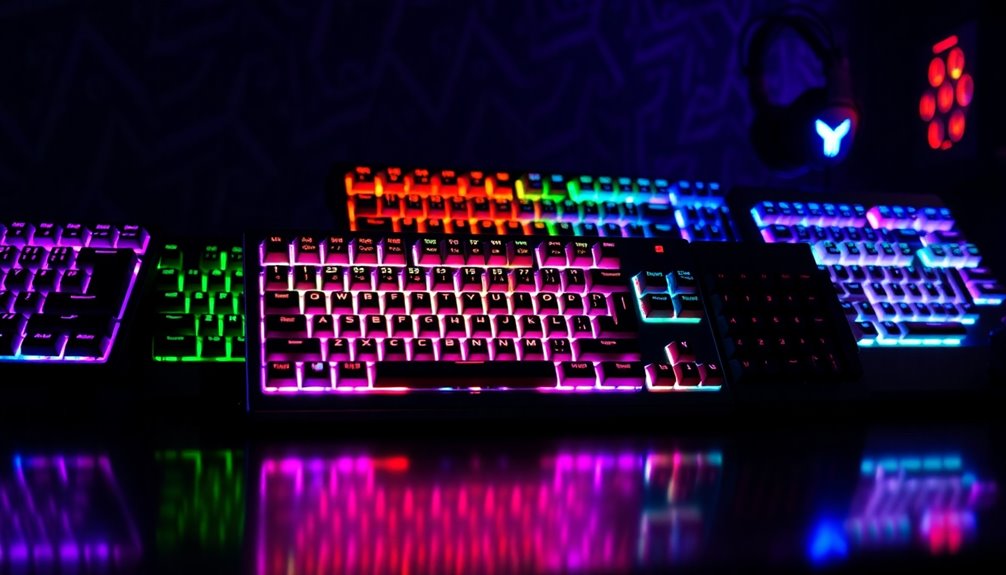

Gaming keyboards are essential for serious players, offering features like mechanical switches, customizable backlighting, and programmable keys. The best overall pick, the SteelSeries Apex Pro TKL Gen 3, combines high-performance switches with versatile customization. Meanwhile, the Razer BlackWidow V4 X stands out with its responsive yellow switches and durable build, ideal for fast-paced gaming. Buyers often face tradeoffs between price, build quality, and feature set—more advanced features tend to come with a higher cost, but may not be necessary for casual gamers. Keep reading for a detailed breakdown of the top options and how to choose the right gaming keyboard for your needs.

Get furniture and decor delivered free with Prime
- Fast, free delivery on millions of items
- Prime Video, Amazon Music and more included
- Member-only deals all year
Complete the kit


Key Takeaways
- Mechanical switches remain the gold standard for tactile feedback and durability in gaming keyboards.
- Compact layouts like 60% and 75% save desk space but may lack dedicated function keys, affecting workflow.
- Hot-swappable switches offer customization without soldering, appealing to enthusiasts willing to tinker.
- RGB backlighting enhances aesthetics but adds to the cost and can impact battery life on wireless models.
- Build quality varies significantly; metal panels and gasket mounts improve durability and typing feel.
| Redragon S101-3 PRO Gaming Keyboard and Mouse Combo | 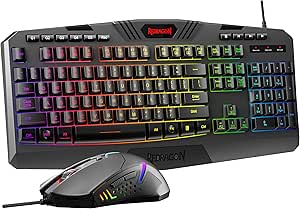 | Best Budget-Friendly Combo for Beginners | Connectivity Technology: USB | Special Features: RGB Backlit, Ergonomic, Wrist Rest, Programmable Buttons | Compatible Devices: PC, Laptop | VIEW ON AMAZON | See Our Full Breakdown |
| Razer BlackWidow V4 X Mechanical Gaming Keyboard, Yellow Switches, Black |  | Best for Quiet, Responsive Mechanical Gaming | Switch Type: Yellow Mechanical Linear Switches | Number of Keys: 104 | Connectivity: Wired | VIEW ON AMAZON | See Our Full Breakdown |
| Womier SK80 75% Mechanical Gaming Keyboard with Multimedia Display, RGB Backlighting, Hot-Swappable Switches, Gasket Mount, and Customization |  | Best for Customization and Aesthetic Enthusiasts | Size: 75% | Display: Multimedia color screen | Switch Compatibility: 3Pin or 5Pin hot-swappable | VIEW ON AMAZON | See Our Full Breakdown |
| Aula Hero 75 HE Wireless Gaming Keyboard, Black Mechanical, Tri-Mode Bluetooth 5.0/2.4GHz/USB-C, 75% Aluminum, RGB Backlit, Hall Effect Switch, Compatible with Win/Mac |  | Best for Versatile Wireless Gaming on Multiple Devices | Connectivity: Tri-mode (Bluetooth 5.0, 2.4GHz, USB-C) | Layout: 75% | Switch Type: Hall effect magnetic switches | VIEW ON AMAZON | See Our Full Breakdown |
| TECKNET Wired Gaming Keyboard with RGB Backlit, Metal Panel, and Water Resistance |  | Best for Spill-Resistant Durability and Ergonomics | Backlit: 15-Zone RGB with 7 modes | Water Resistance: IP32 with drainage holes | Anti-Ghosting Keys: 25 | VIEW ON AMAZON | See Our Full Breakdown |
| SteelSeries Apex 3 RGB Gaming Keyboard |  | Best Overall for Versatile, Water-Resistant Gaming | Water Resistance: IP32 | RGB Illumination: 10-zone | Switch Type: Whisper quiet gaming switches | VIEW ON AMAZON | See Our Full Breakdown |
| AULA WIN68 HE Mechanical Gaming Keyboard 60% with Hall Effect Magnetic Switches, RGB Backlit, Wired |  | Best for Compact, Precision-Driven Gaming | Switch Type: Hall Effect Magnetic Switch | Polling Rate: 8000Hz | Backlight: RGB, 16.8 million colors | VIEW ON AMAZON | See Our Full Breakdown |
| Redragon K521 Upgrade Rainbow LED Gaming Keyboard, 104 Keys Wired Mechanical Feeling Keyboard with Multimedia Keys, One-Touch Backlit, Anti-Ghosting, Compatible with PC, Mac, PS4/5, Xbox |  | Best for Vibrant Aesthetic and Versatile Gaming | Number of Keys: 104 | Backlight: Rainbow LED with adjustable modes | Connection: Wired | VIEW ON AMAZON | See Our Full Breakdown |
| GEODMAER 65% Wired Gaming Keyboard with Backlit, Compact Anti-Ghosting 68 Keys for PC and Laptop |  | Best for Space-Saving, Office-Gaming Hybrid | Design: 65% compact, mini size | Connection: Wired via Type-C cable | Keys: 68 keys, anti-ghosting | VIEW ON AMAZON | See Our Full Breakdown |
| AULA F75 Pro Wireless Mechanical Keyboard, 75% Hot Swappable RGB Backlit Gaming Keyboard with Knob and PBT Side-Printed Keycaps |  | Best for Multi-Device, Customization, and Portability | Connection Modes: Bluetooth 5.0, 2.4GHz, USB wired | Battery Capacity: 4000mAh | Layout: 75%” (81 keys) | VIEW ON AMAZON | See Our Full Breakdown |
| SteelSeries Apex Pro TKL Gen 3 Gaming Keyboard with OmniPoint 3.0 Switches |  | Best Overall for Customization and Precision | Switch Type: OmniPoint 3.0 Magnetic Switches | Key Features: Rapid Trigger, Rapid Tap, Protection Mode, OLED display, RGB backlighting | Keycap Material: PBT | VIEW ON AMAZON | See Our Full Breakdown |
| Logitech G213 Prodigy Wired RGB Gaming Keyboard – Black |  | Best for Beginners and Versatile Use | Lighting: RGB with 5 customizable zones | Connectivity: Wired USB | Compatibility: Windows | VIEW ON AMAZON | See Our Full Breakdown |
| Redragon Mechanical Gaming Keyboard Wired, 11 Backlit Modes, Hot-Swappable Red Switch, Anti-Ghosting, Double-Shot PBT Keycaps |  | Best for Customization and Mechanical Feel at an Affordable Price | Compatible Devices: Most Wished For | Connectivity Technology: Wired | Additional Features: Backlit, Customizable Display Keys, Ergonomic, Hot-Swappable | VIEW ON AMAZON | See Our Full Breakdown |
| gaming keyboard | Switch Type |
|---|---|
| Redragon S101-3 PRO Gaming Key | — |
| Razer BlackWidow V4 X Mechanic | Yellow Mechanical Linear Switches |
| Womier SK80 75% Mechanical Gam | — |
| Aula Hero 75 HE Wireless Gamin | Hall effect magnetic switches |
| TECKNET Wired Gaming Keyboard | Whisper-quiet volcano switch |
| SteelSeries Apex 3 RGB Gaming | Whisper quiet gaming switches |
| AULA WIN68 HE Mechanical Gamin | Hall Effect Magnetic Switch |
| Redragon K521 Upgrade Rainbow | — |
| GEODMAER 65% Wired Gaming Keyb | — |
| AULA F75 Pro Wireless Mechanic | — |
| SteelSeries Apex Pro TKL Gen 3 | OmniPoint 3.0 Magnetic Switches |
| Logitech G213 Prodigy Wired RG | — |
| Redragon Mechanical Gaming Key | Cherry MX Red |
More Details on Our Top Picks
Redragon S101-3 PRO Gaming Keyboard and Mouse Combo
The Redragon S101-3 PRO stands out for offering a comprehensive gaming setup without breaking the bank, making it ideal for newcomers or casual players. Compared with the more advanced Womier SK80, it sacrifices some customization and build quality but delivers reliable performance with quiet keys and macro buttons that enhance gaming and productivity. Its plug-and-play design simplifies setup, but the plastic build feels less durable over time, and software customization is limited, which might frustrate more dedicated gamers. This combo makes the most sense for budget-conscious users seeking a versatile, easy-to-use bundle for gaming and daily tasks.
Pros:- Affordable combo with full RGB backlit keyboard and mouse
- Includes macro keys and adjustable DPI for gaming precision
- Quiet, soft-touch keys with ergonomic wrist rest
Cons:- Build quality may be basic and less durable
- Limited advanced features compared to higher-end peripherals
- Software customization requires downloading from the manufacturer website
Best for: Beginners or casual gamers who want a full set at an affordable price
Not ideal for: Serious gamers seeking high durability, extensive customization, or professional-level performance
- Connectivity Technology:USB
- Special Features:RGB Backlit, Ergonomic, Wrist Rest, Programmable Buttons
- Compatible Devices:PC, Laptop
- Keyboard Backlighting:RGB
- Power Source:Corded Electric
- Number of Keys:114
Our verdict“This combo works well for budget-conscious users who need a reliable starter set for gaming and office tasks.”
Razer BlackWidow V4 X Mechanical Gaming Keyboard, Yellow Switches, Black
The Razer BlackWidow V4 X excels for gamers who prioritize a silent, responsive typing experience, thanks to its yellow linear switches that dampen sound while maintaining quick actuation. Compared with the Womier SK80, it offers fewer customization options but benefits from a more straightforward, durable design with Razer’s signature RGB lighting. Its macro keys and media controls enhance in-game control, but the wired connection limits portability, and it’s primarily designed for PC, not consoles. If you value quiet but precise keystrokes, this makes an excellent choice, though it won’t satisfy those wanting extensive customization or wireless connectivity.
Pros:- Quiet and responsive linear yellow switches
- Customizable RGB lighting with 16.8 million colors
- Durable doubleshot ABS keycaps and macro keys
Cons:- Wired connection limits portability
- No water resistance or spill protection
- Designed mainly for PC, not compatible with consoles
Best for: PC gamers who want a quiet, reliable mechanical keyboard with macro capabilities
Not ideal for: Players preferring wireless setups or console gaming, or those looking for extensive RGB effects
- Switch Type:Yellow Mechanical Linear Switches
- Number of Keys:104
- Connectivity:Wired
- Backlighting:Chroma RGB
- Keycaps:Doubleshot ABS
- Media Controls:Yes
Our verdict“Ideal for PC gamers seeking a silent, durable mechanical keyboard with versatile features, but not suited for wireless or console use.”
Womier SK80 75% Mechanical Gaming Keyboard with Multimedia Display, RGB Backlighting, Hot-Swappable Switches, Gasket Mount, and Customization
The Womier SK80 is a compelling choice for users who crave extensive personalization, featuring a multimedia display, RGB effects, and hot-swappable switches. Compared to the Aula Hero 75 HE, it offers more in-depth customization options and a unique multimedia GIF display, making it appealing for those who want a highly tailored aesthetic. Its gasket mount design enhances typing comfort and noise reduction, but the advanced features can overwhelm beginners, and the higher price might deter casual users. This keyboard suits gamers and enthusiasts looking for a highly customizable, visually engaging experience, though it sacrifices simplicity for complexity.
Pros:- Vibrant multimedia display with customizable GIFs and system info
- Hot-swappable switches enable easy customization and maintenance
- Extensive RGB effects and macro capabilities
Cons:- Complex customization may be overwhelming for new users
- Higher price point compared to simpler keyboards
- Some may prefer a full-sized keyboard for more keys
Best for: Enthusiasts and gamers who enjoy customizing their setup and aesthetic flair
Not ideal for: Beginners or those seeking a straightforward, plug-and-play gaming keyboard
- Size:75%
- Display:Multimedia color screen
- Switch Compatibility:3Pin or 5Pin hot-swappable
- Lighting:19 effects, 9 colors
- Connectivity:Type-C detachable
- Mounting:Gasket mounted
Our verdict“Best suited for users passionate about personalization and aesthetic customization, despite a steeper learning curve and cost.”
Aula Hero 75 HE Wireless Gaming Keyboard, Black Mechanical, Tri-Mode Bluetooth 5.0/2.4GHz/USB-C, 75% Aluminum, RGB Backlit, Hall Effect Switch, Compatible with Win/Mac
The Aula Hero 75 HE offers a rare combination of wireless flexibility and premium build quality, with tri-mode connectivity and hall-effect switches that promise low latency and durability. Compared with the Redragon S101-3 PRO, which is wired and more budget-oriented, it targets users who want seamless multi-device use. Its aluminum construction and hot-swappable switches add to its durability and customization potential, but setup complexity and limited driver customization for non-Windows systems could be drawbacks. This keyboard is ideal for gamers who frequently switch between devices or prefer a clutter-free workspace, although it might be overkill for casual users or those on a tight budget.
Pros:- Low latency wireless response via Bluetooth and 2.4GHz
- Tri-mode connectivity for versatility across devices
- Hot-swappable switches and durable aluminum body
Cons:- Limited driver customization on Mac and Linux
- Setup may be complex for some users
- Battery life details are unclear
Best for: Power users who need a wireless, multi-device keyboard with durability and customization
Not ideal for: Users seeking a simple, plug-and-play wired keyboard or minimal setup
- Connectivity:Tri-mode (Bluetooth 5.0, 2.4GHz, USB-C)
- Layout:75%
- Switch Type:Hall effect magnetic switches
- Battery Capacity:8000mAh
- Backlit:RGB, 16.8 million colors
- Material:Aluminum, PBT keycaps
Our verdict“Best for gamers and professionals demanding a durable, versatile wireless keyboard across multiple devices, despite some setup and customization limitations.”
TECKNET Wired Gaming Keyboard with RGB Backlit, Metal Panel, and Water Resistance
The TECKNET Wired Gaming Keyboard combines spill resistance with a robust metal panel, making it a dependable choice for gamers prone to accidents or messy setups. Its 15-zone RGB backlighting and ergonomic design with wrist rests enhance usability and comfort during long sessions. Compared with the Redragon K521, it emphasizes durability and spill protection over extensive customization, making it more suitable for users who prioritize longevity and comfort. Quiet switches and anti-ghosting keys benefit competitive gaming, but the non-compatible multimedia keys with Mac systems and a fixed wired connection may limit flexibility. This keyboard is best for users seeking a reliable, spill-proof gaming companion for both work and play.
Pros:- Customizable RGB lighting with multiple modes
- Spill-resistant design with drainage holes
- Quiet switches and anti-ghosting keys for gaming
Cons:- Multimedia keys are not Mac-compatible
- No wireless option available
- Less suited for non-gaming or casual office use
Best for: Gamers who need a durable, spill-resistant keyboard for long gaming or working hours
Not ideal for: Users wanting wireless or extensive multimedia customization, especially on Mac
- Backlit:15-Zone RGB with 7 modes
- Water Resistance:IP32 with drainage holes
- Anti-Ghosting Keys:25
- Multimedia Keys:12
- Switch Type:Whisper-quiet volcano switch
- Material:ABS plastic keycaps, metal base
Our verdict“A durable, spill-proof wired keyboard ideal for gamers who value longevity and ergonomic comfort over wireless features.”
SteelSeries Apex 3 RGB Gaming Keyboard
This keyboard stands out for its water-resistant design and quiet switches, making it a reliable choice for gamers who want durability without sacrificing comfort. Unlike the Redragon K521, it offers a more refined typing experience with quieter keys, though it limits RGB to 10 zones instead of full spectrum. The inclusion of a magnetic wrist rest enhances long gaming sessions, and its broad platform compatibility is a major plus. However, the lack of detailed wireless options or advanced platform-specific features means it’s best suited for players seeking straightforward reliability. Compared to high-end models like the SteelSeries Apex Pro, it sacrifices some customization but remains a solid, user-friendly pick for casual to serious gamers.
Pros:- Water-resistant design protects against spills and accidents
- Whisper-quiet switches reduce noise during intense gameplay
- Magnetic wrist rest adds significant comfort for extended use
- Broad platform compatibility ensures versatility
Cons:- Limited to 10-zone RGB lighting, reducing visual customization
- No detailed wireless connectivity options provided
- Platform-specific features are not extensively detailed
Best for: Gamers who prioritize spill resistance, quiet operation, and comfort during long sessions across multiple platforms
Not ideal for: Enthusiasts looking for full RGB customization or wireless connectivity, as this model offers limited lighting zones and no wireless features
- Water Resistance:IP32
- RGB Illumination:10-zone
- Switch Type:Whisper quiet gaming switches
- Wrist Rest:Magnetic, full palm support
- Platform Compatibility:Windows, Mac OS X, Xbox Series S/X, PS4, PS5
Our verdict“This keyboard is ideal for gamers who need a durable, quiet, and comfortable option with broad platform support without full RGB customization.”
AULA WIN68 HE Mechanical Gaming Keyboard 60% with Hall Effect Magnetic Switches, RGB Backlit, Wired
The AULA WIN68 HE makes a compelling case for gamers who need a space-saving yet highly customizable keyboard. Its 60% layout frees up desk space while maintaining essential keys, and the hall effect magnetic switches promise ultra-fast response times, surpassing traditional mechanical switches like those on the Redragon K521. The 8,000Hz polling rate amplifies responsiveness for competitive gaming. However, its exclusive Windows support and absence of wireless options limit flexibility. The need for software for full customization and the compact size might be inconvenient for users who prefer a full-sized or wireless setup. Compared to larger, feature-rich keyboards, this model emphasizes speed and portability, making it ideal for gamers who prioritize responsiveness and minimalism.
Pros:- Ultra-fast 8,000Hz polling rate enhances response times
- Highly customizable with adjustable actuation and RGB lighting
- Compact 60% layout saves desk space and improves portability
- Hall effect magnetic switches offer durability and precision
Cons:- Limited to Windows, restricting Mac users
- No wireless or Bluetooth support for mobility
- Requires software for full customization, adding setup complexity
Best for: Competitive gamers and professionals who value speed, customization, and desk space efficiency
Not ideal for: Users seeking a full-sized keyboard or Mac compatibility, as it only supports Windows and lacks wireless connectivity
- Switch Type:Hall Effect Magnetic Switch
- Polling Rate:8000Hz
- Backlight:RGB, 16.8 million colors
- Layout:60%” (68 keys)
- Connectivity:Wired, detachable USB cable
- Adjustable Actuation:0.02mm-3.44mm
Our verdict“This pick suits gamers who need a compact, highly responsive keyboard with extensive customization options, primarily for Windows-based setups.”
Redragon K521 Upgrade Rainbow LED Gaming Keyboard, 104 Keys Wired Mechanical Feeling Keyboard with Multimedia Keys, One-Touch Backlit, Anti-Ghosting, Compatible with PC, Mac, PS4/5, Xbox
The Redragon K521 excels in delivering vivid rainbow backlighting with adjustable modes, making it a visually striking choice for gamers who want aesthetics alongside functionality. Its mechanical-feel keys provide responsive feedback, and the anti-ghosting technology ensures accurate multi-key presses during frantic gaming moments. Compared with more minimalistic options like the GEODMAER 65%, it offers a full-size key set, including dedicated media controls for convenience. However, the wired-only connection can limit mobility, and its bulky design may not appeal to those with limited desk space. Its compatibility across multiple platforms, including consoles, makes it versatile, but it falls short for users seeking wireless freedom or a more compact form factor.
Pros:- Vivid rainbow RGB backlighting with adjustable modes
- Mechanical-feel keys for responsive gaming experience
- Anti-ghosting with 19-key rollover ensures accurate inputs
- Includes multimedia keys for quick adjustments
Cons:- Limited to wired connection, reducing mobility
- Bulky design may be inconvenient in tight spaces
- Lacks wireless functionality for greater flexibility
Best for: Gamers who prioritize vibrant lighting, responsiveness, and multi-platform compatibility in a full-sized keyboard
Not ideal for: Players seeking wireless or ultra-compact keyboards, or those preferring a more subdued aesthetic
- Number of Keys:104
- Backlight:Rainbow LED with adjustable modes
- Connection:Wired
- Key Feel:Mechanical feeling
- Anti-Ghosting:19 keys
- Compatibility:PC, Mac, PS4/5, Xbox
Our verdict“This keyboard is well-suited for gamers who want a full-sized, colorful, and responsive setup without wireless demands.”
GEODMAER 65% Wired Gaming Keyboard with Backlit, Compact Anti-Ghosting 68 Keys for PC and Laptop
The GEODMAER 65% strikes a balance between compact size and functionality, making it an appealing choice for users who need a keyboard that performs well in both gaming and work environments. Its 68-key layout omits the numpad, similar to the AULA WIN68, but adds customizable backlit modes and a durable membrane construction. While it doesn’t offer the tactile feedback of mechanical switches, its membrane keys are quiet and reliable for long use. Compared to larger gaming keyboards like the Redragon K521, it excels in saving space but may feel less responsive to some gamers expecting mechanical feel. Its wired connection ensures stability, but the absence of wireless options limits flexibility. It’s best for users who want a sleek, versatile keyboard without sacrificing durability or aesthetics.
Pros:- Space-efficient 65% layout suitable for multitasking
- Customizable backlit with multiple modes and adjustable brightness
- Durable keys with over 10 million keystrokes lifespan
- Ergonomic keycap height for comfortable long-term use
Cons:- Lacks dedicated numpad, which may inconvenience some users
- Membrane keys do not replicate mechanical keyboard feel
- Limited to wired, no wireless support
Best for: Office workers and gamers who need a compact, reliable, and customizable keyboard for mixed-use scenarios
Not ideal for: Gamers seeking a mechanical feel or full-size layout with dedicated numpad and extensive peripheral features
- Design:65% compact, mini size
- Connection:Wired via Type-C cable
- Keys:68 keys, anti-ghosting
- Backlit:Two-color injection molding, adjustable brightness
- Material:UV coated keys for fade resistance
- Media Buttons:11
Our verdict“This keyboard appeals to users seeking a compact, customizable, and durable option for both gaming and productivity.”
AULA F75 Pro Wireless Mechanical Keyboard, 75% Hot Swappable RGB Backlit Gaming Keyboard with Knob and PBT Side-Printed Keycaps
The AULA F75 Pro addresses gamers who need versatility, combining wireless connectivity with hot-swappable switches and a compact 75% layout. Its support for Bluetooth 5.0, 2.4GHz, and wired USB makes it flexible for multiple devices, unlike the wired-only options like the Redragon K521. The hot-swappable switches allow for easy customization without soldering, and the durable PBT side-printed keycaps add style and longevity. Its 81 keys and programmable macro keys make it suitable for gaming and productivity, though setup can be complex for newcomers. The battery life varies depending on RGB and wireless use, which might be a concern for extended sessions. Overall, this model offers a blend of portability, customization, and multi-platform support, ideal for users who move between devices frequently.
Pros:- Supports Bluetooth, 2.4GHz, and wired connections for maximum flexibility
- Hot-swappable switches simplify customization and maintenance
- Premium PBT side-printed keycaps with stylish design
- Programmable macro keys and multifunction knob for advanced control
Cons:- Setup can be complicated for users unfamiliar with multi-mode configurations
- Limited to 81 keys, lacking a full-size layout
- Battery life depends heavily on RGB and wireless usage
Best for: Multidevice users who want a portable, customizable, and wireless mechanical keyboard with macro support
Not ideal for: Beginners or users who prefer simple plug-and-play, as setup and configuration can be complex
- Connection Modes:Bluetooth 5.0, 2.4GHz, USB wired
- Battery Capacity:4000mAh
- Layout:75%” (81 keys)
- Backlight:RGB, 16.8 million colors, 16 preset effects
- Switches:Pre-lubed Reaper switches, hot-swappable 3-pin/5-pin
- Additional Features:Multifunction knob, macro programmable keys, N-key rollover
Our verdict“This keyboard suits gamers and professionals who need versatile, multi-device connectivity with extensive customization options in a compact form.”
SteelSeries Apex Pro TKL Gen 3 Gaming Keyboard with OmniPoint 3.0 Switches
The SteelSeries Apex Pro TKL Gen 3 stands out for its extremely customizable actuation with 40 levels, allowing gamers to tailor sensitivity to their exact preferences, a feature that surpasses the fixed actuation points on many competitors like the Logitech G213. Its OmniPoint 3.0 magnetic switches deliver rapid, reliable response, making it ideal for high-stakes gaming. The OLED display provides quick access to settings, but this complexity might intimidate new users. While the premium price reflects its advanced features, it offers auto presets and protection mode for convenience. This keyboard is best suited for gamers who demand precise control and customization but are prepared for a learning curve and higher investment.
Pros:- 40 adjustable actuation levels for tailored response
- Fast response features like Rapid Trigger and Rapid Tap
- OLED display for real-time settings adjustments
- Auto preset modes for quick setup
Cons:- Premium price may be prohibitive for budget-conscious buyers
- Compact TKL design reduces some keys, which might impact users needing full-size layouts
- Complex feature set could require time to master
Best for: Competitive gamers and power users who prioritize customization and responsiveness.
Not ideal for: Casual gamers or users who prefer straightforward, plug-and-play setups without a steep learning curve.
- Switch Type:OmniPoint 3.0 Magnetic Switches
- Key Features:Rapid Trigger, Rapid Tap, Protection Mode, OLED display, RGB backlighting
- Keycap Material:PBT
- Connectivity:USB-C
- Actuation Levels:40 levels (0.1mm to 4.0mm)
- Bottom Out Force:45g
Our verdict“This keyboard is ideal for gamers who want maximum control and are comfortable navigating advanced features.”
Logitech G213 Prodigy Wired RGB Gaming Keyboard – Black
The Logitech G213 Prodigy offers a full-sized design with dependable performance, making it an excellent choice for gamers starting out or those who need a reliable, straightforward keyboard. Its customizable RGB zones add flair without overwhelming, and dedicated media controls enhance convenience. The keyboard features mech-Dome keys that provide a comfortable response, though they lack the tactile feedback of mechanical switches. While it doesn’t support macro programming without extra software, its spill-resistant, durable build ensures longevity. Compared to the Redragon Mechanical, the G213’s software requirement might be a barrier for some, but its user-friendly setup makes it suitable for newcomers or mixed-use environments.
Pros:- Customizable RGB lighting with 5 zones
- Responsive keys with anti-ghosting for gaming accuracy
- Dedicated media controls for easy media management
- Durable and spill-resistant design
Cons:- Requires software for full customization, which may be inconvenient
- Wired connection limits mobility
- Lacks dedicated macro keys for advanced scripting
Best for: Casual gamers, students, and users seeking an easy-to-use, durable gaming keyboard.
Not ideal for: Enthusiasts who want full macro customization or mechanical switch feel without software dependency.
- Lighting:RGB with 5 customizable zones
- Connectivity:Wired USB
- Compatibility:Windows
- Key Type:Mech-Dome keys
- Additional Features:Palm rest, adjustable feet, media controls, anti-ghosting, macro programming
Our verdict“This keyboard suits entry-level gamers and users who want a reliable, feature-rich option without the complexity of high-end models.”
Redragon Mechanical Gaming Keyboard Wired, 11 Backlit Modes, Hot-Swappable Red Switch, Anti-Ghosting, Double-Shot PBT Keycaps
The Redragon Mechanical Gaming Keyboard offers a compelling mix of features for gamers who want a customizable, durable keyboard without breaking the bank. Its hot-swappable red switches make it easy to personalize feel, unlike fixed-switch models like the Razer BlackWidow V4 X. The 11 backlit modes provide vibrant lighting options, although the hardware does not support changing lighting colors directly, which could frustrate those wanting more precise control. Its anti-ghosting and macro editing capabilities make it suitable for complex gaming and productivity tasks. Compared with higher-end options, this model sacrifices some build refinement and advanced features but remains an excellent value for budget-conscious gamers who enjoy tinkering and customization.
Pros:- RGB backlighting with 11 customizable modes
- Hot-swappable switches for easy personalization
- Anti-ghosting keys support multiple simultaneous presses
- Includes macro editing and multimedia shortcuts
Cons:- Lighting colors cannot be changed via hardware, only software
- Some users may find software setup complex
- Limited to wired connection, reducing portability
Best for: Budget-conscious gamers and tech enthusiasts eager to customize their setup with hot-swappable switches.
Not ideal for: Users seeking a wireless, ultra-compact, or fully software-controlled lighting experience.
- Compatible Devices:Most Wished For
- Connectivity Technology:Wired
- Additional Features:Backlit, Customizable Display Keys, Ergonomic, Hot-Swappable
- Backlighting Color Support:RGB
- Switch Type:Cherry MX Red
- Number of Keys:104
Our verdict“This keyboard delivers strong customization options and mechanical feel at an accessible price point, ideal for tinkerers and gamers on a budget.”
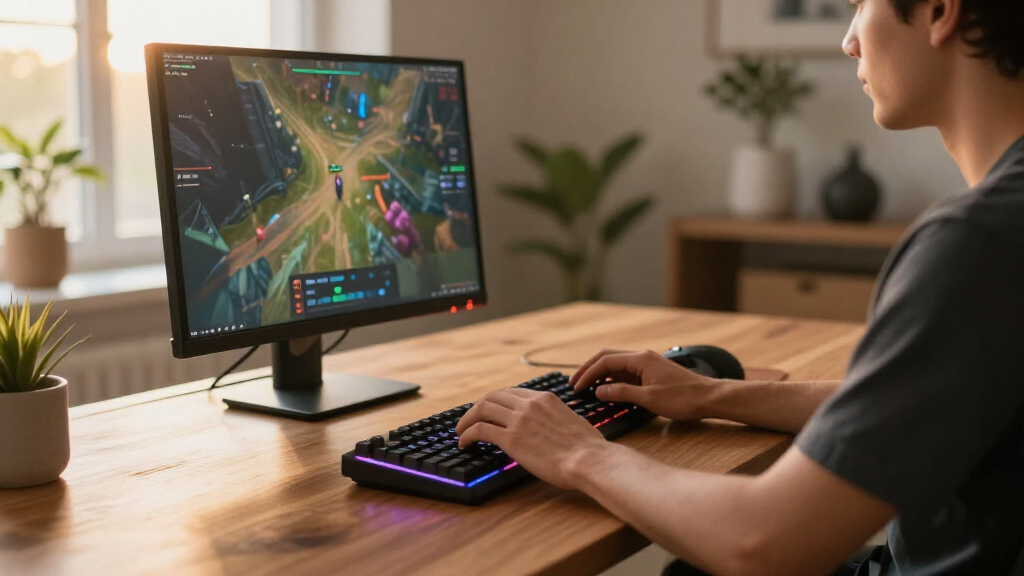
How We Picked
Our evaluation focused on performance, build quality, usability, and value. We prioritized mechanical switches known for responsiveness and longevity, especially for fast-paced gaming. Ease of customization, such as hot-swappable switches and programmable keys, was also a key factor. We examined different form factors to suit diverse desk setups, from full-sized to compact models. Additional considerations included wireless options, backlighting quality, and overall durability. The ranking reflects a balance between these factors, aiming to guide different types of gamers—from casual players to enthusiasts—toward the best options for their specific needs.Factors to Consider When Choosing Gaming Keyboards
Choosing the right gaming keyboard involves several important considerations beyond just the switch type or aesthetics. Understanding your typical gaming style, desk space, and desired features helps narrow down options. It’s also worth considering how much you’re willing to spend for premium features versus budget-friendly models. The following sections cover the key factors that should influence your decision, helping you avoid common pitfalls and make a purchase that truly matches your gaming habits.Switch Type and Feel
The core of any gaming keyboard is its switches. Mechanical switches, such as Cherry MX or Gateron, offer a distinct tactile response and durability that membrane keyboards can’t match. Linear switches like yellow or red tend to be preferred for gaming because of their smooth, quick actuation, while tactile switches provide feedback that can improve accuracy. Hot-swappable switches give flexibility for customization without soldering, but they often come at a higher price. Consider how much feedback and noise you prefer, as these factors affect your gaming experience and overall comfort.
Form Factor and Layout
From full-sized to ultra-compact designs, the layout impacts both desk space and functionality. 60% and 75% keyboards save space and are great for minimal setups, but they often lack dedicated arrow keys or function row, which may hinder workflow outside gaming. Conversely, full-sized keyboards include a numpad, which some gamers find useful, especially for streamers or content creators. Think about your typical use case—if you need quick access to media controls or macros, a larger layout might be preferable, but if space is limited, a smaller form factor could be more practical.
Build Quality and Materials
Durability is vital in a gaming keyboard, especially if you tend to use it intensively. Models with metal panels, gasket mounts, or reinforced frames tend to last longer and provide a more solid typing feel. Keycap material also matters; double-shot PBT keycaps resist wear better than ABS and often feel more premium. While premium materials increase the cost, they reduce the likelihood of noticeable wear over time. Consider where you’ll keep the keyboard—if you travel frequently or need something portable, a lighter, less robust build might be acceptable.
Additional Features and Customization
Features like customizable RGB lighting, programmable keys, and dedicated media controls enhance your gaming experience but can add to the price. Wireless connectivity offers freedom of movement but may introduce latency or connectivity issues. Some models include features like magnetic switches, adjustable actuation points, or built-in screens, which appeal to enthusiasts. Be cautious of overpaying for features you won’t use; instead, prioritize what genuinely improves your gameplay and comfort.
Price and Value
Gaming keyboards span a broad price range, from budget models to premium setups costing several hundred dollars. Cheaper options often compromise on build quality or features, but some budget models still deliver good performance for casual gaming. Premium models provide advanced customization, better materials, and enhanced responsiveness, ideal for competitive gamers or enthusiasts. Consider your budget carefully, and remember that investing in a well-made keyboard can pay off in durability and performance over time. Avoid sacrificing essential features for a lower price if it means sacrificing long-term satisfaction.
Frequently Asked Questions
Are mechanical keyboards worth the extra cost for gaming?
Mechanical keyboards generally offer better responsiveness, durability, and tactile feedback compared to membrane options, which can translate into improved gaming performance. While they are more expensive, their longevity means you’ll get many years of use. The distinct feel can also help with precision in fast-paced games. However, if budget constraints are tight or you only play casually, membrane keyboards might suffice. Ultimately, the decision depends on how much you value performance and build quality over initial cost.
Should I buy a wired or wireless gaming keyboard?
Wired keyboards tend to have lower latency, making them preferable for competitive gaming where every millisecond counts. They also typically offer a more stable connection. Wireless models provide greater flexibility and a cleaner desk setup, but may experience occasional lag or connectivity issues, especially if the wireless signal is weak. If you’re a casual gamer or prioritize convenience, a high-quality wireless keyboard could work well, but for serious gaming, wired usually remains the safer choice.
Is RGB backlighting necessary in a gaming keyboard?
RGB backlighting is mostly a matter of aesthetics and customization; it doesn’t directly impact performance. For many gamers, vibrant lighting enhances the visual experience and allows for better key visibility in low light. However, it can increase the keyboard’s cost and drain power in wireless models. If you prefer a more subdued look or are on a tight budget, a backlit keyboard without RGB may be perfectly sufficient. Choose RGB if visual flair or personalized lighting effects are a priority for your setup.
How important are keycap materials in gaming keyboards?
Keycaps made from PBT plastic tend to be more durable and resistant to shine and wear than ABS keycaps, which can develop a greasy sheen over time. For gamers who use their keyboards heavily, investing in PBT keycaps can extend the lifespan and maintain a consistent feel. Double-shot keycaps also prevent legends from fading, ensuring long-term readability. While keycap material may seem minor, it significantly affects the keyboard’s longevity and overall typing experience, especially for dedicated players.
Is a mechanical switch with a higher actuation force better for gaming?
Switch actuation force influences how much pressure you need to press a key before it registers. Higher actuation force can reduce accidental presses but may cause fatigue during long gaming sessions. Lighter switches allow for quicker key presses, beneficial in fast-paced games, but might lead to more errors if not controlled. The best choice depends on your personal preference and the type of games you play. Many competitive gamers prefer linear switches with low actuation force for speed, while others favor tactile switches for feedback.
Conclusion
For most gamers seeking the best overall experience, the SteelSeries Apex Pro TKL Gen 3 stands out thanks to its customizable actuation and premium build. Budget-conscious players or casual gamers will find great value in the Redragon K521 Upgrade Rainbow LED, which combines solid performance with affordability. Those demanding the highest quality and advanced features should look at the Logitech G213 Prodigy for reliable performance, or the SteelSeries Apex Pro TKL for professional-grade customization. Beginners or gamers with limited space will appreciate compact models like the AULA WIN68 HE. Your choice should align with your gaming style, setup, and budget to ensure satisfaction over the long term.
As an affiliate, we earn on qualifying purchases.Halloween Picks
halloween