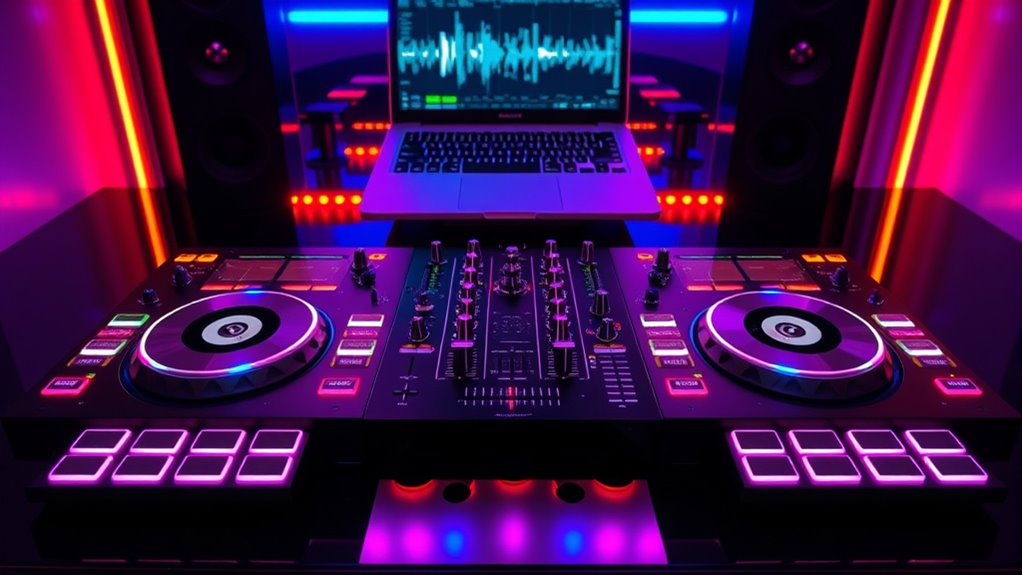

Choosing the right DJ controller setup can significantly impact your mixing experience, whether you’re a beginner or a professional. The best options balance performance, usability, and price, but tradeoffs often involve features versus simplicity or portability versus expandability. The Pioneer DJ DDJ-FLX10 stands out as the best overall for its versatility and professional features, while the Numark Mixstream Pro+ offers excellent portability for DJs on the go. Many setups face compromises between advanced features and user-friendly interfaces, so understanding your priorities is key. Continue reading for a detailed breakdown of these setups and what makes each unique.

Get furniture and decor delivered free with Prime
- Fast, free delivery on millions of items
- Prime Video, Amazon Music and more included
- Member-only deals all year
Complete the kit


Key Takeaways
- The top-tier controllers like the Pioneer DJ DDJ-FLX10 excel in versatility and professional features, justifying their higher price points.
- Portability options like the Numark Mixstream Pro+ are ideal for mobile DJs but may lack some advanced controls found in larger setups.
- Built-in lighting and speakers, as seen in some Numark models, simplify setup but often limit expansion or control options.
- Controllers with multiple decks and advanced features tend to be more complex, making them better suited for experienced DJs rather than beginners.
- Budget-friendly setups like the Hercules DJControl Inpulse 200 MK3 focus on ease of use but may fall short on features needed for advanced mixing.
| Pioneer DJ DDJ-FLX4 2-Channel DJ Controller, Graphite |  | Best for Beginners Seeking Streaming Integration | Channels: 2 | Pads: 16 | Connectivity: USB, Bluetooth | VIEW ON AMAZON | See Our Full Breakdown |
| Pioneer DJ DDJ-REV1 2-Deck Serato DJ Controller, Black |  | Best for Entry-Level Hip-Hop and Scratch DJs | Number of Decks: 2 | Color: Black | Includes: Serato DJ Lite | VIEW ON AMAZON | See Our Full Breakdown |
| Pioneer DJ DDJ-FLX10 4-Channel DJ Controller, Black |  | Best for Serious Hobbyists and Mobile DJs | Channels: 4 | Color: Black | Platform Compatibility: rekordbox, Serato DJ Pro | VIEW ON AMAZON | See Our Full Breakdown |
| Numark Mixstream Pro Go Portable DJ Controller |  | Best for On-the-Go Streaming DJs | Display: 7-inch touchscreen | Jog Wheels: 6-inch | Connectivity: Wi-Fi, SD, USB, Bluetooth | VIEW ON AMAZON | See Our Full Breakdown |
| Hercules DJControl Inpulse 200 MK3 DJ Controller |  | Best for Absolute Beginners on a Tight Budget | Number of Decks: 2 | Jog Wheels: Yes | Pads: Yes | VIEW ON AMAZON | See Our Full Breakdown |
| Pioneer DJ DDJ-FLX4 2-Channel DJ Controller – Black Bundle with Carrying Case and Polishing Cloth |  | Best Overall for Beginners and Versatile Setup | Color: Black | Number of Channels: 2 | Connectivity: USB, Bluetooth | VIEW ON AMAZON | See Our Full Breakdown |
| Numark Mixstream Pro+ DJ Controller |  | Best for Wireless, Laptop-Free Performance | Jog Wheels: 6 inches | Touchscreen: 7 inches, adjustable brightness | Streaming Platforms: Amazon Music Unlimited, Apple Music, TIDAL, Beatport, Beatsource, SoundCloud Go+ | VIEW ON AMAZON | See Our Full Breakdown |
| Numark Party Mix III Bluetooth DJ Controller with Built-in Lights |  | Best for Beginners and Party-Ready Setup | Connectivity: USB-C, Bluetooth MIDI | Software: Serato DJ Lite, Algoriddim djay | Light Show: Built-in, beat-synchronized LED lights | VIEW ON AMAZON | See Our Full Breakdown |
| Numark Mixtrack Platinum FX DJ Controller with 4 Decks and Serato DJ Lite |  | Best for Intermediate to Advanced DJs | Number of Decks: 4 | Audio Interface: 24bit | Connectivity: USB | VIEW ON AMAZON | See Our Full Breakdown |
| Numark Party Mix Live DJ Controller with Built-in Lights and Speakers |  | Best for Complete Beginners and Small Gatherings | Number of decks: 2 | Built-in lights: Yes | Built-in speakers: Yes | VIEW ON AMAZON | See Our Full Breakdown |
| AlphaTheta DDJ-FLX2 Compact 2-Channel DJ Controller with Smart Fader and USB-C |  | Best for Beginners and Portability | Channels: 2 | Connectivity: USB-C | Compatibility: Apple Music, Spotify, Tidal, rekordbox, djay | VIEW ON AMAZON | See Our Full Breakdown |
| dj controller setup | Connectivity |
|---|---|
| Pioneer DJ DDJ-FLX4 2-Channel | USB, Bluetooth |
| Pioneer DJ DDJ-REV1 2-Deck Ser | — |
| Pioneer DJ DDJ-FLX10 4-Channel | — |
| Numark Mixstream Pro Go Portab | Wi-Fi, SD, USB, Bluetooth |
| Hercules DJControl Inpulse 200 | — |
| Pioneer DJ DDJ-FLX4 2-Channel | USB, Bluetooth |
| Numark Mixstream Pro+ DJ Contr | — |
| Numark Party Mix III Bluetooth | USB-C, Bluetooth MIDI |
| Numark Mixtrack Platinum FX DJ | USB |
| Numark Party Mix Live DJ Contr | USB, 1/8-inch output |
| AlphaTheta DDJ-FLX2 Compact 2- | USB-C |
More Details on Our Top Picks
Pioneer DJ DDJ-FLX4 2-Channel DJ Controller, Graphite
The Pioneer DJ DDJ-FLX4 stands out for its intuitive, user-friendly layout that simplifies mixing for newcomers. Its auto-adjusting faders make learning basic transitions smoother, especially compared to more traditional controllers like the Hercules DJControl Inpulse 200 MK3, which relies more heavily on manual control. The DDJ-FLX4’s broad device compatibility, including streaming services, makes it ideal for those who want to DJ on multiple platforms without fuss. However, its limited to just 2 channels, which might frustrate those ready to expand to more complex setups, and the basic design lacks the premium feel of higher-end models like the DDJ-FLX10. Still, for absolute beginners or streamers, this controller offers a straightforward, accessible entry point.
Pros:- Intuitive, beginner-friendly layout
- Auto-adjusting faders simplify mixing
- Supports multiple streaming platforms
Cons:- Limited to 2 channels, restricting complexity
- Basic design may feel less durable or premium for professionals
Best for: Novice DJs and streamers seeking an easy-to-use interface with broad device compatibility
Not ideal for: Advanced DJs or professionals needing multi-channel, high-end features for complex live performances
- Channels:2
- Pads:16
- Connectivity:USB, Bluetooth
- Compatibility:PC, Mac, iPhone, iPad, Android
- Color:Graphite
Our verdict“Ideal for newcomers focused on streaming and simple live mixing, but not suited for complex or professional setups.”
Pioneer DJ DDJ-REV1 2-Deck Serato DJ Controller, Black
The Pioneer DJ DDJ-REV1 offers a compact, battle-style layout that appeals to beginners interested in hip-hop, scratching, or open-format DJing. Its tall pitch faders and dedicated effect controls make it easier to learn quick routines compared to more basic controllers like the Hercules DJControl Inpulse 200 MK3, which lacks advanced effects. While it includes Serato DJ Lite, it’s designed primarily for entry-level use and may require additional equipment for more serious gigs. The REV1’s focus on scratch-friendly features makes it less suitable for DJs aiming for club or event performances that demand more channels or advanced sound manipulation. It’s a solid choice for those just starting out and wanting to develop scratching skills without breaking the bank.
Pros:- Battle-style layout tailored for scratching
- Includes free Serato DJ Lite software
- Compact and affordable design
Cons:- Limited to 2 decks, not suitable for multi-deck mixing
- Basic features may require upgrades for professional use
Best for: Beginners interested in hip-hop, scratching, and learning basic DJ techniques
Not ideal for: DJs seeking multi-channel control or advanced features for professional performances
- Number of Decks:2
- Color:Black
- Includes:Serato DJ Lite
- Layout:Battle-style
- Fader Type:Tall pitch faders
Our verdict“Perfect for novices focused on scratching and hip-hop DJing, but not ideal for advanced or multi-channel performances.”
Pioneer DJ DDJ-FLX10 4-Channel DJ Controller, Black
The Pioneer DJ DDJ-FLX10 offers a comprehensive 4-channel setup with professional-grade features like track separation, large jog wheels with displays, and built-in DMX lighting control. Compared to the smaller DDJ-FLX4, it provides more flexibility for live mashups and complex performances, making it suitable for mobile DJs or hobbyists ready to upgrade. Its advanced features come with a steeper learning curve and higher price point, which might deter casual users or beginners. The large jog wheels and visual displays significantly enhance usability for live remixing, but they also make the device bulkier and potentially overwhelming for those new to DJing. This controller excels for those who need multi-channel control and live performance features without compromise.
Pros:- Four channels for complex mixing
- Track separation for live mashups
- Large jog wheels with visual feedback
- Includes built-in DMX lighting control
Cons:- Expensive compared to entry-level controllers
- Complex features may intimidate beginners
Best for: Experienced hobbyists, mobile DJs, and performers seeking a versatile, professional-grade controller
Not ideal for: Complete beginners or DJs on a tight budget who only need basic features
- Channels:4
- Color:Black
- Platform Compatibility:rekordbox, Serato DJ Pro
- Features:Track separation, large jog wheels, multicolor displays, DMX output
Our verdict“A powerful choice for DJs who want professional features and multi-channel flexibility, but less suitable for newcomers or budget-conscious buyers.”
Numark Mixstream Pro Go Portable DJ Controller
The Numark Mixstream Pro Go stands out by combining portability with standalone functionality, including a 7-inch touchscreen and built-in speakers, making it perfect for DJs who perform outside a traditional setup. Unlike the Hercules DJControl Inpulse 200 MK3, which requires a computer, the Mixstream Pro Go operates independently with Wi-Fi streaming, supporting multiple streaming platforms and SD cards. Its wireless lighting control adds convenience, but its limited touchscreen controls and absence of bundled headphones may hinder detailed mixing or extended sessions. This controller is especially suited for mobile DJs or event performers who need quick setup and versatile streaming capabilities, but it may fall short for those seeking advanced hardware controls or studio-grade sound quality.
Pros:- Battery-powered and portable
- Supports multiple streaming services without a PC
- Built-in speakers and wireless lighting control
Cons:- Requires a license for stem features
- Limited touchscreen control precision
- No included DJ headphones
Best for: Mobile DJs, event entertainers, and performers who prioritize portability and streaming on the go
Not ideal for: Studio-focused DJs or those requiring extensive hardware controls and advanced mixing features
- Display:7-inch touchscreen
- Jog Wheels:6-inch
- Connectivity:Wi-Fi, SD, USB, Bluetooth
- Built-in Speakers:Yes
- Lighting Control:Wireless
Our verdict“Perfect for mobile performers needing quick setup and streaming, but not ideal for studio use or detailed mixing without external gear.”
Hercules DJControl Inpulse 200 MK3 DJ Controller
The Hercules DJControl Inpulse 200 MK3 is designed for those just starting out, offering a straightforward interface with two decks, jog wheels, and pads that are easy to learn. Its inclusion of tutorials and beginner-friendly software makes it appealing compared to more complex controllers like the Pioneer DDJ-FLX4, which assumes prior knowledge. However, its feature set is limited mostly to basic mixing, lacking the advanced controls and multi-channel options that more experienced DJs or hobbyists might want as they grow. Its lightweight, ultra-portable design is a plus for portability, but the reliance on a PC and lack of standalone capability may restrict usage in more dynamic, mobile environments. This controller makes learning accessible, but isn’t built for serious or evolving DJ needs.
Pros:- Beginner-friendly with tutorials included
- Ultra portable for travel or lessons
- Supports streaming from major platforms
Cons:- Limited to basic features, no advanced controls
- Requires a PC to operate, no standalone mode
Best for: Absolute beginners and students eager to learn DJing on a budget
Not ideal for: DJs seeking advanced features, multi-channel control, or standalone operation
- Number of Decks:2
- Jog Wheels:Yes
- Pads:Yes
- Crossfader:Yes
- Compatibility:PC
Our verdict“A solid starter controller for newcomers wanting to learn basic DJ skills affordably, but not suited for those ready to perform professionally or expand their setup.”
Pioneer DJ DDJ-FLX4 2-Channel DJ Controller – Black Bundle with Carrying Case and Polishing Cloth
The Pioneer DJ DDJ-FLX4 stands out for its intuitive layout inspired by professional Pioneer gear, making it incredibly accessible for newcomers. Its compatibility with multiple software platforms like rekordbox, Serato DJ Lite, and djay offers flexibility that many entry-level controllers lack—especially when compared with the more streamlined Numark Party Mix III. The bundled carrying case and polishing cloth add value by protecting your investment, but the limited input/output options mean it’s less suited for complex setups or professional PA integration. While its 16-bit/24-bit soundcard ensures decent audio quality, users may need an external DAC for high-end sound systems. Overall, this controller makes the most sense for beginners who want a reliable, adaptable device without sacrificing ease of use, though it trades some expandability for simplicity.
Pros:- Intuitive layout inspired by professional Pioneer gear
- Supports multiple DJ software platforms for flexibility
- Includes protective carrying case and polishing cloth
Cons:- Limited input/output options for advanced setups
- External DAC recommended for high-quality PA systems
Best for: Beginners seeking a reliable, versatile controller compatible with multiple software options
Not ideal for: Advanced DJs or those needing extensive I/O options for complex sound systems
- Color:Black
- Number of Channels:2
- Connectivity:USB, Bluetooth
- Supported Software:rekordbox, Serato DJ Lite, djay
- Inputs:1 × MIC
- Outputs:MASTER (RCA), PHONES (3.5 mm)
- Soundcard:16-bit/24-bit, 44.1 kHz/48 kHz
- Frequency Response:20 Hz–20,000 Hz
- Signal-to-Noise Ratio:103 dB
Our verdict“This controller is ideal for beginner DJs who want an easy-to-use, versatile setup without complex features.”
Numark Mixstream Pro+ DJ Controller
The Numark Mixstream Pro+ offers the unique advantage of standalone operation with a built-in touchscreen and speakers, making it perfect for mobile DJs or those who prefer a cable-free setup. Its 7-inch adjustable display rivals larger controllers like the Mixtrack Platinum FX but simplifies workflow by eliminating the need for a laptop. Unlike the DDJ-FLX4, which relies on software, the Mixstream Pro+ supports streaming directly from platforms like TIDAL and SoundCloud, providing greater flexibility for spontaneous gigs. However, it requires a separate license for stem features, and its limited streaming service options may disappoint some users. Its wireless lighting control adds an extra layer of visual flair, but the lack of professional-level I/O makes it less suitable for club or event use. This pick is ideal for DJs who value portability, streaming, and standalone operation over extensive connectivity.
Pros:- Standalone operation with built-in speakers and a touchscreen
- Supports streaming from multiple platforms without a computer
- Wireless control of DJ lights and stem separation
Cons:- Requires additional license for stem features
- Limited streaming service options
- No included DJ headphones
Best for: DJs who want a portable, all-in-one setup with streaming capabilities and minimal gear
Not ideal for: Professional club DJs or those needing advanced I/O and high-end audio processing
- Jog Wheels:6 inches
- Touchscreen:7 inches, adjustable brightness
- Streaming Platforms:Amazon Music Unlimited, Apple Music, TIDAL, Beatport, Beatsource, SoundCloud Go+
- Inputs:Bluetooth, 2x USB, SD card, 1/4″ mic, 1/8″ headphones
- Outputs:Balanced XLR, RCA
- Built-in Speakers:Yes
Our verdict“This controller suits mobile DJs and entertainers looking for a wireless, all-in-one device that handles streaming and light control effortlessly.”
Numark Party Mix III Bluetooth DJ Controller with Built-in Lights
The Numark Party Mix III excels as a portable, easy-to-use controller tailored for novice DJs who want instant fun. Its built-in synchronized LED lights and performance pads make it especially appealing for parties and casual events. The included industry-standard Serato DJ Lite and djay software allow quick setup and immediate mixing, rivaling the simplicity of the Party Mix Live but with added visual flair. However, its feature set is intentionally basic—lacking advanced controls or expandability—making it less suitable for those aiming to develop professional skills. The sound quality is good enough for small gatherings, but the built-in speakers may not suffice for larger venues. This controller is perfect for on-the-fly DJing and casual fun, though it sacrifices professional features for portability and ease of use.
Pros:- User-friendly with visual beat indicators and automatic effects
- Portable and lightweight for easy transport
- Built-in synchronized LED lights enhance party atmosphere
Cons:- Limited advanced features for professional use
- Sound quality depends on external speakers
- Built-in lights may be distracting in quiet environments
Best for: Beginners and casual DJs seeking an affordable, lightweight controller with visual effects
Not ideal for: Serious DJs or those wanting advanced controls and high-fidelity sound for live performances
- Connectivity:USB-C, Bluetooth MIDI
- Software:Serato DJ Lite, Algoriddim djay
- Light Show:Built-in, beat-synchronized LED lights
- Performance Pads:16 pads (8 per deck)
- Inputs/Outputs:Main RCA, 1/8-inch headphone
- Jog Wheels:Touch-capacitive
Our verdict“This controller is ideal for beginners or party hosts who want a fun, easy-to-setup device with visual effects and basic mixing capabilities.”
Numark Mixtrack Platinum FX DJ Controller with 4 Decks and Serato DJ Lite
The Numark Mixtrack Platinum FX delivers a comprehensive experience with 4 decks, high-resolution displays on each jog wheel, and a suite of effects and performance pads. Its large touch jog wheels with display screens provide real-time feedback, making it a step up from simpler controllers like the Party Mix III. The inclusion of a 24-bit audio interface ensures high-quality sound, suitable for more serious sets. Its extensive FX controls and multiple decks make it more complex to operate than the DDJ-FLX4, which might overwhelm beginners. Compatibility with Serato DJ Lite is standard, but without an upgrade path, it possibly limits future feature expansion. This makes it an excellent choice for DJs progressing beyond basic mixing who want a versatile, feature-rich controller without the complexity of professional gear.
Pros:- Large touch-sensitive jog wheels with informative displays
- Multiple FX, loops, and performance pads for creative mixing
- High-quality 24-bit sound card for professional audio output
Cons:- May be overly complex for new users
- Limited to Serato DJ Lite without upgrade options
- Size and weight reduce portability
Best for: Intermediate to advanced DJs seeking a feature-rich, multi-deck setup for creative mixing
Not ideal for: Complete beginners or DJs primarily performing in small, straightforward venues
- Number of Decks:4
- Audio Interface:24bit
- Connectivity:USB
- Jog Wheel Size:6 inches
- Display:High-resolution color
- Effects:6 quick-launch FX with dual paddles
Our verdict“This controller suits DJs ready to expand their technical skills and require a multi-deck setup with detailed feedback and effects.”
Numark Party Mix Live DJ Controller with Built-in Lights and Speakers
The Numark Party Mix Live offers an all-in-one solution for absolute beginners or casual party hosts. Its built-in stereo speakers and LED lighting create an instant party environment, requiring minimal setup. The controller’s simple interface with two decks and performance pads makes it accessible for users new to DJing, especially when paired with Serato DJ Lite. Compared to controllers like the DDJ-FLX4, it lacks extensive features and professional I/O options but compensates with ease of use and portability. The sound quality is sufficient for small gatherings but not suitable for larger venues or professional performances. Overall, this device is a solid choice for those who want fun, straightforward mixing without fuss, accepting the tradeoff of limited advanced controls.
Pros:- Easy to set up and use for complete novices
- Built-in speakers and lighting create immediate visual and audio impact
- Compatible with popular streaming services via Serato DJ Lite
Cons:- Limited to basic DJ features
- Built-in speakers are not high quality for professional sound
- Lacks advanced controls for more experienced DJs
Best for: Beginners and party enthusiasts wanting a portable, plug-and-play DJ setup with built-in speakers
Not ideal for: DJs seeking advanced features or high-fidelity sound for larger events
- Number of decks:2
- Built-in lights:Yes
- Built-in speakers:Yes
- Connectivity:USB, 1/8-inch output
- Compatibility:Serato DJ Lite
Our verdict“This controller fits absolute beginners or casual party hosts who prioritize portability and simplicity over advanced features.”
AlphaTheta DDJ-FLX2 Compact 2-Channel DJ Controller with Smart Fader and USB-C
The AlphaTheta DDJ-FLX2 stands out for its user-friendly design, making it a strong choice for newcomers to DJing who want a straightforward setup. Unlike the Pioneer DDJ-FLX4, which offers more advanced features for intermediate users, the DDJ-FLX2 simplifies the learning curve with automatic beatmatching and streaming support, perfect for those just starting out. Its compact size and USB-C power make it highly portable, ideal for practicing anywhere, though it sacrifices some advanced controls found on larger, more versatile controllers. The lack of built-in speakers and basic mixing features means it’s best paired with external equipment and is meant for casual or learning use, not professional gigs.
Pros:- Simple, intuitive interface that minimizes the learning curve
- Supports streaming from popular music services like Spotify and Tidal
- Compact, lightweight design ideal for portability
- Automatic beatmatching with smart fader enhances beginner experience
Cons:- Limited to basic mixing functions, restricting growth for advancing DJs
- Requires compatible apps for streaming, adding setup complexity
- No built-in speakers, necessitating external audio equipment
Best for: Beginners who want an easy-to-use, portable setup to learn the basics and practice on the go
Not ideal for: Experienced DJs or performers needing advanced controls, extensive input options, or standalone features
- Channels:2
- Connectivity:USB-C
- Compatibility:Apple Music, Spotify, Tidal, rekordbox, djay
- Power:USB-C bus power
- Inputs/Outputs:3.5 mm headphone and speaker output
- Built-in audio:No
Our verdict“This controller makes the most sense for beginners seeking an easy, portable way to start mixing without overwhelming features.”

How We Picked
Our evaluation focused on key factors that matter most to DJs at various skill levels, including performance capabilities, build quality, ease of use, expandability, and value for money. We compared features like deck count, connectivity options, software compatibility, portability, and durability. Products were ranked based on how well they balance these aspects for their target user—beginners, enthusiasts, or professionals—ensuring each offers a meaningful advantage in its category. Our selections highlight setups that cater to different needs, from portable solutions to feature-rich controllers for studio or club use.| dj controller setup | Connectivity |
|---|---|
| Pioneer DJ DDJ-FLX4 2-Channel | USB, Bluetooth |
| Pioneer DJ DDJ-REV1 2-Deck Ser | — |
| Pioneer DJ DDJ-FLX10 4-Channel | — |
| Numark Mixstream Pro Go Portab | Wi-Fi, SD, USB, Bluetooth |
| Hercules DJControl Inpulse 200 | — |
| Pioneer DJ DDJ-FLX4 2-Channel | USB, Bluetooth |
| Numark Mixstream Pro+ DJ Contr | — |
| Numark Party Mix III Bluetooth | USB-C, Bluetooth MIDI |
| Numark Mixtrack Platinum FX DJ | USB |
| Numark Party Mix Live DJ Contr | USB, 1/8-inch output |
| AlphaTheta DDJ-FLX2 Compact 2- | USB-C |
Factors to Consider When Choosing Dj Controller Setups
When choosing a DJ controller setup, several factors should influence your decision. Understanding your skill level, performance needs, and preferred environments can help you pick a setup that grows with you. Consider how much control you want over your mixes, whether portability is important, and if you need compatibility with specific software. Balancing these considerations ensures you avoid overspending on features you won’t use or ending up with a setup that’s too basic for your ambitions.Performance and Feature Set
Assess what controls and features are necessary for your style. More advanced setups offer multiple decks, effects, and customizable controls, ideal for experienced DJs. Beginners may prefer simpler controllers with essential features to learn the basics. Keep in mind that high-end models often come with a steeper learning curve, so match the feature set to your current skill level and future goals.
Portability and Size
If you frequently perform at different venues or like to DJ outdoors, portability becomes a key factor. Compact controllers with integrated features save space and are easier to carry, but they may sacrifice some controls or expandability. Larger setups provide more control options but can be cumbersome to transport and set up, making them better suited for studio or club environments.
Software Compatibility
Most controllers are designed for specific DJ software like Serato, rekordbox, or Virtual DJ. Choosing a setup compatible with your preferred software prevents headaches and ensures smooth operation. Some controllers come bundled with software or are optimized for particular platforms, making setup and workflow more intuitive. Confirm compatibility before making a purchase to avoid costly mismatches.
Build Quality and Durability
Durability matters, especially if you plan to transport your setup often. Look for controllers with sturdy casing, reliable knobs, and solid faders. Cheaper materials may save money upfront but can lead to issues over time, especially with frequent use. Investing in a well-built controller can save you money and frustration in the long run.
Budget and Value
Prices vary widely, so it’s important to find a setup that offers the best features for your budget. While it might be tempting to go for the most feature-rich controller, it’s smarter to focus on what you truly need now, with room to upgrade later. Balance your budget against the features and build quality you require, ensuring you get the best value for your investment.
Expandability and Future-Proofing
Consider whether the setup can grow with your skills. Controllers with multiple USB ports, additional inputs, or modular components provide flexibility for future upgrades. If you see yourself expanding your setup or integrating additional gear, choose a model that accommodates those needs without requiring replacement soon after purchase.
Frequently Asked Questions
Is it better to buy a standalone DJ controller or a controller with built-in speakers?
Controllers with built-in speakers are convenient for practice sessions and small performances, especially if you lack space or want to keep gear minimal. However, they often lack the power and sound quality of external speakers, which are essential for larger venues or professional gigs. If you plan to perform regularly in public or need high-quality sound, investing in a controller that connects to external speakers is the wiser choice. Built-in speakers serve well for casual practice or beginner use but are limited in sound output and clarity.
How important is software compatibility when choosing a DJ controller?
Software compatibility is critical because it affects how smoothly your workflow will run. Some controllers are optimized for specific platforms like Serato, rekordbox, or Virtual DJ, providing better integration and fewer setup issues. Choosing a controller compatible with your preferred DJ software ensures access to all features and effects, reducing frustration during performances. Before purchasing, verify that the controller supports your chosen software, especially if you’re considering switching platforms later.
Should I prioritize portability over control features?
If you perform at multiple venues or DJ socially, portability might be your main concern. Smaller, lightweight controllers enable quick setup and transport but may lack advanced controls or multiple decks. Conversely, larger controllers with extensive features are less portable but provide more control for complex mixes. Consider where you’ll perform most often and balance your need for mobility with the control capabilities you require for your style.
Are more decks always better for a DJ controller?
More decks can offer greater flexibility, especially for live remixing or complex performances, but they also increase complexity and cost. For beginners or casual DJs, a 2-deck controller often provides enough control to learn fundamental skills. Advanced DJs who perform sets that require quick switching between decks or multiple layers will benefit from 4 or more decks. Evaluate your style and performance needs before choosing the number of decks to avoid overspending on unnecessary features.
What should I consider about connecting additional gear?
If you plan to expand your setup with external gear like microphones, turntables, or external effects units, check the controller’s input and output options. A setup with multiple inputs and outputs simplifies integration and keeps your workflow smooth. Some controllers also feature MIDI or USB ports for connecting external hardware or software controllers, which can enhance your performance capabilities. Planning for future expansion ensures your investment remains relevant as your skills grow.
Conclusion
For beginners, the Hercules DJControl Inpulse 200 MK3 offers an easy learning curve and essential controls at an accessible price. Enthusiasts looking to upgrade should consider the Numark Mixstream Pro+ for portability without sacrificing too much control. Professionals or advanced DJs will find the Pioneer DJ DDJ-FLX10 the best overall, thanks to its extensive features and build quality. If space and budget allow, the AlphaTheta DDJ-FLX2 balances control with compactness for versatile setups. Ultimately, choosing the right setup depends on your skill level, performance environment, and future goals—prioritize what aligns best with how you plan to DJ in 2026.
As an affiliate, we earn on qualifying purchases.Evergreen bestsellers Picks

Vitamix Propel Series 510 Professional-Grade Blender, 3 Programs, Black

Vitamix 5200 Professional-Grade Blender, 64 oz. Container, Black

KitchenAid Classic Series 4.5 Quart Tilt-Head Stand Mixer K45SS, Onyx Black