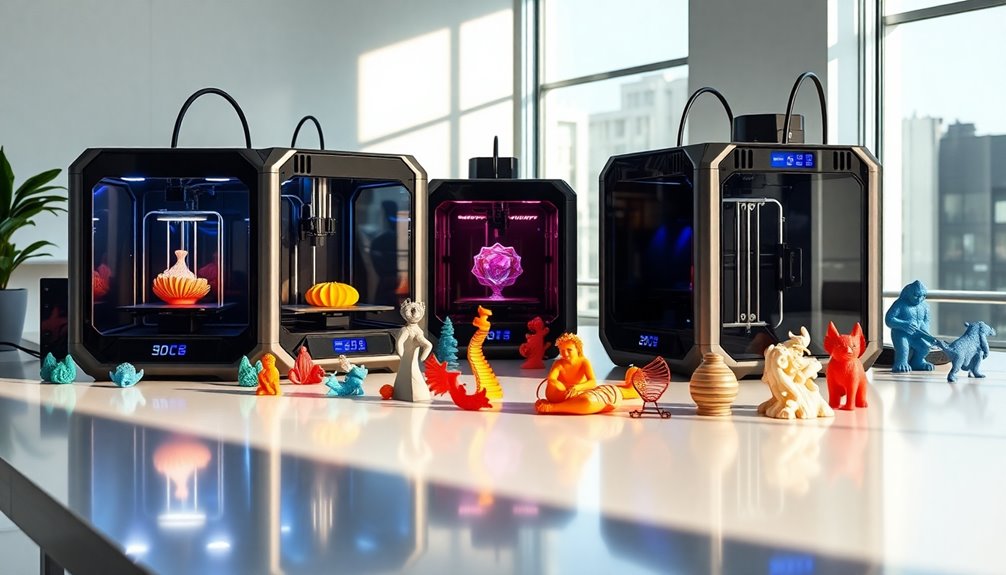

When searching for 3d printers, the options can quickly become overwhelming. The best models balance speed, build quality, and versatility, but tradeoffs often exist between price, complexity, and features. The Bambu Lab P1S stands out as the best overall choice thanks to its combination of speed, multi-material support, and auto bed leveling. For those prioritizing high-speed printing, the Creality K2 Pro offers impressive performance at a competitive price. Meanwhile, beginners might prefer the FlashForge Adventurer 5M for its simplicity and auto features. Continue reading for a detailed breakdown of these options and more to find the perfect 3d printer for your needs.

Get furniture and decor delivered free — and shop member deals
- Fast, free delivery on millions of items
- Access to Prime Big Deal Days deals on October 6–7
- Prime Video, Amazon Music and more included
Complete the kit


Key Takeaways
- Speed and multi-material support are key distinguishing features among top models.
- Auto bed leveling and easy setup significantly reduce learning curves for beginners.
- High-speed printers often trade off with smaller build volumes or higher costs.
- Multi-color capabilities are becoming more affordable but may add complexity.
- Premium models tend to offer better build quality and longer-term reliability.
| Bambu Lab P1S Combo 3D Printer with AMS, Supports Up to 16 Colors and Multi Materials, Fast 500mm/s Printing, Auto Bed Leveling |  | Best Overall for High-Speed Multi-Material Printing | Maximum Colors: 16 | Printing Speed: 500mm/s | Auto Bed Leveling: Yes | VIEW ON AMAZON | See Our Full Breakdown |
| Creality K2 Pro Combo 3D Printer, Multicolor Printing, 600mm/s High-Speed, Dual AI Cameras, Large Build Volume 300×300×300mm |  | Best for Professionals Needing Speed and Large Volume | Build Volume: 300×300×300mm | Max Speed: 600mm/s | Chamber Temperature: up to 60°C | VIEW ON AMAZON | See Our Full Breakdown |
| Creality Ender 3 V3 SE 3D Printer, 250mm/s Faster Print Speed, Auto Leveling, Dual Z-Axis, Auto Filament Loading |  | Best for Budget-Conscious Enthusiasts and Precise Hobbyists | Maximum Print Speed: 250mm/s | Build Volume: 8.66 x 8.66 x 9.84 inches | Extruder: Sprite full metal dual-gear direct extruder | VIEW ON AMAZON | See Our Full Breakdown |
| Anycubic Kobra X Multicolor 3D Printer, 600mm/s High Speed, 260x260x260mm Build Volume, Easy Setup with Automatic Bed Leveling |  | Best for Beginners and Creative Makers on a Budget | Build Volume: 260x260x260mm | Max Nozzle Temperature: 300°C | Speed: 600mm/s | VIEW ON AMAZON | See Our Full Breakdown |
| Bambu Lab A1 Combo + LED Lamp Kit |  | Best for Creative and Decorative Multi-Color Projects | Support for multi-color printing: Yes | Maximum acceleration: 10,000 mm/s² | Noise level: ≤48 dB | VIEW ON AMAZON | See Our Full Breakdown |
| Anycubic Kobra X Multicolor 3D Printer with 19-Color Capability, AI Camera, and Fast Printing |  | Best Overall for Versatility and Advanced Features | Build Volume: 260mm x 260mm x 260mm | Max Speed: 600mm/s | Filament Compatibility: PLA, PETG, TPU, PVA, ASA | VIEW ON AMAZON | See Our Full Breakdown |
| FLASHFORGE Adventurer 5M 3D Printer with Auto Leveling and High-Speed Printing |  | Best for Beginners and Quick Turnaround Projects | Print Size: 220x220x220mm | Max Speed: 600mm/s | Nozzle Temperature: 280°C | VIEW ON AMAZON | See Our Full Breakdown |
| Creality K2 Combo 3D Printer with Multicolor Printing, Auto Leveling, and AI Camera |  | Best for Quiet, Pre-Assembled Multicolor Printing | Build Volume: 260×260×260 mm | Color Support: Up to 16 colors with 4 CFS units | Printing Speed: 600mm/s | VIEW ON AMAZON | See Our Full Breakdown |
| Creality K2 SE 3D Printer, 500mm/s High-Speed, Multi-Color Support, Auto Leveling, Solid Metal Frame, 220×215×245mm Build Size |  | Best for Rapid Prototyping and Precise Small Models | Print Speed: 500mm/s | Build Volume: 220×215×245mm | Frame Material: Die-cast aluminum alloy | VIEW ON AMAZON | See Our Full Breakdown |
| Creality K2 Plus Combo 3D Printer with Multi-Color Printing and Large Build Volume |  | Best for Large-Scale Multi-Color Projects and Automation | Build Volume: 13.78 x 13.78 x 13.78 inches | Maximum Speed: 600mm/s | Acceleration: 30000mm/s² | VIEW ON AMAZON | See Our Full Breakdown |
| Creality K2 Plus Combo 3D Printer with Multi-Color Printing and Auto-Leveling |  | Best for Large-Scale and Complex Multi-Color Projects | Build Volume: 350 x 350 x 350 mm | Max Printing Speed: 600 mm/s | Filament Compatibility: PLA, ABS, PETG, PA-CF, PLA-CF, PET, ASA, PPA-CF | VIEW ON AMAZON | See Our Full Breakdown |
| FlashForge AD5X Multi-Color 3D Printer, CoreXY, 600mm/s, Auto Leveling, 300°C Extruder, 220x220x220mm |  | Best for Fast, Vibrant Multi-Color Printing in Compact Spaces | Print Speed: 600 mm/s | Build Volume: 220 x 220 x 220 mm | Extruder Temperature: 300°C | VIEW ON AMAZON | See Our Full Breakdown |
| FlashForge Adventurer 5M Pro 3D Printer with Auto Printing System, 600mm/s High-Speed, Detachable Nozzle, Core XY Structure, 220x220x220mm |  | Best for Fast, All-in-One Desktop 3D Printing with Material Flexibility | Build Volume: 220 x 220 x 220 mm | Nozzle Temperatures: Up to 280°C | Travel Speed: 600mm/s | VIEW ON AMAZON | See Our Full Breakdown |
| Anycubic Kobra S1 Combo Multi-Color 3D Printer with Active Filament Drying, 600mm/s High Speed CoreXY, Fully Enclosed & Auto Leveling, 4-Color Printing, Smart App Control |  | Best for Beginners and Advanced Users Needing Moisture Control & Speed | Maximum Speed: 600mm/s | Printing Technology: CoreXY | Color Capabilities: 4-color | VIEW ON AMAZON | See Our Full Breakdown |
| Creality K2 Plus Combo 3D Printer with Multi-Color CFS and AI Monitoring |  | Best for Large, Multi-Color, and Complex Projects with Real-Time Monitoring | Build Volume: 350×350×350 mm | Print Speed: 600 mm/s | Precision: 0.05mm | VIEW ON AMAZON | See Our Full Breakdown |
| 3d printer | Build Volume |
|---|---|
| Bambu Lab P1S Combo 3D Printer | — |
| Creality K2 Pro Combo 3D Print | 300×300×300mm |
| Creality Ender 3 V3 SE 3D Prin | 8.66 x 8.66 x 9.84 inches |
| Anycubic Kobra X Multicolor 3D | 260x260x260mm |
| Bambu Lab A1 Combo + LED Lamp | — |
| Anycubic Kobra X Multicolor 3D | 260mm x 260mm x 260mm |
| FLASHFORGE Adventurer 5M 3D Pr | — |
| Creality K2 Combo 3D Printer w | 260×260×260 mm |
| Creality K2 SE 3D Printer | 220×215×245mm |
| Creality K2 Plus Combo 3D Prin | 13.78 x 13.78 x 13.78 inches |
| Creality K2 Plus Combo 3D Prin | 350 x 350 x 350 mm |
| FlashForge AD5X Multi-Color 3D | 220 x 220 x 220 mm |
| FlashForge Adventurer 5M Pro 3 | 220 x 220 x 220 mm |
| Anycubic Kobra S1 Combo Multi- | — |
| Creality K2 Plus Combo 3D Prin | 350×350×350 mm |
More Details on Our Top Picks
Bambu Lab P1S Combo 3D Printer with AMS, Supports Up to 16 Colors and Multi Materials, Fast 500mm/s Printing, Auto Bed Leveling
The Bambu Lab P1S Combo stands out for its incredible speed of 500mm/s and support for up to 16 colors, making it ideal for complex multi-material projects. Unlike the Creality Ender 3 V3 SE, which emphasizes affordability and simplicity, the P1S targets users who need rapid, vibrant multi-material prints in a compact, enclosed design. Its support for a wide range of filaments, combined with automatic bed leveling, ensures consistent quality, but it requires connection to the Bambu Lab AMS for multi-color printing, adding a layer of complexity. This makes it better suited to experienced makers or small production setups rather than complete beginners. The main tradeoff is its higher price and reliance on the AMS ecosystem, which could be limiting for those seeking standalone operation.
Pros:- Supports up to 16 colors for vibrant multi-material printing
- Exceptional speed of 500mm/s accelerates production
- Automatic bed leveling ensures high-quality, reliable prints
- Enclosed design improves print stability and safety
Cons:- Requires connection to Bambu Lab AMS for multi-color capabilities
- Limited compatibility with carbon or glass fiber reinforced filaments
- Setup and initial calibration may challenge beginners
Best for: Professional creators and small studios needing fast, multi-color, multi-material prints with minimal manual intervention
Not ideal for: Beginners or hobbyists looking for budget-friendly, simple printers without complex setup or ecosystem dependencies
- Maximum Colors:16
- Printing Speed:500mm/s
- Auto Bed Leveling:Yes
- Supported Filaments:PLA, PETG, TPU, PVA, PET, ABS, ASA; Capable: PA, PC; Not Recommended: Carbon/Glass Fiber
- Setup Time:15 minutes
- Enclosure:Yes
Our verdict“This printer is best for experienced users who prioritize speed and multi-material versatility over initial simplicity.”
Creality K2 Pro Combo 3D Printer, Multicolor Printing, 600mm/s High-Speed, Dual AI Cameras, Large Build Volume 300×300×300mm
The Creality K2 Pro Combo combines blazing-fast speeds of up to 600mm/s with a large 300×300×300mm build volume, making it a top choice for professionals requiring rapid prototyping and bigger projects. Compared to the Bambu Lab P1S, which excels in multi-material support and speed, the K2 Pro emphasizes a larger workspace and advanced monitoring with dual AI cameras, ideal for remote supervision. Its complex setup and higher price reflect its professional focus, and the chamber heating limited to 60°C may restrict some high-temperature filament use. While it offers excellent speed and capacity, users should be prepared for a steeper learning curve and higher investment, especially if they need multi-material flexibility beyond the basic capabilities.
Pros:- Ultra-high-speed printing up to 600mm/s for rapid production
- Large build volume suitable for sizable parts and batch runs
- Dual AI cameras enable real-time monitoring and auto-tuning
- Support for multi-material and professional filaments
Cons:- Complex setup requiring technical skill
- Higher cost compared to entry-level printers
- Chamber heating limited to 60°C, restricting some materials
Best for: Prototypers and small manufacturing teams seeking fast, large-volume, multi-material capabilities with remote monitoring
Not ideal for: Hobbyists or beginners who prefer simpler, more affordable printers with less setup complexity
- Build Volume:300×300×300mm
- Max Speed:600mm/s
- Chamber Temperature:up to 60°C
- Filament Compatibility:PLA, ABS, ASA, PPA-CF, PET-CF, etc.
- Auto Leveling:Yes
- Camera:Dual AI Cameras
Our verdict“Ideal for professionals needing speed, size, and remote control, accepting a higher learning curve and investment.”
Creality Ender 3 V3 SE 3D Printer, 250mm/s Faster Print Speed, Auto Leveling, Dual Z-Axis, Auto Filament Loading
The Ender 3 V3 SE emphasizes speed and ease of use without sacrificing quality, supporting print speeds up to 250mm/s. Compared to the Bambu Lab P1S or Creality K2 Pro, which focus on multi-materials or large volume, the Ender 3 V3 SE offers a straightforward experience with auto leveling and a reliable Sprite direct extruder. Its compact size and quick assembly make it attractive for newcomers, but its limited build volume and the need for calibration may deter those planning larger or highly detailed projects. While it isn’t the fastest or most feature-rich, it strikes a balance between affordability and performance for those focusing on precise, fast prints at home or in small workshops.
Pros:- Supports faster printing speeds up to 250mm/s
- Auto leveling with CR Touch sensor simplifies setup
- Quick assembly process saves time
- Reliable Sprite dual-gear extruder supports various filaments
Cons:- Limited build volume for larger projects
- Setup and calibration still required for optimal results
- Price details not specified, which may affect budget planning
Best for: Hobbyists and students seeking a reliable, fast, and easy-to-setup 3D printer for small-scale projects
Not ideal for: Users needing large build volumes or advanced multi-material capabilities
- Maximum Print Speed:250mm/s
- Build Volume:8.66 x 8.66 x 9.84 inches
- Extruder:Sprite full metal dual-gear direct extruder
- Auto Leveling:CR Touch sensor
- Z-Axis:Dual Z with lead screws
- Assembly Time:20 minutes
Our verdict“A solid choice for hobbyists wanting fast, precise prints in a compact, easy-to-assemble package.”
Anycubic Kobra X Multicolor 3D Printer, 600mm/s High Speed, 260x260x260mm Build Volume, Easy Setup with Automatic Bed Leveling
The Anycubic Kobra X offers impressive speed of 600mm/s and a manageable 260x260x260mm build volume, making it accessible for both beginners and experienced users. Its automatic bed leveling with LeviQ 3.0 reduces setup time and improves first-layer success, similar to the Creality Ender 3 V3 SE, but with more emphasis on multi-material support and quiet operation. While its high-speed performance is appealing, printing at 600mm/s can compromise quality if not carefully calibrated, especially for intricate details. It’s a strong choice for those who want quick, creative projects and easy setup, though more advanced users might seek larger volume or more material options.
Pros:- Supports multi-color and multi-material printing for creative flexibility
- High-speed of 600mm/s accelerates project turnaround
- Automatic bed leveling with LeviQ 3.0 simplifies setup
- Quiet operation makes it suitable for home use
Cons:- High speed can reduce print quality if not calibrated properly
- Limited build volume for very large projects
- Complex features may require some user learning
Best for: Beginners and hobbyists who want fast, multi-material printing with simple setup and quiet operation
Not ideal for: Users doing highly detailed or large-scale projects that require slower, more precise printing
- Build Volume:260x260x260mm
- Max Nozzle Temperature:300°C
- Speed:600mm/s
- Operation Noise:≤48 dB
- Auto Bed Leveling:Yes (LeviQ 3.0)
- Support Materials:PLA, PETG, TPU, PVA, ASA
Our verdict“A versatile and fast printer ideal for beginners and hobbyists seeking quick, colorful results with minimal fuss.”
Bambu Lab A1 Combo + LED Lamp Kit
The Bambu Lab A1 Combo + LED Lamp Kit caters to those interested in illuminated and vibrant multi-color prints, making it perfect for decorative and functional lighting projects. It features high-speed, precise printing with automatic calibration and quiet operation, similar to the Bambu Lab P1S, but emphasizes aesthetic impact with an optional LED lighting setup. Its active flow rate compensation and full-auto calibration streamline the process, though it requires the AMS lite for multi-color printing, which could add cost and complexity for some users. This pick makes the most sense for creative DIYers or small-scale makers focused on visual appeal rather than large-volume production.
Pros:- Supports vibrant multi-color printing for artistic projects
- Automatic calibration simplifies setup and ensures quality
- Quiet operation with noise reduction features
- Enables illuminated prints with LED kit for enhanced visual effects
Cons:- Requires AMS lite for multi-color capabilities, adding extra cost
- Limited filament compatibility details available
- Primarily focused on aesthetic projects rather than functional parts
Best for: Creative hobbyists and decorators producing colorful, illuminated, or artistic prints
Not ideal for: Users seeking large-scale manufacturing or high-temperature filament compatibility
- Support for multi-color printing:Yes
- Maximum acceleration:10,000 mm/s²
- Noise level:≤48 dB
- Calibration:Full-auto
- Flow rate compensation:Active
- Nozzle:1-Clip quick swap
Our verdict“Aimed at creative users wanting colorful, illuminated prints with minimal fuss and automatic features.”
Anycubic Kobra X Multicolor 3D Printer with 19-Color Capability, AI Camera, and Fast Printing
The Anycubic Kobra X stands out for its impressive multicolor capabilities, supporting up to 19 colors, which surpasses many competitors like the Creality K2 Combo with its 16-color support. Its blazing speed of 600mm/s makes it ideal for rapid prototyping, though this can sometimes compromise detailed quality compared to slower, more precise models. The auto bed leveling with LeviQ 3.0 ensures consistent first layers, crucial for larger or multi-color projects, while the AI camera enables remote monitoring—an asset for busy makers. However, its large footprint and complex setup might challenge beginners or those with limited space. This pick is perfect for experienced users needing high speed and multicolor flexibility, but less so for tight spaces or newcomers to 3D printing.
Pros:- Supports up to 19 colors, enabling complex multicolor prints
- Fast printing speed of 600mm/s accelerates production
- Auto bed leveling with LeviQ 3.0 ensures precise first layers
- AI camera allows remote project monitoring
Cons:- Large size requires considerable space and setup time
- Complex calibration may challenge beginners
- Incompatibility with ACE Pro units limits versatility
Best for: Professionals and advanced hobbyists seeking fast, multicolor printing with remote monitoring
Not ideal for: Small workshops or beginners who prefer simpler, plug-and-play models
- Build Volume:260mm x 260mm x 260mm
- Max Speed:600mm/s
- Filament Compatibility:PLA, PETG, TPU, PVA, ASA
- Nozzle Temperature:300℃
- Connectivity:Wi-Fi (2.4G/5G), LAN
- Sound Level:45dB
Our verdict“This is a top choice for experienced users prioritizing speed and multicolor versatility in a spacious workshop.”
FLASHFORGE Adventurer 5M 3D Printer with Auto Leveling and High-Speed Printing
The FlashForge Adventurer 5M makes a compelling case for newcomers and educators with its straightforward auto bed leveling and fast print speeds of up to 600mm/s. The quick nozzle change feature at just 3 seconds boosts productivity when switching materials or colors, making it suitable for rapid prototyping or classroom settings. However, its weight of nearly 24 pounds could limit portability, and its advanced features might require some initial learning curve for beginners. This model is ideal for those who need quick, reliable results without complex customization.
Pros:- Automatic bed leveling simplifies setup and ensures consistent first layers
- High-speed printing up to 600mm/s reduces turnaround time
- Quick nozzle change in just 3 seconds enhances workflow
- Remote monitoring via mobile app adds convenience
Cons:- Moderate customer rating indicates potential quality or support issues
- Heavier weight may limit portability
- Some features may present a learning curve for novices
Best for: Beginners or educational users needing fast setup and high-speed printing
Not ideal for: Advanced users requiring extensive customization or larger build volumes
- Print Size:220x220x220mm
- Max Speed:600mm/s
- Nozzle Temperature:280°C
- Nozzle Change Time:3 seconds
- Weight:23.8 pounds
- Item Dimensions:15.83 x 14.29 x 17.64 inches
Our verdict“This is a solid choice for beginners and educational settings prioritizing speed and ease of use.”
Creality K2 Combo 3D Printer with Multicolor Printing, Auto Leveling, and AI Camera
The Creality K2 Combo offers a near plug-and-play experience with its pre-assembled design and support for up to 16 colors via four CFS units. Its intelligent auto leveling paired with an AI camera provides real-time monitoring, making it suitable for both hobbyists and professionals who value quiet operation and consistent results. Compared to the Anycubic Kobra X, it’s more refined in setup and operation, but the added complexity of managing multiple CFS units can pose a challenge for less experienced users. Its high price reflects its advanced features, which may be overkill for basic projects. This model is best for users who want multi-color capabilities with minimal setup fuss.
Pros:- Supports up to 16 colors with 4 CFS units for complex multi-color prints
- Pre-assembled design speeds up setup and reduces assembly errors
- Quiet operation with step-servo motors and balanced fans
- Real-time monitoring via AI camera enhances print security
Cons:- Setup complexity increases with additional CFS units beyond the included one
- Higher price point may be prohibitive for some users
- Limited info on software compatibility may cause confusion
Best for: Hobbyists or professionals seeking quiet, automated multicolor printing with easy setup
Not ideal for: Users on a tight budget or those wanting maximum build volume for large projects
- Build Volume:260×260×260 mm
- Color Support:Up to 16 colors with 4 CFS units
- Printing Speed:600mm/s
- Auto Leveling:Smart auto leveling with AI camera
- Pre-assembled:Yes
- Supported Materials:PLA, PETG, ABS, PLA-CF
Our verdict“Ideal for hobbyists and professionals wanting quiet, reliable multicolor printing with minimal setup effort.”
Creality K2 SE 3D Printer, 500mm/s High-Speed, Multi-Color Support, Auto Leveling, Solid Metal Frame, 220×215×245mm Build Size
The Creality K2 SE delivers impressive speed at 500mm/s, with a durable metal frame supporting high-precision printing. Its auto bed leveling ensures reliable first layers, crucial for rapid production. While the build volume of 220×215×245mm is sufficient for small prototypes, it pales compared to larger models like the K2 Plus. Multi-color support via the optional CFS system enhances creative possibilities, but additional purchase may be needed, which adds to the total cost. Its high speed may require fine-tuning to avoid sacrificing detail, especially on complex parts. This printer is best suited for users focused on quick, precise, small-scale projects.
Pros:- Very high print speed of 500mm/s accelerates workflows
- Automatic bed leveling ensures consistent quality
- Solid metal frame provides stability for detailed work
- Supports multi-color printing with optional CFS system
Cons:- Additional CFS system purchase necessary for multi-color capability
- Limited build volume for larger projects
- Fast speeds require careful tuning to maintain quality
Best for: Prototypers and small-scale modelers needing speed and high accuracy
Not ideal for: Users needing large build volumes or extensive multi-color printing without extra investment
- Print Speed:500mm/s
- Build Volume:220×215×245mm
- Frame Material:Die-cast aluminum alloy
- Extruder Type:Direct Drive
- Auto Leveling:Yes
- Support for Multi-Color Printing:Yes (with CFS system)
Our verdict“Perfect for professionals or hobbyists focused on rapid, precise small projects with potential for multi-color options.”
Creality K2 Plus Combo 3D Printer with Multi-Color Printing and Large Build Volume
The Creality K2 Plus Combo stands apart with its massive 13.78 x 13.78 x 13.78-inch build volume, ideal for large models and multi-color projects, supported by four CFS units for up to 16 colors. Its high speed of 600mm/s and AI-driven automation, including dual cameras and 18 sensors, make it well-suited for high-volume production or complex prototypes. Compared to smaller models like the K2 SE, its size and advanced features demand more space and technical know-how, but they translate into greater creative freedom. The complexity of setup and high cost, however, might deter casual users. This machine is suited for experienced makers or small commercial setups needing big, multicolor output.
Pros:- Enormous build volume accommodates large projects
- Supports up to 16 colors with four CFS units, reducing post-processing
- High-speed printing at 600mm/s accelerates production
- Advanced automation with dual AI cameras and 18 sensors
Cons:- Complex setup involving multiple CFS units and sensors
- High cost may be prohibitive for casual users
- Requires high-temperature filament handling expertise
Best for: Advanced hobbyists or small businesses requiring large, multicolor, automated printing
Not ideal for: Users with limited space or those new to 3D printing due to setup complexity
- Build Volume:13.78 x 13.78 x 13.78 inches
- Maximum Speed:600mm/s
- Acceleration:30000mm/s²
- Filament Compatibility:High-temp filaments up to 350°C
- Frame Material:Aerospace-grade aluminum
- Number of CFS Units:4
- Number of AI Cameras:2
- Sensors:18 smart sensors
Our verdict“Ideal for experienced users or small-scale manufacturers needing large, multi-color, automated production capabilities.”
Creality K2 Plus Combo 3D Printer with Multi-Color Printing and Auto-Leveling
This Creality K2 Plus stands out for its impressive ability to support up to 16 colors with the CFS system, making it an excellent choice for intricate multi-color designs. Its high-speed printing up to 600mm/s and automatic auto-leveling provide a combination of speed and ease that surpasses the Bambu Lab P1S, especially for large or detailed prints. However, the complexity of configuring multi-color setups and the higher cost may pose challenges for hobbyists or those new to multi-material printing. The sturdy matrix die-cast frame guarantees stability, but the advanced features mean a steeper learning curve. Compared to the K2 Pro, this model offers more color options but at a premium price. This pick makes the most sense for users needing large, multi-color projects with high precision and speed.
Pros:- Supports up to 16-color blending for vibrant, complex prints
- High-speed printing up to 600mm/s for efficiency
- Automatic auto-leveling and real-time error alerts
- Large build volume of 350 x 350 x 350 mm
Cons:- Complex multi-color configuration process
- Potentially high cost and maintenance
- Requires careful calibration at high speeds
Best for: Professionals or advanced hobbyists working on large, multi-color, detailed projects
Not ideal for: Beginners or users with small printing needs due to setup complexity and cost
- Build Volume:350 x 350 x 350 mm
- Max Printing Speed:600 mm/s
- Filament Compatibility:PLA, ABS, PETG, PA-CF, PLA-CF, PET, ASA, PPA-CF
- Auto-Leveling:Yes
- Camera:Dual AI cameras
- Frame:Matrix die-cast tech
Our verdict“This printer is best suited for large-scale, multi-color projects where speed and precision are priorities for experienced users.”
FlashForge AD5X Multi-Color 3D Printer, CoreXY, 600mm/s, Auto Leveling, 300°C Extruder, 220x220x220mm
The FlashForge AD5X is engineered for speed and vibrant multi-color output, with a 600mm/s max speed that outpaces many competitors like the Adventurer 5M Pro. Its ability to support up to four colors, combined with automatic bed leveling and a high-temperature 300°C extruder, makes it well-suited for detailed, colorful models. While its smaller 220x220x220mm build volume limits larger projects, this is a tradeoff for faster throughput and quieter operation compared to the K2 Plus. The setup can be complex for new users, especially when managing multiple colors or fine-tuning the extruder temperature. Compared with the Adventurer 5M Pro, it offers superior speed but less build volume and slightly higher noise levels. This model appeals to users needing quick, colorful prototypes in a compact form.
Pros:- Supports up to 4 colors for vibrant, multi-material prints
- High-speed operation at 600mm/s boosts productivity
- Automatic bed leveling enhances print reliability
- High-temperature extruder up to 300°C for diverse materials
Cons:- Limited build volume restricts larger models
- Setup complexity for multi-color workflows
- Higher noise levels during operation
Best for: Enthusiasts or small studios needing fast, multi-color prints in limited space
Not ideal for: Users requiring large build volumes or working on large-scale projects
- Print Speed:600 mm/s
- Build Volume:220 x 220 x 220 mm
- Extruder Temperature:300°C
- Color Support:Up to 4 colors
- Nozzle Sizes:0.25mm to 0.8mm
- Auto Leveling:Yes
Our verdict“This printer excels for quick, colorful prototyping in tight spaces, though it sacrifices size for speed and multi-material versatility.”
FlashForge Adventurer 5M Pro 3D Printer with Auto Printing System, 600mm/s High-Speed, Detachable Nozzle, Core XY Structure, 220x220x220mm
The Adventurer 5M Pro offers a compelling package for users seeking high-speed, precise printing in a compact form. Its 600mm/s speed surpasses many standard models like the Kobra X, making it ideal for quick prototyping. The automatic bed leveling and pressure sensing streamline setup, reducing learning curves. Its support for multiple materials, including PETG and TPU, adds versatility, though the 220x220x220mm volume limits larger projects. The all-metal Core XY structure guarantees stability and accuracy, but the higher complexity might challenge newcomers. Compared to the Kobra S1, it provides faster speeds and a more enclosed environment, but at a slightly higher price. This printer is well-suited for users who want rapid, reliable results without sacrificing material options.
Pros:- High-speed printing at 600mm/s for rapid prototyping
- Automatic bed leveling with pressure sensing
- Supports a wide range of materials including TPU and PC
- All-metal Core XY frame for stability and precision
Cons:- Limited build volume for larger models
- Complex setup with multiple features to learn
- No mention of included filament or accessories
Best for: Designers or engineers needing quick turnaround with versatile material support
Not ideal for: Those requiring large build sizes or simple, budget-friendly setups
- Build Volume:220 x 220 x 220 mm
- Nozzle Temperatures:Up to 280°C
- Travel Speed:600mm/s
- Material Compatibility:PLA, ABS, PETG, ASA, TPU, PC, PLA-CF, PETG-CF
- Frame:All-metal Core XY
- Auto Leveling:Yes
Our verdict“This printer excels for fast, versatile printing tasks in a compact form, perfect for busy professionals or small teams.”
Anycubic Kobra S1 Combo Multi-Color 3D Printer with Active Filament Drying, 600mm/s High Speed CoreXY, Fully Enclosed & Auto Leveling, 4-Color Printing, Smart App Control
The Anycubic Kobra S1 Combo combines high-speed performance with user-friendly features, making it a versatile choice for both newcomers and experienced makers. Its 600mm/s speed rivals more advanced models like the K2 Plus, while its fully enclosed design helps maintain stable printing conditions. The 4-color capability, supported by dual ACE Pro units, allows for vibrant multi-material projects, though the inability to use both units simultaneously may limit some workflows. The built-in filament drying feature significantly improves success rates for moisture-sensitive materials. Setup is simplified through automatic calibration and app control, but the array of features can be overwhelming for absolute beginners. Compared to the Kobra X, this model offers better moisture management and speed, making it a strong all-around option.
Pros:- High-speed printing at 600mm/s for rapid production
- Multi-color support with 4-color capability
- Automatic calibration and fully enclosed design
- Built-in filament drying for moisture-sensitive materials
Cons:- ACE Pro and ACE 2 Pro units cannot operate simultaneously
- Features may be complex for absolute beginners
- Limited build volume for large projects
Best for: Hobbyists or small-scale production environments seeking speed, multi-color options, and moisture control
Not ideal for: Users needing large build volumes or simple, budget-oriented printers
- Maximum Speed:600mm/s
- Printing Technology:CoreXY
- Color Capabilities:4-color
- Auto Leveling:Yes
- Enclosure:Fully enclosed
- Filament Drying:Built-in
Our verdict“This printer is ideal for users wanting fast, multi-color printing combined with moisture management in a compact, enclosed form.”
Creality K2 Plus Combo 3D Printer with Multi-Color CFS and AI Monitoring
The Creality K2 Plus Combo stands out with its enormous 350x350x350mm build volume, making it suitable for large or multi-part assemblies. Its ability to blend up to 16 colors using the CFS system offers unparalleled vibrancy for complex designs, a step above the 220mm options like the FlashForge AD5X. The inclusion of dual AI cameras and 18 sensors enhances print reliability and real-time monitoring, ideal for professional or institutional settings. However, this level of sophistication comes with a higher price tag and a more involved setup process, especially for those unfamiliar with multi-color or large-format printing. Unlike the smaller Kobra S1, this model prioritizes scale and color richness over quick setup. It’s best for users committed to large, detailed, multi-color projects who value monitoring and automation.
Pros:- Supports up to 16-color blending for detailed, vibrant prints
- Large build volume of 350 x 350 x 350 mm
- High-speed printing at 600mm/s
- Advanced AI monitoring and 18 sensors for reduced failures
Cons:- Filaments are not included, increasing initial cost
- Setup complexity and learning curve
- Higher price point for advanced features
Best for: Professionals or institutions producing large, multi-color, detailed models
Not ideal for: Hobbyists with limited space or those new to multi-color large-format printing
- Build Volume:350×350×350 mm
- Print Speed:600 mm/s
- Precision:0.05mm
- Filament Support:Up to 16 colors with CFS
- Frame Material:Aerospace-grade aluminum alloy
- AI Cameras:Dual
Our verdict“This printer is best suited for large-scale, multi-color projects where monitoring and precision are critical, and users are prepared for a complex setup.”

How We Picked
To determine the best 3d printers, I evaluated each model based on performance, ease of use, build quality, and value. Speed, multi-material support, and auto features were prioritized, as they directly impact user experience and versatility. I also considered user feedback and reliability reports to ensure each printer can handle consistent operation. The ranking reflects a balance between advanced features for experienced users and simplicity for newcomers, ensuring options for different buyer needs.Factors to Consider When Choosing 3d Printers
Choosing the right 3d printer involves weighing several important factors beyond just print quality. Understanding your specific needs, budget, and experience level will help narrow down the best options. The following sections highlight key considerations that influence long-term satisfaction and performance.Print Speed and Volume
Higher print speeds can dramatically reduce project times, especially for larger or complex models. However, faster printers often have smaller build volumes or higher costs. Consider whether speed or size is more critical for your projects, and look for models that balance both according to your typical workload.
Ease of Use and Setup
Features like auto bed leveling, automatic filament loading, and touchscreen interfaces simplify operation, reducing setup time and frustration. Beginners should prioritize these features to avoid steep learning curves. More advanced users might prefer manual controls for greater customization, but even experienced makers benefit from intuitive interfaces.
Material Support and Multi-Color Printing
Support for multiple materials and colors expands creative possibilities, but often increases complexity and cost. If you plan to use specialty filaments or multi-color projects, look for models explicitly designed for these applications. For basic use, single-material printers may suffice and be more straightforward.
Build Quality and Reliability
Investing in a printer with a sturdy frame, quality components, and proven durability pays off in fewer maintenance issues and more consistent results. Higher-end models tend to have better longevity, but they come at a premium. Consider your long-term needs and whether a more robust build is justified for your usage level.
Price and Long-Term Value
While budget options can be appealing, they may lack features or durability needed for frequent or professional use. Premium models often include advanced features that save time and reduce hassle, making them more cost-effective over time. Balance initial costs with potential savings in maintenance, upgrades, and consumables.
Frequently Asked Questions
Is a multi-material 3D printer worth the extra cost?
Multi-material 3D printers provide greater flexibility for complex projects, allowing the use of different filaments and colors within a single print. This capability is especially valuable for professional or creative applications, but it can increase complexity and maintenance requirements. For hobbyists or beginners, a single-material model might be more straightforward and reliable, making the extra investment less necessary initially.
Do I need a high-speed 3D printer for hobby use?
High-speed printers can significantly reduce print times, which is beneficial for rapid prototyping or batch production. However, for casual or hobby use, the speed advantage often doesn’t justify the higher cost or potential tradeoffs in print quality. Slower, more affordable models can still deliver excellent results for most personal projects.
How important is auto bed leveling for beginners?
Auto bed leveling simplifies the setup process and helps ensure consistent print quality, making it particularly beneficial for beginners. Manual leveling can be challenging for new users and often leads to failed prints or wasted materials. Choosing a model with reliable auto leveling features can save time and frustration as you learn the basics.
Should I prioritize build volume over speed?
It depends on your typical project size and urgency. Larger build volumes allow for bigger or multiple objects in a single print, but they often come with increased costs and slower print speeds. If you regularly work on small to medium projects, a smaller but faster printer may serve you better. Conversely, for larger models, prioritize volume even if it means sacrificing some speed.
Are more expensive 3D printers worth the investment?
Premium models tend to offer better durability, more advanced features, and higher reliability, which can justify their higher price for frequent or professional use. Cheaper printers may be suitable for occasional hobbyists, but they often require more troubleshooting and maintenance. Consider your long-term needs and whether the added features and build quality align with your goals.
Conclusion
For casual hobbyists or those new to 3D printing, the FlashForge Adventurer 5M offers simplicity and auto features at an accessible price. Professionals or serious makers seeking versatility should consider the Bambu Lab P1S for its multi-material support and speed. Budget-conscious users will find the Creality Ender 3 V3 SE provides reliable performance without breaking the bank. Enthusiasts looking for high-speed, multi-color capabilities should explore models like the Anycubic Kobra X or the Creality K2 Plus. Ultimately, your choice depends on your specific projects, experience level, and budget — but these options cover the spectrum for 2026.
As an affiliate, we earn on qualifying purchases.Halloween Picks
halloween