
To reduce cable clutter around your TVs and desks, use cable clips, sleeves, or zip ties to bundle cords neatly. Install cable raceways or conduits to hide wires inside walls or along edges, and consider mounting your TV on the wall to keep cables out of sight. Opt for furniture with built-in cable management features or modify existing pieces to include holes and clips. Keep your space organized and wires tidy—continue for more tips to create a clutter-free environment.

Get furniture and decor delivered free — and shop member deals
- Fast, free delivery on millions of items
- Access to Prime Big Deal Days deals on October 6–7
- Prime Video, Amazon Music and more included
Key Takeaways
- Use cable clips, sleeves, or zip ties to bundle and organize cords neatly.
- Mount TVs and devices on walls to hide cables behind or within mounts.
- Incorporate furniture with built-in cable management features or add custom cable holes.
- Switch to wireless devices and streaming solutions to eliminate many cables.
- Regularly review and reorganize cables to maintain a tidy and clutter-free setup.

Ever feel overwhelmed by tangled cables and cluttered spaces? It’s a common frustration, especially around your TV and desk area. The good news is that you can considerably reduce cable clutter by adopting some simple yet effective strategies. Wireless streaming is a game-changer — by choosing devices that support it, you eliminate the need for multiple HDMI or AV cables. This not only clears up space but also makes your setup look cleaner and more modern. Plus, with fewer wires running across the room, you reduce the risk of tripping or accidentally disconnecting cables.
Simplify your space with wireless streaming and smart cable management for a cleaner, safer setup.
To start, focus on cord management. Use cable clips, sleeves, or zip ties to bundle cords neatly along furniture or walls. This keeps cables from sprawling across your space and makes them easier to identify and unplug when needed. You can also invest in cable raceways or conduits that hide wires inside walls or along edges, giving your area a sleek, organized appearance. Labeling each cable with small tags or color-coded markers helps you quickly find the right cord when you need it without pulling everything apart.
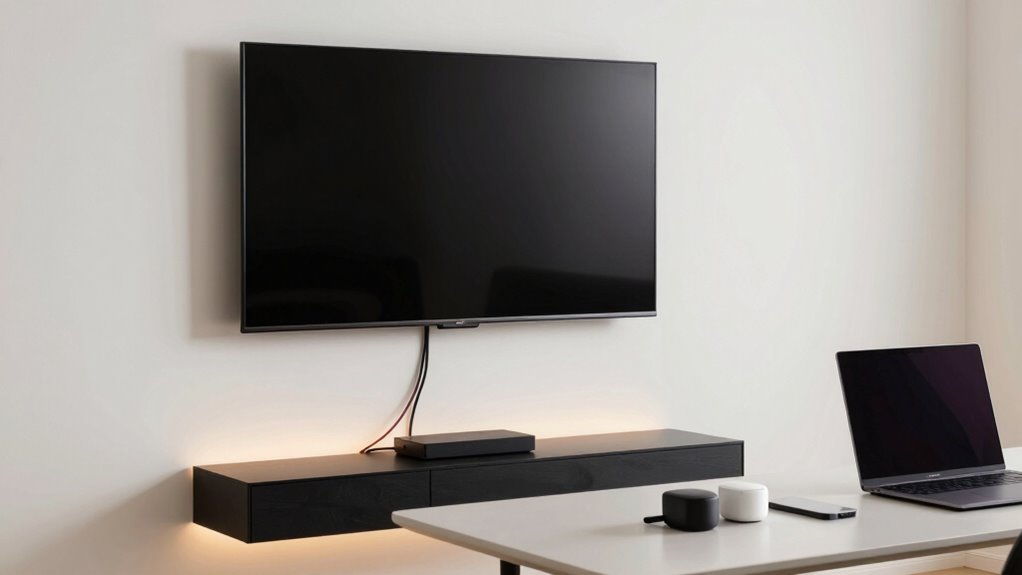
Another smart step involves choosing furniture designed with built-in cable management features. Many desks and media consoles come with holes or channels specifically made to route cables behind or underneath. This keeps cords out of sight and prevents tangling. When shopping, look for these options or modify existing furniture to include cable holes or clips. For your TV setup, consider mounting your TV on a wall to free up space and run cables through the wall or behind the mount, hiding them from view. Incorporating cable management solutions can make a significant difference in maintaining organization over time. Additionally, selecting furniture with integrated cable channels helps streamline your setup and reduce clutter.
Switching to wireless technology can dramatically cut down on cables. For example, use wireless speakers, streaming devices, and keyboards to minimize the number of cords draping over your desk or TV stand. Wireless streaming services also allow you to connect your devices without bulky HDMI cables, making your entertainment area look tidier and more organized. Remember, though, ensure your Wi-Fi network is robust enough to support these devices for seamless streaming and connectivity.
Finally, routinely review and reorganize your setup. As technology evolves, so do your cable and device needs. Keeping a tidy space isn’t a one-time task; it’s an ongoing process. Regularly unplug unused cables, replace damaged ones, and update your cord management methods. Incorporating wireless technology into your setup can significantly streamline your workspace and reduce clutter even further. With these simple steps — embracing wireless streaming, implementing effective cord management, and choosing furniture with built-in solutions — you’ll transform your cluttered space into a clean, organized haven.
cable management clips for TV and desk
As an affiliate, we earn on qualifying purchases.
As an affiliate, we earn on qualifying purchases.
Frequently Asked Questions
What Are the Best Cable Management Tools for Small Spaces?
For small spaces, the best cable management tools are cable clips and Velcro straps. Cable clips keep cords neatly pinned along walls or furniture, preventing tangles and saving space. Velcro straps are perfect for bundling excess cable length, making your setup look tidy and organized. Both tools are easy to use, affordable, and effective at reducing clutter around your TV or desk, creating a cleaner, more streamlined environment.
How Often Should I Check and Reorganize My Cables?
You should check and reorganize your cables every few months to prevent tangling and maintain order. During regular maintenance, use cable labeling to identify each cord easily, saving you time when troubleshooting or adding new devices. This routine helps you stay on top of potential issues, keeps your setup tidy, and guarantees everything functions smoothly. Regularly inspecting your cables also prolongs their lifespan by catching wear early.
Can Wireless Options Fully Replace All Wired Devices?
Sure, wireless options can seem like magic, but they can’t fully replace all wired devices. You’ll still need wired connections for reliable wireless security and streaming high-quality audio from Bluetooth speakers. While wireless tech reduces clutter, it doesn’t eliminate it entirely—interference, power issues, and security concerns still exist. So, enjoy the convenience, but keep some wires handy; they’re not going away anytime soon.
How Do I Hide Cables Behind Furniture Effectively?
To hide cables behind furniture effectively, focus on cable concealment by using cable raceways or conduits that run along the back of your furniture. You can also integrate cables into furniture by drilling discreet holes or using furniture with built-in cable management features. Secure cables with clips or velcro straps to prevent tangling, and keep excess length coiled neatly. These methods keep your space tidy and maintain a clean, organized look.
Are There Eco-Friendly Cable Management Solutions Available?
Yes, eco-friendly cable management solutions do exist, and they’re like a revitalizing change for your space. You can opt for products made from sustainable materials like bamboo or recycled plastics, which help reduce environmental impact. These sustainable solutions not only keep your cables tidy but also support greener living. By choosing eco-conscious options, you’re making a positive difference while maintaining a sleek, organized setup around your TV or desk.
Conclusion
By tidying your cables, you’re not just clearing space—you’re creating a sanctuary for your mind and spirit. Imagine each cord as a tangled thread of chaos, now woven into a neat, harmonious pattern that allows clarity and calm to flow. When your cables are organized, your environment transforms into a symbol of control and peace. Embrace the simplicity, and let your space reflect the serenity you deserve, freeing your mind to focus on what truly matters.
Fall Picks
fall essentials
As an affiliate, we earn on qualifying purchases.