To guarantee your security cameras prioritize privacy, position them carefully to monitor key areas like entry points while avoiding private spaces such as bedrooms or neighbor’s yards. Use privacy zones or masking features to block out sensitive areas and enable encryption for footage to prevent hacking. Manage access with strong passwords and permissions, and stay updated on security best practices and privacy laws. Continuing will reveal more tips to balance security and privacy effectively.
Key Takeaways
- Use privacy zones or masking features to block out private areas like neighbors’ yards or windows.
- Position cameras to monitor public spaces while avoiding private or sensitive areas.
- Enable encryption for footage during transmission and storage to protect against unauthorized access.
- Manage access permissions with strong passwords and two-factor authentication; regularly review user privileges.
- Post surveillance notices and be transparent about camera use to build trust and clarify privacy boundaries.
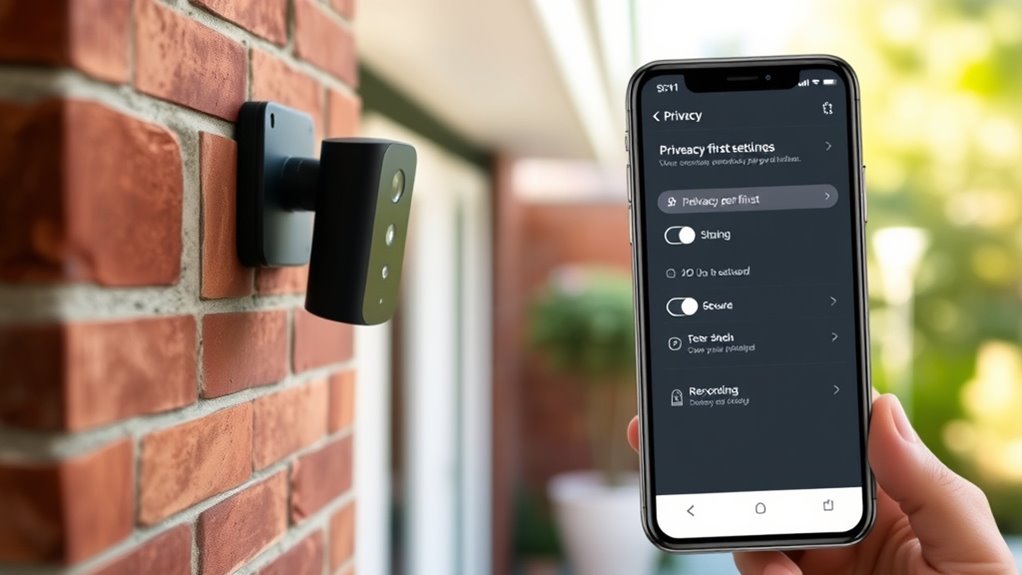
In today’s world, security cameras are a common way to protect your home or business, but balancing safety with privacy is essential. One of the most effective ways to do this is by paying close attention to camera placement. You want to position cameras where they monitor entry points, driveways, or common areas without invading private spaces like bedrooms, bathrooms, or neighbor’s yards. Carefully consider the layout of your property to avoid capturing footage that isn’t necessary for security. Proper camera placement ensures you gather valuable footage while respecting the privacy of those nearby. For example, pointing cameras away from neighboring windows or public areas minimizes unnecessary intrusion and potential privacy concerns.
While installing your cameras, it’s equally important to prioritize data encryption. This security measure safeguards your footage from unauthorized access or hacking attempts. When your camera footage is encrypted, even if someone manages to intercept the data, they won’t be able to view or misuse it. Many modern security systems automatically encrypt data during transmission and storage, so you should check whether your equipment offers this feature. If it doesn’t, consider upgrading or adding encryption solutions to protect your footage. Data encryption is a crucial layer of security that ensures your video recordings remain private and accessible only to authorized users.
Prioritize data encryption to keep your security footage private and protected from unauthorized access.
Additionally, you should be mindful of who has access to your security system. Use strong, unique passwords and enable two-factor authentication if available. Regularly review your camera’s access permissions to revoke any unnecessary privileges. This helps prevent potential breaches or accidental exposure of sensitive footage. When configuring your system, be transparent about where your cameras are aimed, especially if you live in a shared space or have renters. Posting notices about surveillance helps create trust and ensures that everyone understands the purpose and scope of your security measures.
To maintain a privacy-first approach, consider using privacy zones or masking features offered by many cameras. These settings allow you to block out certain areas of the camera’s view, like neighbors’ yards or windows, so they aren’t recorded or monitored. This way, you enhance security without sacrificing privacy. Combining thoughtful camera placement, robust data encryption, and privacy controls creates a balanced system that protects your property while respecting individual privacy rights. Additionally, keeping up with industry transformations and security best practices can help you adapt your system to new threats and features. Always stay informed about the latest security features and privacy laws to ensure your security setup remains compliant and trustworthy.
Frequently Asked Questions
How Do Privacy Settings Impact Camera Image Quality?
Privacy settings can impact your camera image quality by adjusting camera resolution and image compression. When you enable privacy features, they may lower the resolution or increase compression to blur or block certain areas, reducing clarity. This means the images might be less sharp or detailed. You should balance privacy with quality, ensuring settings are optimized so you still get clear enough footage while maintaining privacy preferences.
Can Privacy Settings Be Customized for Different Users?
Yes, you can customize privacy settings for different users by adjusting permission levels and controlling user access. You decide who can view or modify camera footage, ensuring sensitive areas stay private. By setting specific permissions, you prevent unauthorized users from changing privacy features or accessing certain footage. This tailored approach helps protect your privacy while allowing trusted users to monitor security footage effectively.
Are Privacy Settings Compatible With All Security Camera Brands?
Think of privacy settings as the key to your security castle—they’re not universal. Not all camera manufacturers prioritize compatibility with privacy features, so you might find some models lack this option. Check if your camera manufacturer offers customizable privacy settings and robust data encryption, ensuring your data stays protected. Always review your camera’s compatibility with privacy-first features before installation, so you’re not caught in a digital storm without a shield.
How Often Should Privacy Settings Be Reviewed or Updated?
You should review and update your privacy settings regularly, at least every three to six months, to guarantee privacy compliance and maintain control over user permissions. Changes in technology, regulations, or your personal circumstances can impact security camera privacy. By staying proactive, you prevent unauthorized access and keep your privacy settings aligned with current standards. Regular reviews help you identify any vulnerabilities and adjust permissions accordingly for maximum protection.
Do Privacy Features Affect Remote Access Capabilities?
Privacy features can impact remote access, but they don’t have to hinder it. When you enable privacy settings like data encryption and user authentication, you actually enhance security without sacrificing remote access. These features ensure your footage remains protected from unauthorized viewers, even when accessed remotely. As long as you configure them properly, you’ll maintain seamless remote access while safeguarding your privacy. Always review settings regularly to keep this balance ideal.
Conclusion
By adjusting your security camera settings with privacy in mind, you protect your personal space without sacrificing security. Remember, “A stitch in time saves nine”—taking proactive steps now prevents bigger issues later. Prioritize privacy features, like selective recording and access controls, to strike the right balance. When you respect your privacy, you build a safer, more comfortable environment for everyone in your home. Stay vigilant, stay protected, and always keep privacy at the forefront.