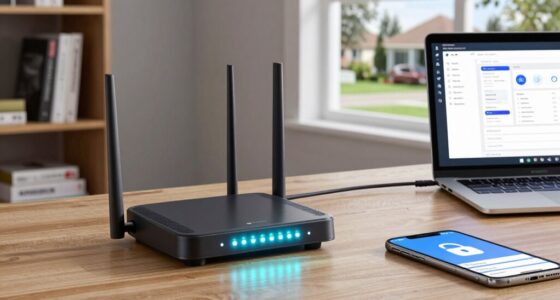
If you have a larger home with many devices, a mesh Wi-Fi system offers better coverage, security, and easy management through dedicated apps. It adapts to your needs and helps prevent dead spots, so your entire space stays connected and safe. On the other hand, a single router might suffice for small homes with fewer devices and is often simpler to set up. To find the best fit for your home, consider your size and needs—more details await.
Key Takeaways
- Mesh Wi-Fi systems offer scalable coverage suitable for larger homes, while single routers are often sufficient for smaller spaces.
- Mesh systems provide enhanced security with automatic updates and advanced features, whereas single routers depend on manual configurations.
- Compatibility with the latest devices and Wi-Fi standards is generally better supported by mesh systems.
- Managing multiple devices is easier with mesh systems’ dedicated apps and user controls, reducing network complexity.
- Choose a mesh system for extensive coverage and security needs; opt for a single router if your home is small and device demands are minimal.
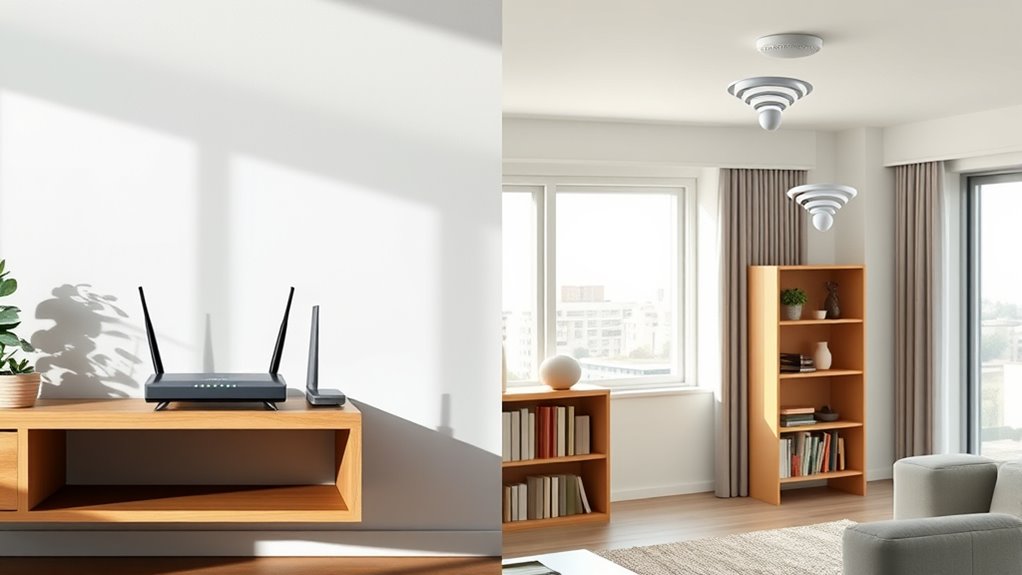
When it comes to setting up your home Wi-Fi network, choosing between a mesh Wi-Fi system and a single router can considerably impact your internet experience. One of the key factors to consider is network security. Mesh systems often come with advanced security features integrated into their apps, making it easier to monitor and manage your network’s safety. They typically offer automatic updates and built-in firewalls, which help protect your devices from cyber threats. In contrast, a single router’s security depends heavily on the firmware it runs and the manual configurations you implement. If your router isn’t regularly updated or if you neglect to set strong passwords and enable security protocols, your network may become vulnerable. Consequently, if security is a top priority, a mesh system can provide a more thorough, user-friendly approach to safeguarding your home network.
Device compatibility is another critical aspect that influences your choice. Not all routers or mesh systems support every device you own, especially with the proliferation of smart home gadgets, streaming devices, and gaming consoles. Mesh Wi-Fi systems are generally designed to be compatible with a broad range of devices, and their seamless connectivity allows you to add additional nodes or extend coverage without sacrificing performance. Many mesh systems also support the latest Wi-Fi standards, ensuring your newer devices get optimal speeds and reliability. On the other hand, a single router’s compatibility depends on its specifications. Older routers might not support the latest standards, limiting your ability to connect newer devices effectively. Additionally, some routers may not work well with certain smart home products or high-bandwidth applications, leading to connectivity issues or slower speeds. Furthermore, mesh networks often incorporate advanced security features, enhancing device protection across your entire home.
Another consideration is how each setup handles network security and device compatibility when multiple users or devices are involved. A mesh system often simplifies network management through dedicated apps, letting you set guest networks, prioritize bandwidth, and control device access easily. This makes managing a growing number of connected devices less stressful. Single routers might require more manual configuration, which can be complicated if you’re not tech-savvy, and they often lack the streamlined management features found in mesh systems.
Ultimately, your decision should reflect your home’s size, the number of devices, and your priorities around security and compatibility. If you want a simple, scalable solution with robust security features and broad device support, a mesh Wi-Fi system is likely the better fit. But if you have a smaller space, fewer devices, or already own a powerful router, sticking with a single device might suffice. Both options have their merits, but understanding how they handle network security and device compatibility will help you choose the right setup for your home.
Frequently Asked Questions
Can a Mesh Wi-Fi System Be Upgraded Easily?
Yes, a mesh Wi-Fi system can be upgraded easily. You just need to check for firmware updates regularly, which improve performance and security. Scalability options make it simple to add more nodes as your home grows, ensuring consistent coverage. Most systems allow you to update firmware remotely through the app, so you won’t need to replace hardware. This flexibility keeps your network current and efficient without much hassle.
Are Mesh Networks More Secure Than Single Routers?
Yes, mesh networks are generally more secure than single routers. They often offer advanced features like network segmentation, which isolates devices for added protection, and parental controls that help you manage access and monitor activity. These features make it easier to secure your entire home network, reducing vulnerabilities. Plus, mesh systems frequently receive automatic updates, ensuring you stay protected against the latest security threats.
How Does Device Management Differ Between Systems?
With a mesh system, you typically get more advanced device management features like device prioritization and better control over network congestion. You can assign priority to certain devices, ensuring they get faster speeds during busy times. Single routers often have simpler management tools, which may limit your ability to control device access or prioritize traffic. Overall, mesh networks provide more granular control over your connected devices, optimizing your network’s performance.
What Is the Typical Lifespan of Mesh Wi-Fi Units?
Ever wonder how long your mesh Wi-Fi units last? Typically, these units have a lifespan of 3 to 5 years. During this time, they maintain reliable wireless range and signal stability, but like all tech, their performance can decline over time. Regular updates and proper placement can extend their usefulness. When they start showing issues, it might be time for a replacement to keep your home connected smoothly.
Do Mesh Systems Consume More Energy Than Traditional Routers?
Mesh systems generally consume more energy than traditional routers because they have multiple units working together, increasing overall power consumption. However, many modern mesh units are designed with power efficiency in mind, helping to reduce energy consumption during idle times. If you’re concerned about energy use, look for mesh systems that prioritize power efficiency, ensuring you get the benefits of better coverage without substantially increasing your power bills.
Conclusion
Think of your home Wi-Fi like a bustling city. A single router is like a lone streetlamp—bright but limited, leaving some corners dark. A mesh Wi-Fi system is your city’s vibrant network of lamps, illuminating every alley and alleyway. For a seamless, city-wide glow, a mesh system keeps everything connected and bright. So, choose the setup that best lights up your home’s digital streets, ensuring no corner gets left in the dark.